

Voicecleaner
VoiceCleaner is a browser-based AI voice cleaner that automatically removes background noise, breaths, mouth clicks, reverb, and other audio artifacts from audio and video files, offering one-click enhancement and export in multiple formats.
Voicecleaner is audio software teams evaluate for audio. Use this page to review pricing, integration signals, and the best alternatives before you commit.
Profile facts come from the vendor source. AiMatch labels unknown pricing or API details instead of estimating them.
Review official source →Quick Overview
Best for: Audio
What it does
Audio software for decision-makers comparing workflow fit and alternatives.
Best fit
Audio
Pricing snapshot
Freemium from Free
Next step
Compare Voicecleaner with similar tools before you shortlist it.
Compare this tool before you shortlist it
Review alternatives, pricing posture, and workflow fit side by side.
VoiceCleaner is a free, browser-based AI tool that automatically removes background noise and enhances voice clarity from both audio and video files. It targets a wide range of unwanted sounds—hum, clicks, breath, mouth noises, wind, reverb, echo, static, and more—delivering studio-like audio without manual editing. The service is aimed at creators and professionals including podcasters, musicians, video editors, journalists, educators, and corporate teams who need fast, one-click audio cleanup and export in common formats.
VoiceCleaner is a browser-based AI voice cleaner that automatically removes background noise, breaths, mouth clicks, reverb, and other audio artifacts from audio and video files, offering one-click enhancement and export in multiple formats.
Own this listing?
Claim this page for a one-time $29 to add pricing, features, screenshots, verified owner details, and a clearly labeled 30-day category position after the profile is live.
Claim this listing for $29Key Features
AI Noise Removal
Automatically detects and removes background noise types such as hums, echoes, static, wind, and other unwanted ambient sounds using next-gen AI models.
Specialized Sound Removers
Dedicated removers for breaths, mouth clicks, long silences, wind noise, buzzing, and other specific artifacts to improve recorded speech quality.
Reverb & Echo Removal
Algorithms to reduce or remove reverb and echo from recordings to produce clearer, more direct-sounding voice tracks.
Vocal Remover / Keep Music
Options to remove vocals from songs or preserve musical elements while cleaning voice recordings.
Multiple File Support & Export
Supports 20+ formats (MP3, WAV, MP4, MOV, OGG, FLAC, etc.) and allows export of cleaned audio/video in preferred formats.
Multiple AI Models
Selection of models (e.g., LatestAudioCleaner Model V1 and AlphaAudioCleaner Model V2) optimized for different noise conditions and complexity.
Fast Browser-Based Workflow
No downloads required — upload or record in the browser, automatically clean, preview, and download results.
Privacy Controls
Uploads are SSL encrypted and automatically deleted within 24 hours.
Pricing
100% free online tool — upload or record audio/video and remove background noise instantly (as stated in the FAQ).
Free
Free- Browser-based AI cleaning
- Support for audio & video
- Export in common formats
Upgrade
35% OFF (promotion shown on site; no explicit price listed)- Access to premium or extended features (details not listed on page)
Use Cases
Podcasters
Convert raw podcast recordings into clear, professional audio with up to 90% reduction in background noise without expensive equipment or manual editing.
Musicians & Producers
Remove hums, clicks, and room echo from home recordings or demos to produce cleaner stems and vocal tracks.
Video Creators & Editors
Clean audio in video projects to improve viewer engagement and retention by eliminating distracting background sounds.
Journalists & Field Recordings
Restore and make field interviews usable by removing crowd noise, traffic, and environmental artifacts.
Business & Remote Work
Improve clarity in recorded meetings, calls, and training materials to reduce misunderstandings and increase productivity.
Students & Educators
Enhance lecture recordings, study notes, and online course audio for clearer educational content.
Integrations
No verified integration details are available.
Benefits
Limitations
Frequently Asked Questions
Is VoiceCleaner AI free?
What is the difference between a voice cleaner and a noise remover?
How do I extract clear voice from a noisy audio file?
How to remove background noise from audio online free?
What formats does VoiceCleaner support?
How long are uploads stored?
Getting Started
- 1 Step 1: Upload your audio or video file from your device, record in real time, or use an audio link.
- 2 Step 2: Choose the noise type and content type (meeting, studio, voiceover, etc.), then click 'Enhance' to let the AI analyze and clean the file.
- 3 Step 3: Preview the cleaned result and click 'Download' to export in your preferred format.
Support
No verified support channels are available.
API
Compare Voicecleaner with similar tools
See how it stacks up against alternatives
Related Tools
View all 12 →

Cleanvoice AI
Cleanvoice AI is an AI-powered audio and video editing service that automates podcast and voice cleanup—removing background noise, filler words, mouth sounds, long silences, and more—and offers transcription, summaries, multitrack editing, and an API for scale.

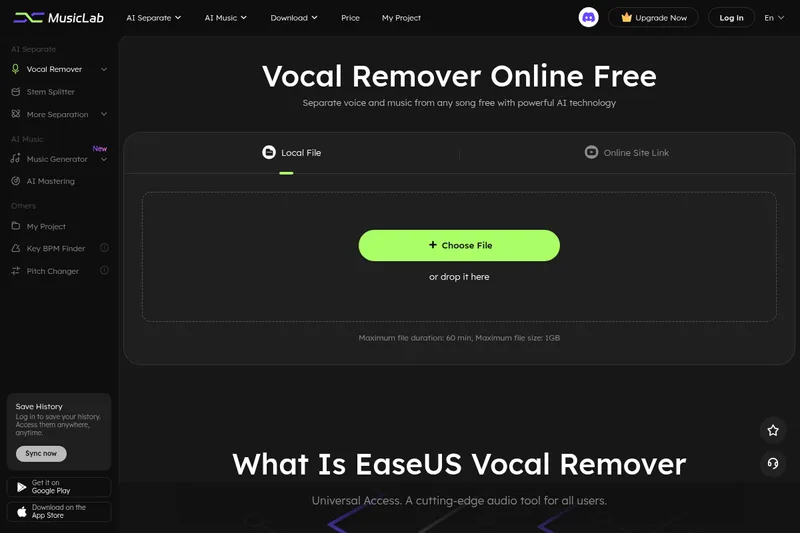
Vocal Remover Online
EaseUS Vocal Remover is a browser-based AI audio tool for removing or extracting vocals and separating music into stems. Users can upload audio or video files, or provide supported YouTube and SoundCloud links, then preview and download the processed audio.

hance-ai-audio-enhancement
HANCE was a deep‑tech AI company from Oslo that built realtime, low‑latency, privacy‑first machine learning models and a cross‑platform audio engine to enhance audio for product and app developers; the company announced it is closing and assisting customers through the transition.

CleanAudio AI
CleanAudio is a browser-based AI background noise remover that automatically cleans audio and video files (MP4, MOV, MP3, WAV, etc.) to deliver studio-quality voice clarity with a one-click workflow and a free 30-second preview.