CleanAudio AI
CleanAudio is a browser-based AI background noise remover that automatically cleans audio and video files (MP4, MOV, MP3, WAV, etc.) to deliver studio-quality voice clarity with a one-click workflow and a free 30-second preview.
CleanAudio AI is audio software teams evaluate for audio. Use this page to review pricing, integration signals, and the best alternatives before you commit.
Profile facts come from the vendor source. AiMatch labels unknown pricing or API details instead of estimating them.
Review official source →Quick Overview
Best for: Audio
What it does
Audio software for decision-makers comparing workflow fit and alternatives.
Best fit
Audio
Pricing snapshot
Freemium from Free
Next step
Compare CleanAudio AI with similar tools before you shortlist it.
Compare this tool before you shortlist it
Review alternatives, pricing posture, and workflow fit side by side.
CleanAudio is a web application that uses AI to remove background noise from audio and video files quickly and with minimal user interaction. It is built for creators and professionals who need fast, studio-quality voice cleanup without complex tools — users upload files in the browser, receive a 30-second cleaned preview for free, and can download the fully cleaned file after purchase. The product supports common audio and video formats and emphasizes privacy, processing files in a secure sandbox and automatically deleting them after 24 hours.
AI removes background noise and room echo for studio-quality vocal audio. CleanAudio AI is a AI Tool featured on Dang.ai. Learn more about CleanAudio AI's AI tool.
Own this listing?
Claim this page for a one-time $29 to add pricing, features, screenshots, verified owner details, and a clearly labeled 30-day category position after the profile is live.
Claim this listing for $29Key Features
One‑click AI noise removal
Automatic background noise removal with a single upload; the AI analyzes the waveform and removes unwanted sounds without manual profiling.
Support for common audio & video formats
Accepts MP4, MOV, MP3, WAV and additional formats (site lists MP4, MOV, FLV, MKV, WMV, MP3, WAV, AIFF, FLAC, M4A), enabling both audio and video cleanup.
30‑second free preview
Hear a 30-second cleaned preview in the browser at no cost and without signup; pay only to download the full cleaned file.
Noise category removal
Targets common disturbances including wind, fan/AC noise, dog barking, traffic, electronic hum/static, and room echo (de-reverb).
Fast, browser-based processing
Lightning-fast processing in the browser with drag-and-drop upload and downloadable outputs in multiple formats.
Privacy and auto-deletion
Files are processed in a secure sandbox and permanently shredded from servers after 24 hours; the site states it does not use user data for AI training.
Mobile-friendly
Fully responsive and optimized for mobile browsers so users can clean recordings from smartphones without installing apps.
Pricing
Free 30-second cleaned preview available without signup or credit card; full downloads require payment.
Free Trial
Free- 30-second cleaned preview
- No signup or credit card required
- Pay only to download full file
PRO Unlimited
Subscription (monthly) — exact price not listed on supplied page- Unlimited audio cleaning under a fair-use policy (up to 30 hours per billing cycle)
- Priority queue
- Supports 10+ audio & video formats
- No watermark, no ads
Pay As You Go
One-time credit purchases — exact pricing not listed on supplied page- Flexible credits for occasional use
- Credits valid for 1 year
- Same AI and output quality as PRO
Use Cases
Podcasters
Clean up noisy podcast recordings (AC hum, buzz, echo) quickly without re-recording or complex manual editing.
YouTubers & Video Creators
Improve audio quality in video uploads by removing traffic, wind, and ambient noise before publishing.
Marketers & Voiceover Producers
Polish promotional audio and voiceovers for ads or campaigns without expensive studio gear or complicated software.
Educators
Make lectures and training materials recorded in non-studio environments sound professional for learners.
Casual Users
Clean phone recordings, voice notes, and interviews to make them clearer and more usable.
Audio Engineers
Use as a quick first-pass tool to remove obvious noise from rough cuts before detailed mixing and mastering.
Integrations
No verified integration details are available.
Benefits
Limitations
Frequently Asked Questions
How can I remove background noise from audio or video for free?
What types of background noise can this AI tool remove?
Is this better than traditional software like Audacity or Premiere Pro?
What file formats are supported for noise reduction?
Is the audio cleanup tool secure and private?
Does it work efficiently on mobile devices (iOS/Android)?
How do I make my podcast or YouTube audio clearer online?
Is there a free AI tool to clean audio online?
What does 'Unlimited' mean and can I cancel anytime?
What's the difference between Pay As You Go and PRO?
Getting Started
- 1 Upload your audio or video file by drag-and-drop or clicking the upload area (supports files up to 500MB / 60 minutes).
- 2 Listen to the 30-second cleaned preview generated instantly in the browser.
- 3 If satisfied, choose to download the full cleaned file (pay-as-you-go credits or PRO subscription) and export in the desired format.
Support
Docs / Blog
CleanAudio Blog and product updates provide guides, workflow articles, and source-checked help content (links available on the site).
Legal / Policies
Terms of Service and Privacy Policy pages are available via the site footer for policy and support-related information.
API
Compare CleanAudio AI with similar tools
See how it stacks up against alternatives
Related Tools
View all 12 →


Voicecleaner
VoiceCleaner is a browser-based AI voice cleaner that automatically removes background noise, breaths, mouth clicks, reverb, and other audio artifacts from audio and video files, offering one-click enhancement and export in multiple formats.

Thinksound
ThinkSound is an AI-powered video-to-audio generator and sound effects platform that uses multimodal models and Chain-of-Thought reasoning to generate, edit, and enhance high-fidelity, context-aware soundtracks and effects from video, text, or audio inputs.
airadio-host
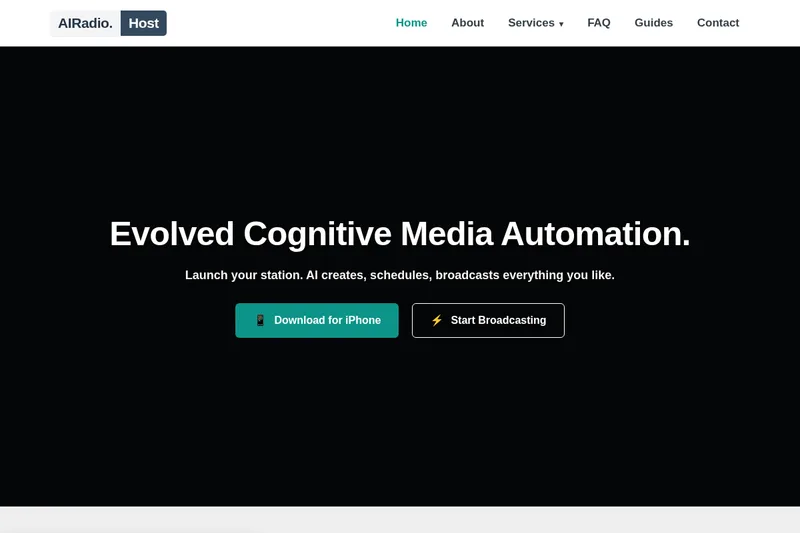
AIRadio.Host automates radio content production and broadcasting with AI. It connects to live data sources, generates scheduled audio for tasks such as news and weather updates, and distributes the audio to broadcast systems or streams.

Cleanvoice AI
Cleanvoice AI is an AI-powered audio and video editing service that automates podcast and voice cleanup—removing background noise, filler words, mouth sounds, long silences, and more—and offers transcription, summaries, multitrack editing, and an API for scale.
Vocal Remover Online
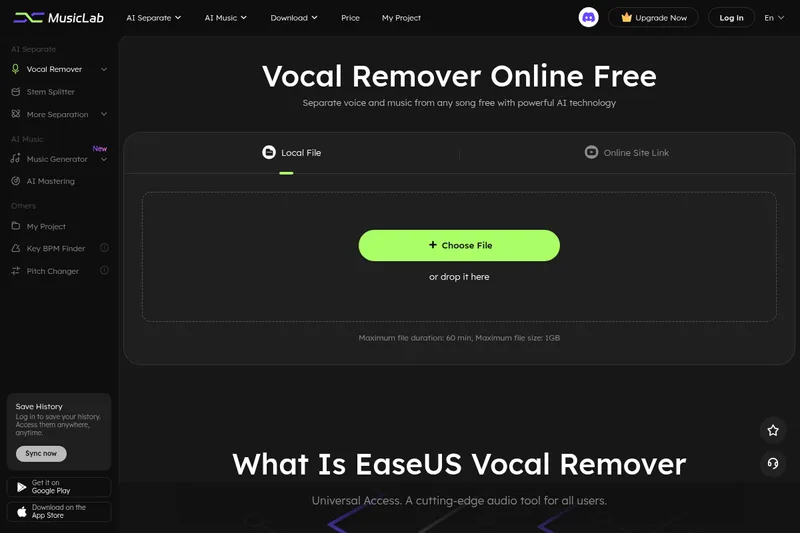
EaseUS Vocal Remover is a browser-based AI audio tool for removing or extracting vocals and separating music into stems. Users can upload audio or video files, or provide supported YouTube and SoundCloud links, then preview and download the processed audio.