

profilepicturemaker-com
A free web-based profile picture maker that creates circular profile photos with customizable borders, gradients and circular text. Image processing runs locally in the browser for privacy and the tool is optimized for social platforms like Instagram, WhatsApp, TikTok and LinkedIn.
profilepicturemaker-com is image & design software teams evaluate for content & marketing. Use this page to review pricing, integration signals, and the best alternatives before you commit.
Profile facts come from the vendor source. AiMatch labels unknown pricing or API details instead of estimating them.
Review official source →Used in These Packs
Quick Overview
Best for: Content & Marketing
What it does
Image & Design software for decision-makers comparing workflow fit and alternatives.
Best fit
Content & Marketing
Pricing snapshot
Free from Free
Next step
Compare profilepicturemaker-com with similar tools before you shortlist it.
Compare this tool before you shortlist it
Review alternatives, pricing posture, and workflow fit side by side.
Profile Picture Maker (Free PFP & DP Maker) is a browser-based web application that creates circular profile pictures with customizable solid or gradient borders and optional circular text. The tool processes images locally in the user's browser (no upload to servers), works offline, requires no sign-up, and lets users download finished profile pictures as high-quality PNGs. It is positioned for use across social platforms (Instagram, WhatsApp, Facebook, TikTok, LinkedIn, Twitter, etc.) and claims millions of users and AI-powered headshot generation on the site.
AI-powered profile picture generator with customization options.
Own this listing?
Claim this page for a one-time $29 to add pricing, features, screenshots, verified owner details, and a clearly labeled 30-day category position after the profile is live.
Claim this listing for $29Key Features
Local/browser-based processing
All image processing (background removal, border addition, text and filters) is performed in the user's browser so photos are not uploaded to the server.
Custom circular borders
Add solid color or gradient circular borders with adjustable thickness to make profile pictures stand out.
Circular text
Add curved text (brand names, hashtags or contact info) around the circular photo.
Background removal
Built-in background removal to create clean circular profile pictures and generate multiple variations.
Fast generation
Claims to create profile pictures and DPs in under 30 seconds without complex editing software.
Multi-format support & download
Supports common image formats (JPG, PNG, WEBP, GIF) and allows downloading the result as a high-quality PNG.
Platform-optimized output
Outputs are optimized for various social platforms and circular profile requirements.
Pricing
Completely free to use with no hidden costs, no subscriptions, no watermarks and unlimited creations.
Free
Free- Unlimited profile pictures
- No subscriptions, no watermarks
- Local browser processing
Use Cases
Social media avatars
Create eye-catching circular profile pictures for Instagram, TikTok, Facebook, WhatsApp, Twitter, Snapchat and similar platforms.
Professional/Business profiles
Design LinkedIn and other professional profile photos with subtle borders and circular text for branding or contact info.
Campaign or brand promotion
Use circular text or hashtags around profile pictures to promote campaigns, websites, or businesses.
Gaming and personal branding
Make bold, colorful DPs with custom borders and text for gaming, streaming, or personal identity.
Multiple variations
Quickly produce different border styles, colors, and text variations to test what stands out on feeds.
Integrations
No verified integration details are available.
Benefits
Limitations
Frequently Asked Questions
What is a DP maker and how does it work?
Is this pfp maker really free to use?
What file formats can I upload to the DP maker?
Are my photos safe when using this profile picture maker?
Can I use these profile pictures on all social media platforms?
What customization options does your profile photo generator offer?
How do I download my profile picture after creating it?
Can I create multiple profile pictures at once?
Getting Started
- 1 Upload your photo or pick an example image.
- 2 Customize border style (solid or gradient), thickness, and optional circular text; background removal is applied.
- 3 Click the download button to save your profile picture as a PNG and upload it to your social platform.
Support
Docs/FAQ
On-site Frequently Asked Questions and usage guidance available on the free PFP maker page.
Legal & Policies
Terms & Conditions, Privacy Policy and Sub Processors links are available on the site.
API
Compare profilepicturemaker-com with similar tools
See how it stacks up against alternatives
Related Tools
View all 386 →
clipdrop
Clipdrop is a suite of AI-powered image tools and APIs for creating and editing visuals quickly — including background removal, inpainting/cleanup, upscaling, relighting, text-to-image generation, and format resizing — with options to use the web tools or embed capabilities via an API.
Mycolorelf
MyColorElf is an AI-powered web app that generates custom, high-resolution coloring pages from text prompts in seconds for parents, teachers, artists, and businesses.

ChatGPT Image Generator
ChatGPT Image Generator is a web-based text-to-image tool that produces AI-generated visuals (up to 4K) from user prompts, offering multiple styles, multi-image generation, and a developer-friendly API for integration.
Aiactionfiguregenerator
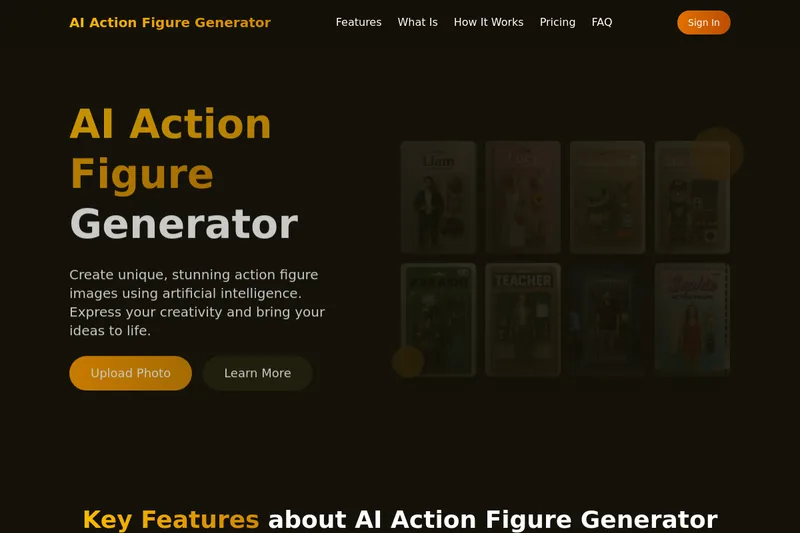
AI Action Figure Generator is a web tool that uses artificial intelligence (explicitly referencing GPT-4o) to create personalized high-resolution action figure images from photos or text prompts, with customization of facial features, outfits, poses, and multiple artistic styles.


Flux Pro AI (FluxProWeb)
Flux Pro AI (FluxProWeb) is a web-based suite for AI image and video generation, editing, and enhancement that offers multiple text-to-image, image-to-image and text-to-video tools and a catalog of production-grade models for creators and professionals.
Pixarmory
PixArmory is a web-based AI photo editor and image-generation toolkit that lets users edit, stylize, and generate images from plain-English prompts using models like Nano Banana (Google) and GPT Image 2 (OpenAI). It targets creators, designers, and professionals seeking fast, multi-model image editing workflows without advanced design skills.
Premium Alternatives


Artiphoria AI
Artiphoria AI is a web-based AI image generation software that creates unique images in one click using neural networks and machine learning, aimed at artists, designers, creators and businesses.
Realistic AI
Realistic AI is a web-based generator and editing suite for photorealistic images and videos. Users can create from text prompts or photos, choose from multiple AI models, and use additional tools to humanize, restore, upscale, or retouch images.
Illusion Diffusion
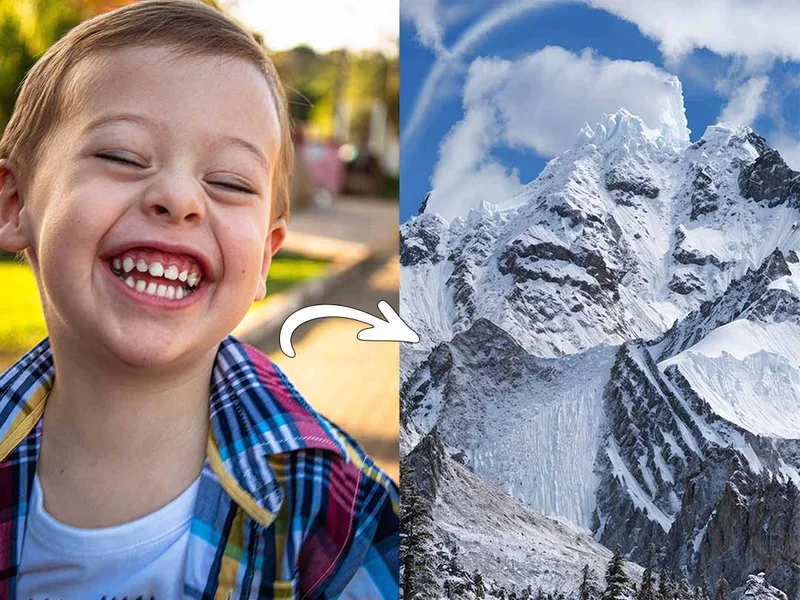
Illusion Diffusion is a web-based AI photo-to-art generator that transforms designs, text, or photos into illusion-style artwork using ControlNet, OpenPose, and Stable Diffusion models. It offers credit-based image generation, downloadable results, and presets for text-to-image and brand/logo reimagining.
RoomAI
RoomAI is a web-based AI room-design tool that restyles real room photos while preserving the room geometry (walls, windows, openings, ceiling height and camera angle). It offers 300+ styles, 20+ room presets, virtual staging and decluttering with fast, full-resolution results for property listings, designers, photographers and homeowners.
imakeit.ai
imakeit.ai is a browser-based AI image generator and editor powered by GPT Image 2. It creates and edits visuals from text prompts and reference images, with adjustable quality, 1K–4K output, and upfront credit costs.