

ABrush
ABrush is an AI-powered plugin that integrates directly into Adobe Photoshop to generate and edit images inside the artist’s familiar workspace, offering multiple models, professional controls, and workflow-focused features for creators and teams.
ABrush is ai tools software teams evaluate for creative & design. Use this page to review pricing, integration signals, and the best alternatives before you commit.
Profile facts come from the vendor source. AiMatch labels unknown pricing or API details instead of estimating them.
Review official source →Used in These Packs
Quick Overview
Best for: Creative & Design
What it does
AI Tools software for decision-makers comparing workflow fit and alternatives.
Best fit
Creative & Design
Pricing snapshot
Pricing available on request
Next step
Compare ABrush with similar tools before you shortlist it.
Compare this tool before you shortlist it
Review alternatives, pricing posture, and workflow fit side by side.
ABrush is an AI-powered Photoshop plugin designed to put image generation and AI editing tools directly inside Adobe Photoshop. Built by artists for artists, it aims to accelerate creative workflows while keeping the artist in control by offering model selection, editable generation layers, presets, and generation history. The product targets creators and teams who want to generate, refine, and iterate on images without leaving their Photoshop workspace.
AI Studio for Digital Artists Discussion | Link
Own this listing?
Claim this page for a one-time $29 to add pricing, features, screenshots, verified owner details, and a clearly labeled 30-day category position after the profile is live.
Claim this listing for $29Key Features
In-Photoshop AI Studio
Generate images and edit them directly inside Adobe Photoshop so you don't need to switch between tools.
Multiple Models
Access 23+ top models and work with different engines such as Stable Diffusion, Flux, Gwen Image and others.
Pro Controls & UI Mods
Professional AI controls, 3 UI mods, and a tailored interface for artists to manage generation precisely.
ControlNet & IP-Adapter Support
Support for advanced conditioning tools including ControlNet and IP-Adapter/references for targeted generation.
LoRA Styles
Support for LoRA styles so artists can apply or reuse learned style modifications in generations.
Generation History & Presets
Save generation history, use and share presets (prompts and settings) to iterate faster and return to previous results.
Precise Local Editing
Edit only what you need with an intuitive interface that allows precise, localized changes in documents.
Integration with Artist Workspace
Designed to integrate with artists’ existing Photoshop workflows, keeping control and hand refinement within the same environment.
Pricing
Current pricing details are not available from the vendor source.
Use Cases
In-Photoshop Image Generation
Generate multiple variations of imagery directly in Photoshop to explore concepts without leaving the document.
Targeted Edits and Refinement
Make precise, localized edits to generated content and refine results by hand inside Photoshop for final polish.
Iterative Creative Workflows
Save generation history and presets to iterate on ideas, reuse successful prompts/settings, and speed up repetitive tasks.
Commercial Creative Projects
Produce commercial artwork with ownership and privacy guarantees for professional projects.
Integrations
Adobe Photoshop
Primary integration point — ABrush is a plugin that works directly inside Photoshop to keep the workflow in one place.
AI Model Engines (Stable Diffusion, Flux, Gwen Image)
Supports multiple external model engines so artists can select different generation backends.
ControlNet / IP-Adapter / LoRA
Integration with conditioning and style adapter tools for advanced, reference-based generation workflows.
Benefits
Limitations
No verified limitations are available.
Frequently Asked Questions
How can I try the plugin?
Can I use generated images for commercial purposes?
Do you use my images to train models?
Getting Started
- 1 Step 1: Install the ABrush plugin into Adobe Photoshop (refer to Docs or Creative Cloud installation guidance).
- 2 Step 2: Generate multiple variations directly in Photoshop using available models and presets.
- 3 Step 3: Edit generated content locally where needed, refine details by hand inside Photoshop, and save generations/presets for reuse.
Support
Support and contact available via [email protected]
docs
Product documentation accessible via the 'Docs' link on the site.
demo
Request a demo or watch a demo video via the 'Request Demo' / 'Watch Demo' links.
API
Compare ABrush with similar tools
See how it stacks up against alternatives
Related Tools
View all 386 →
Naildesignhub
An AI-powered web tool that generates custom, realistic nail art images from user text descriptions so users and nail professionals can get high-resolution design references in seconds.

Actionfiguregenerator
Action Figure Generator is a web-based AI tool that transforms user photos into collectible-style action figure images with custom packaging, accessories, and themes using generative AI.
Fluxcontext
Flux Kontext is an open-source, context-aware multi-modal AI image generation platform by Black Forest Labs that emphasizes character consistency, semantic image editing, and ComfyUI workflow integration for professional image generation and iterative editing.

AI Cartoon Generator
AI Cartoon Generator is a free web-based tool that transforms text prompts into cartoon and anime-style artwork using advanced AI models (SDXL, FLUX.1, Banana), offering 50+ art styles, high-resolution outputs, and commercial usage rights.

Premium Alternatives
Image-AI.pro
Image-AI.pro is a professional AI image generation platform powered by the proprietary img-v2 Pro engine, offering studio-quality, multi-style image generation with instant, no-registration access and an optional VIP membership for faster, higher-resolution outputs.



Prompt Hunt
Prompt Hunt is a web platform for creating, browsing, and sharing AI-generated art using curated prompt templates and its in-house Chroma model, aimed at creatives, teams, and prompt engineers.
Hairstyleai
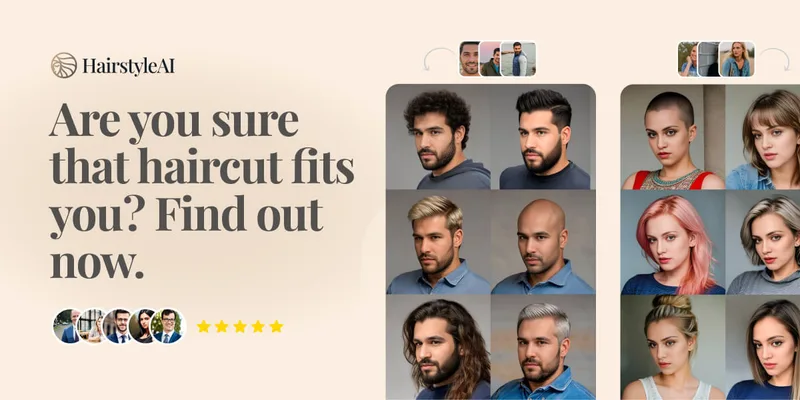
HairstyleAI is a virtual AI hairstyle try-on service (powered by HeadshotPro.com) that lets users preview new haircuts on their photos before committing to a real cut, offering dozens of generated looks and downloadable HD images.
