
AceRound
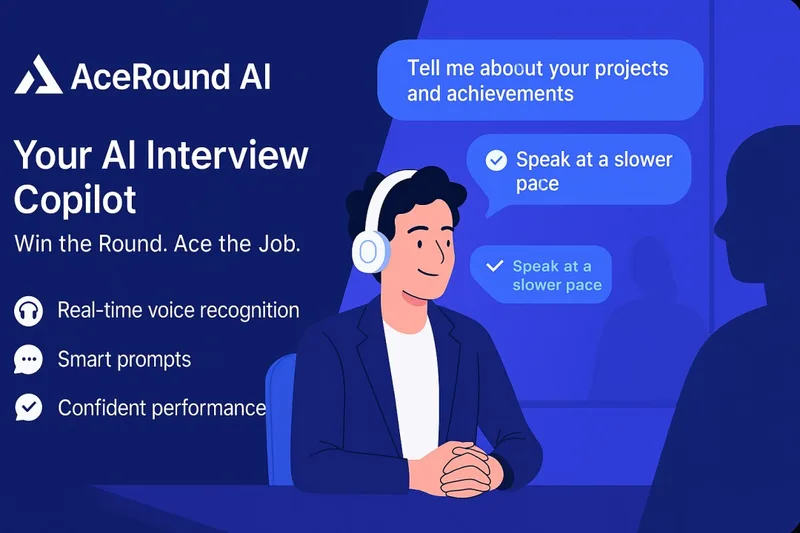
AceRound transcribes live interviews and supplies suggested answers, and it can analyze questions in online assessments. Candidates use it for interview assistance, assessment support, and AI-guided practice.
One of 146 tools in Recruitment & HR
Who it's for
- Job candidates interviewing over Zoom, Google Meet, Microsoft Teams, or Webex who want real-time transcription and suggested answers.
- Candidates taking coding, aptitude, or other online assessments on platforms such as HackerRank, CodeSignal, or LeetCode.
- Candidates preparing for technical or behavioral interviews who want adaptive mock rounds and performance reviews.
Not the right fit if…
- People using Windows versions earlier than 10 version 2004 or macOS versions earlier than 13: the listed desktop app requirements do not include those systems.
- Candidates who need more than 30 minutes of free use without paying: the stated free allowance is 30 minutes of AI interview credits.
How it fits your workflow
For a live interview, the desktop app captures system audio and transcribes the interviewer’s questions. It then displays key points and a suggested answer; the page also describes reading answers on a phone while interviewing on a computer.
For an online assessment, the user can trigger the copilot from the assessment screen. AceRound says it reads the question and provides a solution for formats including coding, multiple choice, free response, and aptitude tests.
For practice, users start an AI mock interview with industry-specific questions. The questions adapt to responses, and a performance review reports scoring and areas to improve.
Pricing
Free: The page offers 30 minutes of free AI interview credits, with no credit card required.
Starter Pack
$9.90, one-time; never expires
- · 60 minutes
- · Credits are shared across usage
Standard Credits
$29.90, one-time; never expires
- · 240 minutes
- · Credits are shared across usage
Max Credits
$59.90, one-time; never expires
- · 600 minutes
- · Credits are shared across usage
Weekly Pass
$24.90 for 7 days
- · Unlimited Interview Copilot
- · Unlimited online assessments and take-homes
- · Unlimited mock interview sessions
- · One-time payment; no auto-renewal
Monthly Pass
$39.90 for 30 days
- · Unlimited Interview Copilot
- · Unlimited online assessments and take-homes
- · Unlimited mock interview sessions
- · One-time payment; no auto-renewal
Season Pass
$69.90 for 90 days
- · Unlimited Interview Copilot
- · Unlimited online assessments and take-homes
- · Unlimited mock interview sessions
- · One-time payment; no auto-renewal
Prices checked on Oct 15, 2026 from the vendor's site. They can change; confirm before you buy.
Key features
- Real-time interview copilot
- Captures system audio, transcribes questions as they are spoken, and provides key points and a suggested reference answer.
- Online assessment copilot
- Reads questions from the screen and provides help for coding, multiple-choice, free-response, aptitude, and other assessment formats. The page describes triggering assistance by hovering over Solve or using a keyboard shortcut.
- AI mock interviews
- Runs interview practice with industry-specific AI interviewers. Questions adapt to answers, with follow-up depth adjusted based on technical accuracy.
- Performance review
- Provides a review of interview performance, including scoring, keyword coverage, and areas to improve.
- Dual-device mode
- Lets a candidate interview on a computer and read answers on a phone.
- Language support
- The page names English, Japanese, French, German, Portuguese, and Korean, and states that additional languages are supported.
Works with
- Zoom, Google Meet, Microsoft Teams, and Webex
- HackerRank, CodeSignal, LeetCode, Codility, Karat, CoderPad, HireVue, and SPI
Limitations to know
- The desktop app requires Windows 10 version 2004 or later, or macOS 13 or later.
- The free offering is limited to 30 minutes of AI interview credits.
Alternatives to consider
-
Final Round AI
Choose it if you want automatic post-session debriefs and interview assistance organized around a single role-specific Goal.
-
SubcueAI
Choose it if you want a free in-browser resume builder and dual-audio capture for video calls.
-
OnlyCheat
Choose it if you want a second-device-focused assistant described for coding, system design, behavioral, and recruiter interviews.
Getting started
Windows 10 version 2004 or later, or macOS 13 or later.
- Download the desktop app for Windows or macOS.
- Sign in with an existing AceRound account.
- Start with the 30-minute free credit offer or select a paid plan.
- Choose Interview Copilot, Online Assessment Copilot, or an AI mock interview.
Frequently asked questions
Is AceRound detectable during an interview?
AceRound says it runs as its own app on a desktop or phone and does not touch Zoom, Teams, or Meet. The page says its answer layer is not visible in screen shares, recordings, or screenshots.