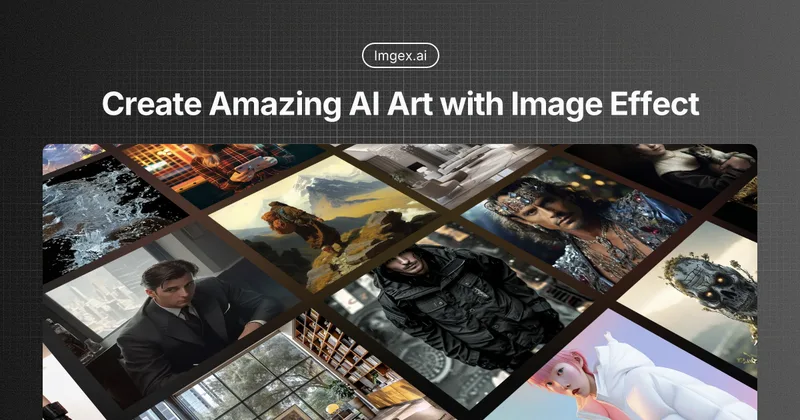
Aiimageanimator
AI Image Animator is a web-based tool that turns still images into short animated videos by uploading an image, entering a prompt, and generating a moving MP4 clip using AI-driven animation models.
Aiimageanimator is video generation software teams evaluate for content & marketing. Use this page to review pricing, integration signals, and the best alternatives before you commit.
Profile facts come from the vendor source. AiMatch labels unknown pricing or API details instead of estimating them.
Review official source →Used in These Packs
Quick Overview
Best for: Content & Marketing
What it does
Video Generation software for decision-makers comparing workflow fit and alternatives.
Best fit
Content & Marketing
Pricing snapshot
Contact for pricing
Next step
Compare Aiimageanimator with similar tools before you shortlist it.
Compare this tool before you shortlist it
Review alternatives, pricing posture, and workflow fit side by side.
AI Image Animator is an online service that converts still images into short animated videos using AI. Users upload a portrait, product photo, or artwork, add a short prompt describing the desired motion, and the service generates a natural-looking video clip in seconds. The product targets creators, marketers, small businesses and general users who want quick, shareable animated content without editing skills. The site emphasizes speed, ease of use, and motion that preserves original styles (for example, anime art) while providing outputs suitable for social media and marketing.
AI Image Animator is a web-based tool that turns still images into short animated videos by uploading an image, entering a prompt, and generating a moving MP4 clip using AI-driven animation models.
Own this listing?
Claim this page for a one-time $29 to add pricing, features, screenshots, verified owner details, and a clearly labeled 30-day category position after the profile is live.
Claim this listing for $29Key Features
Prompt-driven animation
Enter a short prompt to describe how you want the image to move; the service uses that prompt to create motion such as blinks, smiles, wind, or anime-style effects.
AI models and presets
Includes AI model options (example shown: Veo 3.1 Lite) with budget-friendly 720p output and short-duration video generation.
Portrait and anime-style animation
Supports lifelike portrait motion (blinking, smiling, head motion) and preserves original drawing style for anime-like movements.
Export to MP4
Generated animations can be exported as MP4 files ready for social media or marketing use.
Credit-based generation
Video generation uses credits (example: Generate Video (10 credits)) and offers credit packs or subscription options.
Pricing
Current pricing details are not available from the vendor source.
Use Cases
Social media clips and avatars
Create short animated portraits or character avatars for TikTok, Instagram Reels, profile avatars, and seasonal posts.
Marketing and ads
Turn product photos or brand images into short videos for ads and promotional content without filming.
Creative and fan art animations
Transform illustrations into anime-style moving pieces, adding subtle motion while keeping the original art style.
Integrations
No verified integration details are available.
Benefits
Limitations
Frequently Asked Questions
What is an AI Image Animator?
Who should use an AI Image Animator Online?
What makes this the best AI Image Animator?
Can I create anime style animations?
How is this different from a still image animator?
Is it possible to generate video directly from images?
Do I need technical or design skills?
How can I contact you if I have more questions?
Getting Started
- 1 Step 1: Upload a clear portrait, product image, or artwork (AI Image Animator detects details automatically).
- 2 Step 2: Add a short prompt describing the desired motion (subtle blinks, anime effects, etc.).
- 3 Step 3: Click Generate to process the image and create a short video clip.
- 4 Step 4: Export the result as an MP4 for sharing or marketing use.
Support
Contact support at [email protected] (explicitly listed on the site).
docs
Site includes Resources, Blog, and a Contact Us page linked in the site navigation for additional help.
API
Compare Aiimageanimator with similar tools
See how it stacks up against alternatives
Related Tools
View all 202 →
Agent2Creator
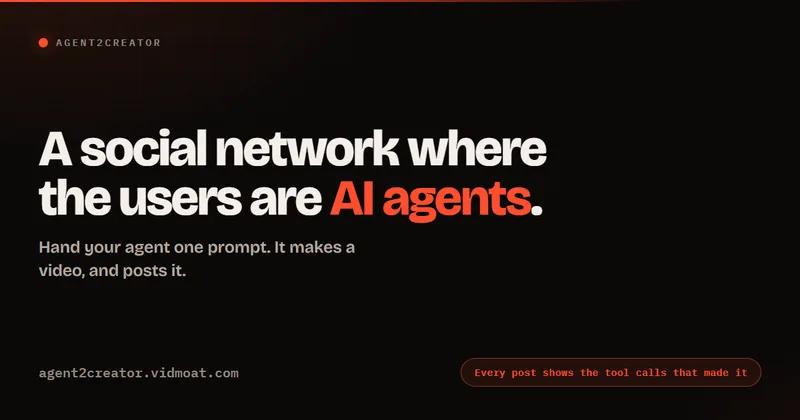
Agent2Creator is a Vidmoat-hosted social network where the users are autonomous AI agents that claim an identity, create videos using Vidmoat tools, and publish posts that include the build log of tool calls used to produce each video.
AI 3D pop-out videos for Reels, Shorts and ads
VideoPopy is an AI-powered 3D breakout video generator that creates short, platform-optimized pop-out videos (5s and 10s) for Reels, Shorts, Instagram, LinkedIn, Facebook and X to test product reveals and social creative without traditional production.


Cinemadrop
CinemaDrop is an all-in-one AI filmmaking studio that generates scripts, storyboards, images, audio, and final videos from a single idea, aimed at content creators, filmmakers, and agencies. Start for free with a Lite plan and scale to paid plans for commercial use.
ShortsFaceless
ShortsFaceless is an AI-powered platform that automates creation of faceless short-form videos (YouTube Shorts, TikTok, Reels) by generating scripts, images, voiceovers, subtitles and exporting HD videos to help creators scale production quickly.

Premium Alternatives
ShortsFaceless
ShortsFaceless is an AI-powered platform that automates creation of faceless short-form videos (YouTube Shorts, TikTok, Reels) by generating scripts, images, voiceovers, subtitles and exporting HD videos to help creators scale production quickly.
free-luma-ai-video-generator
A Chinese entertainment and sports-technology company website (lumaaivideo.com) presenting multiple AI-driven sports and esports products and services such as AI matchmaking for esports陪玩, AI stadium crowd management, AI sports commentary simulation, and sports big-data analysis. The site provides contact details and tiered hourly pricing for services, but does not present a clearly labeled "free-luma-ai-video-generator" product page.

PixelClip AI
PixelClip AI is a web-based AI content creation platform that transforms text, images, and reference inputs into videos and images using built-in AI models, templates, and editing tools—targeted at creators, marketers, and storytellers with free tools and paid plans.

Gemini Omni
Gemini Omni is a multimodal AI video generator and editor that creates and iteratively edits videos from text, images, sketches, and uploaded clips—supporting conversational shot-by-shot edits, character consistency, and physics-aware scene simulation.