
Alloy
Alloy is an AI-first prototyping platform that lets product teams capture their real web app or connect their codebase, make UI and UX changes via chat/voice, preview in a sandbox, share sessions, and push production-ready code as pull requests.
Alloy is developer tools software teams evaluate for developer tools. Use this page to review pricing, integration signals, and the best alternatives before you commit.
Profile facts come from the vendor source. AiMatch labels unknown pricing or API details instead of estimating them.
Review official source →Used in These Packs
Quick Overview
Best for: Developer Tools
What it does
Developer Tools software for decision-makers comparing workflow fit and alternatives.
Best fit
Developer Tools
Pricing snapshot
Free
Next step
Compare Alloy with similar tools before you shortlist it.
Compare this tool before you shortlist it
Review alternatives, pricing posture, and workflow fit side by side.
Alloy is an AI-powered prototyping and product development platform that lets teams work directly on their real product. Users can either capture pages with a browser extension for instant visual prototyping or connect their existing codebase to run the entire app in a sandbox. Changes are made using conversational prompts (chat and voice), previewed live, shared with teammates or customers, and can be exported or pushed as production-ready pull requests.
The platform targets product teams and enterprises: sessions live in the cloud for easy sharing, integrations bring in ideas and customer requests, and features like skills and MCP enable AI assistants to read and act on session context. Alloy positions itself to streamline prototyping, feedback, and developer handoff while maintaining enterprise-grade security practices.
Alloy is an AI-first prototyping platform that lets product teams capture their real web app or connect their codebase, make UI and UX changes via chat/voice, preview in a sandbox, share sessions, and push production-ready code as pull requests.
Own this listing?
Claim this page for a one-time $29 to add pricing, features, screenshots, verified owner details, and a clearly labeled 30-day category position after the profile is live.
Claim this listing for $29Key Features
Capture extension
A browser extension captures pages from your live web app for instant visual prototyping without setup.
Connect your codebase
Connect your existing codebase so Alloy can run your entire app in a sandbox and produce production-ready code changes.
Live sandbox preview
Alloy runs your app in a sandbox and lets you preview changes live in the browser while you iterate.
Push to Pull Request
Built changes can be converted into a GitHub Pull Request so you can raise PRs and roll changes out to customers.
Shareable cloud sessions
Every session lives in the cloud and can be shared with teammates or customers via link for feedback and collaboration.
Integrations (20+)
Over 20 integrations bring in ideas, insights, and customer requests that can be turned into prototypes.
Reusable 'Skills' for Alloy agent
Create reusable instructions (skills) for the Alloy agent to apply consistent behavior across sessions.
Alloy MCP (Model Context Protocol)
Connect Alloy to AI assistants through MCP so models like Codex and Claude can securely read session context, including chat history, files, and code context.
Conversational voice mode
Talk to Alloy with your voice during sessions; a mic in the chat panel lets you describe changes while the platform works in the background.
Slack integration
Turn Slack messages into Alloy prototypes by mentioning @alloy or using the message action to start sessions from requests or threads.
Pricing
Start for free
Use Cases
Rapid product prototyping
Capture your live app or connect your codebase to quickly iterate on UI and UX ideas with conversational prompts.
Skip developer handoff
Designers or PMs can generate production-ready code changes on the real codebase and raise pull requests, reducing back-and-forth handoff.
Customer-driven feature exploration
Turn customer requests and Slack messages into prototypes, collect feedback via shared session links, and iterate with stakeholders.
AI-assisted product exploration
Use Alloy's skills and MCP integrations to involve AI assistants in exploring product ideas with access to session context and code.
Integrations
Slack
Start a prototype from a Slack message by mentioning @alloy or using the message action.
GitHub (Pull Requests)
Convert sessions into Pull Requests to push production-ready changes into your repository.
Figma (export)
Export an Alloy prototype to Figma via the Figma button in a prototype (export only; import not available yet).
Model Context Protocol (MCP)
Expose session context to AI assistants (e.g., Codex, Claude) so models can securely read chat history, files, and code context.
20+ integrations (general)
The site notes there are over 20 integrations that can bring ideas, insights, and customer requests into Alloy sessions.
Benefits
Limitations
Frequently Asked Questions
How do I use my existing product in Alloy?
How is Alloy different from Claude Code?
How is Alloy different from other app builder tools?
Is there any setup required?
Can I import from Figma?
Does Alloy generate code that I can use?
Getting Started
- 1 Step 1: Install the Alloy browser extension to capture pages from your live web app for instant visual prototyping.
- 2 Step 2: (Optional) Connect your codebase when you need production-ready changes—this requires admin permissions and approximately 15 minutes of setup.
- 3 Step 3: Start a session (via extension, Slack, or codebase), prompt changes via chat or voice, preview in the sandbox, share the session, and export or push as a Pull Request when ready.
Support
Docs/Guide
Product Guide and documentation linked in the site navigation for how-to and onboarding resources.
Demo
Request a product demo via the 'Get a demo' call-to-action on the site.
Contact
Contact option listed on the site (site includes 'Contact us' in footer/navigation).
API
Compare Alloy with similar tools
See how it stacks up against alternatives
Related Tools
View all 149 →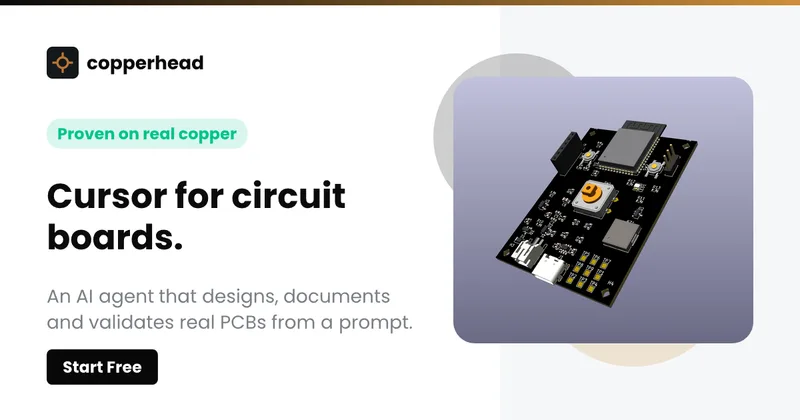
Copperhead
Copperhead is an open-source AI engineering platform and CLI that helps hardware teams design, verify, and ship printed circuit boards by editing KiCad files, running KiCad checks (ERC/DRC), and producing gerbers, firmware, and documentation in a gated, auditable pipeline.


Docs.dev Your Own Hosted Docs Platform in Minutes
Docs.dev is a deployable documentation template that runs as a Cloudflare Worker in your account, using your GitHub repo as the source of truth and agent-powered drafting (e.g., Claude Code or Codex) to generate reviewable docs branches that your team publishes via commit.


Bullet · Fast, by design.
Bullet is a fast coding agent and developer tool that routes, searches, and executes code-focused tasks with a tight loop to minimize latency — offered as a macOS download and currently available in private beta.
statuslin.es
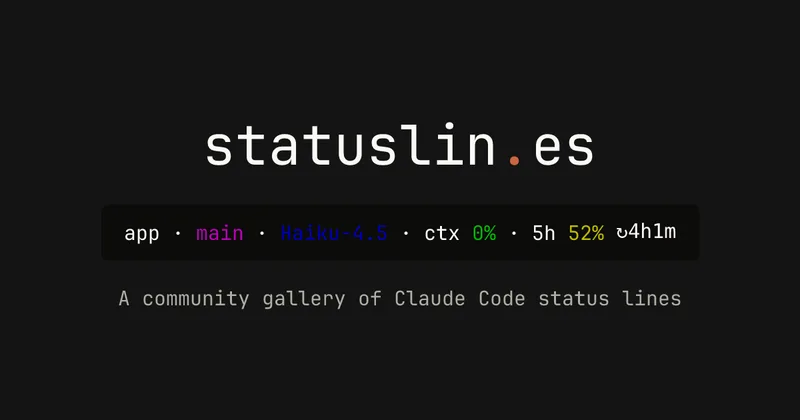
statuslin.es is a community gallery of Claude Code status lines—copyable, previewed scripts and themes for terminal/status-bar displays that show Claude model stats (tokens, cost, limits), git info, and other runtime metrics.
Premium Alternatives
%22%2F%3E%20%3Ctext%20x%3D%2250%25%22%20y%3D%2250%25%22%20dominant-baseline%3D%22central%22%20text-anchor%3D%22middle%22%20font-family%3D%22system-ui%2C-apple-system%2Csans-serif%22%20font-weight%3D%22700%22%20font-size%3D%2250%22%20fill%3D%22white%22%3EO%3C%2Ftext%3E%20%3C%2Fsvg%3E)
OTP Inspired actor supervisor based full stack templates
ShipStacks provides production-grade, OTP-inspired full-stack SaaS templates that include supervisors/actor patterns, auth, payments, uploads, AI chat and agent playbooks, and Docker-ready deployment in multiple languages and frameworks.
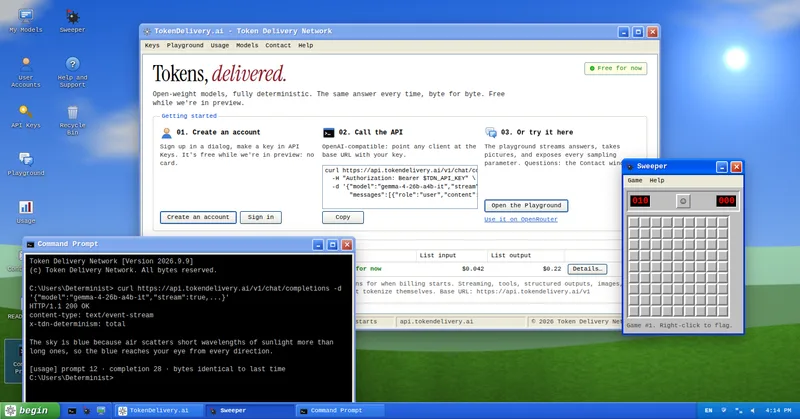
TokenDelivery.ai
TokenDelivery.ai (Token Delivery Network) is an OpenAI-compatible model API and playground that offers reproducible, deterministic model outputs, streaming responses, multimodal inputs (images and short videos), and exposed sampling parameters. It is free during preview and provides API keys, a playground, and a documented base URL for developers.

Servers for AI, not another AWS
RAW offers dedicated GPU and CPU servers specifically built for AI workloads — provision real metal with root access and CUDA via a single API. It emphasizes low cost (claims up to 100× cheaper than AWS), $0 egress, fast provisioning, and enterprise features for inference, training, agents, and vector databases.

MacVisor Runs VMs with VLANs and Firewall on Apple Silicon
MacVisor is a native Apple Silicon virtualization platform for running and managing macOS and Linux VMs, with Windows 11 and AI sandboxes available as Tech Previews. It includes snapshots, templates, VLAN networking, host-enforced firewall controls, and CLI automation.

runpod
Runpod is an AI Developer Cloud that provides on-demand GPU infrastructure—Pods, Serverless endpoints, and multi-node Clusters—enabling teams to experiment, train, fine-tune, deploy, and scale AI workloads across 31 global regions with support for 30+ GPU SKUs.
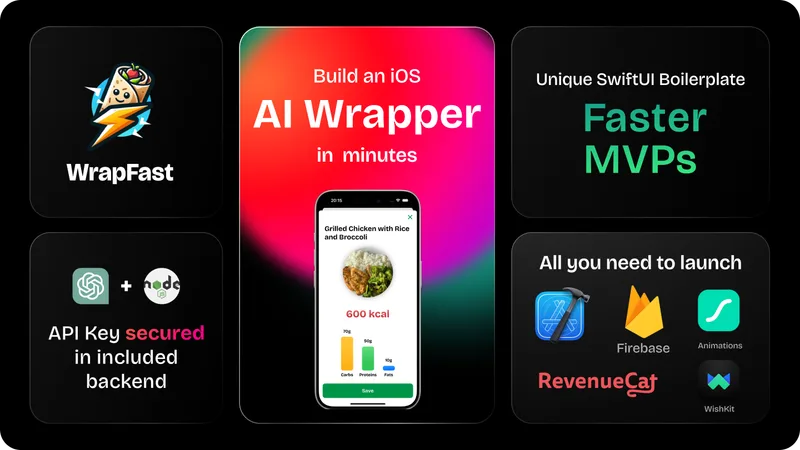
wrapfast
WrapFast is a SwiftUI boilerplate and starter kit for building iOS apps and AI wrappers quickly. It includes an Xcode SwiftUI project, a Node.js Express backend to secure AI API keys, AI integrations (OpenAI & Anthropic), monetization flows, cloud database support, documentation, and a Discord community aimed at indie makers and solo founders.