
Customerly Aura
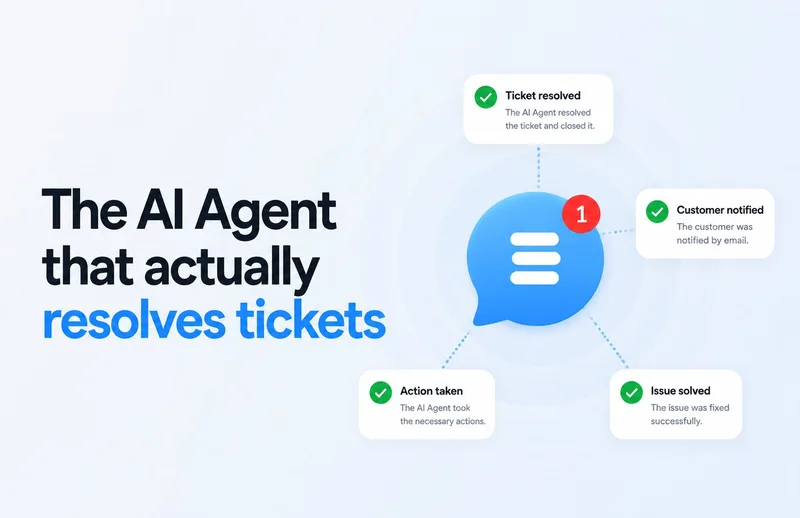
Customerly Aura uses company knowledge and customer data to answer and resolve support requests, take actions, and escalate cases to people. Support teams use it across live chat, email, WhatsApp, Facebook Messenger, and mobile apps.
One of 672 tools in AI Agents
Who it's for
- Customer-support teams handling ticket volume across multiple channels who want AI to resolve requests and escalate cases when needed.
- Support operations teams connecting a helpdesk with billing, product, and customer systems to automate requests that require data retrieval or actions.
- Customer-success or sales teams that want to qualify inbound leads, as in the BRUM case study.
How it fits your workflow
Connect Customerly to the helpdesk and core systems, then select high-impact request categories to automate. Define what Aura can do, what data it should use, and when it should escalate.
Aura handles customer conversations across the listed channels, drawing on knowledge-base and customer information to respond or take actions. Teams can review the flow and knowledge-base article behind an answer, and human agents can step in when needed.
Pricing
Free: The page advertises a free trial, but does not describe a free ongoing plan.
AI conversations included with a plan
A set number of AI Conversation Credits is included with a plan; plan prices and credit amounts are not stated on this page.
- · One credit is used for each conversation in which Aura actively participates, whether answering or executing a task.
- · A conversation counts as one AI conversation regardless of how many messages follow.
AI conversations purchased on demand
€0.50 per AI conversation.
- · Credits can be topped up anytime.
- · Purchased credits never expire.
AI conversations purchased in advance
€0.45 per AI conversation.
- · Reduced rate compared with the on-demand price.
- · Purchased credits never expire.
Extra interactions
Pay as you go, starting at €0.99 per 1,000 interactions.
- · An interaction is an incoming user message, an email sent, or a survey response.
Prices checked on Oct 2, 2026 from the vendor's site. They can change; confirm before you buy.
Key features
- Ticket resolution and action-taking
- Aura uses customer, billing, and knowledge-base information to handle requests and take actions rather than only providing FAQ-style answers. The page gives refunds as an example of an action it can process.
- Human escalation
- Aura can route an issue to a human expert when it reaches its limit, and human agents can step in.
- Multi-channel support
- The page lists live chat, email, WhatsApp, Facebook Messenger, and mobile apps as channels Aura can work across.
- Multi-step workflow automation
- Aura can retrieve data, take actions, and confirm completion as part of a request workflow.
- Conversation analysis
- The page says teams can inspect why Aura gave an answer, including which flow was triggered and which knowledge-base article was used.
- Direct system integrations
- Customerly says Aura connects to billing, product, and customer systems so it can take actions using those systems' data.
Works with
- Billing, product, and customer systems
- Helpdesk
- Live chat, email, WhatsApp, Facebook Messenger, and mobile apps
Limitations to know
- The page does not state plan prices, included credit quantities, or included interaction quantities.
- Each conversation in which Aura actively participates consumes one AI Conversation Credit; additional conversations are billed at the stated rates.
- Extra interactions are billed separately on a pay-as-you-go basis starting at €0.99 per 1,000 interactions.
Alternatives to consider
-
Auralis
Choose it if you need an enterprise-focused managed support platform that also covers voice and IT support workflows.
-
LiveChatAI
Choose it if you specifically need the integrations it lists for Slack, Shopify, or CMS platforms.
Getting started
- Start a free trial or request a demo.
- Connect Customerly to your helpdesk and core systems and choose initial use cases.
- Define the handling process, data use, permitted actions, and escalation conditions for each request category.
- Roll out on real tickets and expand across the organization with Customerly's support.
Frequently asked questions
How is AI usage billed?
Each AI Assisted Conversation consumes one AI Conversation Credit. Plans include a set number of credits, and customers can top up; credits do not expire. Additional AI conversations cost €0.50 each on demand or €0.45 each when bought in advance.
What is considered an AI conversation?
A conversation counts when Aura actively participates, either by answering or executing a task. It counts as one AI conversation regardless of how many messages follow.
What is an interaction?
An interaction is an incoming user message, an email sent, or a survey response.
How many interactions do I need?
The page suggests starting with the interactions included in a plan and upgrading or adding more based on traffic volume. It says most teams scale comfortably with Growth or Ultimate.
What happens if I exceed my interactions?
Extra interactions are billed on a pay-as-you-go basis starting at €0.99 per 1,000 interactions.