
Dicte.ai
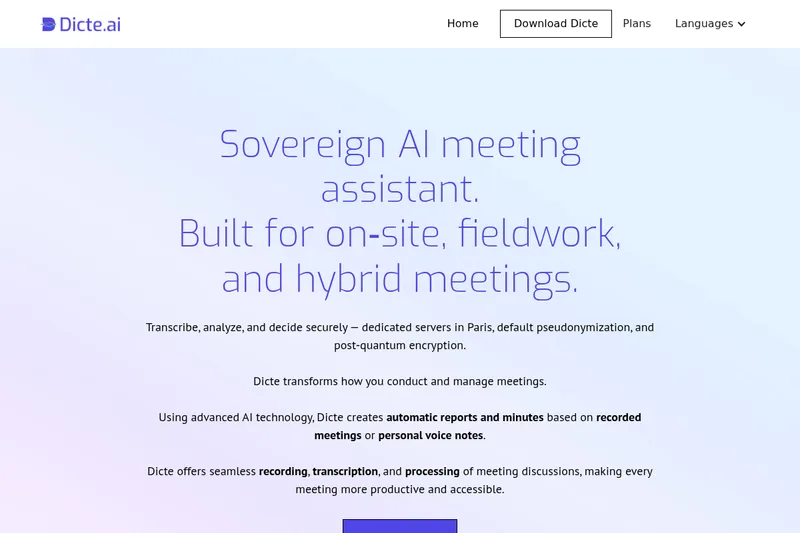
Dicte.ai records meetings and voice notes, transcribes them with speaker identification, and generates minutes and transcript analyses. It is for professionals who need to document and review discussions across mobile, desktop, or web.
One of 51 tools in Transcription
Who it's for
- Business leaders and executives who want meeting transcripts and reports without assigning a participant to take notes.
- Teams managing multilingual discussions who need transcripts in languages such as English, French, German, Spanish, or Italian.
- Enterprise teams that need an offline meeting-processing option through the DicteBOX Edge AI unit.
Not the right fit if…
- Teams needing offline processing on a non-enterprise plan: the page identifies the offline Edge AI unit as an enterprise-plan feature.
How it fits your workflow
Choose the web app or an iOS, Android, Windows, or Mac app, then record a meeting or personal voice note. The desktop app is described as compatible with all videoconferencing platforms.
Dicte.ai transcribes the recording with speaker identification. Users can edit the transcript, and changes are saved automatically.
Select a transcript and apply a skill, such as generating meeting minutes or a SWOT analysis. Review the result and download or share it.
Pricing
Free: A free plan is available with usage and feature limits.
Free plan
$0
- · Free and paid plans are documented. Feature and usage limits depend on the selected plan.
Paid plans
Price not published
- · See the provider pricing page for current rates, billing periods, and usage limits.
Prices checked on Sep 7, 2026 from the vendor's site. They can change; confirm before you buy.
Key features
- AI-powered transcription with speaker identification
- Automatic, AI-based speech recognition that captures conversations and identifies speakers to provide clear, contextual transcripts.
- One-Tap Meeting Record
- Quickly record meetings from mobile or desktop with a single tap to capture audio for transcription and processing.
- SKILLs — AI processing toolbox
- Customizable AI-processing tools (called SKILLs) such as meeting minutes generation, mind map creation, SWOT analysis and project management reports.
- Multilingual support
- Generate transcripts in multiple languages (examples listed include English, French, German, Spanish and Italian) to support international collaboration.
- Offline Edge AI (DicteBOX) for Enterprise
- An on‑premises offline AI unit option for enterprise plans to process audio locally and maintain data sovereignty.
- Privacy & encryption
- Transcript pseudonymization before model processing, dedicated servers in Paris under French jurisdiction, and text-at-rest protected with post-quantum encryption (Kyber).
Works with
- Videoconferencing platforms
Limitations to know
- Transcription accuracy may vary with audio quality and speaker clarity.
- Offline Edge AI processing is described as an enterprise-plan feature.
- The free plan is limited to 2 hours of recording and analysis per month.
Alternatives to consider
-
Otter.ai
Choose it if you need the listed real-time transcription, searchable meeting knowledge, action items, and collaboration or CRM integrations.
-
VoiceCap
Choose it if you need an assistant specifically described as joining online calls or recording in-room meetings and producing searchable summaries, decisions, and action items.
-
NoteWave
Choose it if you need to record live or uploaded meetings and want the listed smart summaries and actionable meeting intelligence.
Getting started
- Choose the web app, iOS app, Android app, or Windows or Mac desktop app.
- Create an account with an email address.
- Record a meeting or voice note, then select the transcript and an available processing skill.
Frequently asked questions
How does Dicte work?
Dicte records, transcribes and processes meeting discussions using advanced AI technology, providing speech recognition, speaker identification and customizable AI-processing tools (SKILLs).
How accurate is the transcription?
Dicte uses AI-powered speech recognition to provide accurate transcriptions with speaker identification, but accuracy may vary depending on audio quality and speaker clarity.
Can I edit the transcripts?
Yes — transcripts can be edited within the Dicte app; changes are saved automatically and updated versions can be downloaded or shared.
What are SKILLs?
SKILLs are customizable AI-processing tools such as meeting minutes generation, mind map creation, SWOT analysis and an expandable toolset for different meeting needs.
Is Dicte secure?
Dicte uses open-source or European AI models, transcript pseudonymization before model processing, an offline Edge AI unit for enterprise plans, and processes audio on Dicte-operated servers in Paris with audio deleted after processing; text at rest is protected with post-quantum encryption (Kyber).
What languages does Dicte support?
Dicte supports multiple languages including English, French, German, Spanish and Italian, with ongoing expansion.
How can I sign up?
Sign up via the webapp at app.dicte.ai or download the iOS/Android apps or desktop versions; create an account with your email to start using the free plan.