
docuclipper
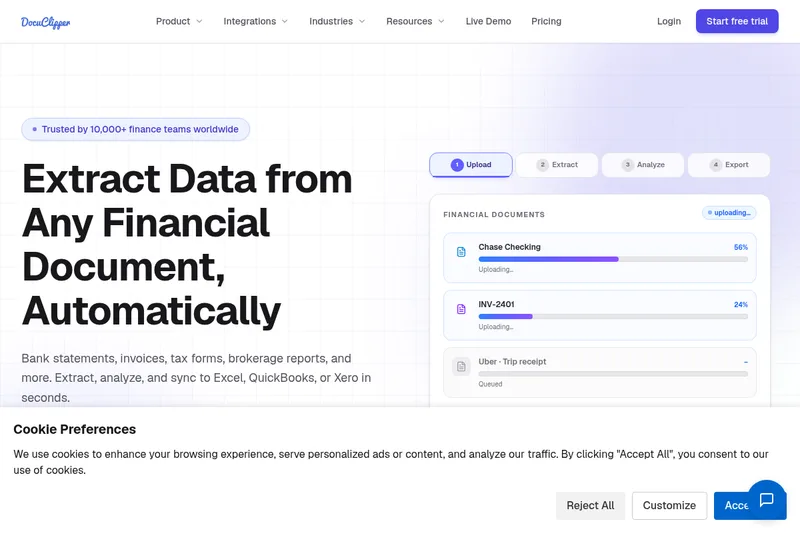
DocuClipper extracts and analyzes data from financial documents, then exports it to spreadsheets and accounting systems. Accounting, lending, tax, and forensic teams use it to reduce manual document processing.
One of 86 tools in Finance
Who it's for
- Accounting firms and bookkeepers processing client bank statements, invoices, and receipts for reconciliation.
- Lenders and underwriting teams reviewing borrower bank data for income, cash flow, and potential fraud signals.
- Forensic accounting and audit teams tracing fund flows or reviewing financial activity across many statements.
How it fits your workflow
Upload PDFs or images, or connect a source such as Google Drive. The page says supported documents include bank statements, invoices, receipts, checks, and tax forms.
DocuClipper's OCR and parsing engine extracts and structures transactions, line items, and other fields. The product can also categorize transactions and analyze financial data.
Export or sync results to Excel, CSV, QuickBooks, or Xero, or use the REST API and webhooks to build custom pipelines.
Pricing
Free: 14-day free trial with no credit card required (process up to 120 pages during trial)
Starter
$20/month
- · 60 pages per month
- · Unlimited users
- · Annual billing saves 30%
Prices checked on Jul 15, 2026 from the vendor's site. They can change; confirm before you buy.
Key features
- Bank Statement Converter & Reconciliation
- Convert any PDF bank statement (scanned or digital) into structured data with automatic reconciliation and multiple account detection; export to Excel, CSV, QuickBooks, or Xero.
- Invoice & Receipt OCR with Line Items
- Capture invoices and receipts in bulk with full line-item extraction, vendor, tax, and date fields; supports import to accounting systems and spreadsheet exports.
- Support for Multiple Financial Documents
- Process brokerage statements, credit card statements, checks, W-2s, 1099s, and other IRS tax forms at scale.
- AI Templates & Custom Parsers
- Build custom parsers for any document type using AI templates to handle non-standard formats.
- Financial Analysis Tools
- Built-in bank statement analyzer to flag fraud signals, perform cash flow analysis, and support forensic accounting workflows (flow-of-funds, anomaly detection).
- Workflow Automation & Batch Processing
- Automate end-to-end document pipelines, process hundreds of documents in parallel, and auto-ingest from cloud storage and email.
Works with
- QuickBooks
- Xero
- Sage
- NetSuite
- Dynamics 365 Business Central
- Excel & Google Sheets
- Cloud Storage (Google Drive, Dropbox, OneDrive, Box)
- Zapier
- Gmail / Email Forwarding
- API & Webhooks / MCP Server
Limitations to know
- The free trial lasts 14 days and allows processing up to 120 pages.
- The listed starting plan costs $20 per month for 60 pages; the page says plans scale with document volume.
Alternatives to consider
-
CapyParse
Choose it if your main need is converting bank statements, including scanned or photographed statements, into accounting-ready files such as CSV, Excel, QBO, OFX, or QFX.
-
Docparser
Choose it if you need a general-purpose document parsing platform with visual no-code rule creation and exports to formats such as JSON or XML.
-
TurboDoc
Choose it if you want invoice, receipt, and bank statement extraction centered on an email-capture workflow with a dashboard for review and editing.
Getting started
- Start the 14-day free trial; no credit card is required.
- Upload PDFs or images, or connect a document source such as Google Drive.
- Review the extracted data and export or sync it to a supported destination.
Frequently asked questions
What is DocuClipper?
DocuClipper is a financial document automation platform that extracts structured data from bank statements, invoices, receipts, checks, and tax forms and exports to Excel, CSV, QuickBooks, and Xero with 99.9% field-level accuracy.
How accurate is DocuClipper at extracting financial data?
DocuClipper delivers 99.9% field-level accuracy across any bank, any format; extractions are validated against the closing balance to catch discrepancies before export.
What document types does DocuClipper support?
DocuClipper supports bank statements, credit card statements, invoices, receipts, checks, W-2s, 1099s, and brokerage statements, among other financial documents.
How does DocuClipper integrate with QuickBooks and Xero?
DocuClipper connects directly to QuickBooks Online and Xero so extracted data can be pushed to accounting systems with one click.
Is there a free trial?
Yes. Every new account includes a 14-day free trial with no credit card required; trial processing allows up to 120 pages.
How long does it take to process a bank statement?
Most bank statements process in under 30 seconds; a 50-transaction statement that would take 20–30 minutes manually is ready for export in seconds.
Does DocuClipper work with scanned PDFs?
Yes. DocuClipper's OCR engine handles both digital PDFs and scanned documents and pre-processes scanned images to maximize accuracy before extraction.
How much does DocuClipper cost?
DocuClipper starts at $20/month for 60 pages; all plans include unlimited users and annual billing saves 30%.