

Everyday
Everyday is a personal AI assistant that automates tasks and multi-step workflows across various apps using plain English commands, helping users focus on what matters most.
Everyday is productivity software teams evaluate for business operations. Use this page to review pricing, integration signals, and the best alternatives before you commit.
Used in These Packs
Quick Overview
Best for: Business Operations
What it does
Productivity software for decision-makers comparing workflow fit and alternatives.
Best fit
Business Operations
Pricing snapshot
Contact for pricing
Next step
Compare Everyday with similar tools before you shortlist it.
Compare this tool before you shortlist it
Review alternatives, pricing posture, and workflow fit side by side.
Everyday
Everyday is a personal AI assistant designed to help users get more done by automating tasks and workflows across multiple applications. It supports a wide range of integrations including email, calendar, CRM, and document tools, enabling users to perform complex multi-step workflows with simple plain English commands. Everyday is ideal for professionals looking to streamline their daily operations, manage communications, and stay organized without manual effort.
Get tasks done across apps with plain English
Own this listing?
Claim this page to add pricing, features, screenshots, and verified owner details.
Claim this listingKey Features
Multi-step Workflows
Automate complex workflows that involve multiple apps and steps, such as checking calendar availability, drafting emails, and updating CRM records.
Plain English Commands
Users can trigger tasks and workflows using simple natural language instructions, making automation accessible without technical knowledge.
Email Drafting and Scheduling
Automatically draft, reply, and schedule emails based on calendar events, unread messages, or CRM data.
CRM Integration
Connects with CRM platforms like HubSpot and Attio to update contact records, research client information, and personalize communications.
Meeting Preparation
Prepares meeting materials by pulling relevant files from CRM and summarizing attendee information.
News Summarization
Summarizes AI tech news and other relevant updates, delivering daily digests via Slack or other channels.
Task and Reminder Management
Converts meeting notes into calendar events with reminders and suggests follow-up emails based on meeting notes.
Pricing
Claim this listing to add current pricing tiers.
Use Cases
Thank You Email Automation
Automatically draft and send short, playful thank you emails to contacts.
Calendar Availability Sharing
Check calendar availability and draft emails to share open time slots with contacts.
Email Reply Drafting
Scan inbox for unread emails and draft appropriate responses automatically.
Document Creation
Create Google Docs with specific content such as value propositions or meeting notes.
Meeting Preparation with CRM Data
Retrieve relevant company files from CRM based on calendar meetings to prepare for discussions.
Daily Email Digest
Summarize unread emails and send daily digests to Slack channels with CRM contact links.
Personalized Client Emails
Review client CRM files and draft personalized emails using background research.
Meeting Notes to Reminders
Convert meeting notes into calendar events with reminders for follow-up.
CRM Contact Re-engagement
Identify inactive CRM contacts, research them, and draft re-engagement emails.
AI News Digest
Summarize AI technology news and deliver daily updates to Slack channels.
Integrations
Gmail
Automate email drafting, replying, and inbox management.
Outlook Mail
Manage emails and scheduling within Outlook.
Google Calendar
Check availability, create events, and manage reminders.
HubSpot
Access CRM data for personalized communications and contact management.
Attio
Retrieve CRM files for meeting preparation.
Notion
Review meeting notes and CRM files to generate follow-up emails.
Slack
Send daily digests and news summaries to Slack channels.
Fireflies AI
Convert meeting notes into calendar events and update CRM contacts.
Exa
Research background information and summarize news for emails and digests.
Benefits
Limitations
Frequently Asked Questions
How does Everyday automate tasks?
Which apps can I connect with Everyday?
Is technical knowledge required to use Everyday?
Can Everyday help with email management?
Does Everyday support CRM updates?
Getting Started
- 1 Sign up for an Everyday account on the official website.
- 2 Connect your preferred apps such as Gmail, Google Calendar, HubSpot, and others.
- 3 Start using plain English commands to automate tasks and workflows.
Support
Contact support via email at [email protected].
docs
Documentation and community-shared workflows are available on the Everyday platform.
API
Compare Everyday with similar tools
See how it stacks up against alternatives
Related Tools
View all 182 →
Autoslide AI PowerPoint Add In
Autoslide AI PowerPoint Add-In is a productivity tool designed to help professionals create and format PowerPoint presentations faster using AI-driven slide formatting, content generation, and a rich resource library.

Screentime
Screen Time for Windows (by MonitUp) is a background time-tracking and productivity tool that provides real-time reports, app/website/file usage tracking, AI-powered productivity tips, and customizable productivity categorization to help individuals, teams, and managers improve time use.


Great Prompt
Great Prompt is an AI prompt optimizer that refines your input into AI-ready prompts with one click, enhancing context retention and delivering better results. It supports popular AI tools like ChatGPT, Gemini, and Claude and is designed for individuals and teams.
Timetrackers
Time Tracker is a professional time-tracking tool based on the Lyubishev method that records start and end times of tasks with high precision, provides analytics and PDF export, and stores all data locally in the browser for user privacy.

Toffeetabs
Toffee Tabs is a Chrome extension that replaces traditional bookmarks with visual, searchable link organisation using custom spaces and stacks. It’s aimed at power users, researchers, creatives and teams who want a flexible, exportable way to manage links.

Daily Grind
Daily Grind is a simple, lightweight time tracking app for Mac freelancers designed to stay out of your way and help you focus on your work by tracking tasks and time efficiently without unnecessary features.
Premium Alternatives
.webp)

marketingblocks-ai
MarketingBlocks AI is an all-in-one AI marketing assistant platform that automates the creation of marketing content, including landing pages, social media posts, videos, and more, helping entrepreneurs, agencies, and marketers increase leads, sales, and visibility efficiently.

codiumai
Qodo is an AI-powered code review platform designed to provide enterprise-grade, context-aware code quality checks across the software development lifecycle (SDLC), supporting multi-repo environments and enforcing coding standards, security, and compliance automatically.


Profilebakery
ProfileBakery is an AI-powered headshot generator that creates professional studio-quality portraits from user photos, starting at $24. It targets individuals and teams seeking fast, affordable, and customizable professional headshots with privacy-focused storage and usage rights.

Indexrusher
IndexRusher is a service that automates submitting and monitoring website pages for indexing across search engines (Google, Bing) and LLM/chatbot indexes (e.g., ChatGPT), helping sites get indexed faster and driving more SEO traffic.
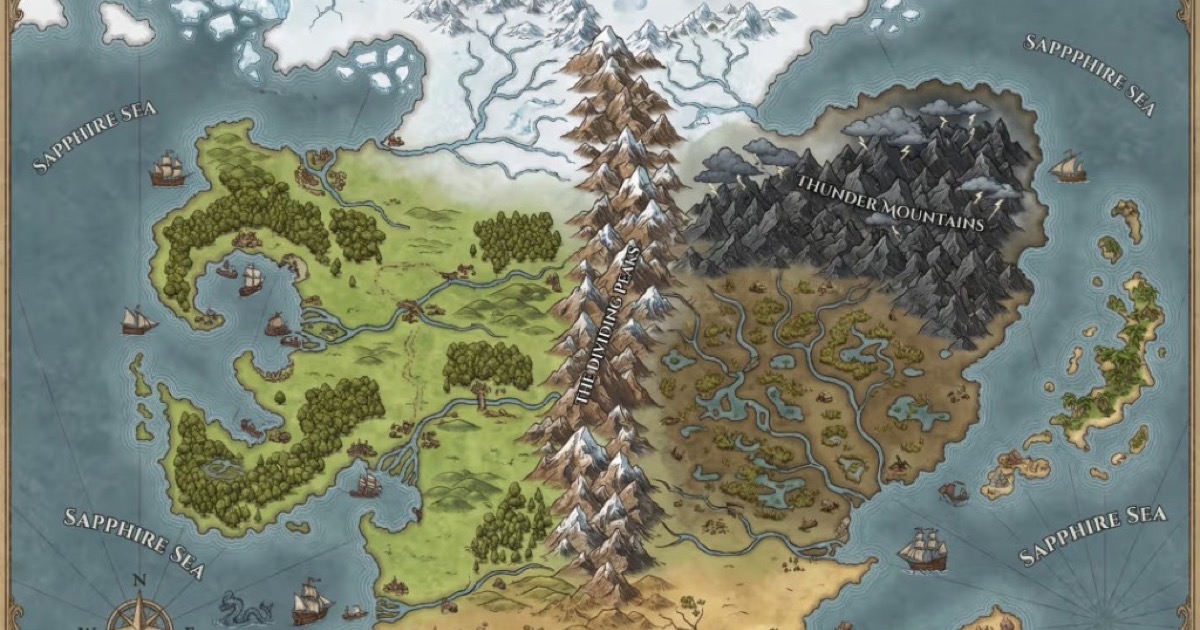
Fantasygen
FantasyGen is an AI-powered fantasy map generator and map maker that creates D&D battlemaps, world maps, dungeon maps, city maps, and more instantly from text prompts. It's aimed at game masters, authors, worldbuilders, and game developers who need fast, high-quality maps without drawing skills.