

Screentime
Screen Time for Windows is a Windows-first productivity tracker that monitors app, website, and file usage, provides productivity categorization and reports, and offers AI-powered productivity suggestions for focused professionals and small teams.
Screentime is productivity software teams evaluate for business operations. Use this page to review pricing, integration signals, and the best alternatives before you commit.
Profile facts come from the vendor source. AiMatch labels unknown pricing or API details instead of estimating them.
Review official source →Used in These Packs
Quick Overview
Best for: Business Operations
What it does
Productivity software for decision-makers comparing workflow fit and alternatives.
Best fit
Business Operations
Pricing snapshot
Freemium from $6 / user / mo
Next step
Compare Screentime with similar tools before you shortlist it.
Compare this tool before you shortlist it
Review alternatives, pricing posture, and workflow fit side by side.
Screen Time for Windows is a Windows-first background productivity tracker that measures how much time you spend on your PC and which apps, websites, or files you use most. It aims to increase self-awareness and productivity by providing daily, hourly, weekly, and monthly reports, categorizing apps as productive/unproductive/neutral, and offering AI-driven productivity suggestions based on recent usage. The product is positioned for focused professionals, freelancers, and small Windows teams who need visibility into work habits and team-level reporting.
Screen Time for Windows is a Windows-first productivity tracker that monitors app, website, and file usage, provides productivity categorization and reports, and offers AI-powered productivity suggestions for focused professionals and small teams.
Own this listing?
Claim this page for a one-time $29 to add pricing, features, screenshots, verified owner details, and a clearly labeled 30-day category position after the profile is live.
Claim this listing for $29Key Features
App and Website Tracking
Tracks usage time for apps, websites, and files on Windows to show where work time is spent.
AI Productivity Suggestions
Uses AI to analyze the past week of usage and provide tips to improve productivity and work habits.
Productivity Reports
Generates reports showing productive, unproductive, neutral, and total working hours; supports comparing two date ranges for team reporting.
Productivity Categorization
Label and organize apps as productive, unproductive, or neutral to get clearer productivity measurements and team visibility.
Daily and Hourly Reports
View computer usage by month, week, day, or hour in the reports section.
Silent Background Tracking
Runs silently in the background and automatically captures usage while the PC is on without interrupting workflow.
Fully Customizable
Customize app categorizations and organize tracking according to how you and your team work.
Regular Updates
The system automatically updates when new features or improvements are released.
Pricing
7-day free trial (30-day money-back guarantee)
Screen Time
$6 / user / mo- App and Website Tracking
- AI Productivity Suggestions
- Productivity Reports
- Productivity Categorization
Use Cases
Individual productivity tracking
Focused professionals can monitor daily and weekly time spent per app to identify unproductive patterns and get AI suggestions to improve.
Small team visibility and reporting
Small Windows teams can use Productivity Reports to report employee productive/unproductive hours across date ranges for clearer team visibility.
Freelancers and contractors
Freelancers can track time spent per app, website, or file to better understand work patterns and billable time.
Behavioral improvement and stress reduction
Use insights and AI suggestions to foster self-awareness, reduce missed deadlines, and manage workload more efficiently.
Integrations
No verified integration details are available.
Benefits
Limitations
Frequently Asked Questions
How do I check app usage on Windows?
How long is data stored?
Can I use it for my team?
Does it work in the background?
What if I need more detailed reporting?
Getting Started
- 1 Download and install the Screen Time application on your Windows PC.
- 2 Create an account or sign in to start the 7-day free trial.
- 3 Allow the app to run in the background so it can automatically track app, website, and file usage.
- 4 Open the dashboard to view daily, hourly, weekly, and monthly reports and receive AI Productivity Suggestions.
Support
Contact support via [email protected]
WhatsApp contact listed on the site (see support section on the product page).
docs
Resources available on the site include Pricing, Windows screen time guide, Roadmap, and Security and Compliance pages.
API
Compare Screentime with similar tools
See how it stacks up against alternatives
Related Tools
View all 113 →
Windrunner
Windrunner is an AI-powered project collaboration and work management platform that combines work items, decisions, blockers, evidence, and progress into a single shared workspace to help teams coordinate work and review AI-proposed updates.

threadfork
threadfork is a macOS native, on-device AI notetaker that records, transcribes, and organizes meetings locally on Apple Silicon — generating summaries, threads (commitments/decisions), entities, and semantic search without sending audio to the cloud.


Afterlid, guarded lid closed work for macOS
Afterlid is a native macOS menu‑bar app that keeps downloads, renders, backups, dev servers, remote access, and local AI agents running after you close the lid by offering guarded modes (Sleepy, Awake, Always On) with built‑in battery, thermal, heartbeat, and time limits.
CardGo
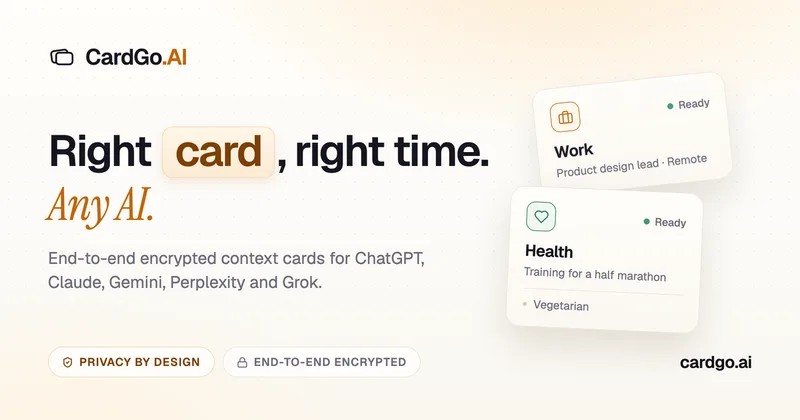
CardGo is a Chrome extension and context-management product that stores small, reusable, end-to-end encrypted AI context “cards” you attach to chats (ChatGPT, Claude, Gemini, Perplexity, Grok) so multiple AI tools can access the right user context without sharing your full profile.
Habit Pocket
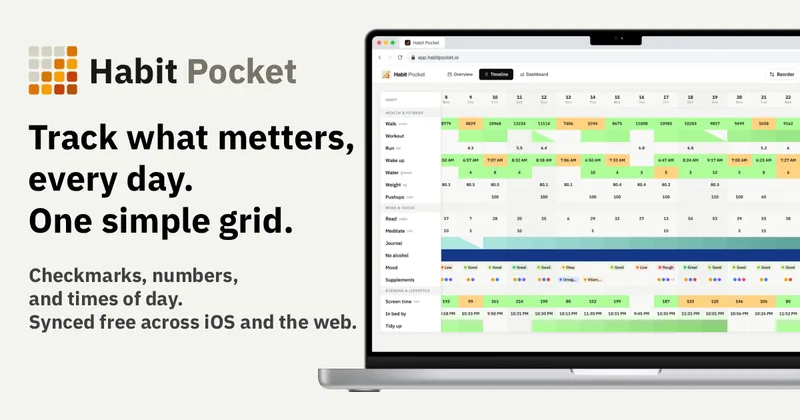
Habit Pocket is a multi-platform habit tracker that logs yes/no checks, numeric values, times, and categorical selections in a single grid, plus charts and AI integrations to reveal correlations between habits, sleep, mood, and energy.
Premium Alternatives
Writingmate
Writingmate is an all-in-one AI workspace that brings chat, files, web search, image and video generation, and 350+ third-party models (GPT, Claude, Gemini, Grok, Sora, Veo, etc.) into a single app designed for productivity, content, and team work.

AI Summarizer (summarizer.org)
AI Summarizer (summarizer.org) is a web-based AI-powered text summarization tool that shortens text while preserving main points, supporting text, DOCX, images and URLs, multiple output styles (paragraphs, bullet points), multiple languages, and optional premium features.

Inbox Zero
Inbox Zero is an AI email assistant that organizes and labels inbox messages, drafts replies in the user's voice, and helps manage email from web, mobile, Slack, or Telegram. It works alongside Gmail or Outlook rather than replacing the email client.
gistreader
GistReader is a web-based read-it-later app that uses AI to summarize articles and remove distractions, supporting individual pages and RSS feeds while syncing content across devices.

HigLabo Mail Agent
HigLabo Mail Agent is part of HigLabo, an AI-powered integrated workspace that organizes inboxes and automatically converts actionable emails into tasks to help teams and individuals reduce context switching and work more efficiently.