DaVinci
DaVinci is an all-in-one generative AI creative studio for images, video, and audio (coming soon), offering 50+ AI models, editing and upscaling tools, mobile apps, and subscription plans for creators, teams, and marketers.
DaVinci is image & design software teams evaluate for content & marketing. Use this page to review pricing, integration signals, and the best alternatives before you commit.
Profile facts come from the vendor source. AiMatch labels unknown pricing or API details instead of estimating them.
Review official source →Used in These Packs
Quick Overview
Best for: Content & Marketing
What it does
Image & Design software for decision-makers comparing workflow fit and alternatives.
Best fit
Content & Marketing
Pricing snapshot
Paid from $39.99/month (Billed annually)
Next step
Compare DaVinci with similar tools before you shortlist it.
Compare this tool before you shortlist it
Review alternatives, pricing posture, and workflow fit side by side.
DaVinci is a unified generative media platform that provides image, video, and soon audio generation and editing using a suite of over 50 AI models. It targets creators, teams, marketers, and designers who need to generate, refine, and scale visual content across channels—social, ads, web, and branding—within a single workspace. The product includes model-driven generation, editing tools (remove/replace objects, relight, restyle), upscaling, auto-resize for platform formats, and mobile apps for on-the-go creation. DaVinci emphasizes privacy and ownership: it states user data is not used to train models without permission, generations come with clear usage rights, and users retain ownership of created content.
DaVinci AI is an AI art generator that creates images from text prompts using various AI models.
Own this listing?
Claim this page for a one-time $29 to add pricing, features, screenshots, verified owner details, and a clearly labeled 30-day category position after the profile is live.
Claim this listing for $29Key Features
Image Generation
Generate images using state-of-the-art models listed on the platform (for example Sora, Veo, Nano Banana, Kling, Seedream and others).
Image Editing
Edit images with tools like change background, restyle, relight, replace or remove objects while preserving lighting and context.
Video Generation
Create short-form videos from text or by transforming product photos into dynamic commercial videos designed for ads and social.
Video Editing
Edit and adapt video assets for different channels and formats within the same workspace.
Audio Generation (Coming Soon)
Audio generation is listed as a coming feature on the platform.
Auto-resize / Multi-format Export
Auto-resize designs to fit social, ads, and web formats without rebuilding layouts.
Upscaling
Increase resolution of assets while preserving clarity and detail for high-res ad formats and large screens.
Mobile Apps
Generate images, videos, and audio from anywhere via apps available on the App Store and Google Play.
Model Catalog and Featured Models
Access to multiple featured models (e.g., Sora, Veo, Nano Banana, Kling, Seedream, Flux) within one subscription.
Pricing
A free starter access is promoted via 'Start Free Now' / 'Get Started for Free', but specific credits or limits for the free offering are not detailed on the page.
Max
$39.99/month (Billed annually)- 5000 credits per month
- Up to 2500 Images per month
- Up to 125 Videos per month
- Priority generation speed and priority queue access
Ultimate
$99.99/month (Billed annually)- 15000 credits per month
- Up to 7500 Images per month
- Up to 375 Videos per month
- Max performance generation and highest queue priority
Creator (Limited Offer)
$199.99/month (Billed annually)- 40000 credits per month
- Up to 20000 Images per month
- Up to 1000 Videos per month
- Max performance generation and highest queue priority
Use Cases
Social media content
Create and auto-resize images and videos for social posts and short-form native ads.
Advertising and product videos
Turn product photos into dynamic commercial videos and create assets optimized for ad performance.
Branding and design workflows
Iterate on visual concepts, restyle and relight assets, and scale designs across channels from a single workspace.
High-volume content production
Subscription plans with monthly credits and priority generation support frequent creators and teams producing large volumes of images and videos.
Mobile-first creation
On-the-go generation and editing via iOS and Android apps for creators who work remotely or need quick iterations.
Integrations
Third-party AI models
Integrations with multiple named models such as Sora, Veo, Nano Banana, Kling, Seedream, Seedance, Flux and others available within the DaVinci model catalog.
Mobile platforms
Apps available on the App Store and Google Play for mobile creation and editing.
Benefits
Limitations
Frequently Asked Questions
Is my content private and secure?
How do credits work, and how many generations do I get?
Can I use AI-generated content commercially?
Do I need to give attribution?
Does DaVinci provide legal protection or guarantees?
Getting Started
- 1 Step 1: Visit https://davinci.ai/ and click 'Start Free Now' or 'Get Started for Free' to create an account.
- 2 Step 2: Explore models and tools in the workspace; generate content using available prompts and uploads.
- 3 Step 3: Choose a subscription plan to receive monthly credits and higher generation limits, and download the mobile app (iOS or Android) for on-the-go access.
Support
Help Center (docs)
Help Center referenced in the site footer for documentation and assistance.
Contact Support
Contact Support link provided in footer for product support inquiries.
App Stores
Mobile app listings on the App Store and Google Play for platform-specific support and feedback.
API
Compare DaVinci with similar tools
See how it stacks up against alternatives
Related Tools
View all 386 →

Cleanup.pictures
Cleanup.pictures is a web application that uses AI inpainting to remove unwanted objects, people, text, logos, watermarks and defects from photos quickly; it offers a free tier with limited export resolution and paid Pro plans plus a developer API for integration.

Removetext
Remove Text From Image (Removetext) is a browser-based AI tool that removes text, watermarks, or logos from images by detecting text and reconstructing the underlying background. The service offers a free workflow plus an optional Pro upgrade for faster, priority processing and higher-quality results.

Faceonlive
FaceOnLive provides a free, privacy-first reverse face search that lets users upload a photo to find where that face appears across the public web and social media, plus on-premises and on-device biometric SDKs for face recognition, liveness detection, deepfake detection and eKYC.
Scenario
Scenario is a creative AI infrastructure platform for production-grade generation of image, video, audio, and 3D assets. It provides model training on brand assets, a library of hundreds of models, visual workflow builders, reusable apps, and an API-first architecture for teams and enterprises.


Imageexpander
iExPander is an online AI-powered Image Expander (outpainting) that extends photo borders, generates context-aware backgrounds, and adapts images to multiple aspect ratios for social media, e-commerce, and creative projects.
Budget-Friendly Alternatives




Nanobanana2
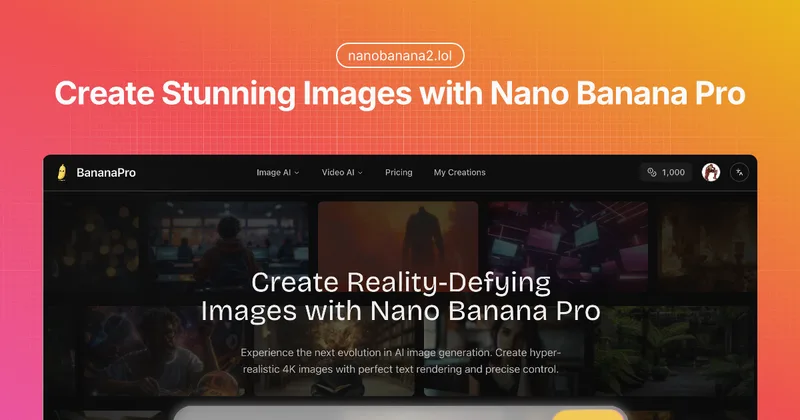
Nano Banana Pro (BananaPro) is a web-based AI image generator focused on hyper-realistic, native 4K image creation with precise text rendering, studio lighting controls, and professional output for designers and studios.