Gemma4All Hardware Checker
Gemma4All Hardware Checker is part of Gemma4All, a collection of interactive tools and step-by-step guides to run Google's Gemma 4 models locally on Macs, GPUs, and PCs — offering a device compatibility checker, command generator, and model picker to help users pick and run the right Gemma 4 variant without cloud infrastructure.
Gemma4All Hardware Checker is developer tools software teams evaluate for business operations. Use this page to review pricing, integration signals, and the best alternatives before you commit.
Profile facts come from the vendor source. AiMatch labels unknown pricing or API details instead of estimating them.
Review official source →Used in These Packs
Quick Overview
Best for: Business Operations
What it does
Developer Tools software for decision-makers comparing workflow fit and alternatives.
Best fit
Business Operations
Pricing snapshot
Free from Free
Next step
Compare Gemma4All Hardware Checker with similar tools before you shortlist it.
Compare this tool before you shortlist it
Review alternatives, pricing posture, and workflow fit side by side.
Gemma4All Hardware Checker is an interactive tool within the Gemma4All site that lets you quickly determine which Gemma 4 model variants (2B–31B) your specific Mac, GPU, or PC can run locally. The site bundles the checker with two other interactive utilities (a command generator and a model picker) plus 20+ verified, step-by-step guides for running Gemma 4 on a wide range of hardware. It targets users who want offline, privacy-first local inference without cloud costs and provides practical, benchmark-backed recommendations and exact commands for runtimes like Ollama, llama.cpp, and LM Studio.
The offering is aimed at developers, hobbyists, and professionals who want to run Gemma 4 locally — from MacBook Air setups to desktop GPUs and CPU-only environments — and includes hardware requirement reference material, quantization guidance, and performance analysis for each model size.
Free 10-second checker that tells you whether your device can run Gemma 4 model sizes. Gemma4All Hardware Checker is a AI Tool featured on Dang.ai. Learn more about Gemma4All Hardware Checker's AI tool.
Own this listing?
Claim this page for a one-time $29 to add pricing, features, screenshots, verified owner details, and a clearly labeled 30-day category position after the profile is live.
Claim this listing for $29Key Features
Hardware Compatibility Checker
Instant verdicts for every Gemma 4 model based on selected Mac, GPU, or PC hardware, including a dedicated page for 44 popular device configurations.
Command Generator
Produces exact Ollama, llama.cpp, or LM Studio commands for any Gemma 4 model size and quantization based on verified setup guides.
Model Picker
Selects the right Gemma 4 model size and quant for your goals and hardware with benchmark-backed reasoning.
Step-by-step Guides
20+ hands-on tutorials covering Macs, GPUs, mini PCs, phones, and CPU-only setups, with specific guides like RTX 3060, RTX 3070/3080, and Apple Silicon paths.
Hardware Requirements Reference
A comprehensive guide explaining real RAM/VRAM needs, comfortable vs tight thresholds, and the math behind model weight sizes.
Quantization Guidance
Analysis and recommendations for Gemma 4 quantization choices (Q4_0, QAT, higher precision) and tradeoffs per model.
Pricing
All tools, guides, and the ability to run Gemma 4 locally are presented as free to use; Gemma 4 models are described as Apache 2.0 licensed and free for commercial use.
Free
Free- Guides and interactive tools available at no cost
- Gemma 4 models are Apache 2.0 licensed (free for commercial use)
Use Cases
Privacy-first Offline Productivity
Run Gemma 4 locally to analyze and summarize documents or textbooks entirely offline, preserving privacy and eliminating cloud tokens.
Local Multiplayer & Entertainment
Power local, low-latency multiplayer experiences (e.g., party games, live trivia) by running Gemma 4's vision and text models on home hardware.
Developer Tools — Local Code Review Assistant
Use Gemma 4 as a drop-in, OpenAI-compatible replacement via a local endpoint (e.g., Ollama) to run code reviews, PR suggestions, and other dev workflows without sending data to external servers.
Integrations
Ollama
Documented runtime that runs Gemma 4 models locally and exposes a local REST endpoint compatible with OpenAI-style APIs; used in guides and example commands.
LM Studio
GUI-based local AI runtime referenced in command generation and setup guides (alternative to terminal-based runtimes).
llama.cpp
Command-line runtime included in the command generator output and guides for local model execution.
Hugging Face / Google AI
Links and references to model sources and upstream documentation for Gemma 4 and comparable models.
Benefits
Limitations
Frequently Asked Questions
No verified FAQs are available.
Getting Started
- 1 Step 1: Pick the guide that matches your hardware from the 'Getting Started' library (Mac, GPU, mini PC, or CPU-only).
- 2 Step 2: Use the Hardware Compatibility Checker to verify which Gemma 4 model sizes fit your device.
- 3 Step 3: Use the Command Generator to copy the exact Ollama, llama.cpp, or LM Studio command for your chosen model and quantization, then follow the step-by-step guide to run it locally.
Support
Docs / Guides
20+ verified, hands-on guides and reference articles on gemma4all.com covering installation, quantization, and per-device setup.
Contact
Site provides a Contact page for inquiries (https://gemma4all.com/contact).
API
Guides on the site explain using Ollama's local REST endpoint and OpenAI-compatible API patterns for local deployment (see https://gemma4all.com/).
Compare Gemma4All Hardware Checker with similar tools
See how it stacks up against alternatives
Related Tools
View all 149 →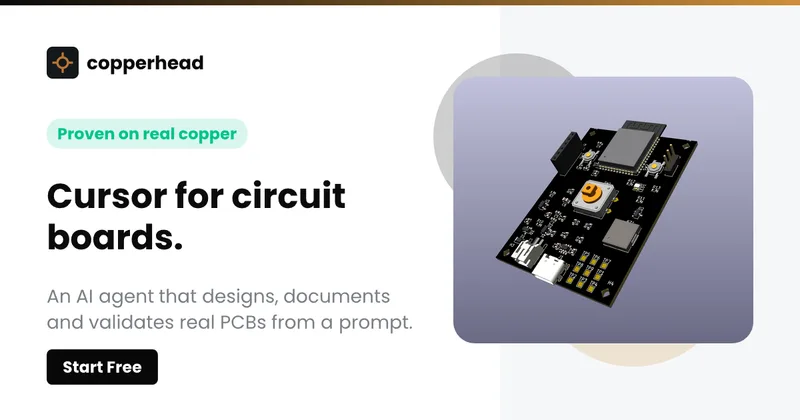
Copperhead
Copperhead is an open-source AI engineering platform and CLI that helps hardware teams design, verify, and ship printed circuit boards by editing KiCad files, running KiCad checks (ERC/DRC), and producing gerbers, firmware, and documentation in a gated, auditable pipeline.


Docs.dev Your Own Hosted Docs Platform in Minutes
Docs.dev is a deployable documentation template that runs as a Cloudflare Worker in your account, using your GitHub repo as the source of truth and agent-powered drafting (e.g., Claude Code or Codex) to generate reviewable docs branches that your team publishes via commit.

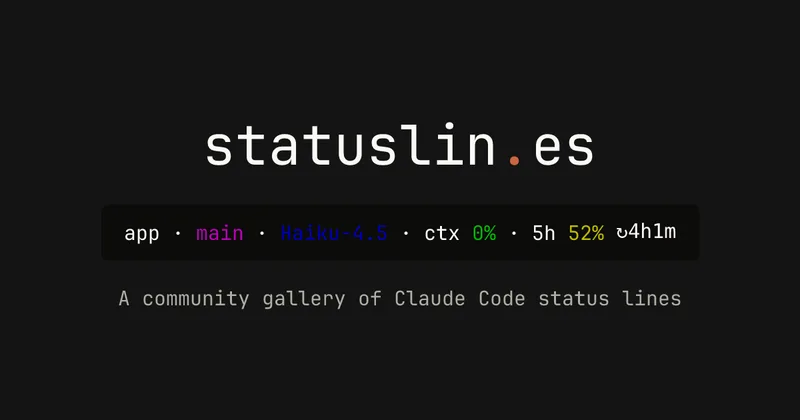
statuslin.es
statuslin.es is a community gallery of Claude Code status lines—copyable, previewed scripts and themes for terminal/status-bar displays that show Claude model stats (tokens, cost, limits), git info, and other runtime metrics.

Bullet · Fast, by design.
Bullet is a fast coding agent and developer tool that routes, searches, and executes code-focused tasks with a tight loop to minimize latency — offered as a macOS download and currently available in private beta.

Premium Alternatives
%22%2F%3E%20%3Ctext%20x%3D%2250%25%22%20y%3D%2250%25%22%20dominant-baseline%3D%22central%22%20text-anchor%3D%22middle%22%20font-family%3D%22system-ui%2C-apple-system%2Csans-serif%22%20font-weight%3D%22700%22%20font-size%3D%2250%22%20fill%3D%22white%22%3EO%3C%2Ftext%3E%20%3C%2Fsvg%3E)
OTP Inspired actor supervisor based full stack templates
ShipStacks provides production-grade, OTP-inspired full-stack SaaS templates that include supervisors/actor patterns, auth, payments, uploads, AI chat and agent playbooks, and Docker-ready deployment in multiple languages and frameworks.
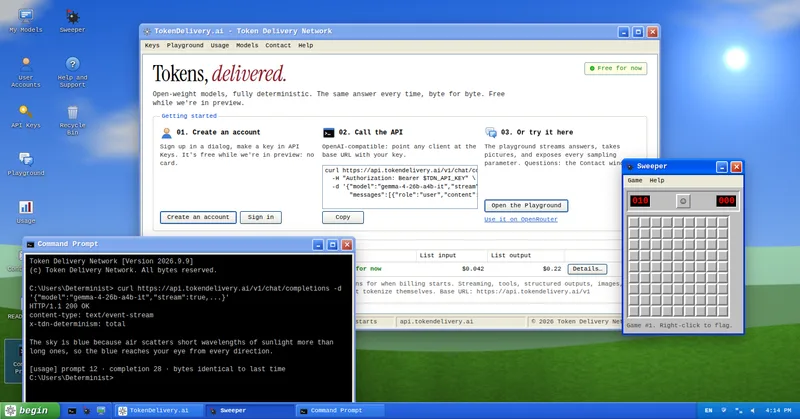
TokenDelivery.ai
TokenDelivery.ai (Token Delivery Network) is an OpenAI-compatible model API and playground that offers reproducible, deterministic model outputs, streaming responses, multimodal inputs (images and short videos), and exposed sampling parameters. It is free during preview and provides API keys, a playground, and a documented base URL for developers.

Servers for AI, not another AWS
RAW offers dedicated GPU and CPU servers specifically built for AI workloads — provision real metal with root access and CUDA via a single API. It emphasizes low cost (claims up to 100× cheaper than AWS), $0 egress, fast provisioning, and enterprise features for inference, training, agents, and vector databases.

MacVisor Runs VMs with VLANs and Firewall on Apple Silicon
MacVisor is a native Apple Silicon virtualization platform for running and managing macOS and Linux VMs, with Windows 11 and AI sandboxes available as Tech Previews. It includes snapshots, templates, VLAN networking, host-enforced firewall controls, and CLI automation.
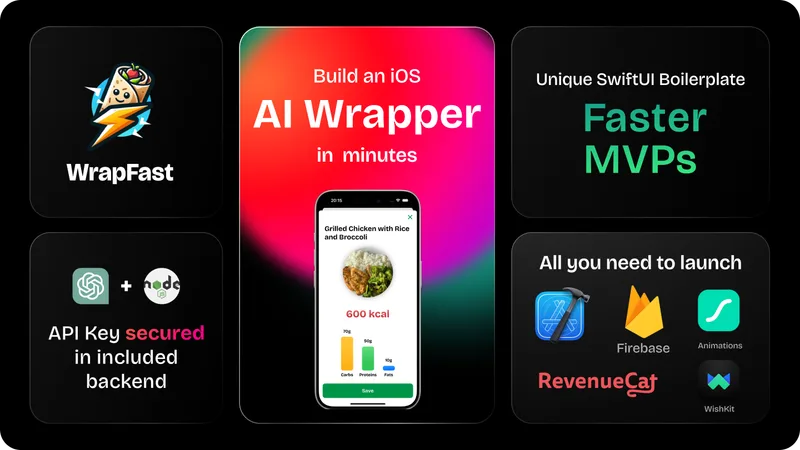
wrapfast
WrapFast is a SwiftUI boilerplate and starter kit for building iOS apps and AI wrappers quickly. It includes an Xcode SwiftUI project, a Node.js Express backend to secure AI API keys, AI integrations (OpenAI & Anthropic), monetization flows, cloud database support, documentation, and a Discord community aimed at indie makers and solo founders.