
Gleap
Gleap combines an AI help desk, customer feedback tools, and bug-to-fix workflows for software support, product, and engineering teams. Its agents answer customers, investigate issues, recommend priorities, and prepare pull requests for engineers to review and ship.
One of 672 tools in AI Agents
Who it's for
- Customer support teams at software companies that want an AI help desk, shared inbox, and customer follow-up workflows.
- Product teams that collect customer feedback and want to compare feature requests using customer demand, revenue, and goals.
- Engineering teams that want to investigate customer-reported bugs and use an agent to prepare code changes and pull requests for review.
Not the right fit if…
- Teams that require AI-generated code to merge or deploy without engineering review: Kai Code opens pull requests, and engineers review, merge, and release changes.
- Teams that need the full set of Kai agents on the Starter plan: Starter includes Kai Support, while Team, Pro, and Enterprise include every agent.
How it fits your workflow
Customers contact the team through Gleap's support workflows. Kai Support answers questions, while the shared inbox holds conversations; in-app bug reports can include screenshots, replay, and logs.
For a hard ticket, Kai Resolve examines available evidence and read-only repository access, then prepares a coding task. Kai PM can compare feature requests using customer demand, revenue, and goals.
A teammate starts an approved task with Kai Code. It creates code changes and opens a pull request for engineers to review, merge, and release; with customer follow-ups enabled, Gleap can update the customer on the original ticket after the fix is confirmed live.
Pricing
Free: A 7-day free trial is available on every plan; cancel anytime.
Starter
$29/month billed yearly, or $35/month; a 7-day free trial is available.
- · Kai Support included
- · 1 seat and 1 project
- · Live chat and in-app bug reports
- · No ticket limit and full ticket history
Team
$149/month billed yearly, or $179/month; Kai Support is $0.29 per resolution.
- · Unlimited seats and integrations
- · Help center, roadmap, and replays
- · Kai Resolve, Kai Code, Kai PM, Kai Copilot, and custom agents
Pro
$299/month billed yearly, or $359/month; Kai Support is $0.29 per resolution.
- · Everything in Team
- · Kai Voice and LLM model choice
- · Advanced reports, custom roles and permissions, and SOC 2 report
- · Priority support
Enterprise
Starts at $999/month, billed yearly.
Prices checked on Oct 16, 2026 from the vendor's site. They can change; confirm before you buy.
Key features
- Kai Support
- Answers customer questions as part of Gleap's AI help desk and support workflows.
- Kai Resolve
- Investigates hard tickets using evidence such as logs, click trails, screenshots, recordings, and read-only repository access, then prepares a coding task.
- Kai Code
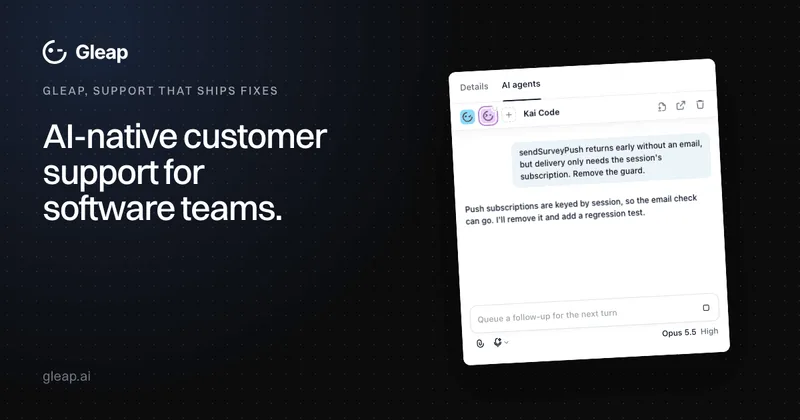
- Creates code changes, runs checks, and opens a pull request for the team's review. Engineers review, merge, and release the changes.
- Kai PM
- Compares feature requests using customer demand, revenue, and team goals, and recommends priorities.
- Shared inbox and multichannel support
- Provides a shared inbox, live chat, and multichannel support workflows for customer conversations.
- In-app bug reporting and session replay
- Lets teams capture bug reports with screenshots, replay, and logs to provide investigation context.
Works with
- Jira
- Linear
- GitHub
- Slack
- HubSpot
- Salesforce
- Notion
- Zapier
- MCP servers
- Claude Code, Codex, and Cursor
Limitations to know
- Kai Code opens pull requests but does not merge or deploy changes; engineers review, merge, and release them.
- Kai Resolve investigates code with read-only access; it does not have write access to repositories.
- The Starter plan includes Kai Support, not the full set of AI agents; Team, Pro, and Enterprise include every agent.
- Automatic customer follow-ups depend on the feature being enabled and, by default, on a teammate confirming that a merged fix is live.
Getting started
- Start the 7-day free trial and choose the workflow to evaluate.
- Connect the relevant knowledge and repositories to evaluate the complete workflow.
- Start an approved coding task, then review the resulting pull request with your engineering team.
Frequently asked questions
How do the Gleap agents work together?
Kai Support answers routine questions, Kai Resolve investigates hard tickets and prepares coding tasks for confirmed bugs, and Kai PM recommends priorities for feature requests. The team chooses what to build and starts Kai Code, which writes a change and opens a pull request for engineers to review, merge, and release.
Will customers hear back automatically after a fix?
Yes, when customer follow-ups are enabled. The default flow asks a teammate to confirm that the merged fix is live, then Gleap sends an update on the original ticket. Teams can instead schedule a message after a delay from merge or keep replies manual.
Does Kai Code merge or deploy without our review?
No. Kai Code writes code changes and opens a pull request for engineers to review, merge, and release. The team starts each coding task, and some models also offer a plan step.
Which plan includes the AI agents?
Team, Pro, and Enterprise include Kai Support, Kai Copilot, Kai Resolve, Kai Code, Kai PM, and custom agents. Starter includes Kai Support, live chat, and in-app bug reporting for one seat.
Do we need to adopt the whole platform at once?
No. The page says teams can start with a specific job, such as an AI help desk, customer feedback software, in-app bug reporting, or coding from a ticket.
Which tools does Gleap integrate with?
The page lists Jira, Linear, GitHub, Slack, HubSpot, Salesforce, Notion, and Zapier. Kai Resolve can query connected data sources through MCP servers, and coding tasks can open in Claude Code, Codex, or Cursor.
Is Gleap secure and compliant?
The page states that Gleap is SOC 2 Type II audited and GDPR (DSGVO) compliant, with EU or US data residency available at signup. Kai Resolve uses read-only code access in a sandbox, and destructive tools such as deletes and refunds are blocked. Single sign-on, bring-your-own model, and a HIPAA BAA depend on plan and agreement.
Can we migrate from Intercom, Zendesk, or Freshdesk?
Yes. Tickets and contacts can be imported from Intercom, Zendesk, and Freshdesk. Help center articles can be imported from Intercom and Freshdesk, and the widget can replace existing chat on web and mobile.