

heyphoto
HeyPhoto is an online AI-powered photo editor from Icons8 that provides face-focused editing tools—Face Swapper, Face Generator, Human Generator, Smart Upscaler, Background Remover and AI Anonymizer—available via web, native Mac/Windows apps, plugins and developer APIs.
heyphoto is image & design software teams evaluate for image & design. Use this page to review pricing, integration signals, and the best alternatives before you commit.
Profile facts come from the vendor source. AiMatch labels unknown pricing or API details instead of estimating them.
Review official source →Used in These Packs
Quick Overview
Best for: Image & Design
What it does
Image & Design software for decision-makers comparing workflow fit and alternatives.
Best fit
Image & Design
Pricing snapshot
Free from Free
Next step
Compare heyphoto with similar tools before you shortlist it.
Compare this tool before you shortlist it
Review alternatives, pricing posture, and workflow fit side by side.
HeyPhoto is an AI photo editor from Icons8 designed for face-focused photo editing and generation. It offers a collection of AI tools—Face Swapper, Face Generator, Human Generator, Face Generator, Smart Upscaler, Background Remover and AI Anonymizer—accessible via the web app, native Mac/Windows apps, plugins and developer APIs. The service is positioned for fast, production-quality edits and also provides APIs for integration and developer workflows. HeyPhoto supports common image formats (JPG, PNG, WEBP), accepts images up to 5 MB and returns images of the same size and quality as the source.
Free AI photo editor to fix and tweak faces online with ease.
Own this listing?
Claim this page for a one-time $29 to add pricing, features, screenshots, verified owner details, and a clearly labeled 30-day category position after the profile is live.
Claim this listing for $29Key Features
Face Swapper
Make production-quality face swaps with AI; page claims largest resolution for face swaps on the market.
Face Generator
Create photorealistic headshots and unique AI-generated faces with user parameters in a few clicks.
Human Generator
Generate full-body humans and hundreds of variations of the same person.
Smart Upscaler
Use AI to enhance image resolution and improve image quality.
Background Remover
Remove the background from any photo using automated tools.
AI Anonymizer
Anonymize faces to keep identity private and become less detectable by face recognition systems.
Native apps & Plugins
Fast native Mac and Windows apps plus plugins that allow drag-and-drop of photos into other apps.
Developer APIs
APIs listed on the site include Generated Photos API, Smart Upscaler API and Background Remover API for programmatic access.
Fine-grained face edits
Tools to change gaze direction, facial expression, age, gender appearance, and other facial features; some editing options are marked 'Soon'.
Pricing
HeyPhoto is free to use; resulting photos produced by the free service are watermarked.
Free
Free- Access to HeyPhoto tools via the web app
- Resulting photos include a watermark
Use Cases
Tune selfies and group photos
Use HeyPhoto's AI tools to adjust expressions, gaze, skin tone and other facial features to improve selfies and group shots.
Anonymize identity for privacy
AI Anonymizer lets users make themselves invisible to face recognition systems while preserving usable images.
Create production-quality face swaps and headshots
Face Swapper and Face Generator enable high-resolution face swaps and photorealistic headshots for creative and production workflows.
Developer integration
APIs (Smart Upscaler API, Background Remover API, Generated Photos API) support automation and integration into apps or services.
Background removal for assets
Automatically remove backgrounds from photos to prepare assets for design or e-commerce use.
Integrations
Mac & Windows native apps
Fast native applications for desktop use on Mac and Windows.
Plugins
Plugins that allow drag-and-drop of photos and assets into other design apps.
Developer APIs
APIs mentioned on the site (Generated Photos API, Smart Upscaler API, Background Remover API) for programmatic workflows.
Benefits
Limitations
Frequently Asked Questions
How does it work?
Do you store the images I upload? What about privacy?
What images work best with HeyPhoto?
Is HeyPhoto free to use?
Getting Started
- 1 Step 1: Open the HeyPhoto web app (or install native Mac/Windows app) and choose a tool.
- 2 Step 2: Drop or paste an image (JPG, PNG, WEBP) — images up to 5 MB and faces up to 1024×1024 px are supported.
- 3 Step 3: Apply the desired AI tool (e.g., Anonymizer, Face Swapper, Smart Upscaler), then download or delete the image as needed.
Support
docs
User documentation and FAQ available on the site.
contact
Contact us link available on the HeyPhoto site for support and inquiries.
community
Forum and newsletter subscription options are listed for updates and community interaction.
API
The site lists multiple APIs (Generated Photos API, Smart Upscaler API, Background Remover API and Photos API) indicating developer endpoints are provided via the HeyPhoto/Icons8 site.
Compare heyphoto with similar tools
See how it stacks up against alternatives
Related Tools
View all 375 →

Stable Diffusion Online (stablediffusionweb.com)
Stable Diffusion Online (stablediffusionweb.com) is a web interface for generating images, videos, photo effects and AI edits using Stable Diffusion XL and related text-to-image/video models. It offers an easy, GPU-accelerated online generator, a large Prompt Database, and claims anonymous usage and free access.

Nanobananapro
Nano Banana Pro is a web-based AI image creation workspace that produces natural language-driven, hyper-realistic, physics-aware images with sharper 2K imagery, intelligent 4K upscaling, improved text rendering, and enhanced character consistency for creative and API-driven workflows.


Imageprompt
ImagePrompt.org is a web-based suite of AI-powered tools for creating, enhancing, and analyzing image prompts and generating AI artwork; it helps users convert images to prompts, improve prompt detail, describe images, and produce images from prompts.

BeautyPlus
BeautyPlus is a web and mobile photo & video editing product that offers one-tap AI tools, filters, retouching, background removal, collage and headshot generation for social, creative and professional use.
Premium Alternatives

drawingpics
DrawingPics is a native macOS app for Apple Silicon that converts sketches into photorealistic or stylized images in real time using Core ML and the Apple Neural Engine. It runs fully offline, is available as a one-time purchase, and targets creators and small studios.

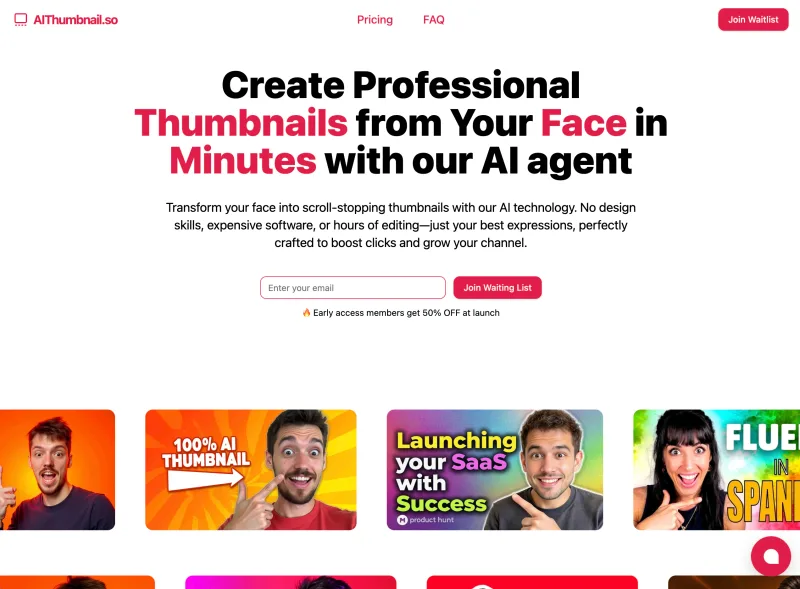
Aithumbnail
AIThumbnail.so is an AI-powered thumbnail maker for YouTube and creators that generates high-converting thumbnails in under a minute, offering features like Replica Mode, one-photo face integration, and AI smart suggestions to boost CTR and views.

Artiphoria AI
Artiphoria AI is a web-based AI image generation software that creates unique images in one click using neural networks and machine learning, aimed at artists, designers, creators and businesses.

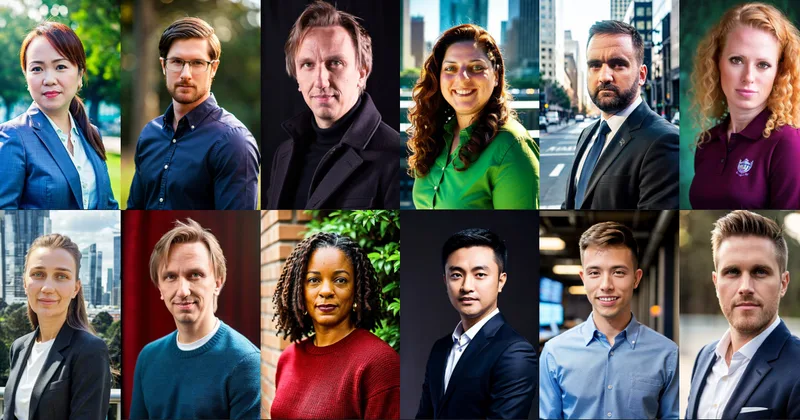
Illusion Diffusion
Illusion Diffusion is a web-based AI photo-to-art generator that transforms designs, text, or photos into illusion-style artwork using ControlNet, OpenPose, and Stable Diffusion models. It offers credit-based image generation, downloadable results, and presets for text-to-image and brand/logo reimagining.