Ichatwithgpt
iChatWithGPT is a personal AI assistant accessible through iMessage and Apple devices, offering content and image generation, web research, reminders, and voice-activated messaging powered by GPT-5.2, Claude 4.5, Google Search and Nano Banana.
Ichatwithgpt is ai agents software teams evaluate for education & research. Use this page to review pricing, integration signals, and the best alternatives before you commit.
Quick Overview
Best for: Education & Research
What it does
AI Agents software for decision-makers comparing workflow fit and alternatives.
Best fit
Education & Research
Pricing snapshot
Freemium from Not listed on page
Next step
Compare Ichatwithgpt with similar tools before you shortlist it.
Compare this tool before you shortlist it
Review alternatives, pricing posture, and workflow fit side by side.
Ichatwithgpt
iChatWithGPT provides a personal AI assistant integrated into iMessage and the Apple ecosystem (iPhone, Apple Watch, MacBook, CarPlay and Siri). It combines large language models and live web search to create content and images, perform up-to-date web research, send text reminders, and enable hands-free voice messaging. The service emphasizes convenience (no signup required on the entry page) and cross-device accessibility for users who want quick AI assistance from their messaging app.
The assistant is powered by multiple backends (GPT-5.2, Claude 4.5, Google Search and Nano Banana) to deliver conversational responses, research results, and generated imagery. The site promotes a free entry-level experience with a Pro upgrade for unlimited messaging, and encourages users to open the site on an iPhone or Mac to get started.
iChatWithGPT is a personal AI assistant accessible through iMessage and Apple devices, offering content and image generation, web research, reminders, and voice-activated messaging powered by GPT-5.2, Claude 4.5, Google Search and Nano Banana.
Own this listing?
Claim this page to add pricing, features, screenshots, and verified owner details.
Claim this listingKey Features
iMessage & Apple ecosystem access
Accessible directly from iMessage and integrated with iPhone, Apple Watch, MacBook, CarPlay and Siri so users can interact with the assistant across Apple devices.
Web browsing and live research
AI-powered web browsing provides instant recommendations, news summaries, weather forecasts, game results and other up-to-date research by leveraging Google Search alongside model backends.
Content and image generation
Generate written content and AI images—from conceptual designs to detailed illustrations—using the platform's image-generation capabilities.
Text reminders and habit support
Set simple text reminders to clear mental lists and help build habits; the assistant can send timely reminder messages.
Voice-activated messaging via Siri
Save the assistant as a contact and use voice commands such as “Hey Siri, text GPT” to send messages hands-free.
No signup needed (initial access)
Promotes immediate access without a formal signup on the landing experience for quick trial usage.
Privacy-focused entry
The site states no identifying information is required for initial use (as presented on the landing page).
Pro tier for unlimited messaging
Offers a paid upgrade option labeled 'Pro' for unlimited messaging; details on limits and pricing are provided on upgrade flow (not listed on the page).
Pricing
Offers a free trial/usage to start; exact limits and terms are not provided on the landing page.
Free / Trial
Not listed on page- Try the assistant for free
- Limited messaging (specific limits not provided)
Pro
Not listed on page- Unlimited messaging (as advertised)
- Priority or extended access (details not provided)
Use Cases
Quick research and summaries
Ask the assistant for up-to-date news summaries, sport results, weather, or recommendations using built-in web browsing.
On-the-go reminders and habit building
Use text reminders to manage tasks, appointments, and habit tracking directly through messages.
Content creation and brainstorming
Generate drafts, ideas, or rewrite copy inside iMessage for faster content workflows.
AI-powered image generation
Create concept visuals and illustrations from prompts without leaving the messaging interface.
Hands-free messaging
Use Siri voice commands to interact with the assistant while driving or when your hands are occupied (works with CarPlay and Siri).
Integrations
GPT-5.2
Primary LLM backend for conversational responses and content generation.
Claude 4.5
Alternate LLM backend used to power responses and capabilities alongside other models.
Google Search
Provides live web browsing and up-to-date research results for summaries and recommendations.
Nano Banana
Additional model/backend listed as part of the platform's multi-model setup.
Siri / iOS Contacts
Integration that enables voice-activated messaging (e.g., “Hey Siri, text GPT”) when the assistant is saved as a contact.
CarPlay
Supports interaction through CarPlay for hands-free use while driving.
Benefits
Limitations
Frequently Asked Questions
How do I start using iChatWithGPT?
Do I need to sign up or provide identifying information?
Which devices are supported?
Is there a paid plan?
Which models and data sources power the assistant?
Getting Started
- 1 Open the iChatWithGPT landing page on your iPhone or Mac (the site requests you use an Apple device to begin).
- 2 Enter a valid phone number as prompted to receive access/invite details.
- 3 Follow the invite or onboarding instructions to start chatting in iMessage; optionally save the assistant as a contact to enable Siri voice commands.
- 4 Upgrade to Pro from within the app or onboarding flow if you need unlimited messaging (pricing not listed on the landing page).
Support
Support page
The site references a 'Support' link — access support via the website's Support page (details and contact methods not listed on the landing page).
Same day support
The landing page advertises same day support, though exact contact channels (email/chat) are not shown on the page content provided.
Blog
A blog is available from the site for updates, guides, and additional information.
API
Compare Ichatwithgpt with similar tools
See how it stacks up against alternatives
Related Tools
View all 336 →

%22%2F%3E%20%3Ctext%20x%3D%2250%25%22%20y%3D%2250%25%22%20dominant-baseline%3D%22central%22%20text-anchor%3D%22middle%22%20font-family%3D%22system-ui%2C-apple-system%2Csans-serif%22%20font-weight%3D%22700%22%20font-size%3D%2250%22%20fill%3D%22white%22%3EA%3C%2Ftext%3E%20%3C%2Fsvg%3E)

Kimik25
Kimi K2.5 is an open-weight, trillion-parameter multimodal model from Moonshot AI offering unified text, image, video and PDF understanding, a massive 256K context window, and coordinated agent-swarm capabilities for complex multi-step workflows at dramatically reduced inference cost.


Parallellabs
Parallel AI (Parallellabs) is an end-to-end AI platform that automates the full revenue journey — from prospect discovery and personalized outreach to content creation and always-on customer agents — while connecting to your company knowledge and tool stack. It targets sales, marketing, support teams, and agencies and offers white-label options.

Premium Alternatives

Headshotsbyai
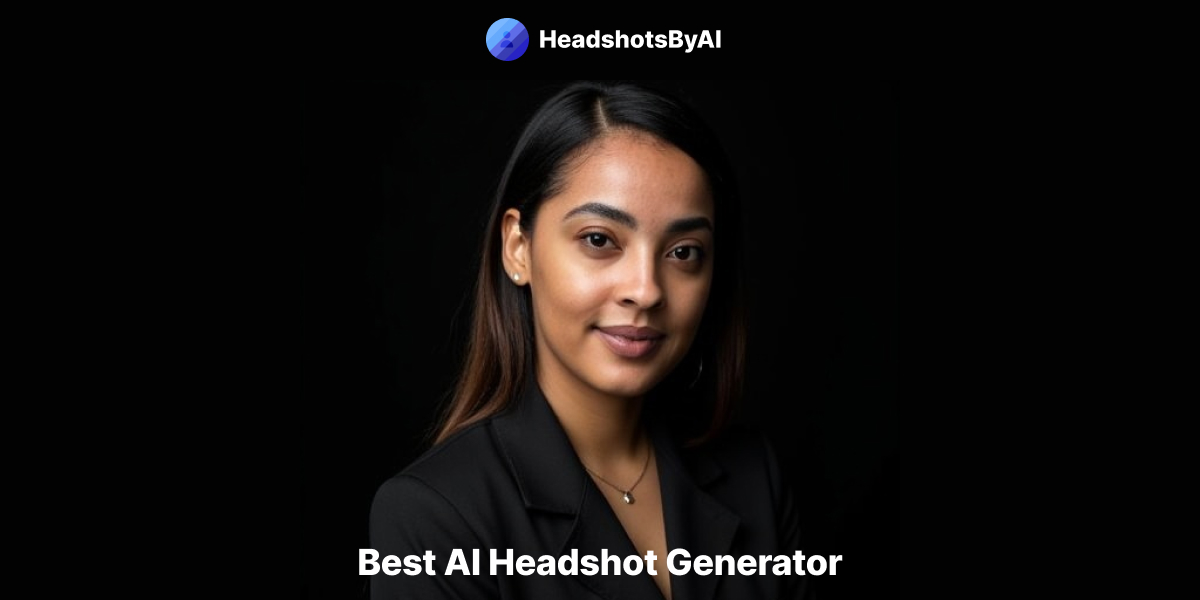
HeadshotsByAI is a photorealistic AI headshot generator that creates professional headshots in under 10 minutes from 1–5 casual photos, aimed at individuals and teams who need consistent, studio-quality images without an in-person photoshoot.


talkforce-ai
TalkForce AI is an AI-powered customer care solution that automates routine inquiries, appointment scheduling, and customer support with intelligent voice agents, providing 24/7 seamless service and enhancing customer satisfaction for businesses across various industries.

unless-com
UNLESS offers a regulatory-ready conversational AI platform tailored for Europe's regulated industries, especially financial services, providing 24/7 multilingual support, task automation, and privacy-compliant AI assistance to enhance customer success and operational efficiency.
Myfuturechildren
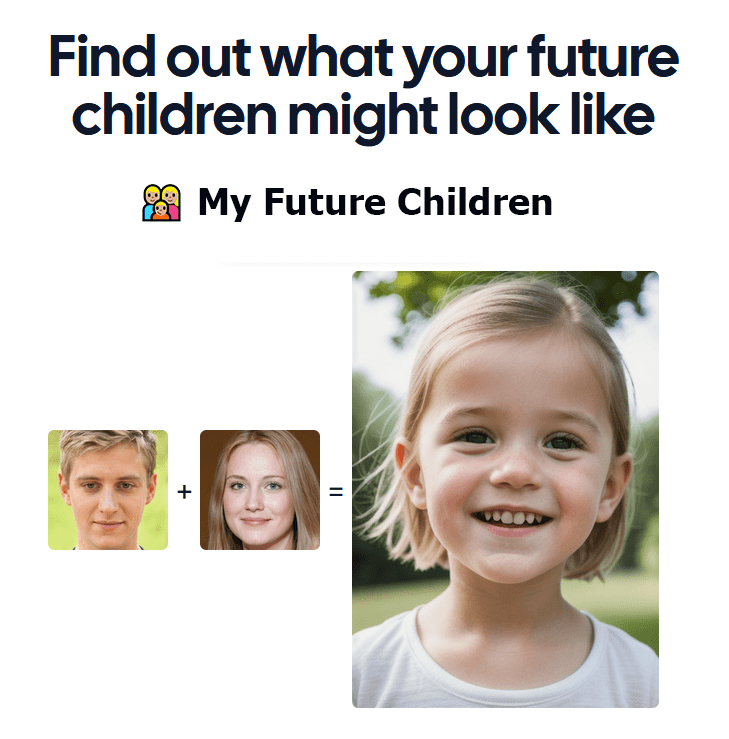
My Future Children is a web app that generates an AI-predicted image of a child by combining two parent photos. Users upload two parent images, choose a gender, and receive a generated child image in about 30 seconds.