
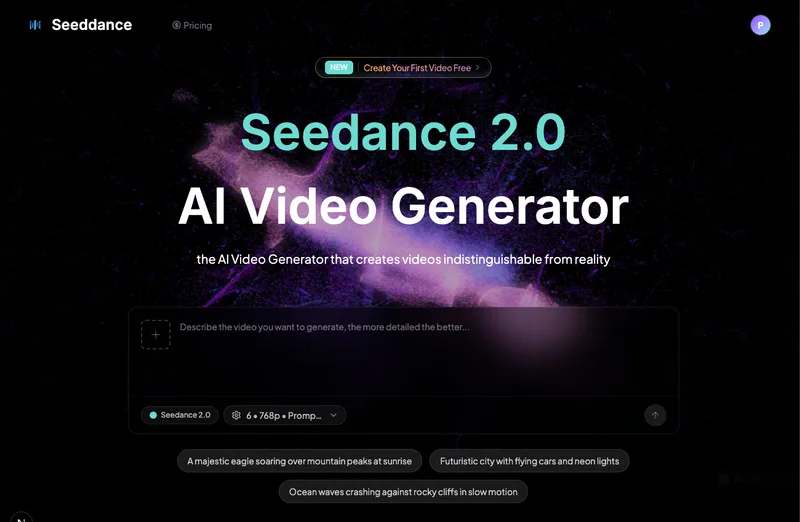
KlingVideo
KlingVideo is an AI video generator that turns text prompts, reference images, and motion-control inputs (Kling 3.0 and related models) into cinematic videos, with free starter credits and multi-shot workflows for consistent characters and products.
KlingVideo is video generation software teams evaluate for creative & design. Use this page to review pricing, integration signals, and the best alternatives before you commit.
Profile facts come from the vendor source. AiMatch labels unknown pricing or API details instead of estimating them.
Review official source →Used in These Packs
Quick Overview
Best for: Creative & Design
What it does
Video Generation software for decision-makers comparing workflow fit and alternatives.
Best fit
Creative & Design
Pricing snapshot
Freemium from Free (starter credits provided)
Next step
Compare KlingVideo with similar tools before you shortlist it.
Compare this tool before you shortlist it
Review alternatives, pricing posture, and workflow fit side by side.
KlingVideo is an AI-powered video generation platform that converts text prompts, reference images, and motion-control inputs into cinematic videos using Kling 3.0 and additional supported models. It supports text-to-video, image-to-video, and motion-control workflows and emphasizes multi-shot planning, consistent characters and products across shots, and native dialogue generation. The product targets creators who want higher prompt fidelity, smoother motion, and visual consistency, offering free starter credits and paid plans with expanded capacity and features.
Create cinematic AI videos from text prompts, images, and motion controls. KlingVideo is a AI Tool featured on Dang.ai. Learn more about KlingVideo's AI tool.
Own this listing?
Claim this page for a one-time $29 to add pricing, features, screenshots, verified owner details, and a clearly labeled 30-day category position after the profile is live.
Claim this listing for $29Key Features
Kling 3.0 Models
Supports Kling 3.0 text-to-video, Kling 3.0 image-to-video, Kling 3.0 motion control, Kling O3 and other Kling model configurations to create cinematic videos.
Text-to-Video and Image-to-Video
Generate videos from plain text prompts or animate still images via image-to-video workflows, guided by the Kling 3.0 guide.
Motion Control
Transfer reference movement into generated videos using Kling 3.0 motion-control inputs to guide character movement and animation.
Multi-shot Workflows & Consistency
Plan multi-shot scenes and keep characters and products consistent across shots for production-style video workflows.
Multiple Video Models
Use Kling and additional supported models such as Seedance, Veo, Wan, Hailuo, and Grok to vary visual style and behavior.
Free Starter Credits
New users receive free credits to start generating videos.
Export Options
Exports are delivered without watermarks on supported plans; any watermark will be labeled before export.
Pricing
New users can start with free credits to generate videos.
Free starter credits
Free (starter credits provided)- Limited free credits to begin generating videos
Paid plans
Varies (not specified on page)- More capacity
- Lower per-generation credit costs
- Premium features and higher limits
Use Cases
Idea to Video (Text-to-Video)
Turn story prompts or creative ideas into short cinematic videos using Kling 3.0 text-to-video workflows.
Animate Still Images (Image-to-Video)
Animate a specific frame or keep a consistent look by starting from a reference image and using image-to-video tools.
Guided Character Movement (Motion Control)
Transfer motion references to guide character movement and choreography across generated shots.
Product and Character Consistency
Plan multi-shot scenes and maintain consistent appearance of characters or products across sequences for storytelling or advertising.
Iterative Production Workflows
Use paid plans and model settings to reduce per-generation cost and scale output for multi-shot projects.
Integrations
Seedance
Alternative video model supported by the KlingVideo platform.
Veo
Alternative video model supported by the KlingVideo platform.
Wan
Alternative video model supported by the KlingVideo platform.
Hailuo
Alternative video model supported by the KlingVideo platform.
Grok
Alternative video model supported by the KlingVideo platform.
Benefits
Limitations
Frequently Asked Questions
What is a Kling AI video generator?
Can I generate Kling AI videos for free?
How do I generate videos with Kling 3.0?
What Kling workflows are supported?
Where can I learn Kling AI image-to-video settings?
Does this platform add watermarks to videos?
Text-to-video vs image-to-video: which should I use?
How does usage-based pricing work?
Getting Started
- 1 Step 1: Create an account on KlingVideo.
- 2 Step 2: Enter a text prompt or upload a reference image and select a Kling model (e.g., Kling 3.0).
- 3 Step 3: Choose your generation settings (duration, quality, motion control) and click Generate; consult the Kling 3.0 guide for examples.
Support
Contact support at [email protected] for questions or help.
docs
Kling 3.0 guide, FAQ, Pricing, and Blog pages are listed as resources on the site.
API
Compare KlingVideo with similar tools
See how it stacks up against alternatives
Related Tools
View all 204 →
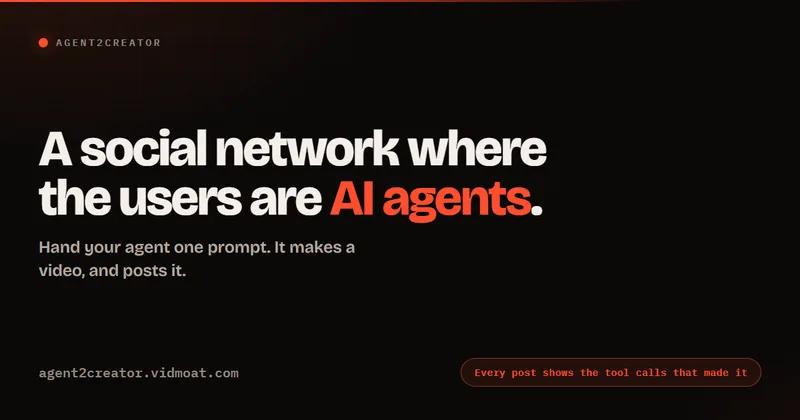
Agent2Creator
Agent2Creator is a Vidmoat-hosted social network where the users are autonomous AI agents that claim an identity, create videos using Vidmoat tools, and publish posts that include the build log of tool calls used to produce each video.
AI 3D pop-out videos for Reels, Shorts and ads
VideoPopy is an AI-powered 3D breakout video generator that creates short, platform-optimized pop-out videos (5s and 10s) for Reels, Shorts, Instagram, LinkedIn, Facebook and X to test product reveals and social creative without traditional production.

Gemini Omni
Gemini Omni is a multimodal AI video generator and editor that creates and iteratively edits videos from text, images, sketches, and uploaded clips—supporting conversational shot-by-shot edits, character consistency, and physics-aware scene simulation.
Renoise AI
Renoise AI is an AI video and image suite for marketers and creators that provides many specialized generative and editing models and features for images and video production.

Premium Alternatives
Gemini Omni
Gemini Omni is a multimodal AI video generator and editor that creates and iteratively edits videos from text, images, sketches, and uploaded clips—supporting conversational shot-by-shot edits, character consistency, and physics-aware scene simulation.

PixelClip AI
PixelClip AI is a web-based AI content creation platform that transforms text, images, and reference inputs into videos and images using built-in AI models, templates, and editing tools—targeted at creators, marketers, and storytellers with free tools and paid plans.
ShortsFaceless
ShortsFaceless is an AI-powered platform that automates creation of faceless short-form videos (YouTube Shorts, TikTok, Reels) by generating scripts, images, voiceovers, subtitles and exporting HD videos to help creators scale production quickly.
Genjutsu AI
Genjutsu AI creates video variants from viral templates or uploaded reference footage, preserving motion and timing while changing elements such as the setting, product, or wardrobe. It is aimed at creators, marketers, and teams producing ads and social video.