
Lindy
Lindy connects an AI teammate to company tools so teams can find context, analyze information, and complete multi-step work. Marketing, sales, support, and operations teams can use it for recurring tasks and work that spans their connected apps.
One of 579 tools in AI Agents
Who it's for
- Support teams using tools such as Zendesk or Intercom that need to group incoming tickets by root cause and prepare follow-up work.
- Sales and customer-success teams using HubSpot that want to coordinate CRM updates, customer handoffs, and meeting follow-ups.
- Marketing and operations teams that need reports or recurring briefs assembled from connected tools such as Slack, Google Drive, and analytics sources.
Not the right fit if…
- Teams that need Lindy to act in a private Slack channel without an invitation: a channel manager must invite it.
- Teams that require consequential actions to run without human review: Lindy waits for a named approver before actions with outside impact.
How it fits your workflow
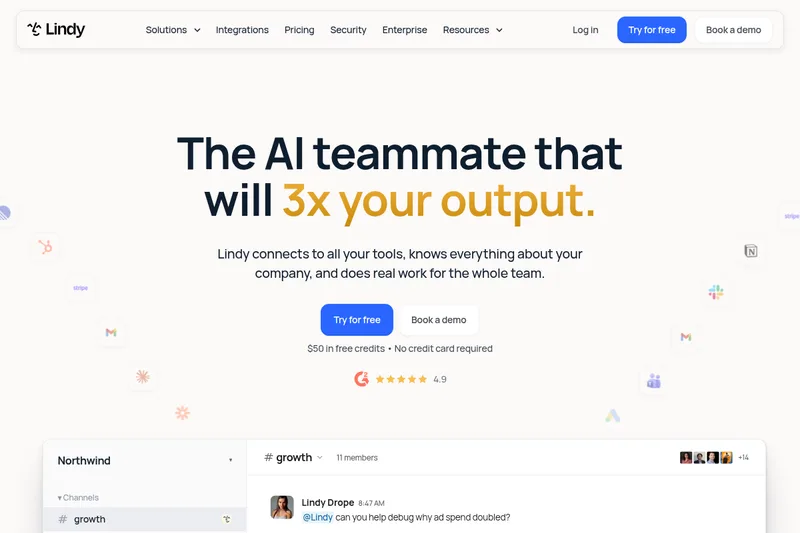
An admin connects Slack, and teammates can then @mention Lindy in approved channels. Users can also work with Lindy in Gmail, iMessage, or a browser, and connect the other tools their workflows use.
Lindy searches approved sources, uses context from tools or shared meetings, and returns answers or work products such as reports, documents, and presentations. It can also perform sequences such as updating a CRM and scheduling a customer kickoff.
Teams can schedule recurring routines and save demonstrated tasks as skills. Actions with outside impact wait for approval; meeting recordings are stored in folders with owner-controlled visibility.
Pricing
Paid plans
Price not published
- · See the provider pricing page for current rates, billing periods, and usage limits.
Prices checked on Sep 7, 2026 from the vendor's site. They can change; confirm before you buy.
Key features
- Email triage & drafting
- Organizes inboxes, labels every email, drafts replies in your voice for review, and can notify you via text about important messages.
- Meeting scheduling
- Finds times that work, sends invites, and handles rescheduling to eliminate back-and-forth.
- Meeting prep & recording
- Provides briefs before calls, takes notes during meetings, and sends recaps and action items afterward.
- Reminders & action item tracking
- Pulls action items from emails and meetings, reminds you of due tasks, and helps keep you on track.
- Integrations
- Connects with hundreds of integrations so Lindy can read Slack, cross-reference calendar data, and draft responses in Gmail and other apps.
- Enterprise security & compliance
- Built privacy-first with encryption, approvals, and stated guarantees that data is never sold or used to train models; lists compliance such as GDPR, SOC 2, HIPAA, and PIPEDA.
Works with
- Gmail & Outlook
- Calendar
- Slack
- Hundreds of other integrations
Limitations to know
- Lindy cannot access a channel unless it has been added to it, or a tool that has not been connected.
- Private Slack channels require an invitation from a channel manager; Lindy does not see archived channels or personal DMs.
- Actions with outside impact require approval from a named approver.
Alternatives to consider
-
Luffy
Choose it if you want an AI coworker specifically described around recurring operational work such as CRM syncing, outreach, tickets, and playbooks.
-
Dialect-AI
Choose it if you want a cloud assistant described specifically for routine work such as email, document processing, meeting transcription, scheduling, and customer support.
-
Carly
Choose it if you want an assistant described around scheduling, email, CRM, reminders, and workflow tasks for individual users and teams.
Getting started
An admin connects Slack; Lindy can then be used in approved channels.
- Start with the $50 in free credits; no credit card is required.
- Have an admin connect Slack.
- Ask Lindy for work by @mentioning it in an approved channel.
- Connect other tools or set up routines and reusable skills for team workflows.