

MCP server manager
KyttoMCP is a local Model Context Protocol (MCP) server manager for macOS and Windows that reads existing MCP JSON/TOML configurations, shows which servers are enabled across clients like Claude Desktop, Claude Code, Cursor, VS Code and Codex, and provides inspection, health checks, profiles, backups and safe configuration writes.
MCP server manager is developer tools software teams evaluate for developer tools. Use this page to review pricing, integration signals, and the best alternatives before you commit.
Profile facts come from the vendor source. AiMatch labels unknown pricing or API details instead of estimating them.
Review official source →Used in These Packs
Quick Overview
Best for: Developer Tools
What it does
Developer Tools software for decision-makers comparing workflow fit and alternatives.
Best fit
Developer Tools
Pricing snapshot
Free from Free
Next step
Compare MCP server manager with similar tools before you shortlist it.
Compare this tool before you shortlist it
Review alternatives, pricing posture, and workflow fit side by side.
KyttoMCP is a local control panel for Model Context Protocol servers that centralizes scattered MCP JSON and TOML configuration files on a single machine. It shows which servers are active for supported clients (Claude Desktop, Claude Code, Cursor, VS Code and Codex), lets you inspect each server’s tools and protocol details, and change configurations without manually editing files. The app is designed for local use only — no accounts, no cloud sync — and includes health checks, profiles, backups and guarded atomic writes to keep configurations recoverable and auditable.
KyttoMCP is a local MCP server manager for macOS and Windows. Manage servers across Claude Desktop, Claude Code, Cursor, VS Code and Codex with health checks, profiles and backups.
Own this listing?
Claim this page for a one-time $29 to add pricing, features, screenshots, verified owner details, and a clearly labeled 30-day category position after the profile is live.
Claim this listing for $29Key Features
Unified client matrix
See where each server is active across Claude Desktop, Claude Code, Cursor, VS Code and Codex and switch servers on or off from one view while respecting each client’s own rules.
Built-in and custom sources
Create MCP entries manually or start from a built-in catalog; attach named JSON, JSONC or TOML files as read-only sources distinct from writable clients.
Health inspection
Run an on-demand MCP handshake and view tools, prompts, resources, protocol details, stderr and token-weight estimates to diagnose failing servers.
Profiles
Save and preview local MCP stacks (e.g., Coding, Research, Minimal) and apply profiles with backup and restart safeguards.
Secrets handling
Discover sensitive environment values masked by default, reveal on request, rotate values everywhere they appear, optionally store in Keychain, and restrict config permissions.
Backups & atomic writes
Each write checks for external changes, makes a timestamped backup and writes atomically; browse and restore backups from within the app.
Optional Gateway mode
For supported stdio servers, preview a local Gateway route, move definitions and credentials into native storage, and restore direct mode with one click.
Context optimizer
Estimate full-schema footprint of each server and profile to compare sizes consistently and flag heavy or duplicate definitions.
MCP Doctor
Turn configuration and health evidence into actionable findings (missing env values, relative paths, failed handshakes) with safe fixes previewed before writing.
Live activity (metadata-only)
Review Gateway sessions, tool calls, latency and failures and export safe support reports while keeping arguments, results and payloads out of logs.
Pricing
Beta 1.0.6 is free for macOS and Windows with no account, no sign-up and no cloud sync; everything runs locally.
Beta 1.0.6
Free- Full functionality of the Beta release on macOS and Windows
- No account, no sign-up and no cloud service
Use Cases
Centralize MCP configurations
Aggregate scattered JSON/TOML MCP files from multiple clients into a single workspace for easier inspection and management.
Debug failing servers
Use on-demand handshakes, stderr and protocol details to determine why a server refuses to start or fails checks.
Manage environment secrets safely
Find masked sensitive values, reveal or rotate them, optionally copy to Keychain, and control who can edit configurations.
Maintain reproducible profiles and backups
Save local MCP stacks for different workflows, preview changes and rely on timestamped backups and atomic writes for safe rollbacks.
Operate without cloud dependencies
Run and manage MCP servers locally with no account, no cloud sync and no secret upload.
Integrations
Claude Desktop
Detects and manages MCP servers configured for Claude Desktop.
Claude Code
Detects and manages MCP servers configured for Claude Code, including a dedicated toggle.
Cursor
Detects and manages MCP servers configured for Cursor.
VS Code
Detects and manages MCP servers used by the VS Code client.
Codex
Detects and manages MCP servers configured for Codex.
GitHub (issues)
Public GitHub issues are suggested for community bug reports and discussion.
Benefits
Limitations
Frequently Asked Questions
What is KyttoMCP?
Is KyttoMCP free?
Which AI clients does it work with?
Does Kytto upload my configuration or API keys anywhere?
Why does my Mac or Windows PC warn about an unidentified developer?
Can I undo a change Kytto made?
Do I have to install my MCP servers through Kytto?
What does context cost mean?
Does Kytto run on Linux?
Getting Started
- 1 Download the appropriate Beta 1.0.6 build for your platform (macOS Universal .dmg or Windows guided installer .exe).
- 2 macOS: Open the DMG, drag KyttoMCP to Applications, then Control-click and choose Open (use System Settings → Privacy & Security → Open Anyway if required).
- 3 Windows: Run the downloaded installer, use 'More info' → 'Run anyway' in SmartScreen if shown, and follow the installer steps. Verify SHA-256 checksums if desired.
- 4 Follow the included first-launch steps inside the app to discover and attach existing MCP JSON/TOML files and start inspections.
Support
GitHub (public issues)
Open a public GitHub issue to report bugs or follow discussions (link provided on the site).
Private bug report form
A private form on the site sends reports directly to Jakub Studio for bugs; the form asks for reproduction steps and optional contact details.
Contact page
Site contact page and links (Contact, Changelog, Privacy) are available for additional inquiries.
Documentation / Video demo
Short demonstration video and first-launch instructions are available on the download page.
API
Compare MCP server manager with similar tools
See how it stacks up against alternatives
Related Tools
View all 149 →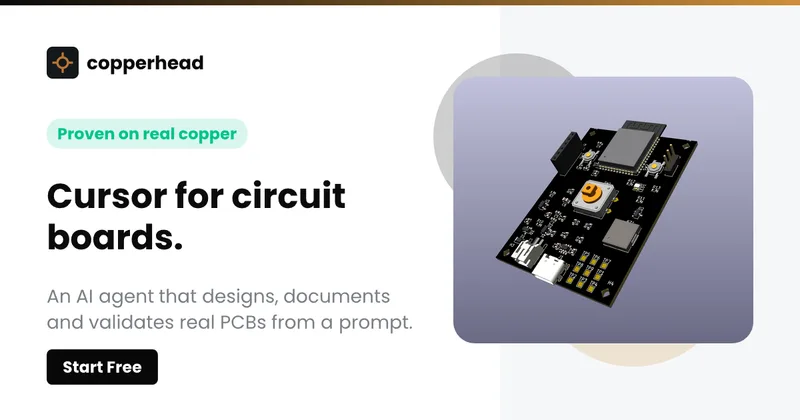
Copperhead
Copperhead is an open-source AI engineering platform and CLI that helps hardware teams design, verify, and ship printed circuit boards by editing KiCad files, running KiCad checks (ERC/DRC), and producing gerbers, firmware, and documentation in a gated, auditable pipeline.


Docs.dev Your Own Hosted Docs Platform in Minutes
Docs.dev is a deployable documentation template that runs as a Cloudflare Worker in your account, using your GitHub repo as the source of truth and agent-powered drafting (e.g., Claude Code or Codex) to generate reviewable docs branches that your team publishes via commit.

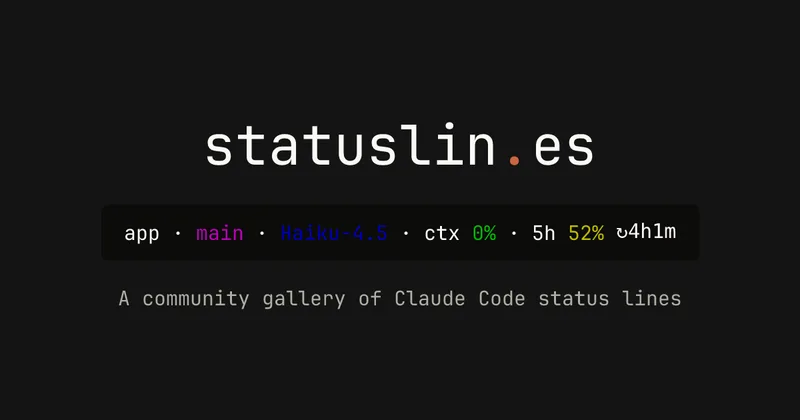
statuslin.es
statuslin.es is a community gallery of Claude Code status lines—copyable, previewed scripts and themes for terminal/status-bar displays that show Claude model stats (tokens, cost, limits), git info, and other runtime metrics.

Bullet · Fast, by design.
Bullet is a fast coding agent and developer tool that routes, searches, and executes code-focused tasks with a tight loop to minimize latency — offered as a macOS download and currently available in private beta.

Premium Alternatives
%22%2F%3E%20%3Ctext%20x%3D%2250%25%22%20y%3D%2250%25%22%20dominant-baseline%3D%22central%22%20text-anchor%3D%22middle%22%20font-family%3D%22system-ui%2C-apple-system%2Csans-serif%22%20font-weight%3D%22700%22%20font-size%3D%2250%22%20fill%3D%22white%22%3EO%3C%2Ftext%3E%20%3C%2Fsvg%3E)
OTP Inspired actor supervisor based full stack templates
ShipStacks provides production-grade, OTP-inspired full-stack SaaS templates that include supervisors/actor patterns, auth, payments, uploads, AI chat and agent playbooks, and Docker-ready deployment in multiple languages and frameworks.
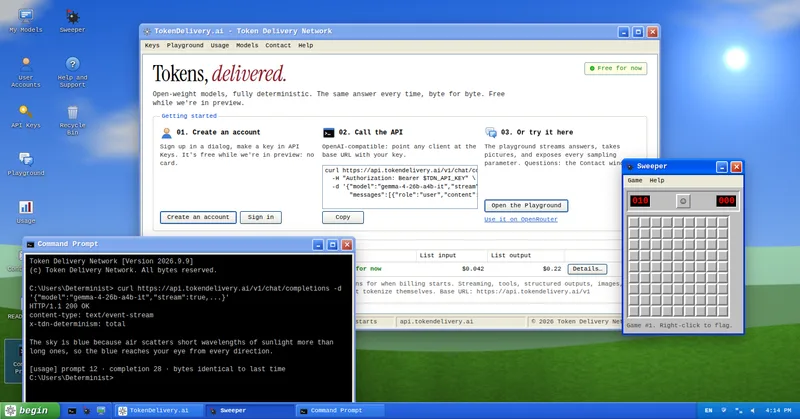
TokenDelivery.ai
TokenDelivery.ai (Token Delivery Network) is an OpenAI-compatible model API and playground that offers reproducible, deterministic model outputs, streaming responses, multimodal inputs (images and short videos), and exposed sampling parameters. It is free during preview and provides API keys, a playground, and a documented base URL for developers.

Servers for AI, not another AWS
RAW offers dedicated GPU and CPU servers specifically built for AI workloads — provision real metal with root access and CUDA via a single API. It emphasizes low cost (claims up to 100× cheaper than AWS), $0 egress, fast provisioning, and enterprise features for inference, training, agents, and vector databases.

MacVisor Runs VMs with VLANs and Firewall on Apple Silicon
MacVisor is a native Apple Silicon virtualization platform for running and managing macOS and Linux VMs, with Windows 11 and AI sandboxes available as Tech Previews. It includes snapshots, templates, VLAN networking, host-enforced firewall controls, and CLI automation.

runpod
Runpod is an AI Developer Cloud that provides on-demand GPU infrastructure—Pods, Serverless endpoints, and multi-node Clusters—enabling teams to experiment, train, fine-tune, deploy, and scale AI workloads across 31 global regions with support for 30+ GPU SKUs.

Finetunefast
FinetuneFast provides finetuning boilerplates, inference templates, and deployment tooling to accelerate building and shipping ML models (text-to-image, LLMs, RAG, TTS) — aimed at developers, indie makers and businesses who want production-ready examples and fast time-to-deploy.