

Miro
Miro is a collaborative visual workspace and AI platform that integrates intelligent agents (Sidekicks), visual multi-step workflows (Flows), and connectors to bring team context and external data into a shared canvas to accelerate planning, design, and decision-making across organizations.
Miro is ai agents software teams evaluate for ai agents. Use this page to review pricing, integration signals, and the best alternatives before you commit.
Profile facts come from the vendor source. AiMatch labels unknown pricing or API details instead of estimating them.
Review official source →Quick Overview
Best for: AI Agents
What it does
AI Agents software for decision-makers comparing workflow fit and alternatives.
Best fit
AI Agents
Pricing snapshot
Paid from Not specified on provided page
Next step
Compare Miro with similar tools before you shortlist it.
Compare this tool before you shortlist it
Review alternatives, pricing posture, and workflow fit side by side.
Miro AI is presented as an enterprise-focused collaborative canvas that combines team work, external context, and AI agents to accelerate decision-making and delivery. The platform uses the entire canvas as a prompt so that visual artifacts (frames, timelines, kanbans, diagrams) and integrated tool data enrich AI-driven outputs. Key building blocks highlighted are Sidekicks (intelligent agents), Flows (visual multi-step workflows), Connectors (live data from tools like Slack and Jira), and AI Playbooks (repeatable templates for common processes). Security and compliance (data residency, sensitive content blocking, and ISO certification) are emphasized to enable organization-wide deployment.
Miro is a collaborative visual workspace and AI platform that integrates intelligent agents (Sidekicks), visual multi-step workflows (Flows), and connectors to bring team context and external data into a shared canvas to accelerate planning, design, and decision-making across organizations.
Own this listing?
Claim this page for a one-time $29 to add pricing, features, screenshots, verified owner details, and a clearly labeled 30-day category position after the profile is live.
Claim this listing for $29Key Features
Intelligent Canvas
Uses everything on the canvas as a prompt so AI can leverage team artifacts and context (frames, timelines, kanbans, diagrams) to generate context-aware outputs.
Sidekicks (AI agents)
Intelligent agents that know your context, build on team thinking within Miro and can be pulled from pre-built libraries or customized.
Flows (Visual Workflows)
Visual, multi-step AI workflows teams can build and run together to automate processes and turn successful approaches into repeatable templates.
Connectors / Integrations
Connectors pull live data from external tools (explicitly calling out Slack, Jira, Granola) so conversations and actions are grounded in real-time context.
AI Playbooks
Pre-built, repeatable playbooks for common initiatives (planning, product development, research synthesis, prototyping, etc.) to accelerate outcomes.
Security & Compliance
Platform-level controls including granular access controls, automatic sensitive content blocking, data residency across regions, and ISO 42001 certification.
Extensive Integrations Ecosystem
Integrates with 250+ tools to bring the wider technology stack into the canvas and workflows.
Pricing
Business
Not specified on provided page- Business plan referenced in site navigation
Enterprise
Not specified on provided page- Enterprise plan referenced and enterprise AI success guidance
Consultants / Education / Startups / NPOs
Not specified on provided page- Special plans referenced in site navigation
Use Cases
Planning & Strategy
Turn planning workshops into aligned OKRs and traction dashboards without weeks of follow-up using AI Playbooks.
Product Development
Convert brainstorms and notes into strategy, requirements, and metrics to speed up shipping.
Rapid Prototyping
Transform sketches and concepts into clickable prototypes for fast testing and iteration.
Competitor Analysis
Accelerate competitor research into strategic insights in hours instead of days.
Process Transformation
Discover process breakdowns, identify opportunities, and implement optimized workflows quickly.
Research Synthesis
Replace hours of manual analysis with clear insights in minutes to enable faster confident decisions.
Technical Architecture
Create diagrams and decision records from engineering discussions to avoid rework and stale documentation.
Brand Campaign Creation
Turn a brief into a full campaign with concepts, content plans, and assets to accelerate time to market.
Service Blueprints
Turn customer insights into service blueprints that align teams in a single session and enable experience optimization.
Integrations
Slack
Pull live data from Slack into Flows and Sidekicks so conversations are reflected in canvas workflows.
Jira
Ingest Jira data into Miro workflows to keep decisions and actions grounded in development context.
Granola
Example third-party connector listed as a live data source to enrich canvas context.
250+ tools
Miro states it integrates with 250+ tools across the ecosystem to bring your stack into the canvas.
Benefits
Limitations
No verified limitations are available.
Frequently Asked Questions
No verified FAQs are available.
Getting Started
- 1 Step 1: Book a demo or contact sales (page prominently offers "Book a demo" and "Contact sales").
- 2 Step 2: Explore Sidekicks, Flows and Connectors from the AI Platform pages and AI Playbooks to find relevant workflows and agents.
- 3 Step 3: Use the Miro AI Template Library and pre-built Playbooks to run an initial session and adapt or customize Sidekicks and Flows for your team.
Support
Contact sales
Contact sales and book a demo via the site to discuss enterprise deployment and licensing.
Help Center / Docs
Miro Help Center and product documentation referenced under Resources for guidance and troubleshooting.
Training / Academy
Miro Academy and training resources available to support onboarding and adoption.
Professional services / Partners
Miro Professional Services and a global network of Solution Partners to support AI transformation.
API
Compare Miro with similar tools
See how it stacks up against alternatives
Related Tools
View all 672 →
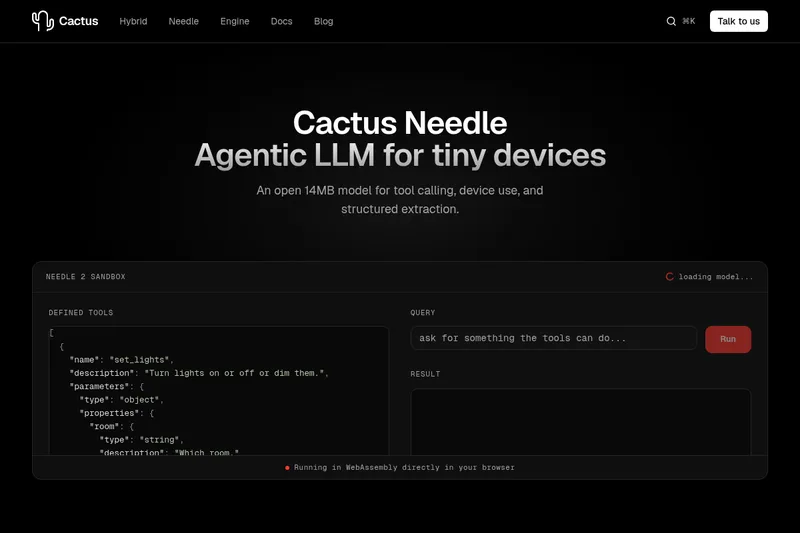
Needle2
Needle 2 is an open, production-ready 45M-parameter agentic LLM from Cactus designed for tool calling, device control, and structured extraction on extremely small devices; the shipped CQ2-bit binary is ~14 MB and runs in ~28 MB of RAM across Cortex-M, microcontrollers, phones, Raspberry Pi and WebAssembly.
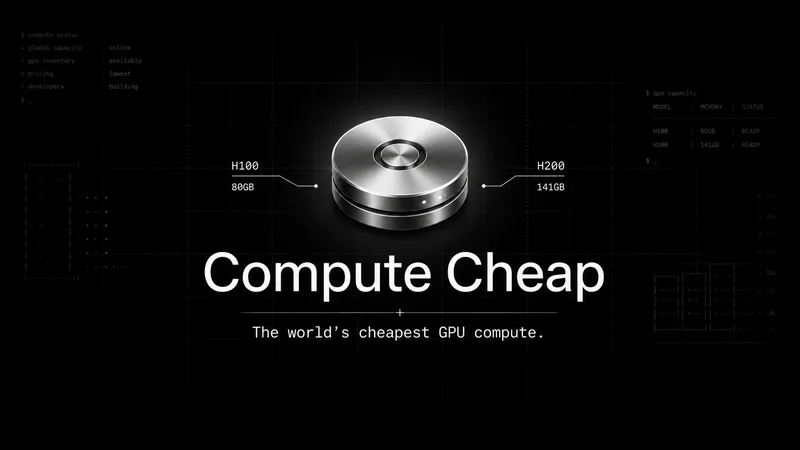
The cheapest GPU cloud
Compute Cheap provides low-cost GPU compute for training and inference, offering H100 and H200 SXM GPUs as interruptible or reserved capacity with published per-GPU-hour pricing and a simple request/reserve/run workflow.

Oodle.ai
Oodle Agent Observability provides agent/LLM observability at scale with S3-backed columnar storage, fast search (<1s P99), out-of-the-box AI-powered insights, and flat ingestion-based pricing designed to retain 100% of traces affordably for debugging and optimizing production agents.


Budget-Friendly Alternatives
The cheapest GPU cloud
Compute Cheap provides low-cost GPU compute for training and inference, offering H100 and H200 SXM GPUs as interruptible or reserved capacity with published per-GPU-hour pricing and a simple request/reserve/run workflow.
Oodle.ai
Oodle Agent Observability provides agent/LLM observability at scale with S3-backed columnar storage, fast search (<1s P99), out-of-the-box AI-powered insights, and flat ingestion-based pricing designed to retain 100% of traces affordably for debugging and optimizing production agents.

%22%2F%3E%20%3Ctext%20x%3D%2250%25%22%20y%3D%2250%25%22%20dominant-baseline%3D%22central%22%20text-anchor%3D%22middle%22%20font-family%3D%22system-ui%2C-apple-system%2Csans-serif%22%20font-weight%3D%22700%22%20font-size%3D%2250%22%20fill%3D%22white%22%3EL%3C%2Ftext%3E%20%3C%2Fsvg%3E)