Mottle
Mottle is a no-code custom chatbot platform for websites that lets businesses train an AI assistant on their own information to provide 24/7 customer help, with multilingual support and easy debugging.
Mottle is chatbots & assistants software teams evaluate for business operations. Use this page to review pricing, integration signals, and the best alternatives before you commit.
Profile facts come from the vendor source. AiMatch labels unknown pricing or API details instead of estimating them.
Review official source →Used in These Packs
Quick Overview
Best for: Business Operations
What it does
Chatbots & Assistants software for decision-makers comparing workflow fit and alternatives.
Best fit
Business Operations
Pricing snapshot
Free
Next step
Compare Mottle with similar tools before you shortlist it.
Compare this tool before you shortlist it
Review alternatives, pricing posture, and workflow fit side by side.
Mottle provides a no-code, embeddable AI chatbot solution designed for websites. The platform lets businesses quickly create a custom chatbot, train it on their own business information, and deploy it to help customers 24/7 without requiring coding, hosting, or API management. Mottle emphasizes fast setup (up and running in 10 minutes), easy debugging by showing which documents contributed to answers, and multilingual support to serve diverse customer bases.
Mottle is a no-code platform to create custom AI chatbots using text files.
Own this listing?
Claim this page for a one-time $29 to add pricing, features, screenshots, verified owner details, and a clearly labeled 30-day category position after the profile is live.
Claim this listing for $29Key Features
Custom website chatbot
Quickly install a simple, custom AI chatbot on your website to assist visitors and customers.
Train on business information
Train the bot on your business info so responses are tailored to your company knowledge and documentation.
No-code setup
Create your bot without any code, hosting, or APIs to worry about — no coding required.
Easy to debug
See exactly which documents were used to generate each answer to help debug queries and improve accuracy.
Multilingual support
Supports multiple languages and natural language understanding to cater to a diverse customer base.
Fast deployment
Marketing claims indicate bots can be up and running in 10 minutes.
Free trial / Try before paying
Offers a test/demo experience and states 'No credit card required to get started.'
Pricing
Free trial / test available; the site states 'No credit card required to get started.'
Use Cases
24/7 customer support
Deploy the chatbot to provide round-the-clock assistance to customers on your website.
Knowledge-base assistant
Train the bot on company documents so it can answer product, policy, and FAQ queries using your business information.
Multilingual customer interactions
Serve customers in multiple languages using the platform's multilingual support.
Integrations
OpenAI (GPT-o)
Page references using the 'OpenAI Model (GPT-o)' indicating support or use of an OpenAI model.
Benefits
Limitations
No verified limitations are available.
Frequently Asked Questions
No verified FAQs are available.
Getting Started
- 1 Step 1: Click Get Started on the Mottle website and create an account (no credit card required).
- 2 Step 2: Create and configure your chatbot using the no-code builder and upload or link your business information for training.
- 3 Step 3: Install the provided embed or installation snippet on your website and test the bot using the Test the Bot feature.
Support
docs
Documentation is available via the 'Docs' link on the site.
contact
A 'Contact' page/link is provided in the site navigation for inquiries.
faq
A site 'FAQ' is listed in the navigation for common questions.
API
Compare Mottle with similar tools
See how it stacks up against alternatives
Related Tools
View all 161 →
autochat
AutoChat is an India-first WhatsApp automation platform that combines WhatsApp Business API, AI-assisted chatbots, team inbox/CRM, broadcasts, and commerce features to help SMEs, D2C brands, education teams, real estate teams, agencies, and service businesses manage leads, sales, and support on WhatsApp while preserving existing chat continuity.

Enterprise Bot
Enterprise Bot provides AI-powered voice, email, chat, agent-assist, and agentic automation products for enterprise contact centers. Its platform is designed to automate customer interactions and support agents across customer-service channels.


raggenie
RAGgenie is a low-code platform for building retrieval-augmented generation (RAG) conversational AI 'copilots' from your existing data, enabling teams and individuals to create, run locally, and integrate custom GenAI assistants without advanced technical skills.

fyran
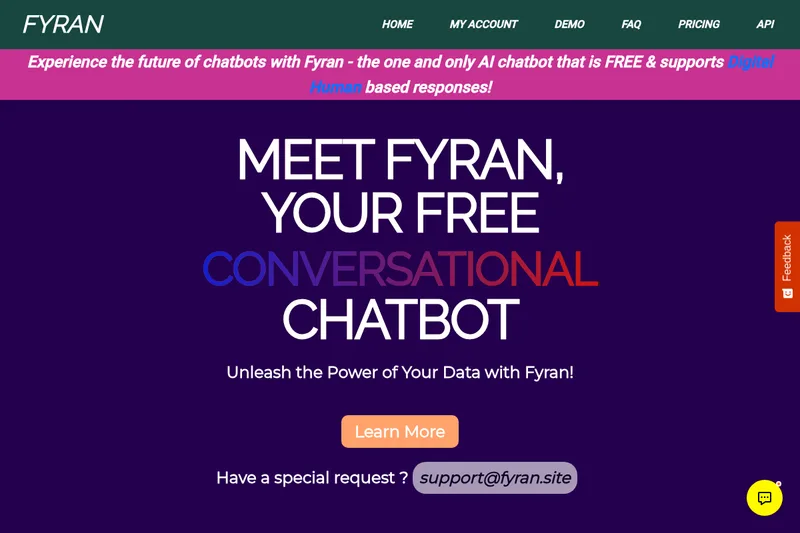
Fyran is an AI chatbot builder that lets users create custom chatbots from uploaded files (PDF, TXT, DOCx, MP3, with MP4 coming soon) and offers a unique Digital Human avatar feature (Freya). It provides a free tier, paid plans, a live demo, and integration via website, API, JS, or HTML.
Premium Alternatives
innerai-com
Inner AI é uma plataforma brasileira que reúne mais de 50 modelos de IA pagos (como GPT-5, Claude 4.6, Gemini 3.1 e Grok) oferecendo acesso centralizado, bibliotecas de prompts, templates de documentos, assistentes personalizados, cursos com certificado e aplicativos web/móvel — tudo com foco em equipes e uso profissional.

trainmy-ai
TrainMyAI builds custom, on-premise or cloud-hosted AI chatbots using retrieval-augmented generation (RAG) for private content, with access via WhatsApp, the web, and a private API while keeping all data on your own server.

MARA
MARA is AI-powered hotel reputation management software that helps hotel teams draft review replies in their brand voice, analyze guest feedback, and manage reputation workflows across properties. It combines a shared review inbox, analytics, surveys, widgets, and integrations.