Paperpal
Paperpal is an AI-first academic writing assistant that helps researchers, students, and publishers research, write, edit, check for plagiarism, and prepare manuscripts for submission via web and integrations (MS Word, Google Docs, Chrome, Overleaf).
Paperpal is research software teams evaluate for education & research. Use this page to review pricing, integration signals, and the best alternatives before you commit.
Profile facts come from the vendor source. AiMatch labels unknown pricing or API details instead of estimating them.
Review official source →Quick Overview
Best for: Education & Research
What it does
Research software for decision-makers comparing workflow fit and alternatives.
Best fit
Education & Research
Pricing snapshot
Freemium from Free (monthly feature limits)
Next step
Compare Paperpal with similar tools before you shortlist it.
Compare this tool before you shortlist it
Review alternatives, pricing posture, and workflow fit side by side.
Paperpal is an all-in-one AI academic writing assistant built to support authors at every stage of the writing process — from first draft to final submission. Accessible via the web and directly within common authoring environments (MS Word, Google Docs, Chrome extension, and Overleaf), Paperpal offers research, writing, editing, citation, and submission-preparation tools tailored to scholarly workflows. The product is trained on published research and STM expertise and emphasizes privacy (stating user data is not used to train AI systems) and submission readiness with checks such as plagiarism detection, AI content detection, and 30+ journal readiness checks.
Paperpal is an AI-first academic writing assistant that helps researchers, students, and publishers research, write, edit, check for plagiarism, and prepare manuscripts for submission via web and integrations (MS Word, Google Docs, Chrome, Overleaf).
Own this listing?
Claim this page for a one-time $29 to add pricing, features, screenshots, verified owner details, and a clearly labeled 30-day category position after the profile is live.
Claim this listing for $29Key Features
Research & Cite
Search and retrieve science-backed answers from 250M+ research articles and cite them in 10,000+ citation styles.
AI Writing Assistant
Contextual rewriting, paraphrasing, word reduction, translation in 50+ languages, and in-depth AI reviews to improve drafts before submission.
Plagiarism Checker
Online plagiarism checking to help avoid accidental plagiarism and produce a plagiarism report for academic text.
AI Review & AI Detector
Actionable AI review feedback to improve drafts and AI detection tools to help ensure authentic, human-written text.
Citation Generator & Reference Finder
Generates credible reference suggestions and accurate citations across 10,000+ styles; helps locate references and data.
Paper Checker / Submission Readiness
Checks including 30+ key language and technical checks and reference checks to help perfect journal submissions.
Integrations & In‑context support
Works directly where you write with integrations for MS Word, Google Docs, Chrome extension, Overleaf and a web app to avoid switching tools.
Chat & PDF tools
Chat with PDFs, summarize texts, and compare multiple PDFs within the platform.
Pricing
Free tier available with monthly feature limits.
Free
Free (monthly feature limits)- Access to core writing, research, and checking features with monthly limits
Prime
Paid (details not listed on the supplied content)- Higher usage limits and advanced workflows
Use Cases
Academic manuscript preparation
Draft, edit, check, and finalize manuscripts with language checks, reference checks, plagiarism detection, and submission readiness verification.
Literature search and citation
Find and cite relevant literature from a database of 250M+ research articles and generate references in thousands of styles.
Student and researcher writing support
Assist students and researchers to write, paraphrase, translate, and improve text with contextual AI suggestions tailored for academia.
Publisher and institutional workflows
Enable publishers and universities to support authors with journal-ready checks and verification tools integrated into common authoring environments.
Integrations
MS Word
Use Paperpal's writing and checking tools directly within Microsoft Word.
Google Docs
Use Paperpal features in Google Docs without switching tools.
Chrome
Chrome extension to access Paperpal while writing in browser-based editors.
Overleaf
Integration for LaTeX authors to access Paperpal features in Overleaf.
Benefits
Limitations
Frequently Asked Questions
What is Paperpal and how does it work?
Getting Started
- 1 Step 1: Create an account — click 'Start Writing - It's Free' or sign up with Google.
- 2 Step 2: Use Paperpal on the web or install an integration (MS Word, Google Docs, Chrome extension, or Overleaf).
- 3 Step 3: Start drafting and use Research & Cite, AI Review, plagiarism checks, and citation generation to prepare your submission.
Support
Contact
Access the 'Contact Us' page on the Paperpal website for direct inquiries (link referenced on site).
Docs / Trust Center
Paperpal provides resources such as a Trust Center and blog referenced on the site for security and product information.
FAQs
On-site Frequently Asked Questions provide answers about product usage and plans.
API
Compare Paperpal with similar tools
See how it stacks up against alternatives
Related Tools
View all 143 →
ThoughtDAG
ThoughtDAG is an open-source, desktop-first application that makes LLM context visible, editable, and reproducible by representing context as an editable directed acyclic graph (wires = context) and letting users preview and control exactly what the model receives.
LLM Attention Visualization
A browser-based interactive visualization that shows how transformer LLMs allocate attention to past tokens during generation by aggregating attention weights and value magnitudes across heads and layers.

PilotCite
PilotCite is a SaaS platform that helps brands monitor and improve their visibility in AI-generated answers (ChatGPT, Perplexity, Google AI, Gemini, Claude, Copilot, Grok) by tracking citations, auditing site citability, benchmarking competitors, and generating source-backed content.

Knowledge graph skill for Claude/Kimi Code
SysEdge is an ontological knowledge graph and CLI for multi-agent Claude Code and Kimi Code teams that models requirements, tests, and architecture standards to surface specification, test, and standards gaps before code ships and to reduce agent orientation tokens.
HieraticBench
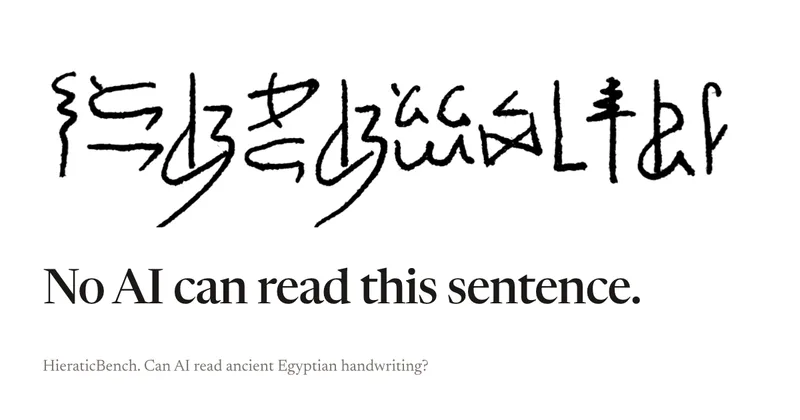
HieraticBench is an open benchmark for testing whether AI models can identify and read hieratic, the cursive handwriting of ancient Egypt. It includes a public leaderboard, evaluation harness, and dataset of documents and individual signs.
Redactle LLM Leaderboard
A public benchmark dashboard that evaluates how well large language models (LLMs) solve Redactle puzzles by running standardized evaluations and publishing ranked results, costs, and performance metrics.
Premium Alternatives

CiteRank
CiteRank is a weekly SaaS monitoring tool that re-asks buyer questions of major AI answer engines (ChatGPT, Perplexity, Google AI Overviews, Gemini and Claude) to record whether they cite your site, name your brand, or leave you absent, and delivers board-style reports and competitor/source lists.


AI ChatDocs
AI ChatDocs is a GPT-4 powered document chat and summarization tool that lets users upload PDFs, Word/PPT/Docx/TXT files, websites, sitemaps and YouTube videos to generate summaries, extract references, and interactively chat with document content.