Revivast
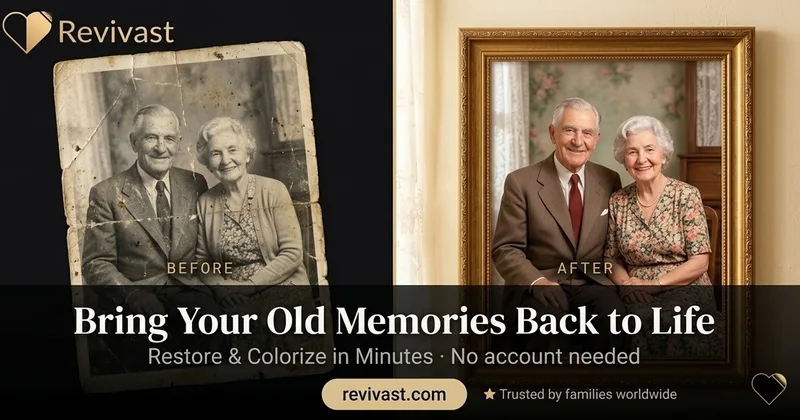
Revivast is an online professional photo restoration and colorization service that uses AI-enhanced workflows combined with human review to repair, enhance, and naturally colorize damaged, faded, or black-and-white photographs for digital download and optional framed prints.
Revivast is image & design software teams evaluate for image & design. Use this page to review pricing, integration signals, and the best alternatives before you commit.
Profile facts come from the vendor source. AiMatch labels unknown pricing or API details instead of estimating them.
Review official source →Used in These Packs
Quick Overview
Best for: Image & Design
What it does
Image & Design software for decision-makers comparing workflow fit and alternatives.
Best fit
Image & Design
Pricing snapshot
Freemium from $5–$20 per photo (typical range indicated)
Next step
Compare Revivast with similar tools before you shortlist it.
Compare this tool before you shortlist it
Review alternatives, pricing posture, and workflow fit side by side.
Revivast is an online service for professional photo restoration and natural colorization of old, damaged, or black-and-white photographs. The service combines AI-driven automated repair with human expert review to remove scratches, tears, stains, fading, and to add realistic colorization while preserving facial detail. It is aimed at people who want fast, print-quality restorations and optional physical framed deliveries without needing technical skills.
Revivast is an online professional photo restoration and colorization service that uses AI-enhanced workflows combined with human review to repair, enhance, and naturally colorize damaged, faded, or black-and-white photographs for digital download and optional framed prints.
Own this listing?
Claim this page for a one-time $29 to add pricing, features, screenshots, verified owner details, and a clearly labeled 30-day category position after the profile is live.
Claim this listing for $29Key Features
AI-enhanced restoration with human review
Automated damage detection and intelligent repair combined with human verification to ensure natural appearance and accurate colorization.
Natural photo colorization
Realistic colorization of black-and-white photos with period-appropriate tones and attention to natural skin tones and preserved texture.
Fast online processing
No account needed, with automated processing described as delivering results in 30–90 seconds for AI-enhanced cases and options for expedited human-reviewed turnaround.
Guided smartphone capture
A guided camera overlay to help users frame and digitize photographs using a phone, removing the need for a scanner.
HD enhancement & print-ready files
Upgrade restored photos to high-definition quality suitable for large prints and framing (JPEG, TIFF, PNG output options mentioned).
Prints & premium framing
Optional delivery of restored photos in premium wood or metal frames with museum-quality glass, delivered ready to display.
Security & privacy controls
Encrypted uploads, private/confidential handling, optional automatic deletion after 30 days, and explicit statement that images are not shared or used for training.
Pricing
Basic restoration
$5–$20 per photo (typical range indicated)- Automated AI repairs for minor damage
- Digital delivery
Advanced restoration
$15–$35 per photo (typical range indicated)- More extensive damage repair
- Human review and refinements
Premium restoration
$25–$60+ per photo (typical range indicated)- Complex restorations
- HD enhancement and printing/framing options
Colorization add-on
$15–$25 additional- Natural, period-accurate colorization with human refinement
Use Cases
Family heirloom restoration
Repair torn, stained, faded, or otherwise damaged family portraits to preserve memories and prepare them for printing or framing.
Black-and-white colorization
Transform black-and-white or sepia photos into naturally colorized images for emotional connection and historical context.
Print and display preparation
Enhance resolution and clarity for high-quality prints and framed displays, including museum-quality framing options.
Severe damage recovery
Digitally reassemble torn photos, remove water stains, and reconstruct missing sections using AI-assisted reconstruction and expert refinement.
Gifts and memorabilia
Create framed restorations or high-quality prints as gifts for anniversaries, memorials, and other special occasions.
Integrations
No verified integration details are available.
Benefits
Limitations
Frequently Asked Questions
Can you restore very old or damaged photos?
How long does photo restoration take?
Do you offer photo colorization for black-and-white photos?
Is my photo safe and private?
Do I need technical skills to use your service?
Will I need to send my original photo?
Getting Started
- 1 Step 1: Digitize or photograph your old photo (smartphone guided capture or scanner).
- 2 Step 2: Upload the photo to Revivast — no account required.
- 3 Step 3: Choose restoration options (basic/advanced restoration, optional colorization, HD enhancement, or framing) and complete payment.
- 4 Step 4: Receive restored digital files via an email link and optionally order prints or framed delivery.
Support
Docs & Guides
Online blog and guides (Photo Restoration Guides & Tips) available on the website for how-to information and restoration advice.
Legal & Privacy pages
Terms of Service and Privacy Policy are provided on the website for policy and data-handling information.
API
Compare Revivast with similar tools
See how it stacks up against alternatives
Related Tools
View all 386 →

fluxpicture
FluxPicture (Flux AI) is an AI image-generation product by FLUXPicture Labs / Black Forest Labs that turns text prompts into high-resolution images using transformer-based flow models, offering multiple model variants, API access, and subscription credit plans.

Onerecovery
ONERECOVERY Photo Restoration is an AI-powered image repair tool bundled with ONERECOVERY data recovery software that automatically restores, enhances, and colorizes damaged, blurry, or black-and-white photos for Windows and Mac users.

Flux Pro AI (FluxProWeb)
Flux Pro AI (FluxProWeb) is a web-based suite for AI image and video generation, editing, and enhancement that offers multiple text-to-image, image-to-image and text-to-video tools and a catalog of production-grade models for creators and professionals.
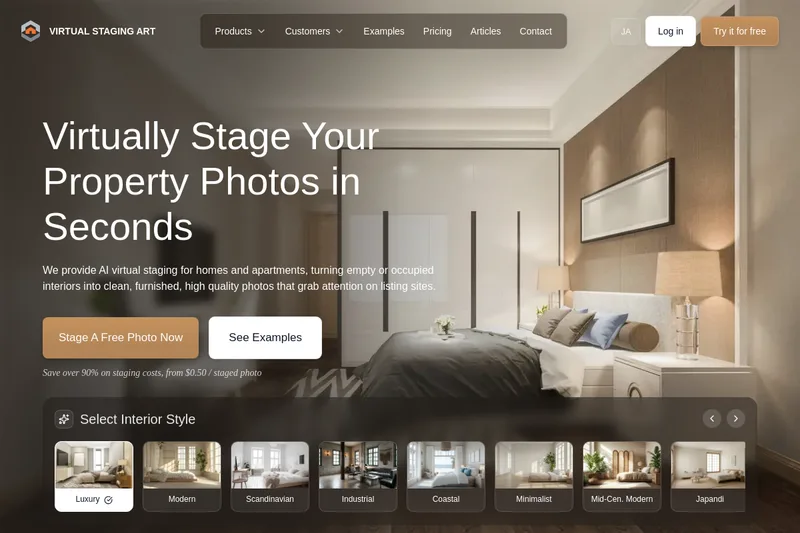
Virtualstaging
VirtualStaging.art provides AI-powered virtual staging and photo editing for real estate listings, converting empty or occupied interiors into furnished, listing-ready images in seconds — from $0.50 per staged photo.

Premium Alternatives
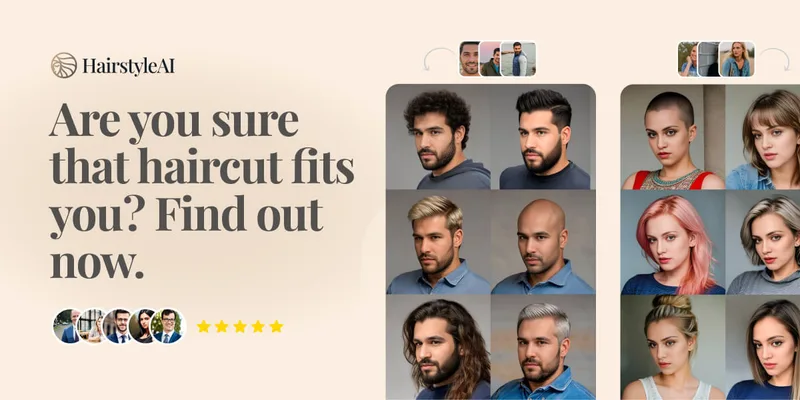
Hairstyleai
HairstyleAI is a virtual AI hairstyle try-on service (powered by HeadshotPro.com) that lets users preview new haircuts on their photos before committing to a real cut, offering dozens of generated looks and downloadable HD images.
Image-AI.pro
Image-AI.pro is a professional AI image generation platform powered by the proprietary img-v2 Pro engine, offering studio-quality, multi-style image generation with instant, no-registration access and an optional VIP membership for faster, higher-resolution outputs.
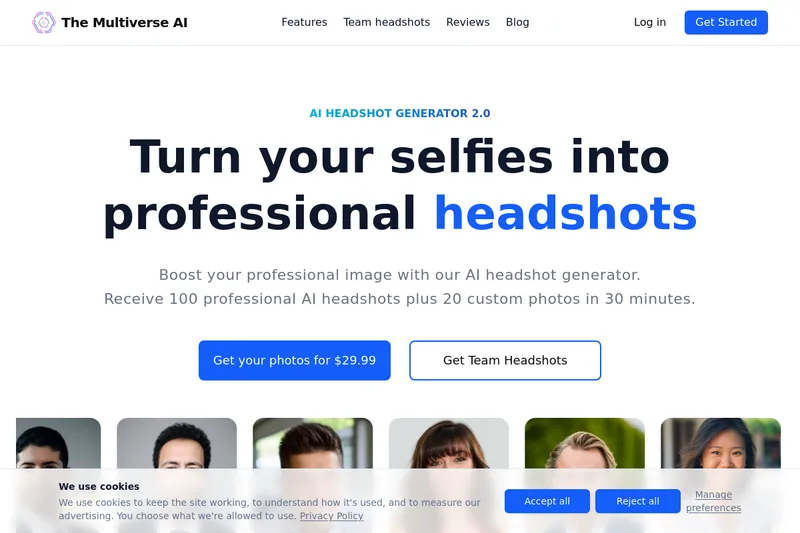
Themultiverse
The Multiverse AI is a commercial AI headshot generator that turns user selfies into professional-quality headshots and team portraits, offering a 30-minute turnaround and an editable set of generated images for individual professionals and corporate teams.

imaginebuddy
Imagine Buddy is a web-based library of professionally crafted AI product photoshoot prompts that helps creators and brands generate campaign-ready product imagery using AI image generators like Gemini, ChatGPT/DALL·E, Midjourney, and Stable Diffusion.

Prompt Hunt
Prompt Hunt is a web platform for creating, browsing, and sharing AI-generated art using curated prompt templates and its in-house Chroma model, aimed at creatives, teams, and prompt engineers.