

thinkboxai
ThinkBoxAI is a low-cost desktop AI client that connects to the OpenAI API (ChatGPT) via the user’s API key, offering a pay-as-you-go workflow, prompt library, customization settings and cross-platform desktop apps with a lifetime license option.
thinkboxai is chat software teams evaluate for content & marketing. Use this page to review pricing, integration signals, and the best alternatives before you commit.
Profile facts come from the vendor source. AiMatch labels unknown pricing or API details instead of estimating them.
Review official source →Used in These Packs
Quick Overview
Best for: Content & Marketing
What it does
Chat software for decision-makers comparing workflow fit and alternatives.
Best fit
Content & Marketing
Pricing snapshot
Freemium from $19 (one-time) — promotional price (original shown as $79; "Save 76%")
Next step
Compare thinkboxai with similar tools before you shortlist it.
Compare this tool before you shortlist it
Review alternatives, pricing posture, and workflow fit side by side.
ThinkBoxAI is a desktop client that connects to the OpenAI API (ChatGPT) using the user’s OpenAI API key, offering a pay-as-you-go approach to using ChatGPT. The product is positioned as a low-cost, easy-to-use AI client with features such as a ready-made prompt library, advanced settings to customise GPT output, and a commitment to not storing chat data. ThinkBoxAI is available as cross-platform desktop apps (Windows 64-bit, macOS Universal, Linux 64-bit) and is sold primarily as a lifetime license with an option for a free trial.
Affordable AI client for Mac, Windows, and Linux, using AI provider API keys.
Own this listing?
Claim this page for a one-time $29 to add pricing, features, screenshots, verified owner details, and a clearly labeled 30-day category position after the profile is live.
Claim this listing for $29Key Features
Low-cost desktop AI client
Marketed as an affordable solution and one-time licence fee ("Low cost & easy to use AI client solution", one-time licence shown at $19).
ChatGPT pay-as-you-go
Uses the OpenAI API and supports a pay-as-you-go model where users provide their own OpenAI API key ("ChatGPT Pay as you go solution", steps instruct to get API key from OpenAI).
Advanced customization settings
Allows customization of GPT output via advanced settings ("Customise GPT output by advanced settings").
Prompt library
Includes a ready-made prompt library for common tasks ("Ready made prompt library").
Privacy claim
The site states that ThinkBoxAI does not store users' chat data ("We never store your chat data").
Cross-platform desktop apps
Provides downloadable clients for Windows (64-bit), macOS (Universal) and Linux (64-bit) ("Current Version: 1.0.0 Windows (64-bits) MacOS Universal Linux (64-bits)").
Image generation (mentioned by users)
Several user testimonials reference an image generation feature (testimonial: "It also has image generation feature which is a plus point.").
Tone settings & AI agents (user-noted features)
Testimonials mention features like tone settings and AI agents ("I like that they provided features like prompt library, tone settings, AI agents").
Pricing
Free trial available (page contains 'Get Your FREE TRIAL')
Lifetime Access
$19 (one-time) — promotional price (original shown as $79; "Save 76%")- Pay once, lifetime access
- All ThinkBoxAI premium features
- 1 year of updates
Use Cases
Freelance content creation
Freelance writers cite ThinkBoxAI as useful for content generation and image creation (testimonial: "As a Freelance content writer this application is very useful for me. It also has image generation feature").
Cost-saving alternative to subscriptions
Users report saving on monthly ChatGPT subscriptions by supplying their own API key and paying as they go ("I can save my monthly subscriptions for GPT and pay only for what I use!").
General productivity and prompt-driven tasks
Ready-made prompts, customization settings and desktop availability make it suited for general productivity workflows and prompt-based automation.
Integrations
OpenAI
ThinkBoxAI uses the OpenAI API and requires users to provide an OpenAI API key to use ChatGPT functionality (steps instruct to obtain and enter the OpenAI API key).
Benefits
Limitations
Frequently Asked Questions
What is ThinkBoxAI?
How much does ThinkBoxAI cost?
Is ThinkBoxAI available for my operating system?
How do I get started with ThinkBoxAI?
Getting Started
- 1 Step 1: Buy a lifetime ThinkBoxAI licence key (purchase flow shown on site).
- 2 Step 2: Get an API key from OpenAI ("Get API key from OpenAI").
- 3 Step 3: Download the ThinkBoxAI desktop application for your OS (Windows/macOS/Linux).
- 4 Step 4: Enter your Licence and API Key in the app to begin using the client.
Support
Contact page
The site includes a 'Contact Us' link for questions or special requests (use the Contact Us link on the website).
Resources / Blog
The site lists Resources and Blog sections that can be used for product information and help.
API
Compare thinkboxai with similar tools
See how it stacks up against alternatives
Related Tools
View all 81 →



Premium Alternatives

pandachat-ai
PandaChat runs supervised AI customer operations for complex Adria/DACH e‑commerce stacks: a managed team of specialists and supervisors that connects to your systems, handles multilingual 24/7 support across channels, and sends daily briefings with value reports.
Promptbuilder
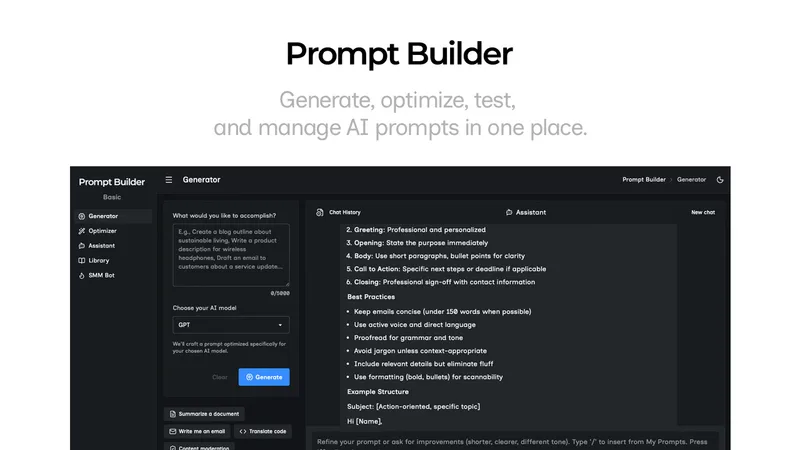
Prompt Builder is a web app that generates, optimizes, tests, and manages AI prompts tuned to specific models (ChatGPT, Gemini, Claude, Grok, etc.), with a prompt library, optimizer, built-in chat assistant, and versioning for prompt workflows.
Uncensored
Uncensored AI is a chat and developer platform that provides access to a broad catalog of powerful, minimally filtered AI models for chat, voice, vision, code, and API access, with privacy features like auto-redaction and developer tooling.

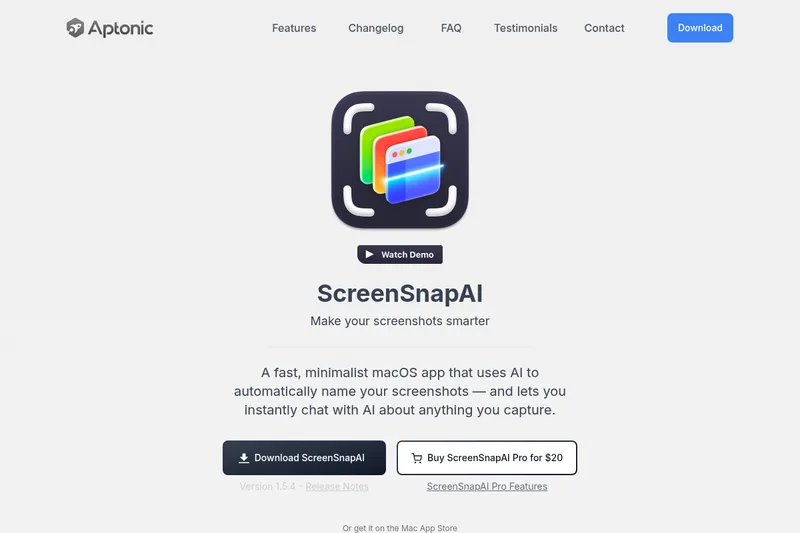
screensnapai
ScreenSnapAI is a native macOS app that automatically names and tags screenshots and lets users ask AI questions about selected areas of their screen. It supports Intel and Apple Silicon Macs running macOS 13 or later.