

Uncovr
Uncovr is a web-based AI assistant that helps with writing, brainstorming, planning, explaining concepts, and running commands via a command palette in a conversational thread-based interface.
Uncovr is chat software teams evaluate for chat. Use this page to review pricing, integration signals, and the best alternatives before you commit.
Profile facts come from the vendor source. AiMatch labels unknown pricing or API details instead of estimating them.
Review official source →Used in These Packs
Quick Overview
Best for: Chat
What it does
Chat software for decision-makers comparing workflow fit and alternatives.
Best fit
Chat
Pricing snapshot
Contact for pricing
Next step
Compare Uncovr with similar tools before you shortlist it.
Compare this tool before you shortlist it
Review alternatives, pricing posture, and workflow fit side by side.
Uncovr is a web application that presents an AI conversational assistant interface focused on task-oriented help. The interface invites users with prompts like "How can I help you today?" and lists example tasks such as writing emails, brainstorming ideas, planning trips, and explaining concepts, indicating it is aimed at users who want conversational, productivity-focused assistance. The product uses a thread-based model (New thread, Library) and requires users to sign in or create an account to unlock features such as saved threads.
An AI companion providing structured insights and answers to queries.
Own this listing?
Claim this page for a one-time $29 to add pricing, features, screenshots, verified owner details, and a clearly labeled 30-day category position after the profile is live.
Claim this listing for $29Key Features
Conversational assistant
A chat-style interface that prompts users with "How can I help you today?" and supports tasks like writing emails, brainstorming, planning trips, and explaining concepts.
New thread
Start a new conversation or task in a separate thread (UI item: "New thread").
Library
A library likely for accessing saved threads or previous interactions (UI item: "Library").
Command Palette
A command palette or search for commands (UI item: "Command Palette" and "Search for a command to run...") to run specific actions or shortcuts.
Account & saved threads
Sign-in flow and account features that enable unlocking saved threads and daily message limits (UI text: "Sign in or create an account" and "Unlock saved threads and more daily messages.").
Send feedback
A built-in feedback option (UI item: "Send feedback") for reporting issues or suggestions.
Models
An interface element labeled "Models," suggesting the ability to select or view underlying models.
Pricing
Current pricing details are not available from the vendor source.
Use Cases
Write and edit emails
Use the assistant to draft or improve email content (supported by the example: "Help me write an email").
Idea generation and brainstorming
Generate ideas and brainstorm on topics or projects (supported by the example: "Brainstorm ideas").
Trip planning
Plan travel itineraries or get trip suggestions (supported by the example: "Plan a trip").
Explain concepts
Get explanations of topics or concepts in conversational form (supported by the example: "Explain a concept").
Run commands & shortcuts
Use the Command Palette to search for and run commands directly from the interface (supported by "Command Palette" and "Search for a command to run...").
Integrations
No verified integration details are available.
Benefits
Limitations
Frequently Asked Questions
No verified FAQs are available.
Getting Started
- 1 Step 1: Visit https://uncovr.app/
- 2 Step 2: Sign in or create an account (UI: "Sign in or create an account").
- 3 Step 3: Start a new thread or open the Library and use the Command Palette to run commands.
Support
Feedback
In-app "Send feedback" option visible on the interface.
Website
Primary entry and contact point via https://uncovr.app/.
API
Compare Uncovr with similar tools
See how it stacks up against alternatives
Related Tools
View all 81 →




pandachat-ai
PandaChat runs supervised AI customer operations for complex Adria/DACH e‑commerce stacks: a managed team of specialists and supervisors that connects to your systems, handles multilingual 24/7 support across channels, and sends daily briefings with value reports.
Premium Alternatives
pandachat-ai
PandaChat runs supervised AI customer operations for complex Adria/DACH e‑commerce stacks: a managed team of specialists and supervisors that connects to your systems, handles multilingual 24/7 support across channels, and sends daily briefings with value reports.
Uncensored
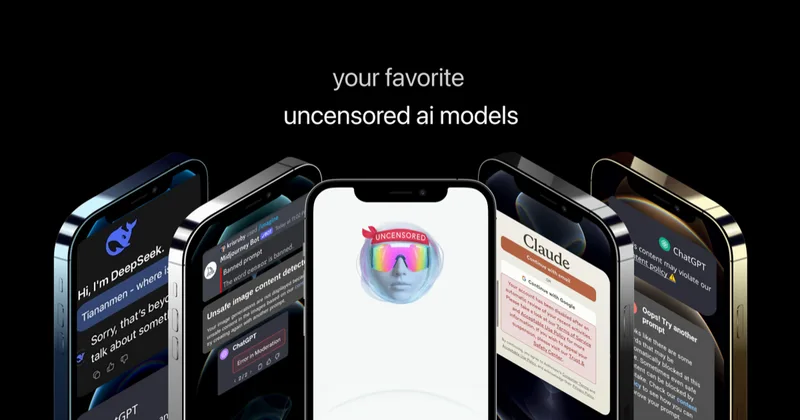
Uncensored AI is a chat and developer platform that provides access to a broad catalog of powerful, minimally filtered AI models for chat, voice, vision, code, and API access, with privacy features like auto-redaction and developer tooling.

screensnapai
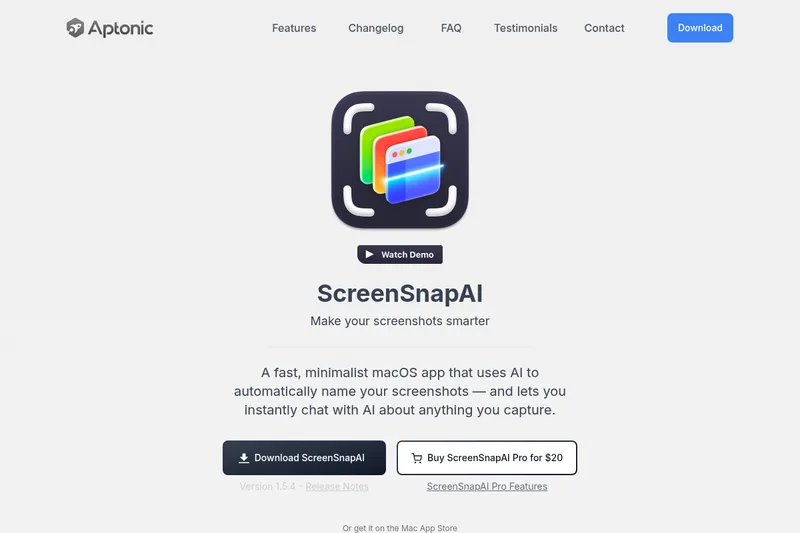
ScreenSnapAI is a native macOS app that automatically names and tags screenshots and lets users ask AI questions about selected areas of their screen. It supports Intel and Apple Silicon Macs running macOS 13 or later.
Promptbuilder
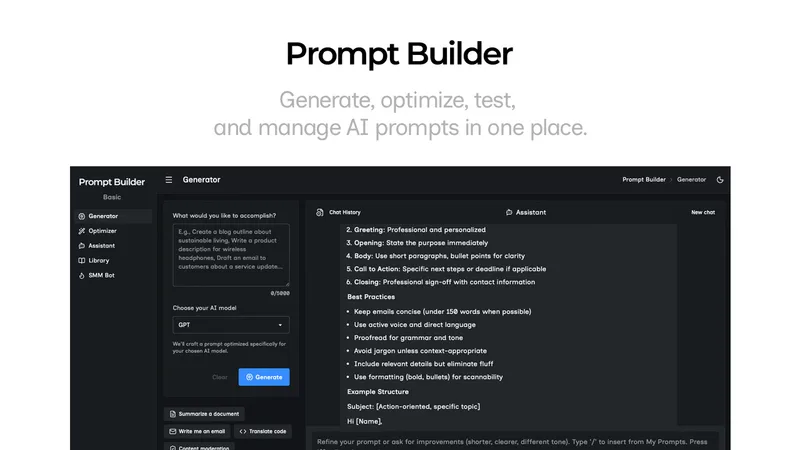
Prompt Builder is a web app that generates, optimizes, tests, and manages AI prompts tuned to specific models (ChatGPT, Gemini, Claude, Grok, etc.), with a prompt library, optimizer, built-in chat assistant, and versioning for prompt workflows.