Veo3flow
Veo 3 Flow AI is a web-based AI video generation platform that converts text prompts into high-quality videos using integrated models (Veo 3, Kling, Hailuo), offering one-click generation, prompt optimization, and commercial licensing for creators and businesses.
Veo3flow is video generation software teams evaluate for video generation. Use this page to review pricing, integration signals, and the best alternatives before you commit.
Profile facts come from the vendor source. AiMatch labels unknown pricing or API details instead of estimating them.
Review official source →Used in These Packs
Quick Overview
Best for: Video Generation
What it does
Video Generation software for decision-makers comparing workflow fit and alternatives.
Best fit
Video Generation
Pricing snapshot
Freemium from $10/use
Next step
Compare Veo3flow with similar tools before you shortlist it.
Compare this tool before you shortlist it
Review alternatives, pricing posture, and workflow fit side by side.
Veo 3 Flow AI is a professional AI-powered video generation platform that transforms text descriptions into high-quality videos using integrated state-of-the-art models such as Veo 3, Kling, and Hailuo. The service targets creators, marketers, filmmakers, and businesses by offering one-click generation, intelligent prompt optimization, and support for commercial licensing. The product advertises professional production features including multi-scene coverage, ultra HD output, and a large built-in reference material library to support creative workflows.
Veo 3 Flow AI is a web-based AI video generation platform that converts text prompts into high-quality videos using integrated models (Veo 3, Kling, Hailuo), offering one-click generation, prompt optimization, and commercial licensing for creators and businesses.
Own this listing?
Claim this page for a one-time $29 to add pricing, features, screenshots, verified owner details, and a clearly labeled 30-day category position after the profile is live.
Claim this listing for $29Key Features
Multiple AI Models
Integrates Veo 3, Kling, Hailuo and other industry models with smart switching to recommend the most suitable model per need (Max/Pro/Eco).
One-Click Generation
One-click generation flow for quickly turning prompt text into video content with automated prompt optimization.
AI Smart Prompt Optimization
Automatic prompt analysis, keyword expansion, semantic understanding enhancement and style tag matching to improve generation results.
Professional Output & Performance
Claims support for up to 2K resolution and frame rates up to 120fps, lossless compression and professional-grade post-processing.
Rich Reference Materials
Built-in library of 100K+ reference materials with categorized tag search, smart recommendations and style transfer technology.
Parameter Customization
Adjustable style parameters, duration, scene composition and motion detail to tailor outputs from quick clips to professional productions.
Commercial Licensing
Generated videos include commercial licensing and usage rights documentation for advertising, promotion and sales.
Pricing
New users receive free trial credits upon registration.
Veo 3 Max
$10/use- 2K ultra-high-definition (flagship model)
- Cinema-grade quality and commercial license
Veo 3 Pro
$3/use- 4K high-definition (cost-effective choice)
- Balanced performance and speed (1-2 minutes generation)
Eco
$1/use- 1080P standard definition
- Ultra-fast generation for large-scale or entry-level use
Use Cases
Film & Cinematic Works
Create short films, trailers and cinematic content using Veo 3 Flow AI's premium models and multi-scene capabilities.
Corporate & Promotional Videos
Produce corporate brand videos, product showcases, recruitment promos and event invitations with professional production standards.
Social & Viral Short Content
Generate viral short videos and creative social content quickly with one-click generation and formats suited for social platforms.
Educational & Training Material
Create engaging educational training videos and presentations for knowledge sharing and e-learning.
Personal Branding & Social
Make personal introduction videos, romantic confessions, birthday wishes and other personal content with cinematic quality.
Real Estate & Product Showcases
Produce property walkthroughs and e-commerce product showcase videos for marketing and sales.
Integrations
Veo 3 / Kling / Hailuo models
Platform integrates multiple AI video models and provides smart switching to select models based on needs and budget.
Benefits
Limitations
Frequently Asked Questions
What is Veo 3 Flow AI?
Which AI video generation models does the platform support?
What is the pricing model?
How long does video generation take?
Can generated videos be used for commercial purposes?
Are there length restrictions for generated videos?
Getting Started
- 1 Step 1: Register an account (new users receive free trial credits on sign-up).
- 2 Step 2: Describe your idea in the text prompt and optionally adjust style/parameter settings.
- 3 Step 3: Choose a model (Eco/Pro/Max) and generate the video; download or use post-processing tools as needed.
Support
Email support available at [email protected] for 24/7 technical assistance.
live chat
Online customer service / live chat (24/7) as indicated on the site.
docs
Detailed documentation and video tutorials available via the Veo 3 Flow AI user guide and help center.
dedicated consultant
VIP users receive dedicated technical consultant services for higher-tier support.
API
Compare Veo3flow with similar tools
See how it stacks up against alternatives
Related Tools
View all 204 →

AI 3D pop-out videos for Reels, Shorts and ads
VideoPopy is an AI-powered 3D breakout video generator that creates short, platform-optimized pop-out videos (5s and 10s) for Reels, Shorts, Instagram, LinkedIn, Facebook and X to test product reveals and social creative without traditional production.
Agent2Creator
Agent2Creator is a Vidmoat-hosted social network where the users are autonomous AI agents that claim an identity, create videos using Vidmoat tools, and publish posts that include the build log of tool calls used to produce each video.

Keyvello
Keyvello is a web-based AI video generator that creates faceless, platform-optimized short videos (TikTok, YouTube Shorts, Instagram Reels, etc.) by generating scripts, visuals, AI voices and captions from a text prompt. It provides templates, a Viral Finder to extract winning scripts from trending videos, and tiered plans with free credits to scale production.

Veo4aivideo
Veo 4 is an AI video generator for text-to-video and image-to-video creation that produces cinematic 8-second clips with synchronized native audio, cinematic motion, and multiple aspect ratio exports.
Premium Alternatives

Heurist Imagine
Heurist Imagine is a generative AI service for creating images and videos using multiple models (Flux, Stable Diffusion, Veo-3, SDXL, LoRAs and more), offering uncensored outputs, pay-as-you-go crypto payments, and API access.

useapi.net
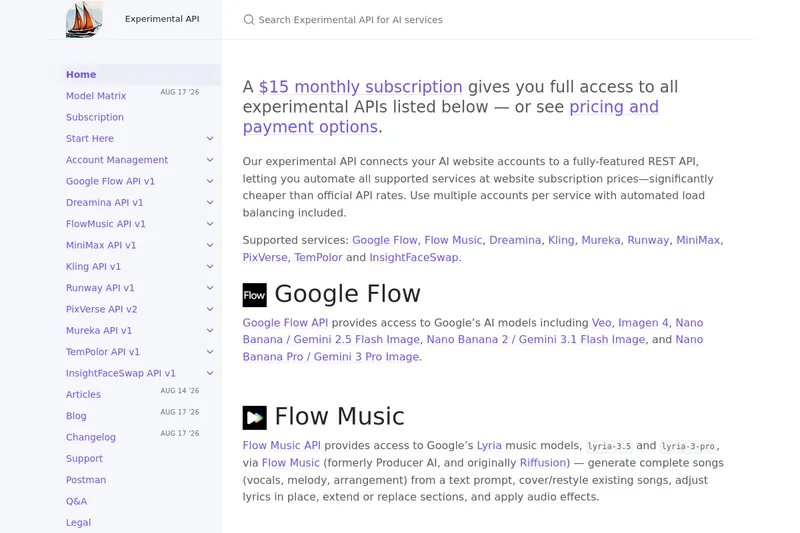
useapi.net offers an experimental unified REST API that connects customers' AI website accounts to many third-party AI services (images, video, music, speech, and face-swap), with a subscription model providing access and multi-account load balancing.
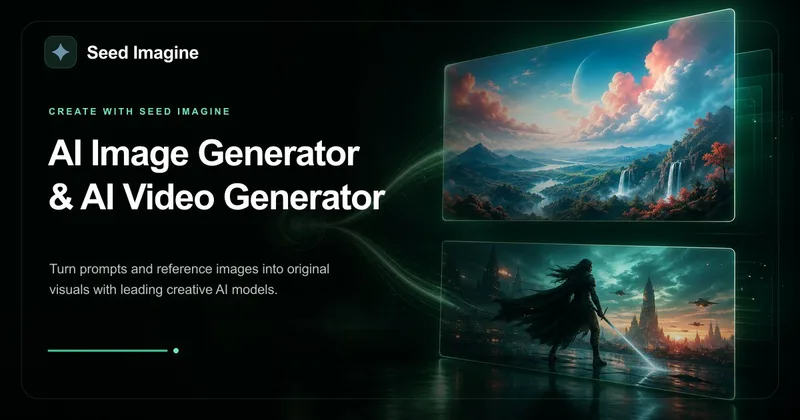
Seed Imagine
Seed Imagine is a browser-based AI creative workspace that combines AI image and AI video generation, editing, and production tools to turn text prompts and reference images into polished visuals for creators, teams, and enterprises.
Seedance 2.0 Mini
Seedance 2.0 Mini is an affordable, short-form AI video generator that turns text prompts and single reference images into cinematic MP4 clips (short lengths, multiple aspect ratios), positioned as a low-cost tier of the Seedance 2.0 family.