Viaduct
Viaduct is a C4 architecture modelling tool by Quiet Grid Labs that keeps a single, editable model across four C4 levels, attaches docs/diagrams/OpenAPI contracts to elements, and serves the architecture to AI coding agents via a hosted MCP server.
Viaduct is developer tools software teams evaluate for creative & design. Use this page to review pricing, integration signals, and the best alternatives before you commit.
Profile facts come from the vendor source. AiMatch labels unknown pricing or API details instead of estimating them.
Review official source →Used in These Packs
Quick Overview
Best for: Creative & Design
What it does
Developer Tools software for decision-makers comparing workflow fit and alternatives.
Best fit
Creative & Design
Pricing snapshot
Free from Free
Next step
Compare Viaduct with similar tools before you shortlist it.
Compare this tool before you shortlist it
Review alternatives, pricing posture, and workflow fit side by side.
Viaduct is a C4 modelling tool that represents systems at four C4 levels (system context, containers, components and code) as one maintained model. Each element in the model can carry Markdown documentation, sequence diagrams, ER schemas and OpenAPI contracts; edits and renames propagate across all levels so diagrams remain consistent. Viaduct includes a hosted MCP server so AI coding agents (Cursor, Claude Code, Claude Desktop and other MCP clients) can read and write the architecture model, and it offers import/export (OpenAPI and JSON), a Figma integration, change sets for review, and a built-in assistant to help fill in missing documentation.
Viaduct is a C4 modeling tool for software teams, with a hosted MCP server that feeds your architecture to AI development tools. System context, container, component and code diagrams, live collaboration, and change sets your coding agent can implement.
Own this listing?
Claim this page for a one-time $29 to add pricing, features, screenshots, verified owner details, and a clearly labeled 30-day category position after the profile is live.
Claim this listing for $29Key Features
Four C4 levels, one model
A single underlying model presents system context, containers, components and code as four views; changes (renames, dependencies) appear everywhere at once.
Element-attached documentation and diagrams
Each element holds its own Markdown pages, stored sequence diagrams, ER schemas and API endpoint blocks that render the current version rather than static screenshots.
OpenAPI contracts
Containers hold OpenAPI documents for their endpoints; you can author endpoints in the editor, import a spec to populate the canvas, and export an OpenAPI file.
Magic flows
Magic flows are ordered walks through the model that play a request hop-by-hop on the canvas, generate sequence diagrams, and attach explanatory docs to each step.
MCP server for agent access
A hosted MCP server lets MCP clients read systems, services, endpoints and docs directly from Viaduct and optionally write back new services, endpoints, connections and docs.
Change sets
Change sets are scoped to a pinned version and report finished pieces with acceptance criteria and the commit that proves them, enabling architecture changes to be reviewed like code.
Figma integration
Connect a Figma account to reference frames and design tokens (colours, spacing, type) in the model; the integration reads values but does not write back to Figma.
Built-in assistant
A built-in assistant suggests descriptions for elements, names for unnamed flow steps, and a review of the model; suggestions are shown and applied only when the user accepts them.
Import/export and data portability
The entire model exports as JSON and individual container endpoints export as OpenAPI; without an account the model stays in the browser, with an account data is stored on EU servers.
Pricing
Viaduct is free; every level, the MCP server, collaboration and change sets are included permanently. Donations are optional to support continued work.
Free
Free- All C4 levels and editor features
- Hosted MCP server
- Collaboration and change sets
- Import/export and Figma integration
Use Cases
Living architecture documentation
Replace stale screenshots by keeping a single model that stays consistent across levels and carries documentation, runbooks and ADRs attached to elements.
Agent-assisted coding and automation
Allow MCP-capable agents (Cursor, Claude Code, etc.) to read the architecture and, with a personal token, add services, endpoints and documentation back into the shared model.
Architecture change review
Use change sets to review architecture changes with diffs, acceptance criteria and pinned versions, enabling architecture changes to be discussed like code reviews.
Incident review and onboarding
Teams open the live model during incident review or onboarding so new joiners and SREs see current systems, dependencies and docs rather than outdated diagrams.
Design-implementation alignment
Integrate Figma frames into the model so components point at real design nodes and the palette and tokens are read into the architecture.
Integrations
MCP clients (Cursor, Claude Code, Claude Desktop)
MCP clients can read the architecture model and (with a personal token) write services, endpoints and docs back into Viaduct via the hosted MCP server.
OpenAPI
Import an OpenAPI specification to populate a container's endpoints and export container endpoints as an OpenAPI document.
Figma
Connect a Figma account to link model components to real frames and import design tokens (colours, spacing, type) for consistent visuals.
Benefits
Limitations
Frequently Asked Questions
What does it cost?
What is the AI assistant, and what does it cost me?
Do I need an account?
Where does my architecture live?
What can an AI agent do with it?
How is this different from a diagramming tool?
Can I bring what I already have?
Getting Started
- 1 Open the editor: a sample Internet Banking model loads in the browser so you can try Viaduct without signing in.
- 2 Edit the model in-browser and attach docs, flows and OpenAPI endpoints to elements; export the model as JSON or endpoints as OpenAPI when needed.
- 3 Sign up / log in to persist projects across devices, invite teammates, use the built-in assistant fully, and enable the hosted MCP server for agent access.
Support
[email protected] (support & feedback address shown in site footer)
docs
Documentation is linked from the site header under 'Documentation'.
API
Compare Viaduct with similar tools
See how it stacks up against alternatives
Related Tools
View all 149 →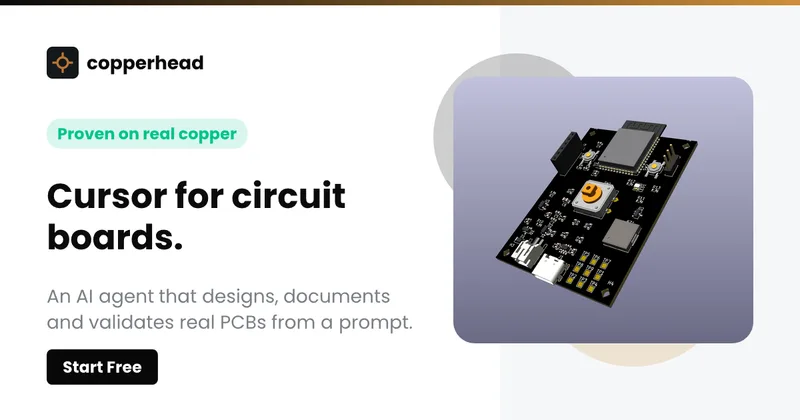
Copperhead
Copperhead is an open-source AI engineering platform and CLI that helps hardware teams design, verify, and ship printed circuit boards by editing KiCad files, running KiCad checks (ERC/DRC), and producing gerbers, firmware, and documentation in a gated, auditable pipeline.



Docs.dev Your Own Hosted Docs Platform in Minutes
Docs.dev is a deployable documentation template that runs as a Cloudflare Worker in your account, using your GitHub repo as the source of truth and agent-powered drafting (e.g., Claude Code or Codex) to generate reviewable docs branches that your team publishes via commit.
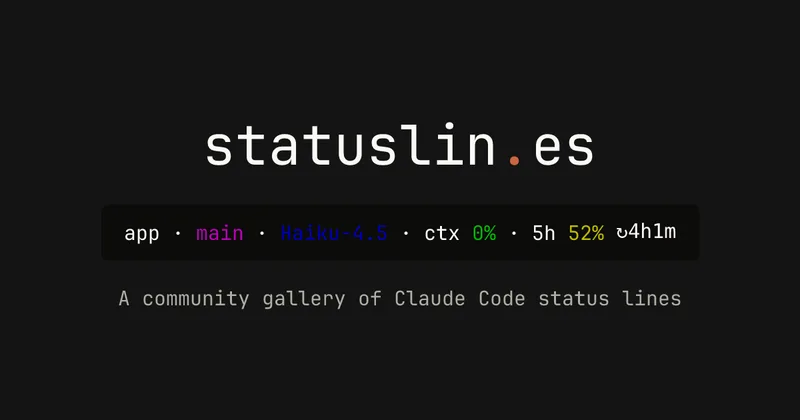
statuslin.es
statuslin.es is a community gallery of Claude Code status lines—copyable, previewed scripts and themes for terminal/status-bar displays that show Claude model stats (tokens, cost, limits), git info, and other runtime metrics.

Bullet · Fast, by design.
Bullet is a fast coding agent and developer tool that routes, searches, and executes code-focused tasks with a tight loop to minimize latency — offered as a macOS download and currently available in private beta.

Premium Alternatives
%22%2F%3E%20%3Ctext%20x%3D%2250%25%22%20y%3D%2250%25%22%20dominant-baseline%3D%22central%22%20text-anchor%3D%22middle%22%20font-family%3D%22system-ui%2C-apple-system%2Csans-serif%22%20font-weight%3D%22700%22%20font-size%3D%2250%22%20fill%3D%22white%22%3EO%3C%2Ftext%3E%20%3C%2Fsvg%3E)
OTP Inspired actor supervisor based full stack templates
ShipStacks provides production-grade, OTP-inspired full-stack SaaS templates that include supervisors/actor patterns, auth, payments, uploads, AI chat and agent playbooks, and Docker-ready deployment in multiple languages and frameworks.
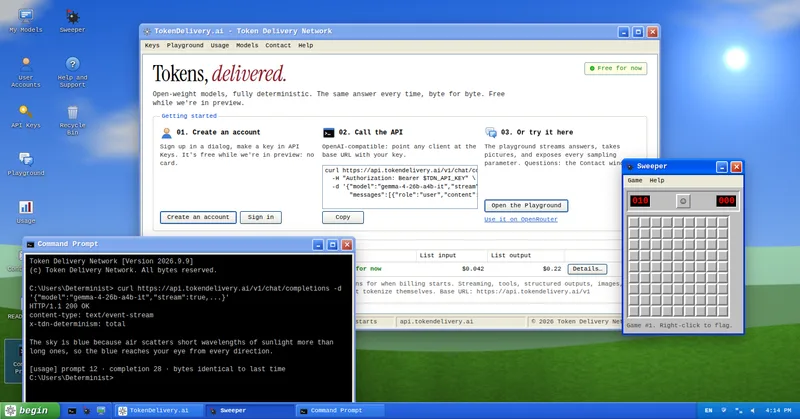
TokenDelivery.ai
TokenDelivery.ai (Token Delivery Network) is an OpenAI-compatible model API and playground that offers reproducible, deterministic model outputs, streaming responses, multimodal inputs (images and short videos), and exposed sampling parameters. It is free during preview and provides API keys, a playground, and a documented base URL for developers.

Servers for AI, not another AWS
RAW offers dedicated GPU and CPU servers specifically built for AI workloads — provision real metal with root access and CUDA via a single API. It emphasizes low cost (claims up to 100× cheaper than AWS), $0 egress, fast provisioning, and enterprise features for inference, training, agents, and vector databases.

MacVisor Runs VMs with VLANs and Firewall on Apple Silicon
MacVisor is a native Apple Silicon virtualization platform for running and managing macOS and Linux VMs, with Windows 11 and AI sandboxes available as Tech Previews. It includes snapshots, templates, VLAN networking, host-enforced firewall controls, and CLI automation.