Watermarkly
Watermarkly is a web and desktop app for quickly adding customizable text and logo watermarks to single or large batches of images. It supports cloud template sync, multiple export formats, and additional image tools (resize, crop, compress, convert).
Watermarkly is image & design software teams evaluate for image & design. Use this page to review pricing, integration signals, and the best alternatives before you commit.
Used in These Packs
Quick Overview
Best for: Image & Design
What it does
Image & Design software for decision-makers comparing workflow fit and alternatives.
Best fit
Image & Design
Pricing snapshot
Freemium from Free
Next step
Compare Watermarkly with similar tools before you shortlist it.
Compare this tool before you shortlist it
Review alternatives, pricing posture, and workflow fit side by side.
Watermarkly
Watermarkly is an online and desktop watermarking tool that lets individuals and teams batch-add custom watermarks (text or logo) to photos quickly. It targets photographers, agencies, e-commerce and social media users who need to protect copyright, brand images, or mark document status. The product includes a browser-based app that works without installation and native desktop apps (Visual Watermark) for Windows and Mac for very large batches. Watermark templates are synchronized via the cloud so teams can reuse consistent watermark settings across devices while Watermarkly states that user images are not stored on their servers and that only templates are uploaded.
Watermarkly is a web and desktop app for quickly adding customizable text and logo watermarks to single or large batches of images. It supports cloud template sync, multiple export formats, and additional image tools (resize, crop, compress, convert).
Own this listing?
Claim this page to add pricing, features, screenshots, and verified owner details.
Claim this listingKey Features
Batch watermarking
Process multiple images at once in the browser; desktop app can handle very large batches (up to 50,000 images) and processes photos in parallel.
Text and logo watermarks
Create watermarks from text or uploaded logos; supports mixed multi-part watermarks, copyright symbols and image numbering.
Large font and icon library
Choose from over 900 fonts and a gallery of 100+ icon elements to build custom watermarks.
Automatic scaling and positioning
Watermarks auto-scale to image size and orientation; you can disable auto-scaling and manually adjust placement per image in preview.
Transparency, rotation and effects
Adjust watermark transparency (translucent or opaque), rotation angle and apply visual effects to integrate watermarks with images.
Logo background removal
Built-in Remove Background option to convert non-transparent logo files into transparent watermarks without requiring a PNG.
Preview & per-image adjustment
Preview watermarks across a batch and fine-tune watermark placement individually for each photo before export.
Export formats & resize options
Export processed images as original, JPEG, PNG or WEBP and optionally resize; choose uniform pixel watermark size or automatic scaling.
Additional image tools
Includes cropping (square, rectangle, circle, custom ratios), compression (JPEG, PNG, GIF), conversion (to JPG/PNG/WEBP) and face/license plate blurring tools.
Template synchronization
Watermark templates (text/logo settings) are stored in the cloud and synced across devices so teams keep consistent watermark styles.
Privacy-first handling
Watermarkly states it never stores user photos on its servers, uses secure connections, and claims team members cannot access user files.
Multiple import sources
Upload images from computer, drag-and-drop, or import from Google Drive, Google Photos, Dropbox or directly from a web page.
Pricing
Free tier available: watermarking in the browser with the words 'Protected with Watermarkly' added to outputs; according to the FAQ the free web app allows uploading up to 10 pictures at a time.
Free
Free- Batch watermarking with Watermarkly branding overlay ('Protected with Watermarkly')
- Access to watermark editor, fonts, logo upload, preview and basic export options
- Upload from computer and cloud sources (limited batch size on web)
Paid / Full Version
Not listed on the provided page — see Watermarkly pricing page for current plans and payment options- Remove 'Protected with Watermarkly' watermark
- Larger or unlimited batch sizes in web or desktop apps
- Desktop app (Visual Watermark) for processing very large batches and parallel processing
- Template synchronization and full access to export options
Use Cases
Protect copyright for photographers
Add visible or translucent watermarks to images before publishing to deter unauthorized reuse and to assert ownership.
Branding and promotion
Place brand names or logos on images to increase brand awareness across social media, marketplaces and portfolios.
Bulk processing for agencies and e-commerce
Batch watermark, resize and convert large numbers of product or catalog images for online stores and marketing campaigns.
Workflow labeling and document status
Apply text watermarks such as 'Copy' or 'Invalid' to indicate document status and streamline internal workflows.
Mobile and on-the-go watermarking
Use the mobile web app or Watermarkly mobile apps (App Store / Play Market) to watermark photos on iOS and Android devices.
Integrations
Google Drive
Import images directly from Google Drive for watermarking.
Google Photos
Import photos from Google Photos into the Watermarkly editor.
Dropbox
Load images from Dropbox to process in Watermarkly.
Web page import
Import images directly from a web page by providing the page URL.
Mobile apps (App Store / Play Market)
Watermarkly provides mobile apps matching the web interface for iOS and Android users.
REST API (blur tools)
API available for blurring license plates and faces (see REST API page on the website).
Benefits
Limitations
Frequently Asked Questions
How do I add a watermark to a photo?
How should I watermark photos on iOS?
How do I watermark photos on Android?
How can I make a watermark that prevents copying?
Is Watermarkly the best free watermark app?
How can I place a logo watermark effectively?
Getting Started
- 1 Step 1: Open the Watermarkly app in your browser (no registration required) or install the desktop/mobile app.
- 2 Step 2: Click 'Select Images' and upload photos from your computer, Google Drive, Google Photos, Dropbox or a web page, or drag-and-drop images into the editor.
- 3 Step 3: Add or remove files as needed using 'Add Files' or 'Clear'; delete individual images with the delete icon.
- 4 Step 4: Click 'Next step' to choose watermark type (Text or Logo) and create or select a template.
- 5 Step 5: Configure watermark appearance (text, font, color, transparency, rotation, logo upload and background removal), position and optional auto-scaling.
- 6 Step 6: Preview the watermark across images, adjust per-image placement if needed, choose export format and resize options, then export and download the processed files.
Support
Contact support at [email protected] for help, purchases and activation issues.
Support page / Restore Activation Key
Use the Support section on the website for account help, restoring activation keys and other support topics.
Documentation / How-tos
Extensive how-to articles and tutorials (e.g., watermarking on iPhone/Android, cropping, blurring) are available on the website.
Blog
Blog posts and tips (e.g., watermark ideas) are published on the Watermarkly site for best practices and examples.
API
REST API is available (site references an API for blurring license plates & faces); see the Watermarkly REST API page for details.
Compare Watermarkly with similar tools
See how it stacks up against alternatives
Related Tools
View all 399 →
Bananaframe
BananaFrame is an AI-powered image and video editing platform that uses Google's Gemini 2.5 Flash (marketed as "nano banana") to enable conversational, rapid, professional-grade image transformations and video generation for creators and teams.
Swapoutfit
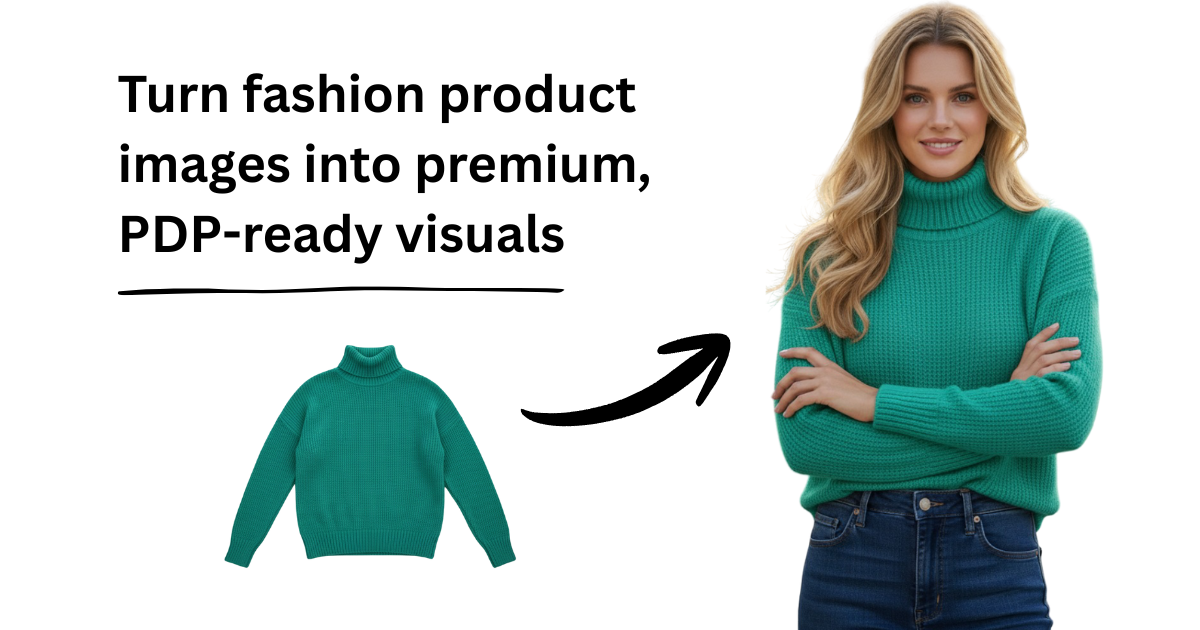
swapOutfit is presented as an "AI Fashion Studio for e-commerce and brands," a platform intended to help online retailers and fashion brands generate and manage AI-driven fashion imagery and visual assets for commercial use.

Architecturehelper
Architecture Helper is an AI-based tool that analyzes photos of buildings and interiors to identify architectural influences and characteristics, and lets users mix styles to generate new architectural and interior images. It targets architecture enthusiasts, students, real estate professionals, and travelers who want guided exploration and creative generation.




Premium Alternatives

Interiorai
Interior AI is a web app that instantly redesigns, stages and renders interior and outdoor spaces using generative AI — upload a photo, choose a style or mode (including Virtual Staging, Sketch2Image and SketchUp), and get photorealistic renders, walkthrough videos and VR-ready scenes in seconds.
%22%2F%3E%20%3Ctext%20x%3D%2250%25%22%20y%3D%2250%25%22%20dominant-baseline%3D%22central%22%20text-anchor%3D%22middle%22%20font-family%3D%22system-ui%2C-apple-system%2Csans-serif%22%20font-weight%3D%22700%22%20font-size%3D%2250%22%20fill%3D%22white%22%3EA%3C%2Ftext%3E%20%3C%2Fsvg%3E)
AI Pro Resume
AI Pro Resume (AI Resume Builder) is an online AI-powered resume and cover letter builder that helps job seekers create ATS-friendly resumes, generate cover letters and summaries, and check resumes against Applicant Tracking Systems quickly.

Join
Create Influencers is an AI platform that helps users create hyper-realistic virtual influencers (images and videos) to monetize on fan sites and social platforms through subscriptions, tips, and upsells — aimed at creators, entrepreneurs, and people seeking anonymous income streams.

Obsidian to Notes
Obsidian to Notes is a macOS app that imports your Obsidian vault into Apple Notes, preserving formatting, folder structure, attachments, and links, all running 100% offline on your Mac.

Soulmatedrawing
Soulmate Drawing generates a personalized soulmate sketch by combining your birth details, astrological archetypes, and an AI artist to create a hand-drawn style digital portrait for entertainment and self-reflection.

Writingmate
WritingMate.ai appears to be an AI-powered writing product sold through Lemon Squeezy. The public page provides pricing information but includes minimal product detail.