
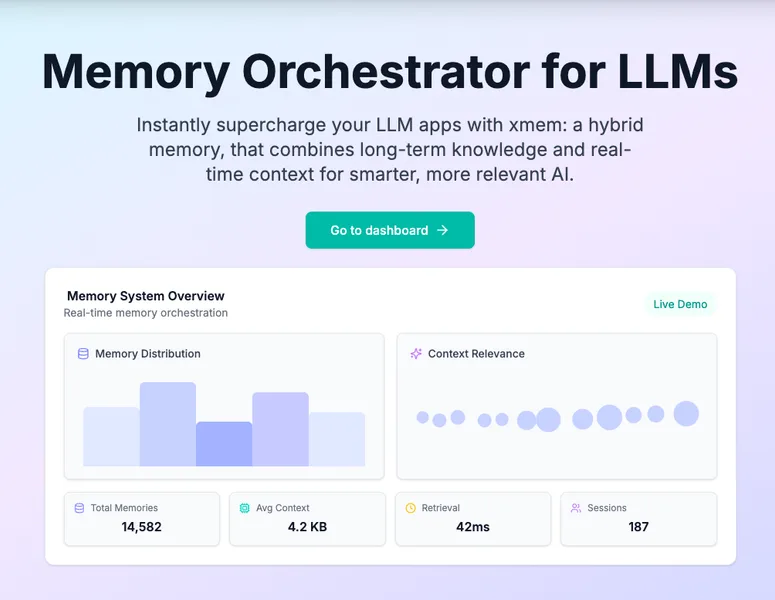
xmem
xMem is a hybrid memory orchestrator for LLMs that combines persistent long-term knowledge and session (real-time) context to improve relevance and accuracy of LLM responses, providing an API and dashboard for integration with vector DBs and LLM providers.
xmem is chatbots & assistants software teams evaluate for personal & entertainment. Use this page to review pricing, integration signals, and the best alternatives before you commit.
Profile facts come from the vendor source. AiMatch labels unknown pricing or API details instead of estimating them.
Review official source →Used in These Packs
Quick Overview
Best for: Personal & Entertainment
What it does
Chatbots & Assistants software for decision-makers comparing workflow fit and alternatives.
Best fit
Personal & Entertainment
Pricing snapshot
Free
Next step
Compare xmem with similar tools before you shortlist it.
Compare this tool before you shortlist it
Review alternatives, pricing posture, and workflow fit side by side.
xMem is a hybrid memory orchestrator designed for LLM applications that combines long-term persistent memory with real-time session memory to keep AI assistants relevant and accurate. It orchestrates persistent and session memory for every LLM call, enabling applications to avoid losing context between sessions and to recall past conversations, notes, and documents. The product targets developers and teams building LLM apps and offers an API and dashboard with compatibility across open-source LLMs and common vector databases.
xmem centralizes company knowledge, streamlines sharing, and integrates with APIs & LLMs.
Own this listing?
Claim this page for a one-time $29 to add pricing, features, screenshots, verified owner details, and a clearly labeled 30-day category position after the profile is live.
Claim this listing for $29Key Features
Long-Term Memory
Store and retrieve knowledge, notes, and documents with vector search to maintain persistent user and application knowledge.
Session Memory
Track recent chats, instructions, and context in-memory or via session stores for recency and personalization.
RAG Orchestration
Automatically assemble the best context for every LLM call for retrieval-augmented generation without manual tuning.
Knowledge Graph
Visualize connections between concepts, facts, and user context in real time to help LLMs reason and recall linked information.
Memory Orchestration / Real-time Context Assembly
Orchestrates both persistent and session memory for each LLM call to ensure responses are relevant and up-to-date.
Open-Source First & LLM Compatibility
Works with open-source LLMs such as Llama and Mistral and supports multiple LLM providers.
Easy API & Dashboard
Provides an API, SDK snippet, and dashboard for integration, monitoring, and management of memory and context.
Pricing
Offers a 'Get Started Free' option (no further pricing details provided on the page).
Use Cases
Persistent user context and personalization
Keep user-specific knowledge and conversation history available across sessions so agents remember users and prior discussions.
RAG, agents, and copilots
Serve as the memory and retrieval layer for retrieval-augmented generation systems, agents, and copilots to assemble relevant context on each call.
Preventing lost context in multi-session workflows
Avoid repeated explanations and lost project or team context by maintaining persistent memories and session recollection.
Integrations
Qdrant
Supported vector database option for storing and retrieving long-term memory vectors.
ChromaDB
Supported vector database option used in examples and for vector storage.
Pinecone
Listed as a compatible vector DB for memory storage and retrieval.
Llama.cpp
Listed as a compatible LLM provider for use with xMem.
Ollama
Listed as a compatible LLM provider for use with xMem.
OpenAI
Listed as a compatible LLM provider for use with xMem.
Mistral
Referenced in an SDK example as an LLM provider (example integration in memory-orchestration.ts).
MongoDB / in-memory session stores
Session store examples include in-memory and MongoDB for session memory handling.
Benefits
Limitations
No verified limitations are available.
Frequently Asked Questions
No verified FAQs are available.
Getting Started
- 1 Visit the xMem site and choose 'Get Started Free' or go to the dashboard.
- 2 Consult the APIDocs and dashboard to configure memory stores and vector DB connections.
- 3 Integrate the SDK/API (example shown in memory-orchestration.ts) and call orchestrator.query to include memory in LLM prompts.
Support
docs
APIDocs referenced on the site for integration and usage guidance.
dashboard
Web dashboard available for monitoring and configuration (link: Go to dashboard).
contact
Contact entry listed in the site's footer for inquiries.
API
APIDocs referenced on site (no direct documentation URL provided on the page).
Compare xmem with similar tools
See how it stacks up against alternatives
Related Tools
View all 161 →

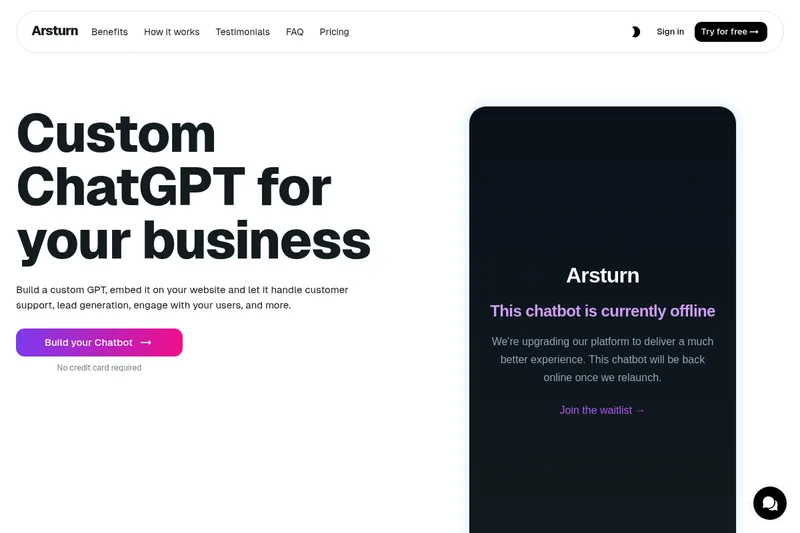


Relish AI
Relish AI is a ChatGPT-powered chatbot for e-commerce stores that automates customer support and sales conversations, including product discovery, recommendations, and abandoned-cart recovery. The page describes Shopify-focused use and integrations with Shopify Inbox, Klaviyo, and Gorgias.
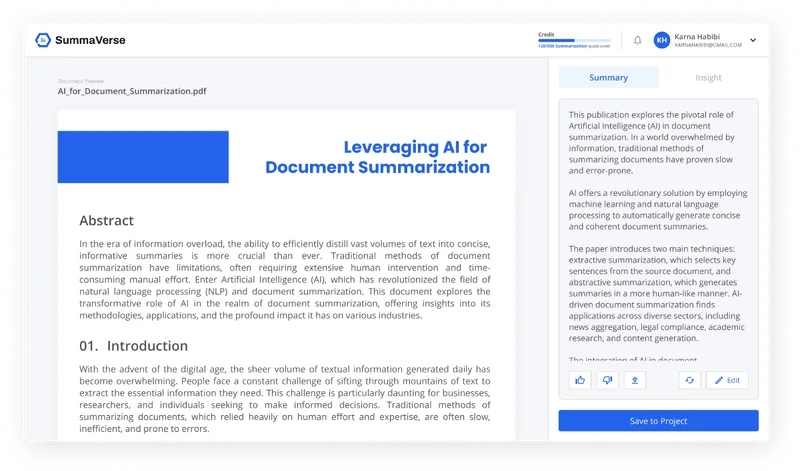
Summaverse
SummaVerse is an AI-powered web app that transforms documents into concise summaries and conversational chatbots, enabling users to extract key insights, share findings, and build customizable document-chat interfaces.

MARA
MARA is AI-powered hotel reputation management software that helps hotel teams draft review replies in their brand voice, analyze guest feedback, and manage reputation workflows across properties. It combines a shared review inbox, analytics, surveys, widgets, and integrations.

Premium Alternatives

MARA
MARA is AI-powered hotel reputation management software that helps hotel teams draft review replies in their brand voice, analyze guest feedback, and manage reputation workflows across properties. It combines a shared review inbox, analytics, surveys, widgets, and integrations.

trainmy-ai
TrainMyAI builds custom, on-premise or cloud-hosted AI chatbots using retrieval-augmented generation (RAG) for private content, with access via WhatsApp, the web, and a private API while keeping all data on your own server.



innerai-com
Inner AI é uma plataforma brasileira que reúne mais de 50 modelos de IA pagos (como GPT-5, Claude 4.6, Gemini 3.1 e Grok) oferecendo acesso centralizado, bibliotecas de prompts, templates de documentos, assistentes personalizados, cursos com certificado e aplicativos web/móvel — tudo com foco em equipes e uso profissional.