

Bocca
Bocca is an AI-powered, offline-first speech-to-text app for macOS that transcribes audio, generates text by dictation, and works anywhere you can type or paste text while keeping data private on your device.
Bocca is transcription software teams evaluate for transcription. Use this page to review pricing, integration signals, and the best alternatives before you commit.
Profile facts come from the vendor source. AiMatch labels unknown pricing or API details instead of estimating them.
Review official source →Quick Overview
Best for: Transcription
What it does
Transcription software for decision-makers comparing workflow fit and alternatives.
Best fit
Transcription
Pricing snapshot
Freemium from Free
Next step
Compare Bocca with similar tools before you shortlist it.
Compare this tool before you shortlist it
Review alternatives, pricing posture, and workflow fit side by side.
Bocca is an AI-powered transcription and dictation app designed to let users speak to generate text, transcriptions, and prompts without typing. It emphasizes privacy and an offline-first architecture so processing and data remain on the user's device. The product is positioned for professionals and creators who want to save time on prompts, meetings, articles, podcasts, courses, and interviews and works anywhere you can type or paste text.
Bocca is an AI-powered, offline-first speech-to-text app for macOS that transcribes audio, generates text by dictation, and works anywhere you can type or paste text while keeping data private on your device.
Own this listing?
Claim this page for a one-time $29 to add pricing, features, screenshots, verified owner details, and a clearly labeled 30-day category position after the profile is live.
Claim this listing for $29Key Features
AI-powered speech-to-text
Transcribe speech into text using integrated AI models.
Write faster by dictation
Create content and prompts by speaking to achieve faster results (marketing copy: 'Write 5x faster without typing').
Works with any app
Use Bocca anywhere you can type or paste text, no need to switch applications.
Multilingual support
Support for many languages so you can talk in any language.
Private & secure (on-device)
Everything stays on your computer; nothing is sent to external databases.
Offline-first
Functionality is available without an internet connection; processing happens on the device.
Transcribe audio files
Ability to transcribe uploaded audio files.
Choose your AI model
Option to select which AI model to use for transcription and text generation.
Pricing
Free tier includes push-to-talk, audio file transcription, model selection, multilingual transcription and 50 transcriptions per month.
Free
Free- Push to talk in any app
- Transcribe audio file
- Choose your AI model
- Transcribe in any language
Premium
$25 one time- Push to talk in any app
- Transcribe audio file
- Choose your AI model
- Transcribe in any language
Use Cases
Create prompts and technical notes
Software engineers can dictate technical ideas to create ChatGPT prompts and other technical text faster.
Meeting transcription
Project managers can transcribe client meetings into written form for notes and follow-ups.
Content creation from interviews
Digital content creators can transform interviews into ready-to-publish blog posts.
Podcast transcription and repurposing
Podcasters can convert episodes into subtitles and scripts for social media.
Course material generation
Course creators can transform webinars into text-based course materials.
Journalism and quote extraction
Journalists can extract accurate quotes from interviews for news articles.
Integrations
No verified integration details are available.
Benefits
Limitations
Frequently Asked Questions
No verified FAQs are available.
Getting Started
- 1 Watch the demo to see Bocca in action
- 2 Download the app (requires macOS 12+)
- 3 Use push-to-talk in any app or transcribe audio files; upgrade to Premium if you need unlimited transcriptions
Support
Reach out by emailing the team (contact via email as noted on the site)
priority support
Premium users receive priority support (listed as a Premium feature)
API
Compare Bocca with similar tools
See how it stacks up against alternatives
Related Tools
View all 51 →

StageWhisper Lite
StageWhisper Lite is a free, on-device Mac app that listens to calls and produces local transcripts, summaries, and action items without uploading audio or screen content to external servers.
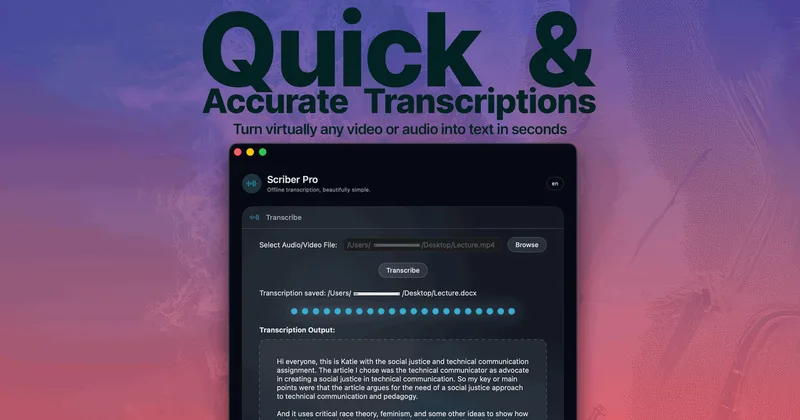
Scriber-Pro 2.0
Scriber Pro 2.0 is a macOS app for transcribing audio and video locally, including files, YouTube links, and M3U8/HLS web streams. It saves transcripts in a searchable library and exports them in several document formats.
TrueScribe
TrueScribe is a Windows and Linux desktop app for transcribing, editing, searching, translating, and researching audio and video recordings. Processing runs locally by default, with optional cloud models for selected features.

Recly
Recly is a free, open-source recorder and transcription app for Galaxy Watch, Apple Watch, iPhone, Mac, and Windows. It stores recordings and transcripts in your Google Drive, with on-device transcription or transcription through a provider you choose using your own API key.

transcripci-n
Transcripción+ ofrece servicios de transcripción de audio a texto combinando transcripciones profesionales humanas y transcripción automática potenciada por IA, además de resúmenes, identificación de hablantes, traducción y una API para integraciones.


Notta
Notta is an AI-powered meeting notetaker that captures, transcribes, summarizes and turns meetings, interviews, lectures and uploaded audio/video into searchable text and visual deliverables (slides, infographics). It targets professionals and teams with multi-language transcription, AI insights, and integrations to streamline meeting workflows.
Premium Alternatives



transcripci-n
Transcripción+ ofrece servicios de transcripción de audio a texto combinando transcripciones profesionales humanas y transcripción automática potenciada por IA, además de resúmenes, identificación de hablantes, traducción y una API para integraciones.

MeetNote
Meetnote is an AI meeting assistant that captures browser audio without joining calls as a bot, then generates speaker-labeled transcripts, summaries, action items, and searchable meeting records. It works through a Chrome extension and web workspace for Google Meet, Microsoft Teams, Zoom, and other browser audio.