
Buildchatbot
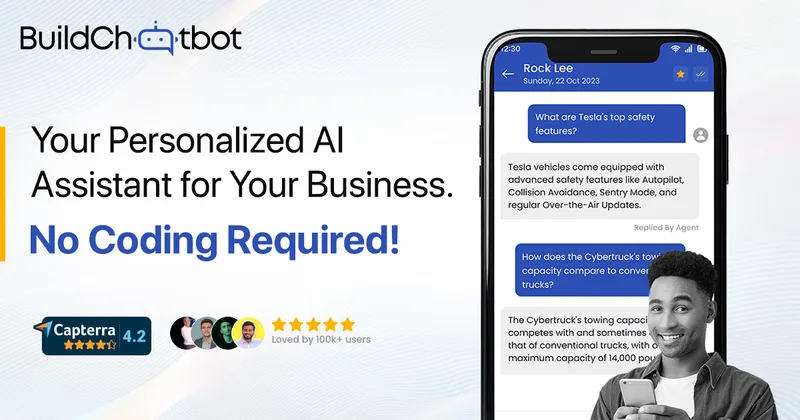
Build Chatbot is a no-code, first-party AI chatbot platform for websites that auto-trains on uploaded content (including audio and video) and provides embeddable chat widgets, mobile apps, and integrations to support customer support, lead capture, and internal assistants.
Buildchatbot is chatbots & assistants software teams evaluate for business operations. Use this page to review pricing, integration signals, and the best alternatives before you commit.
Profile facts come from the vendor source. AiMatch labels unknown pricing or API details instead of estimating them.
Review official source →Used in These Packs
Quick Overview
Best for: Business Operations
What it does
Chatbots & Assistants software for decision-makers comparing workflow fit and alternatives.
Best fit
Business Operations
Pricing snapshot
Freemium from Free (no credit card required)
Next step
Compare Buildchatbot with similar tools before you shortlist it.
Compare this tool before you shortlist it
Review alternatives, pricing posture, and workflow fit side by side.
Build Chatbot is a no-code AI chatbot builder that helps organizations deploy a custom conversational assistant on their website in minutes. The platform auto-trains bots from user-provided content — including PDFs, docs, website URLs, YouTube links, audio, and video — and offers embeddable widgets and mobile apps for real-time engagement. It is positioned for customer support, internal AI assistant use, education, marketing, and other professional workflows, and claims measurable engagement and conversion improvements.
Build Chatbot is a no-code, first-party AI chatbot platform for websites that auto-trains on uploaded content (including audio and video) and provides embeddable chat widgets, mobile apps, and integrations to support customer support, lead capture, and internal assistants.
Own this listing?
Claim this page for a one-time $29 to add pricing, features, screenshots, verified owner details, and a clearly labeled 30-day category position after the profile is live.
Claim this listing for $29Key Features
No-code chatbot builder
Create and configure chatbots without programming; signup via magic link and an intuitive setup workflow.
Multi-format training
Supports training from PDFs, DOCX, text, website URLs, YouTube URLs, audio, video and (recently) Excel files to build the knowledge base.
Automatic training
Smart AI processes uploaded files and trains the chatbot automatically to prepare it for conversation.
Embeddable chat widget
Customizable chat widget (including a full-page chat widget) that can be embedded into websites with brand personalization.
Live agent & mobile apps
Respond to visitors in real time from iOS and Android apps and enable live-agent support through integrations (e.g., Slack).
Integrations & automation
Zapier integration to trigger actions and sync lead data to other apps; Slack integration for team collaboration and live-agent handoff.
Chats & analytics
Store and view customer chats to understand visitor queries, refine responses, and gain insights from conversations.
Brand personalization
Customize chatbot appearance (logo, background color, images) to match brand identity.
Pricing
Free plan available (no credit card required). Freemium includes one chatbot, 6 chats per month, and a 10,000-character limit.
Free / Freemium
Free (no credit card required)- One chatbot
- Allowance of 6 chats per month
- 10,000 character limit
Essential
Details on pricing pagePrime
Details on pricing pagePower pack
Details on pricing pageEnterprise
Details on pricing pageUse Cases
Customer support
Resolve common visitor queries via the chatbot and escalate to live agents; claims to resolve up to 90% of customer queries.
Internal AI assistant
Deploy internal assistants for teams to surface knowledge and assist employees.
Education & e-learning
Use chatbot to deliver interactive content, answer student questions, and enhance learning experiences (listed as a solution area).
Marketing & lead capture
Engage website visitors, capture leads via chat, and forward data to other apps using Zapier to streamline lead workflows.
Content-driven bots
Auto-train bots from uploaded documents, web pages, audio, and video to create knowledge-driven conversational experiences.
Integrations
Zapier
Automate workflows and trigger actions when a website user initiates a chat or when user data is collected.
Slack
Integrate for live-agent chat support and team collaboration within Slack workspaces.
Accessible channel for live chat (listed as an available channel alongside web and mobile apps).
Benefits
Limitations
No verified limitations are available.
Frequently Asked Questions
What is Build Chatbot?
What type of file formats are supported for training the chatbot?
How do I get started with building my chatbot?
Can I personalize the chatbot for my brand?
Is there a free trial or demo available?
Are there different pricing plans available?
Getting Started
- 1 Step 1: Enter your email to receive a magic link and click the link to begin setup.
- 2 Step 2: Upload your data (PDFs, docs, website URL, YouTube, audio, video, Excel, etc.) to auto-train the chatbot.
- 3 Step 3: Copy the embed code from the launch settings, add it to your website, and interact with the bot to verify responses.
Support
Business enquiries: [email protected]; Customer support: [email protected]
live chat / mobile app
Respond to website visitors in real time via iOS and Android mobile apps and the embedded chat widget.
demo
Book a free demo via the site to see the product in action.
API
API Documentation referenced in site navigation (see site for docs).
Compare Buildchatbot with similar tools
See how it stacks up against alternatives
Related Tools
View all 175 →


chaingpt
ChainGPT is a Web3-focused AI platform that provides a suite of AI-powered tools for blockchain and crypto use cases — including a Web3 AI chatbot, smart-contract generator & auditor, AI NFT generator, trading assistant, security extension, an AIVM for on-chain LLM execution, and API/SDK access for developers and businesses.

Hedy
Hedy is an AI-powered meeting assistant that listens to conversations and provides real-time coaching, live suggestions, transcriptions, summaries, and cross-session memory across Mac, iOS, Windows, Android and web, with privacy-first options such as on-device Local AI Processing and enterprise compliance.


ChatPersona AI
ChatPersona AI is an AI-powered OnlyFans chat tool delivered through a Chrome extension. It generates responses using selectable personas and is marketed to creators seeking to manage subscriber conversations, tips, and PPV sales.
Premium Alternatives



trainmy-ai
TrainMyAI builds custom, on-premise or cloud-hosted AI chatbots using retrieval-augmented generation (RAG) for private content, with access via WhatsApp, the web, and a private API while keeping all data on your own server.

InsertChatGPT
InsertChat is an AI front desk for small businesses that answers phone calls and messages using business-provided information. It can book appointments, capture leads, and bring conversations from calls, website chat, SMS, email, and WhatsApp into a shared inbox for staff.

MARA
MARA is AI-powered hotel reputation management software that helps hotel teams draft review replies in their brand voice, analyze guest feedback, and manage reputation workflows across properties. It combines a shared review inbox, analytics, surveys, widgets, and integrations.
innerai-com
Inner AI é uma plataforma brasileira que reúne mais de 50 modelos de IA pagos (como GPT-5, Claude 4.6, Gemini 3.1 e Grok) oferecendo acesso centralizado, bibliotecas de prompts, templates de documentos, assistentes personalizados, cursos com certificado e aplicativos web/móvel — tudo com foco em equipes e uso profissional.