
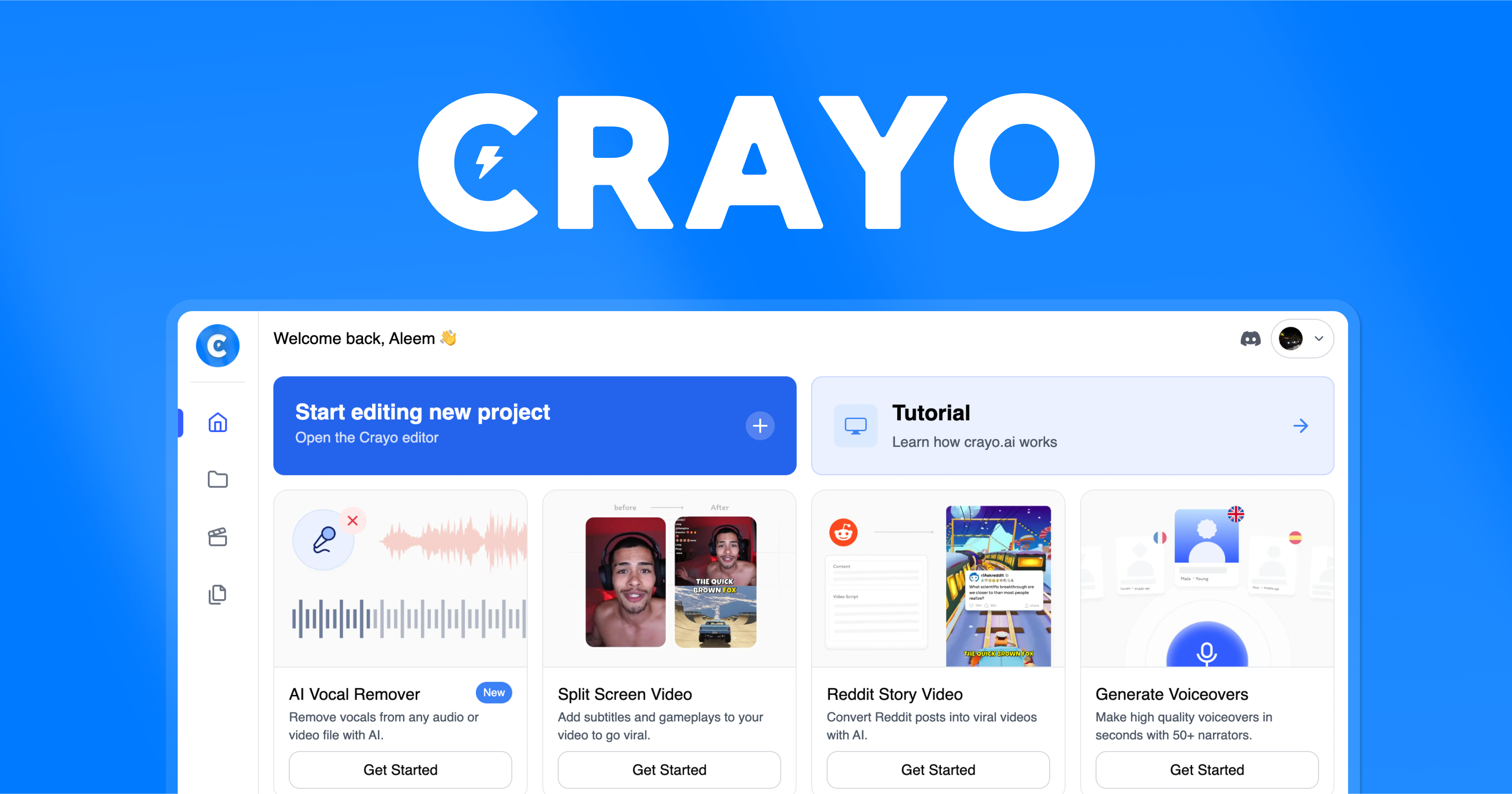
Crayo
Crayo is a web-based AI video editor and clipping platform that helps creators generate viral clips, AI voiceovers, subtitles, background removal, and more with one-click workflows.
Crayo is video editing software teams evaluate for video editing. Use this page to review pricing, integration signals, and the best alternatives before you commit.
Used in These Packs
Quick Overview
Best for: Video Editing
What it does
Video Editing software for decision-makers comparing workflow fit and alternatives.
Best fit
Video Editing
Pricing snapshot
Contact for pricing
Next step
Compare Crayo with similar tools before you shortlist it.
Compare this tool before you shortlist it
Review alternatives, pricing posture, and workflow fit side by side.
Crayo
Crayo is an all-in-one, web-based AI video editor designed to help creators produce viral clips quickly and at scale. It provides tools for generating AI voiceovers, engaging subtitles, speech enhancement, background removal, image generation, and optimized formatting for social platforms. Crayo targets content creators, streamers, social media managers, and anyone looking to convert long-form content into high-performing short clips. The product emphasizes fast workflows — upload a file or a YouTube/TikTok link, select a subtitle/style, and generate an edited video in seconds — and reports millions of users and billions of views across its user base.
Crayo is a web-based AI video editor and clipping platform that helps creators generate viral clips, AI voiceovers, subtitles, background removal, and more with one-click workflows.
Own this listing?
Claim this page to add pricing, features, screenshots, and verified owner details.
Claim this listingKey Features
Web-Based Editor
A browser editor that gives full control over edits without needing desktop software.
Voiceover Generator
AI-powered voiceover generation for creating narration or synthetic voices for clips.
Image Generator
Built-in image generation for thumbnails, visuals, and creative assets (AI image tools).
Video Generator (VEO3)
Crayo's video generation engine (VEO3) for creating and editing video content — exact limits and pricing not specified on the page.
Subtitle Styles
15+ viral subtitle styles to choose from for formatting short-form video captions.
Vocal Remover
Tool to remove vocals from audio tracks within video files.
Video & Image Background Remover
Background removal tools for both video and images to create overlays or transparent backgrounds.
Audio Balancer & Speech Enhancement
Tools for balancing audio levels and improving speech clarity to make clips more polished.
Video Compressor & MP3 Converter
Utility tools for compressing videos and converting audio to MP3 for distribution or storage.
Workflows
Prebuilt workflows (e.g., Classic Split Screen, Vertical Split Screen, Reddit Story, Streamer Video) to speed up common clipping and editing tasks.
Download & Export
Options to download edited videos; export minute and usage metrics referenced in FAQs (details not provided).
Pricing
Claim this listing to add current pricing tiers.
Use Cases
Create Viral Short-Form Clips
Convert long-form streams, podcasts, or videos into optimized short clips for TikTok, YouTube Shorts, and Instagram Reels using subtitle styles and formatting workflows.
Streamer Highlights
Generate blurred or focused streamer clips and split-screen highlights tailored for streaming audiences.
Reddit Story & Narration Videos
Produce Reddit story videos and narrated content using AI voiceovers and the Reddit Story workflow.
Background Removal & Overlays
Remove backgrounds from video or image assets to create overlays, thumbnails, or clean compositions.
Batch Clipping & Scaling Channels
Scale content production with workflows and tools designed for creators managing multiple channels or high volumes of clips.
Integrations
YouTube
Supports using YouTube links as source input for clipping and editing.
TikTok
Supports using TikTok links as source input for clipping and editing.
ChatGPT (mentioned in FAQ)
FAQ asks about importing images from ChatGPT; the page lists the question but does not specify whether or how this integration works.
Benefits
Limitations
Frequently Asked Questions
Can I cancel my plan?
What is a workflow credit?
How long is a VEO3 video?
Is VEO3 free?
How do I view my usage?
Do you have a refund policy?
What is an export minute?
Can I monetize videos created with Crayo?
Can I generate in other languages?
Can I import images from ChatGPT to Crayo?
Getting Started
- 1 Create an account on Crayo.
- 2 Upload your video file or provide a YouTube/TikTok link.
- 3 Select a subtitle style or workflow from the available options (15+ styles, workflows like Reddit Story, Split Screen, Streamer Video).
- 4 Generate the video and download or export the final clip.
Support
Support (24/7)
24/7 support team referenced; use the site's 'Get in touch' or support page for direct help.
Docs & Resources
Resources and Blog links are available on the site for guides, tips, and announcements.
Contact Page
Use the support/contact page on Crayo's website to submit requests or inquiries.
API
Compare Crayo with similar tools
See how it stacks up against alternatives
Related Tools
View all 28 →



Choppity
Choppity is an AI-powered video editing platform that automatically converts long-form talking content (podcasts, webinars, interviews) into dozens of platform-optimized short clips, with automated transcription, captions, reframing, tracking, and scheduling for social media.


Premium Alternatives


Auralis
Auralis is an enterprise AI-powered customer support platform that deploys customizable AI agents to automate up to ~60% of support processes, accelerate resolution times, and improve CSAT while integrating with existing tools and maintaining enterprise-grade security.


Animemypic
AnimeMyPic is an AI-powered web app that transforms user photos into anime-style artwork using 25+ hand-picked styles (Ghibli, Naruto, One Piece, Demon Slayer, etc.). It supports single and group portraits, trading-card generation, background scenes, and 4K upscales for print-ready results.

rebillion.ai
ReBillion is an AI-powered transaction coordination platform for U.S. residential real estate that reads contracts, builds timelines, validates state-specific compliance, triages email, and automates routine TC work for brokers, teams, and transaction coordinators.

Business
Adobe for Business delivers enterprise-grade digital marketing and customer experience solutions—combining AI-driven orchestration, content and workflow management, creative production, analytics, campaigns, and document services to personalize experiences across channels at scale.

Hyperenhancer
HyperEnhancer is an AI-powered image enhancer that upscales and restores low-resolution photos into high-fidelity, detailed images using content-aware, region-based enhancement—ideal for photographers, eCommerce, archival restoration, and digital artists.