Vizard
Vizard is an AI-first video editing and clipping platform that automatically converts long-form videos into social-ready short clips (TikTok, Instagram Reels, YouTube Shorts) and provides an editor, team workspace, and automation to scale content production for creators, marketers, coaches and agencies.
Vizard is video editing software teams evaluate for content & marketing. Use this page to review pricing, integration signals, and the best alternatives before you commit.
Profile facts come from the vendor source. AiMatch labels unknown pricing or API details instead of estimating them.
Review official source →Used in These Packs
Quick Overview
Best for: Content & Marketing
What it does
Video Editing software for decision-makers comparing workflow fit and alternatives.
Best fit
Content & Marketing
Pricing snapshot
Free
Next step
Compare Vizard with similar tools before you shortlist it.
Compare this tool before you shortlist it
Review alternatives, pricing posture, and workflow fit side by side.
Vizard is an AI-driven video editing and clipping studio that automatically turns long-form video into multiple short, social-ready clips for platforms such as TikTok, Instagram, and YouTube Shorts. The product is positioned for creators, podcasters, coaches, marketers, agencies and teams, offering automated clipping, transcription, re-framing for vertical formats, and an editor for manual refinement.
The platform emphasizes speed and scale—producing dozens of clips from a single long video with one click—while including team collaboration features (Team Workspace), publishing/export options, and localization tools like caption translation.
Vizard is an AI-first video editing and clipping platform that automatically converts long-form videos into social-ready short clips (TikTok, Instagram Reels, YouTube Shorts) and provides an editor, team workspace, and automation to scale content production for creators, marketers, coaches and agencies.
Own this listing?
Claim this page for a one-time $29 to add pricing, features, screenshots, verified owner details, and a clearly labeled 30-day category position after the profile is live.
Claim this listing for $29Key Features
AI Clipping
Automatically identifies engaging moments and reframes clips for TikTok, Reels and Shorts with one click, centering key subjects for vertical formats.
Automatic transcription & speaker separation
Uploads are transcribed and speakers are separated as part of the processing workflow to enable text-based editing.
One-click social-ready clips
Generate 30+ clips from a long video in a single action, with pre-designed formats for different social platforms.
Vizard Editor (text-based editing)
Edit by text (trim videos by deleting corresponding transcription) and perform timeline-level adjustments for fine control.
Caption translation
Translate captions to over 100 languages to expand audience reach.
Change ratio / automatic resizing
One-click resizing to make videos fit different social platforms instantly.
Brand templates
Use Vizard-designed templates or save custom templates to keep videos on-brand.
Link sharing & collaboration
Share videos as links and collaborate with teams or external reviewers; includes Team Workspace for centralized project management.
Publishing & export options
Download, share links or publish directly from Vizard to social platforms.
API & developer tools
An API is listed in the site navigation, indicating programmatic access or integrations.
Pricing
Free offering available — “Try it free. No sign up needed” and repeated calls to “Get clips for free” on the site.
Use Cases
Social media marketers
Turn webinars, interviews and long-form marketing videos into a month’s worth of short-form content to feed social channels.
Creators & podcasters
Automatically clip podcasts, shows and long recordings into shareable short clips to grow audience and engagement.
Coaches & business owners
Clip webinars, client calls and workshops into short branded content to build personal brands and reach clients.
Agencies & freelancers
Scale output and reduce editing costs by using Vizard as an editing co-pilot to produce many clips quickly.
Integrations
TikTok / Instagram / YouTube
Export-ready clips and reframing specifically mentioned for TikTok, Reels, Shorts and other social platforms.
Benefits
Limitations
No verified limitations are available.
Frequently Asked Questions
No verified FAQs are available.
Getting Started
- 1 Step 1: Upload your long-form video to Vizard (or use Try it free/no sign up option)
- 2 Step 2: Vizard transcribes and processes the video; click “Get AI clips” to generate social-ready clips
- 3 Step 3: Review and refine in the Vizard Editor (text-based edits or timeline fine-tuning), then download, share links, or publish directly
Support
Help center
Site includes a Help center link for documentation and user support.
Video tutorials
Video tutorials section is listed in the site navigation for walkthroughs.
Knowledge Base
Knowledge Base is available via the site navigation for article-style help.
Discord
A link to join Discord is provided for community support.
Contact
A Contact / Contact us link is present in the site footer/navigation for direct inquiries.
API
Compare Vizard with similar tools
See how it stacks up against alternatives
Related Tools
View all 23 →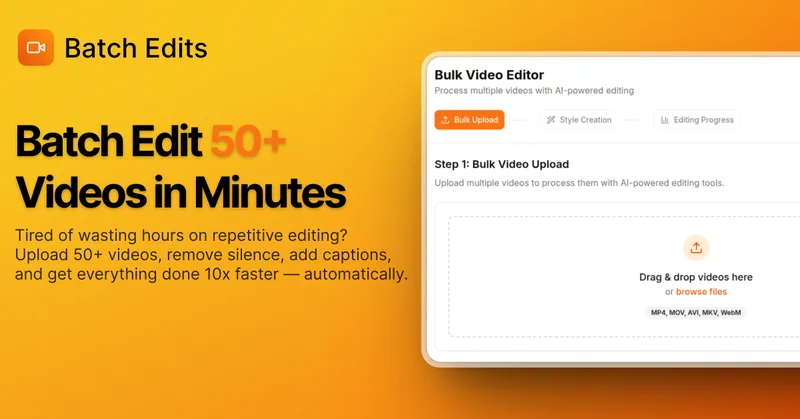
BatchEdits
BatchEdits is a web-based batch AI video editor for content creators that processes up to 50 videos simultaneously to remove silence, add auto-captions in 50+ languages, apply auto-zoom and crop for platform-specific formats, enabling high-volume creators to scale editing work.
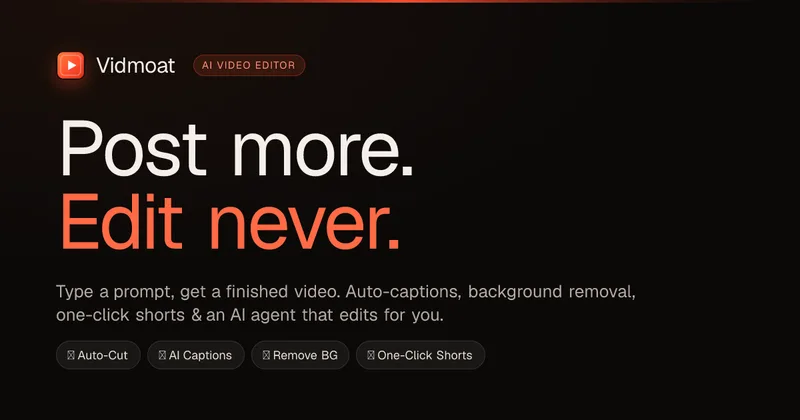
Vidmoat
Vidmoat is an agent-first AI video editor that automates cutting, captions, color grading and multi-format export. Users type a prompt (or connect their own agent) and Vidmoat’s built-in AI or a connected MCP agent produces finished videos ready for TikTok, Reels, Shorts and YouTube.


reap: AI Video Editor
reap is an AI-first video editor that automates turning long videos, webinars, and interviews into clips, animated captions, dubbed audio, and translated subtitles across 100+ languages, with REST API, CLI, and MCP for automation and publishing.
Eddie AI
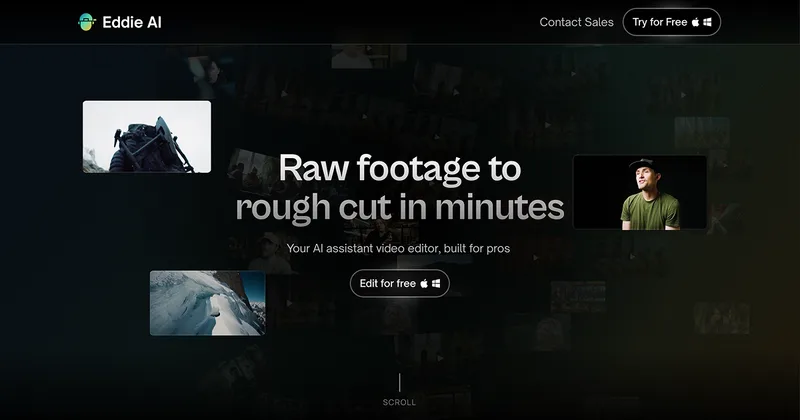
Eddie AI is an AI assistant video editor that turns raw footage into structured rough cuts from plain-language instructions. It also handles tasks such as footage logging, multicam editing, color grading, captions, and music, with exports to professional NLEs.


Submagic
Submagic is an AI-powered video editing platform that automates short-form video creation — from auto-captions and one-click edits to magic clip extraction, scheduling, and team collaboration — aimed at creators, teams, and businesses that need to publish shorts at scale.
Premium Alternatives
Eddie AI
Eddie AI is an AI assistant video editor that turns raw footage into structured rough cuts from plain-language instructions. It also handles tasks such as footage logging, multicam editing, color grading, captions, and music, with exports to professional NLEs.
Tella
Tella is an all-in-one screen recorder and video editor that captures screen, camera, microphone and system audio on Mac, Windows or in the browser, and provides editing, AI-assisted cleanup, hosting, analytics, and team collaboration for sharing or exporting videos up to 4K.