doclime
Doclime is an AI-powered tool that lets you chat with PDF files to get accurate answers, summaries, and referenced extractions from textbooks, research papers, legal documents, and other PDFs. It supports scanned PDFs (OCR), vision-based screenshots, multi-document chat, and is built on AWS with encryption for enterprise-grade security.
doclime is research software teams evaluate for education & research. Use this page to review pricing, integration signals, and the best alternatives before you commit.
Profile facts come from the vendor source. AiMatch labels unknown pricing or API details instead of estimating them.
Review official source →Quick Overview
Best for: Education & Research
What it does
Research software for decision-makers comparing workflow fit and alternatives.
Best fit
Education & Research
Pricing snapshot
Contact for pricing
Next step
Compare doclime with similar tools before you shortlist it.
Compare this tool before you shortlist it
Review alternatives, pricing posture, and workflow fit side by side.
Doclime is an AI chat interface for PDFs that lets users ask questions, get summaries, and extract referenced answers from uploaded documents. It supports multi-document chats and provides contextual answers with reference sources from the documents. The product includes PDF viewing and management, note-taking with version history, split-screen document views, context-aware search, OCR support for scanned PDFs, and vision features that allow taking screenshots of document regions to ask about them. Doclime also emphasizes enterprise-grade security: it is built on Amazon Web Services and states that data is encrypted at rest and in transit and stored privately by default.
AI tool to chat with PDFs, extract information, and get instant answers.
Own this listing?
Claim this page for a one-time $29 to add pricing, features, screenshots, verified owner details, and a clearly labeled 30-day category position after the profile is live.
Claim this listing for $29Key Features
Contextual AI Chat
Chat interface that can reference and analyze uploaded documents and provide answers with reference sources.
PDF Viewer & Management
Advanced PDF viewing with search, zoom, page navigation, and the ability to open multiple documents in a split-screen layout.
Rich Notes & Version History
Rich text editor for creating and editing documents/notes with real-time saving and version history.
File Organization
Hierarchical file tree structure with separate sections for notes and uploaded files.
Context-Aware Search
Smart search functionality across documents and the ability to add context files to AI conversations.
Scanned PDF (OCR) Support
Supports scanned PDF files using Optical Character Recognition to convert scanned documents into machine-readable text.
Vision Support (Screenshots)
Take screenshots of any part of a document and ask questions about that image region.
Multiple AI Models
Uses frontier AI models from providers such as OpenAI and Anthropic to power conversations.
Enterprise-Grade Security
Built on Amazon Web Services with encryption at rest and in transit and default private document storage.
Pricing
Current pricing details are not available from the vendor source.
Use Cases
Research & Academic Work
Extract information, summarize chapters, and generate lesson plans or study materials from textbooks and research papers.
Legal & Compliance Review
Query contracts and legal documents for obligations, clauses, and summarized interpretations.
Professional Document Analysis
Analyze large financial reports, technical manuals, and other lengthy documents to find answers quickly and reduce manual review time.
Scanned Document Processing
Convert scanned PDFs into searchable text using OCR and ask questions about the content.
Integrations
OpenAI
Uses frontier models from OpenAI to power AI conversations.
Anthropic
Uses models from Anthropic as part of its AI model options.
Amazon Web Services (AWS)
Built on AWS infrastructure for security and compliance features.
Benefits
Limitations
No verified limitations are available.
Frequently Asked Questions
What is Doclime and how does it work?
What should I use Doclime for?
Does it support scanned PDF files?
Getting Started
- 1 Upload one or more PDF documents to Doclime.
- 2 Open the chat interface and ask questions about the uploaded documents to receive contextual answers with references.
- 3 Use the PDF viewer and split-screen layout to review documents while chatting; take screenshots of regions to ask vision-based questions.
- 4 Add context files to conversations or create and edit notes with the rich text editor and version history.
Support
Help Center
Access product documentation and self-service help via the Help Center link on the site.
Contact
Contact the company via the Contact link in the site footer.
API
Compare doclime with similar tools
See how it stacks up against alternatives
Related Tools
View all 143 →
ThoughtDAG
ThoughtDAG is an open-source, desktop-first application that makes LLM context visible, editable, and reproducible by representing context as an editable directed acyclic graph (wires = context) and letting users preview and control exactly what the model receives.

LLM Attention Visualization
A browser-based interactive visualization that shows how transformer LLMs allocate attention to past tokens during generation by aggregating attention weights and value magnitudes across heads and layers.
PilotCite
PilotCite is a SaaS platform that helps brands monitor and improve their visibility in AI-generated answers (ChatGPT, Perplexity, Google AI, Gemini, Claude, Copilot, Grok) by tracking citations, auditing site citability, benchmarking competitors, and generating source-backed content.

Knowledge graph skill for Claude/Kimi Code
SysEdge is an ontological knowledge graph and CLI for multi-agent Claude Code and Kimi Code teams that models requirements, tests, and architecture standards to surface specification, test, and standards gaps before code ships and to reduce agent orientation tokens.
HieraticBench
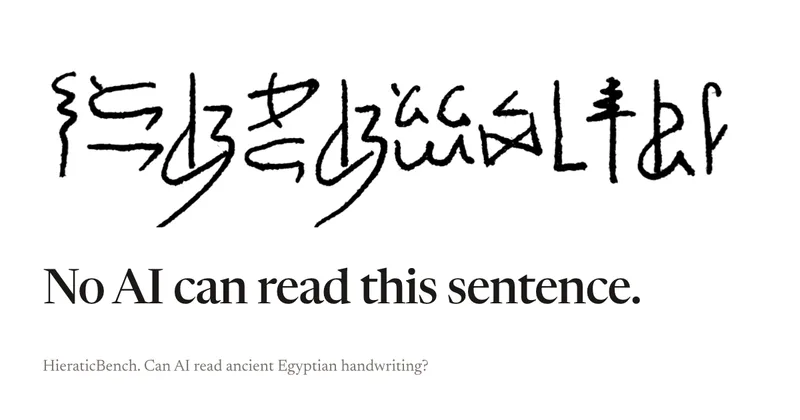
HieraticBench is an open benchmark for testing whether AI models can identify and read hieratic, the cursive handwriting of ancient Egypt. It includes a public leaderboard, evaluation harness, and dataset of documents and individual signs.
Redactle LLM Leaderboard
A public benchmark dashboard that evaluates how well large language models (LLMs) solve Redactle puzzles by running standardized evaluations and publishing ranked results, costs, and performance metrics.
Premium Alternatives

CiteRank
CiteRank is a weekly SaaS monitoring tool that re-asks buyer questions of major AI answer engines (ChatGPT, Perplexity, Google AI Overviews, Gemini and Claude) to record whether they cite your site, name your brand, or leave you absent, and delivers board-style reports and competitor/source lists.

OutlierKit
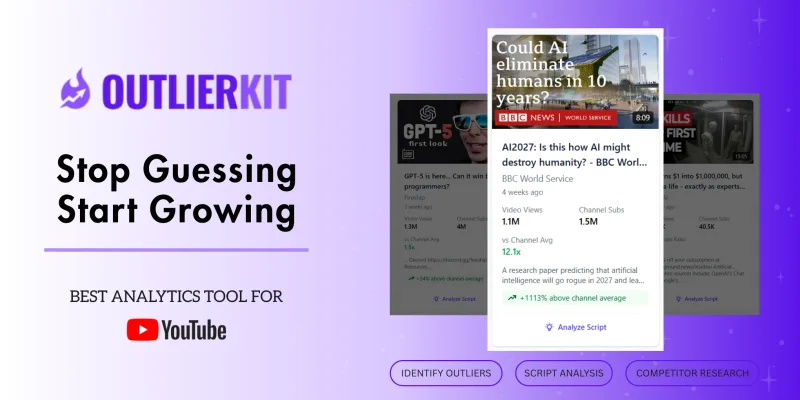
OutlierKit is a YouTube competitor analysis and outlier research platform that maps niche-wide opportunities from a single seed channel, surfaces overperforming videos, analyzes audience psychology, sponsors, and monetization, and offers AI-powered script/hook analysis and integrations for creators, teams, and agencies.
grantboost
Grantboost is an AI grant discovery and proposal-writing platform for nonprofits, agencies, universities, and other mission-driven organizations. It matches funding opportunities to an organization’s programs and helps draft proposals using its past content and brand voice.