
HyNote AI
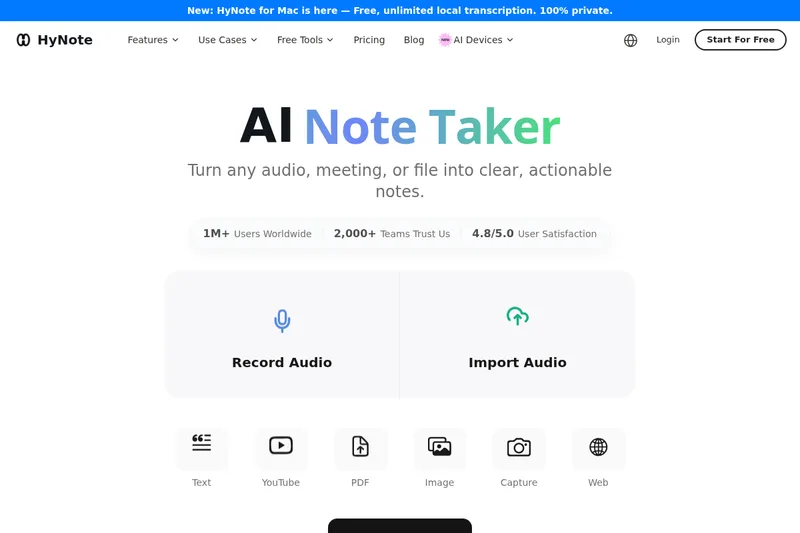
HyNote turns meetings, recordings, PDFs, videos, images, and web pages into searchable transcripts, summaries, and action items. Professionals, teams, and students can review notes and export them to tools such as Google Docs and Notion.
One of 51 tools in Transcription
Who it's for
- Product managers and project teams who need meeting transcripts, decisions, and follow-up actions.
- Researchers and students who want to turn lectures, recordings, PDFs, and videos into structured study or research notes.
- Sales, advisory, and creative teams that need to capture conversations and organize summaries for sharing.
How it fits your workflow
Record a meeting or import audio, video, PDFs, images, YouTube links, or web pages. HyNote transcribes speech, processes documents and images, and creates searchable notes.
Review summaries, key points, action items, or a template-based output; chat with notes when needed. Export to Google Docs, Notion, PDF, or TXT, and sync across supported devices.
Pricing
Free: A free plan is available with usage and feature limits.
Free plan
$0
- · Free and paid plans are documented. Feature and usage limits depend on the selected plan.
Paid plans
Price not published
- · See the provider pricing page for current rates, billing periods, and usage limits.
Prices checked on Sep 7, 2026 from the vendor's site. They can change; confirm before you buy.
Key features
- Multimodal Capture (8 input types)
- Capture live audio, uploaded MP3/WAV/M4A/AAC, video, PDFs, images with OCR, YouTube links, web pages, phone calls and Apple Watch recordings; each input is processed into transcripts or summaries.
- Instant Abstractive Summarization
- Abstractive AI generates brief summaries, key points, action items and formatted meeting minutes from full transcripts or documents using 30+ professional templates (SWOT, interviews, follow-ups, etc.).
- Meeting Transcription
- Transcribes Zoom, Google Meet, Microsoft Teams and Webex live or from recordings without a meeting bot; includes speaker identification (up to 10 speakers), timestamps and support for 50+ languages.
- Audio-to-Text & Searchable Transcripts
- Converts recordings into searchable transcripts with speaker labels and offers chat-with-notes (RAG) workflows and up to 99% accuracy for clear speech (internal benchmark).
- Export & Sync
- One-click export to Google Docs and Notion, download as PDF or TXT, share via mobile share sheets, and sync with Google Calendar and Apple Calendar.
- Cross-Device Sync
- Real-time synchronization across web, iPhone, Android, iPad, Apple Watch and Chrome extension so recordings and notes are available on any device.
Works with
- Google Docs
- Notion
- Google Drive / OneDrive
- Jira
- Calendar & Meeting Platforms
Limitations to know
- The stated transcription accuracy of up to 99% is for clear speech and is described as based on internal benchmarks.
- Speaker identification is listed for up to 10 participants.
Alternatives to consider
-
NoteWave
Choose it if you want meeting-focused transcription and meeting intelligence designed specifically for teams and enterprises.
-
Notta
Choose it if you want meeting and media transcription with visual deliverables such as slides and infographics.
-
TwinMind
Choose it if you want a privacy-focused note and memory assistant that also drafts follow-up emails using context from past interactions.
Getting started
- Open HyNote on the web or a listed device app.
- Record content or upload a supported file, capture an image, or provide a YouTube or web link.
- Review the generated transcript and notes, then export or share the result.
Frequently asked questions
What is HyNote?
HyNote is an AI note-taking app that turns meetings, audio, PDFs, videos and links into searchable notes with instant summarization, transcription, templates, and export capabilities.
How does HyNote work?
Capture content (record or upload), HyNote transcribes speech, applies instant abstractive summarization to produce summaries, key points and action items, and allows exports to Google Docs, Notion, PDF or TXT.
What types of content can I use with HyNote?
HyNote supports eight input types: live audio, uploaded audio/video (MP3/WAV/M4A/AAC), PDFs, images with OCR, YouTube links, web page capture, phone calls and Apple Watch recordings.
Is my data secure with HyNote?
HyNote uses AES-256 encryption at rest, TLS 1.3 in transit, SOC 2 Type II infrastructure, and offers GDPR, CCPA and HIPAA-aligned workflows plus enterprise features like 2FA, SSO and audit logging.