Imagetoimageai
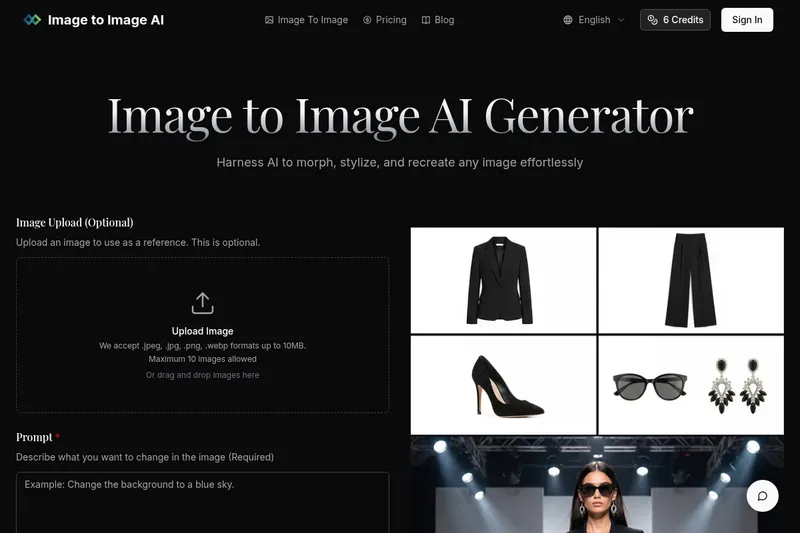
Image to Image AI is a free online image-to-image generator that lets users upload photos and transform, stylize, or recreate them using selectable AI models and adjustable settings.
Imagetoimageai is image & design software teams evaluate for creative & design. Use this page to review pricing, integration signals, and the best alternatives before you commit.
Profile facts come from the vendor source. AiMatch labels unknown pricing or API details instead of estimating them.
Review official source →Used in These Packs
Quick Overview
Best for: Creative & Design
What it does
Image & Design software for decision-makers comparing workflow fit and alternatives.
Best fit
Creative & Design
Pricing snapshot
Freemium from Free
Next step
Compare Imagetoimageai with similar tools before you shortlist it.
Compare this tool before you shortlist it
Review alternatives, pricing posture, and workflow fit side by side.
Image to Image AI is a web-based image-to-image generator that allows users to upload photos (.jpeg, .jpg, .png, .webp up to 10MB, maximum 10 images) and transform them via text prompts. Users choose an AI model, set aspect ratio and output format (PNG or JPG), adjust transformation parameters, and generate variations. The product targets designers, marketers, and creative users seeking to visualize concepts, create campaign assets, or experiment with artistic styles, and it positions its outputs as professional-quality and suitable for commercial use.
Image to Image AI is a free online image-to-image generator that lets users upload photos and transform, stylize, or recreate them using selectable AI models and adjustable settings.
Own this listing?
Claim this page for a one-time $29 to add pricing, features, screenshots, verified owner details, and a clearly labeled 30-day category position after the profile is live.
Claim this listing for $29Key Features
Image upload
Accepts .jpeg, .jpg, .png, .webp formats up to 10MB with a maximum of 10 images for use as references.
Text-prompt driven transformations
Describe desired changes in a prompt (up to 5000 characters) to guide how the source image is restyled or edited.
Model selection
Choose between multiple AI models (examples listed: Nano Banana, Nano Banana Pro, GPT-4o Image, Flux Kontext, and a referenced Google image model).
Aspect ratio & output format controls
Pick aspect ratios (1:1, 9:16, 16:9, etc.) and output format (PNG or JPG) for generated images.
Transformation controls
Adjust transformation parameters such as output count and transformation strength to control resemblance to the original image.
Preserve original structure
Platform emphasizes maintaining the basic composition and key elements of the source image while applying style or content changes.
Fast processing and multiple variations
Claims fast, efficient processing that can generate multiple variations in seconds.
Professional-quality output
States it produces high-resolution transformed images ready for commercial use in marketing, product visualizations, and web or social content.
Pricing
Free online photo editor offering image-to-image transformations via text prompts.
Free
Free- Access to the web-based image-to-image generator
- Upload support for supported formats (up to 10MB, max 10 images)
- Prompt-driven transformations and selectable settings
Credits / model-based
Example: Google's image generation model • 3 credits per image- Some models reference a per-image credit cost (explicit example: 3 credits per image for a Google model)
Use Cases
Design concept visualization
Designers can transform photos to explore styles and compositions for concept mockups or creative prototypes.
Marketing asset variations
Marketers can create multiple versions of campaign imagery quickly for A/B testing and campaign variations.
Artistic restyling and experimentation
Creative enthusiasts can apply different artistic styles (from oil painting to cyberpunk) or change colors, lighting, and environment elements.
Product visualization and web content
Create high-resolution images suitable for product visualizations, website content, and social media campaigns.
Integrations
Nano Banana / Nano Banana Pro
Selectable internal AI models listed for image generation.
GPT-4o Image
Listed as an available AI model for image generation.
Flux Kontext
Listed as an available AI model for image generation.
Google image model
Referenced as a fast and efficient image generation model with a noted cost of 3 credits per image.
Benefits
Limitations
Frequently Asked Questions
No verified FAQs are available.
Getting Started
- 1 Step 1: Upload Your Photo — select up to 10 images (.jpeg, .jpg, .png, .webp; max 10MB each) or leave blank to use prompt-only.
- 2 Step 2: Describe Your Changes — write a text prompt (up to 5000 characters) describing the desired transformation.
- 3 Step 3: Adjust Settings — choose AI model, aspect ratio, output format, output count, and transformation strength as needed.
- 4 Step 4: Generate and Download — click Generate to produce variations, review results, and download selected images.
Support
Contact support via [email protected]
API
Compare Imagetoimageai with similar tools
See how it stacks up against alternatives
Related Tools
View all 372 →
GenImagePro
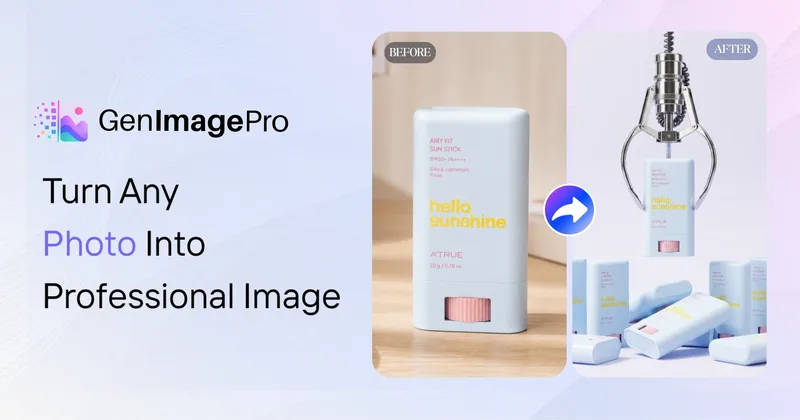
GenImagePro is an image-to-image AI platform that transforms a single uploaded photo into studio-quality images, campaign assets, and short AI videos using ready-made workflows and style templates—designed for creators, ecommerce teams, and agencies.

Nanobananapro
Nano Banana Pro is a web-based AI image creation workspace that produces natural language-driven, hyper-realistic, physics-aware images with sharper 2K imagery, intelligent 4K upscaling, improved text rendering, and enhanced character consistency for creative and API-driven workflows.
FLUX.1 Kontext
FLUX.1 Kontext is an instruction-based AI image editing and generation suite on fluximage.co that enables precise, context-aware edits via natural language while preserving character identity, visual relationships, and multi-turn consistency.

Fotographer AI
Fotographer AI provides an API-first generative imaging platform for production-grade product photography: non-destructive inpainting, scene generation, and background generation that preserves product pixels, geometry, and brand identity for large-scale e-commerce and marketing workflows.
Premium Alternatives
Image-AI.pro
Image-AI.pro is a professional AI image generation platform powered by the proprietary img-v2 Pro engine, offering studio-quality, multi-style image generation with instant, no-registration access and an optional VIP membership for faster, higher-resolution outputs.
DreamPic.AI
DreamPic.AI is a web service that uses AI (Stable Diffusion + DreamBooth) to train a personalized model from user photos and generate high-resolution, stylized images and avatars of people in hundreds of styles.

Themultiverse
The Multiverse AI is a commercial AI headshot generator that turns user selfies into professional-quality headshots and team portraits, offering a 30-minute turnaround and an editable set of generated images for individual professionals and corporate teams.
Hairstyleai
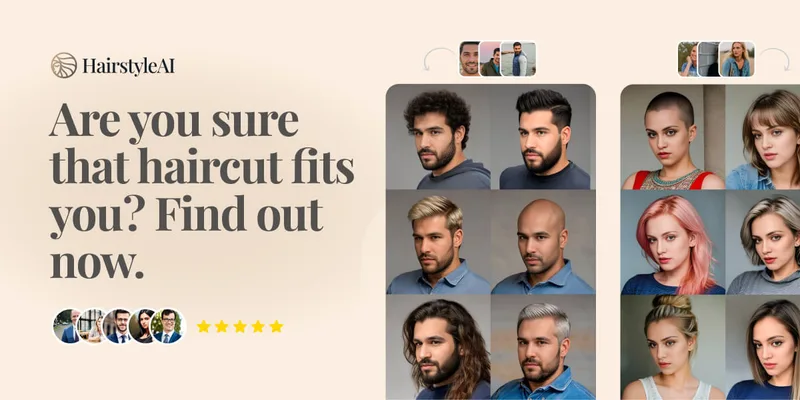
HairstyleAI is a virtual AI hairstyle try-on service (powered by HeadshotPro.com) that lets users preview new haircuts on their photos before committing to a real cut, offering dozens of generated looks and downloadable HD images.
RoomAI
RoomAI is a web-based AI room-design tool that restyles real room photos while preserving the room geometry (walls, windows, openings, ceiling height and camera angle). It offers 300+ styles, 20+ room presets, virtual staging and decluttering with fast, full-resolution results for property listings, designers, photographers and homeowners.