

Itrustpdf
iTrustPDF is a free, browser-based suite of PDF and utility tools for converting, editing, merging, compressing and managing documents — no signup or installation required.
Itrustpdf is productivity software teams evaluate for education & research. Use this page to review pricing, integration signals, and the best alternatives before you commit.
Used in These Packs
Quick Overview
Best for: Education & Research
What it does
Productivity software for decision-makers comparing workflow fit and alternatives.
Best fit
Education & Research
Pricing snapshot
Free from $0 — ad-supported
Next step
Compare Itrustpdf with similar tools before you shortlist it.
Compare this tool before you shortlist it
Review alternatives, pricing posture, and workflow fit side by side.
Itrustpdf
iTrustPDF is an all-in-one, web-based PDF toolbox that lets users convert, edit, merge, split, compress and protect PDF files directly in the browser. The service targets students, professionals and general users who need quick PDF operations without installing software or creating accounts. All tools are provided free of charge and the site emphasizes ease-of-use, cross‑platform compatibility and strong file security.
The platform supports a wide range of conversions (PDF ↔ Word, Excel, PowerPoint, HTML, images, JSON, XML and more), offers editing and protection features, and includes extra utilities like QR code and password generators, image tools, calculators and converters. Files are encrypted in transit and automatically deleted after two hours to protect user privacy.
iTrustPDF is a free, browser-based suite of PDF and utility tools for converting, editing, merging, compressing and managing documents — no signup or installation required.
Own this listing?
Claim this page to add pricing, features, screenshots, and verified owner details.
Claim this listingKey Features
PDF Conversion
Convert PDFs to Word, Excel, PowerPoint, TXT, HTML, JSON, XML, CSV and image formats (JPG, PNG, WEBP) while preserving formatting and layout.
Create PDFs from Other Formats
Convert Word, Excel, PowerPoint, CSV, HTML, JSON, XML and image files (JPG, PNG, WEBP) into PDF documents.
Merge & Split
Merge multiple PDFs into a single file and reorder pages; split PDFs to extract or remove specific pages.
Edit & Protect PDFs
In-browser PDF editor for quick edits and the ability to add password protection and encryption to PDF files.
Compress & Resize
Compress PDFs and images to reduce file size; image tools include image compressor, resizer, watermark and thumbnail downloader.
Speech-to-PDF and OCR-like Exports
Convert audio into PDFs (Speech to PDF) and extract text through PDF-to-Text or table extraction (PDF to Excel/CSV).
Utility Tools
Additional free utilities such as QR code generator, password generator, currency converter, calculators (BMI, GST), and unit converters.
No Signup / No Installation
Works entirely in the browser on desktop and mobile — no account, software download or subscription required.
Security & Privacy
Uses 256‑bit SSL for transfers and automatically deletes uploaded/processed files after two hours.
Pricing
All features are provided 100% free with no signup, no credit card, and no subscriptions; the service is ad-supported.
Free
$0 — ad-supported- All PDF and additional tools available without signup
- No watermarks
- Automatic file deletion after 2 hours
- Browser-based access on all devices
Use Cases
Students preparing assignments
Convert slides to PDF, combine multiple reports, extract text from PDFs, or compress large documents for submission.
Business professionals creating reports
Merge contract pages, convert spreadsheets and tables to editable Excel, secure sensitive documents with password protection, and export PDFs to PowerPoint for presentations.
Developers & data teams
Extract structured data from PDFs into JSON, XML, CSV or Excel for further processing and automation.
Marketing & operations
Generate QR codes, watermark images, create thumbnails, and convert images to PDFs for sharing and archives.
Integrations
Claim this listing to add integrations.
Benefits
Limitations
Frequently Asked Questions
Is iTrustPDF really 100% free?
Are my files secure with iTrustPDF?
Do I need to install any software or app?
How long are my processed files stored?
Can I use iTrustPDF on my phone or tablet?
What file formats does iTrustPDF support?
Is there a file size limit for uploads?
Getting Started
- 1 Step 1: Open iTrustPDF in your browser (works on desktop and mobile).
- 2 Step 2: Drag & drop your file into the tool area or click 'Choose File' (you can also paste files with Ctrl+V).
- 3 Step 3: Select the specific tool you need (e.g., PDF to Word, Merge PDF, Compress PDF) and run the operation; download the processed file when ready.
Support
Contact Page
Submit questions or feedback via the site's Contact Us page: https://itrustpdf.com/contact
Help & Blog
Use the Blog or site resources for guides and product updates (Quick Links → Blog).
Social Channels
Follow iTrustPDF on Twitter/X, Facebook, Instagram and YouTube for announcements and tips.
API
Compare Itrustpdf with similar tools
See how it stacks up against alternatives
Related Tools
View all 182 →
Autoslide AI PowerPoint Add In
Autoslide AI PowerPoint Add-In is a productivity tool designed to help professionals create and format PowerPoint presentations faster using AI-driven slide formatting, content generation, and a rich resource library.

GPTforWork
GPT for Work offers AI-powered add-ins for Microsoft Excel, Word, Google Sheets, and Docs, integrating top AI models like ChatGPT, Perplexity, and Gemini to automate translation, content generation, data analysis, and document editing for enhanced productivity across various business sectors.






Linkconnector
UPDF is an AI-integrated, cross-platform PDF editor and reader that combines traditional PDF editing (edit, convert, annotate, OCR, organize) with generative AI features (summarize, translate, chat with PDFs/images, mind-map generation) and e-sign capabilities for individual and enterprise use.
Premium Alternatives
Hairstyleai
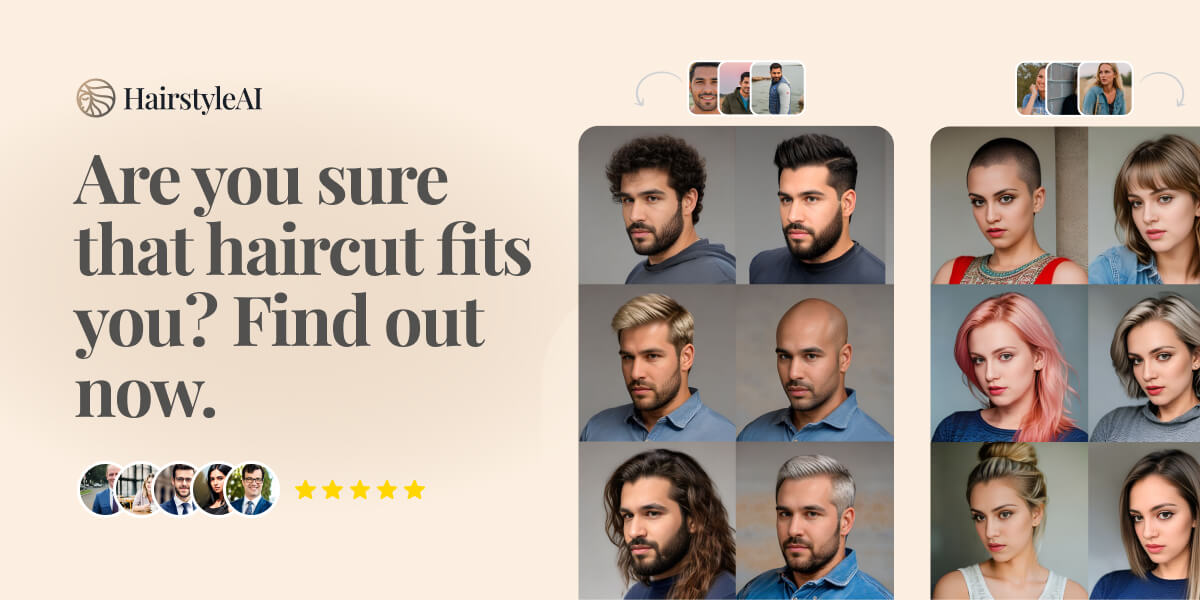
HairstyleAI is a virtual AI-powered hairstyle try-on service for men and women that generates photorealistic images of you in different haircuts so you can preview styles before committing to a real haircut.

Getsendster
Sendster (GetSendster) is a self-hosted email marketing and automation platform that combines an AI email writer with deliverability tools, built-in email verification, templates, and support for Amazon SES and other SMTP providers to reduce costs and improve inboxing.

Digitalocean
DigitalOcean is a cloud infrastructure provider focused on simplicity and cost-effectiveness, offering virtual machines, managed services, and a unified Gradient™ AI Inference Cloud for building, training, and running AI applications.

automateclips
AutomateClips is an AI-powered video generator that transforms app walkthroughs into viral-ready content featuring virtual influencers, designed to showcase app features and drive downloads on platforms like TikTok, Instagram, and YouTube.

Yourstruly
YoursTruly lets you create, customize, and mail real, handwritten greeting cards and postcards to U.S. addresses quickly — using artist-designed templates or your own photos, with optional AI help to write the message.

botfast
BotFast is a Python boilerplate for building, customizing, deploying and monetizing AI-powered Telegram bots, offering containerized deployment, payment integrations, MongoDB support, image generation via DALL·E 3 and support for multiple models including GPT-4o Multimodal.