Jitera
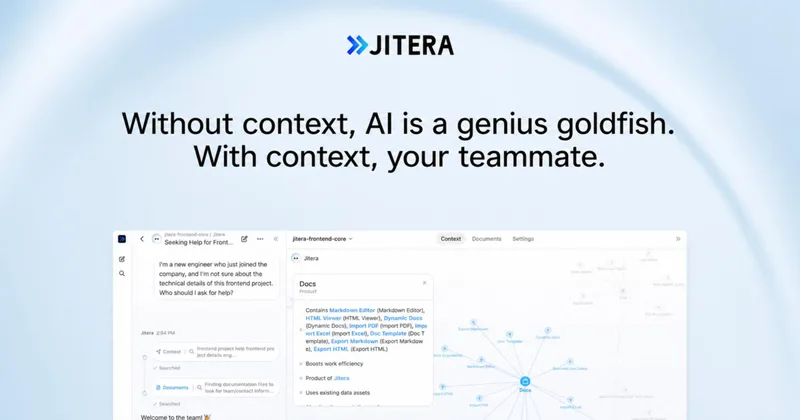
Jitera is an AI-first team workspace that turns code, docs, decisions, and tribal knowledge into a shared context so AI agents become collaborative teammates for organizations and teams.
Jitera is ai agents software teams evaluate for ai agents. Use this page to review pricing, integration signals, and the best alternatives before you commit.
Profile facts come from the vendor source. AiMatch labels unknown pricing or API details instead of estimating them.
Review official source →Quick Overview
Best for: AI Agents
What it does
AI Agents software for decision-makers comparing workflow fit and alternatives.
Best fit
AI Agents
Pricing snapshot
Contact for pricing
Next step
Compare Jitera with similar tools before you shortlist it.
Compare this tool before you shortlist it
Review alternatives, pricing posture, and workflow fit side by side.
Jitera provides a unified AI workspace that captures and uses an organization’s code, documents, decisions, and tribal knowledge so AI agents act as collaborative teammates. The platform emphasizes team-aligned AI workflows: live chat threads shared between humans and agents, co-editing documents in real time, and agents that consult the team before taking actions. It is positioned for teams and organizations that want to centralize knowledge, reduce duplicated AI prompting, and keep work aligned and auditable.
Jitera is an AI-first team workspace that turns code, docs, decisions, and tribal knowledge into a shared context so AI agents become collaborative teammates for organizations and teams.
Own this listing?
Claim this page for a one-time $29 to add pricing, features, screenshots, verified owner details, and a clearly labeled 30-day category position after the profile is live.
Claim this listing for $29Key Features
Shared AI Workspace
A single workspace for teams to chat with agents, co-edit documents, and keep everyone aligned in real time ("Bring your whole team into one AI workspace — chat with agents, co-edit documents, and keep everyone aligned.").
Team-in-the-loop Confirmations
Agents ask the team before acting so they confirm information rather than guessing, reducing hallucinations and surprises ("Agents ask your team before they act — confirming the right information instead of guessing.").
Context Map (Organizational Memory)
A visual map showing teams, projects, decisions and connections that agents use as context so they stay aligned with organizational priorities ("Context map — See your organization's memory at a glance").
Document & Resource Import
Import existing files (PDFs, Word, Excel, HTML, and more) into the workspace so agents remain in sync with current documentation ("Import your existing docs — PDFs, Word, Excel, HTML, and more").
Custom Agents & LLM Selection
Create agents tailored to team workflows by choosing LLMs, customizing instructions/skills/tools, and assigning the best model per agent ("Choose from the leading models like GPT, Claude, and Gemini, and assign the best fit per agent.").
Automation & Scheduled Workflows
Support for recurring workflows, scheduled jobs, and multi-step pipelines to automate work across the organization ("Automation — Recurring workflows, scheduled jobs, and multi-step pipelines").
App Integrations
Connect agents to third-party apps (examples given: GitHub, Notion, Linear) and have agents act where teams already work ("Connect with GitHub, Notion, Linear, and any app your team relies on... respond directly in Slack").
Agent-to-Agent Delegation
Agents can delegate tasks to each other to break complex work into smaller missions handled by specialized agents ("Agents can delegate tasks to each other").
Pricing
Current pricing details are not available from the vendor source.
Use Cases
Team collaboration with AI
Co-edit documents, chat with agents in shared threads, and keep the team aligned with a single workspace where agents follow conversation context.
Knowledge management and context preservation
Ingest existing docs and organizational decisions into a context map so agents always work with current knowledge and organizational memory.
Automating recurring work
Run scheduled jobs, recurring workflows, and multi-step pipelines to automate routine tasks and background processes.
Integrations-driven workflows
Connect GitHub, Notion, Linear, Slack and other apps to let agents act in the tools teams already use, enabling automations tied to real systems and developer workflows.
Custom agent workflows
Build agents with chosen LLMs, custom instructions, skills, and tools for specialized tasks and distributed agent missions (agent-to-agent delegation).
Integrations
GitHub
Integration example for code and developer workflows (listed on the page).
Notion
Integration example for knowledge and docs sync (listed on the page).
Linear
Integration example for issue and project tracking (listed on the page).
Slack
Agents can respond directly in Slack so teams receive agent outputs where they already work (mentioned on the page).
Benefits
Limitations
No verified limitations are available.
Frequently Asked Questions
No verified FAQs are available.
Getting Started
- 1 Contact Jitera or visit the site to inquire about the workspace ("Contact us" appears on the site).
- 2 Import existing documents and resources into the workspace ("Import your existing docs — PDFs, Word, Excel, HTML, and more").
- 3 Create and configure agents: choose LLMs, customize instructions/skills/tools, and connect apps to automate workflows ("Create AI agents tailored to your team — choose your LLMs, connect your apps...").
Support
docs
Resources, Docs, and Release notes are listed on the site ("Resources", "Docs", "Release notes").
contact
"Contact us" link and site contact options for inquiries and onboarding (appears repeatedly on the page).
API
Compare Jitera with similar tools
See how it stacks up against alternatives
Related Tools
View all 617 →
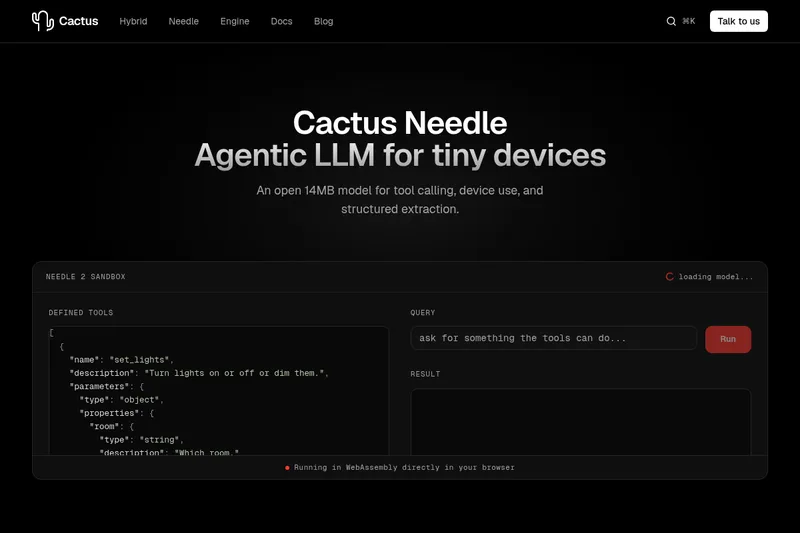
Needle2
Needle 2 is an open, production-ready 45M-parameter agentic LLM from Cactus designed for tool calling, device control, and structured extraction on extremely small devices; the shipped CQ2-bit binary is ~14 MB and runs in ~28 MB of RAM across Cortex-M, microcontrollers, phones, Raspberry Pi and WebAssembly.
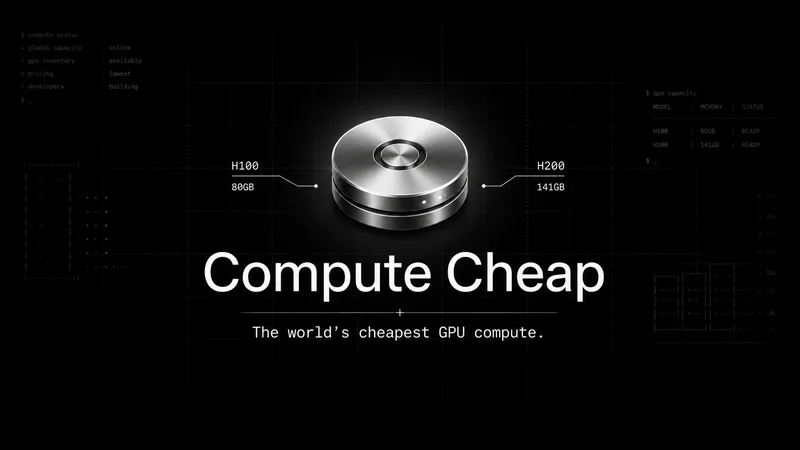
The cheapest GPU cloud
Compute Cheap provides low-cost GPU compute for training and inference, offering H100 and H200 SXM GPUs as interruptible or reserved capacity with published per-GPU-hour pricing and a simple request/reserve/run workflow.
Oodle.ai
Oodle Agent Observability provides agent/LLM observability at scale with S3-backed columnar storage, fast search (<1s P99), out-of-the-box AI-powered insights, and flat ingestion-based pricing designed to retain 100% of traces affordably for debugging and optimizing production agents.


Premium Alternatives
Abliterated LLM provider for cyber tasks
Refuseless hosts GLM 5.3 Abliterated models through an OpenAI-compatible API for cybersecurity and coding work. The page states that prompts are not retained and shows integrations with OpenCode and Pi.
PHNTM ONE
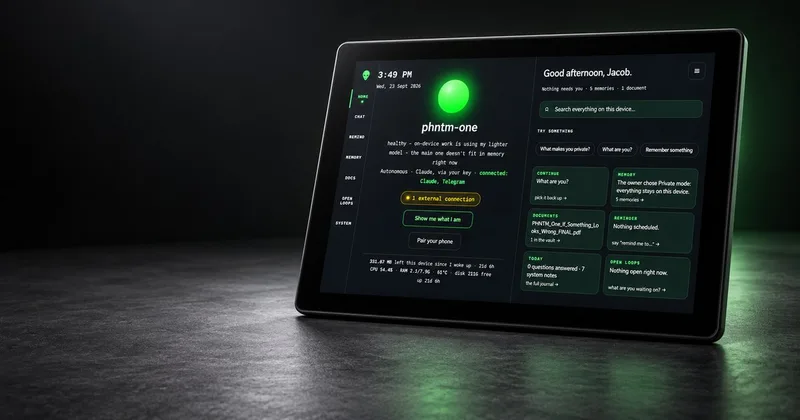
PHNTM One is a private, local-first AI appliance: a hand-built desktop device (Raspberry Pi 5, 8 GB, 10.1″ touchscreen) that runs an on-device model (Gemma 3 4B) to provide a voice-capable assistant, memories, document reading, timers, Home Assistant integration and offline knowledge — sold as a one-time $549 purchase with no subscription and zero telemetry by default.
AletheionAGI
AletheionAGI provides a grounded-memory layer for AI systems that enforces evidence-bound delivery, namespace isolation, and policy authorization so AI readers cannot produce unsupported claims. It's targeted at production-facing use cases like customer support, commerce agents and internal copilots.

ClaudeThings
ClaudeThings provides a packaged, continuously-updating set of 89 specialized agents, 103 pre-built skills, and 181 slash commands that act as an AI engineering and marketing team for Claude Code — delivered as a private GitHub repo and installed with a single npx command. It adapts to any stack via a CLAUDE.md project manifest and is sold as a one-time purchase with lifetime updates.