

Jpg-to-excel
Online JPG-to-Excel converter that uses AI OCR to extract tables and text from images (JPG, PNG, HEIC, screenshots) into editable Excel (.xlsx) or CSV files with a split‑screen editor for verification and corrections.
Jpg-to-excel is image & design software teams evaluate for image & design. Use this page to review pricing, integration signals, and the best alternatives before you commit.
Profile facts come from the vendor source. AiMatch labels unknown pricing or API details instead of estimating them.
Review official source →Used in These Packs
Quick Overview
Best for: Image & Design
What it does
Image & Design software for decision-makers comparing workflow fit and alternatives.
Best fit
Image & Design
Pricing snapshot
Free
Next step
Compare Jpg-to-excel with similar tools before you shortlist it.
Compare this tool before you shortlist it
Review alternatives, pricing posture, and workflow fit side by side.
JPG to Excel is a web-based image-to-spreadsheet converter that extracts tables and text from images (JPG, PNG, HEIC, screenshots) into editable Excel (.xlsx) or CSV files. The tool emphasizes OCR accuracy and provides an AI-driven extraction pipeline (CNNs and Transformer models) plus a split-screen editor so users can compare the original image and extracted table and fix errors before download. It’s positioned for a wide audience — from students to enterprise professionals — and is optimized for mobile and camera capture. Guest users can convert without login while signed-in users get private history and extra credits.
Online JPG-to-Excel converter that uses AI OCR to extract tables and text from images (JPG, PNG, HEIC, screenshots) into editable Excel (.xlsx) or CSV files with a split‑screen editor for verification and corrections.
Own this listing?
Claim this page for a one-time $29 to add pricing, features, screenshots, verified owner details, and a clearly labeled 30-day category position after the profile is live.
Claim this listing for $29Key Features
AI Table Extraction
Neural-network based OCR (CNNs and Transformer models) that analyzes document structure to identify headers, rows, data types and convert pixels into structured text.
Visual Verification (Split‑screen Editor)
Compare the original image side-by-side with the extracted Excel data and edit any cell directly to correct typos, numbers, or table structure before downloading.
Multi-table & Complex Grid Support
Handles multiple tables in one image, merged cells and complex layouts according to the site’s description.
Mobile & Camera Ready
Optimized for mobile; supports taking a photo with your device camera and pasting images from the clipboard.
Export Options
Export to Microsoft Excel (.xlsx) or CSV for immediate use in Office 365, Google Sheets or other tools.
Batch Convert
Supports converting multiple images via a batch convert option (mentioned on the site).
Privacy Controls
Guest conversions are processed without account history; signed-in users can save private conversion history and delete it anytime.
Pricing
Free conversions available; guests can convert without login (guest limit noted as 3/day). Registered users receive 30 credits upon registering; additional conversions/credits available via 'Buy Credits'.
Use Cases
Accountants & Financial Analysts
Digitize bank statements, invoices and receipts into Excel sheets ready for forecasting and reconciliation.
Administrative Professionals
Convert attendee lists, inventory logs and forms into searchable Excel databases.
Students & Academics
Extract tables from textbooks and papers directly into spreadsheets for statistical analysis.
Data Entry Specialists
Automate bulk digitization and use verification tools to quickly correct OCR output and increase productivity.
Inventory & Stock Management
Convert product lists, SKU codes and pricing tables into Excel for stock reconciliation.
Survey & Questionnaire Compilation
Digitize paper questionnaires and extract checkboxes, ratings and responses into spreadsheets for analysis.
Laboratory & Medical Reports
Extract patient IDs, test parameters and results from lab reports into clean Excel sheets for research.
Handwritten Notes & Whiteboards
Extract legible handwritten tables from whiteboard photos and meeting notes into spreadsheet format.
Integrations
Microsoft Office / Excel
Exports to a clean, formatted Microsoft Excel (.xlsx) file ready for Office 365.
Google Sheets
Exported CSV or XLSX files can be opened and used in Google Sheets.
Custom API Integration
Site references specialized enterprise solutions and custom API integration available via support.
Benefits
Limitations
Frequently Asked Questions
Is this JPG to Excel converter truly free?
How accurate is the AI table extraction?
Is my data secure and private?
Can I convert screenshots and handwritten notes to Excel?
What file formats do you support?
Does it work on Mac and Mobile devices?
How do I handle merged cells in tables?
Is there a file size limit for uploads?
Getting Started
- 1 Upload or Snap: Drag and drop an image (JPG, JPEG, PNG, HEIC) or take a photo; you can also paste from clipboard or provide a URL.
- 2 AI Extraction: Click 'Extract Tables' to run the neural-network OCR that identifies table structure and text.
- 3 Verify & Edit: Use the split-screen editor to compare the image with the extracted table and correct any cells or structure.
- 4 Export to Excel: Download the result as a formatted .xlsx file or CSV for use in Excel, Google Sheets or other tools.
Support
Contact support at [email protected] for general questions, enterprise solutions or API requests.
docs/blog
Site includes a Blog and Resources section for help and examples (linked on the site footer).
enterprise sales
Support team available for specialized enterprise solutions and custom API integration (contact via email).
API
Custom API integration and specialized enterprise solutions are available; contact support for API documentation and access.
Compare Jpg-to-excel with similar tools
See how it stacks up against alternatives
Related Tools
View all 386 →

Zimageturbo
Z Image Turbo is an independent AI image-generation service that uses a '6B Turbo' model to produce photorealistic images in seconds, offering browser and local deployment, multilingual (English/Chinese) prompt support, pro editing tools, and open-source licensing.

BatchRemover
BatchRemover is an AI-powered online tool for removing image backgrounds, replacing them with a color or custom image, and resizing the canvas. Single-image processing is free, with full-resolution downloads and paid plans for batch processing.

grok-ai-image-generator-2-0
Grok AI Image Generator (Grok 2.0) is a web-based text-to-image AI tool that generates high-quality images using Flux.1 family models (Flux.1 Pro, Flux.1 Dev, Flux.1 Schnell) and includes an editor, download/sharing, and plans for developers and professionals.

GPT Image 2.5
GPT Image 2.5 is a prompt-based image generation and editing workspace offering two model modes—Flare for fast creative exploration and Sunburst for detail-focused edits—designed for product visuals, portraits, campaigns, and other content creation workflows.

pixpro
PixPro Library is a web-first AI image-processing library for PC and mobile that upgrades standard image upload buttons into an AI-driven image processing center offering features like AI erasure, background removal, upscaling, cropping, enhancement and compression.

4oimagegen
4o Image Gen's Flux Kontext is a free, instruction-based AI image generator and editor that produces high-quality text-to-image and image-edit edits in 6–10 seconds with strong character consistency and text preservation.
Premium Alternatives

Aux Machina
Aux Machina is an AI-powered image creation platform that generates custom, royalty-free visuals and offers upcoming AI-assisted image-editing tools, aimed at creators, marketers, and teams who need quick, high-quality images.

GPT Image 2.5
GPT Image 2.5 is a prompt-based image generation and editing workspace offering two model modes—Flare for fast creative exploration and Sunburst for detail-focused edits—designed for product visuals, portraits, campaigns, and other content creation workflows.


Ghibli Art Generator
Ghibli Art Generator is a web-based AI tool that transforms user photos into Studio Ghibli–inspired artwork using a proprietary deep-learning style generator, offering multiple film-style filters, batch processing, and downloadable high-resolution outputs.

Themultiverse
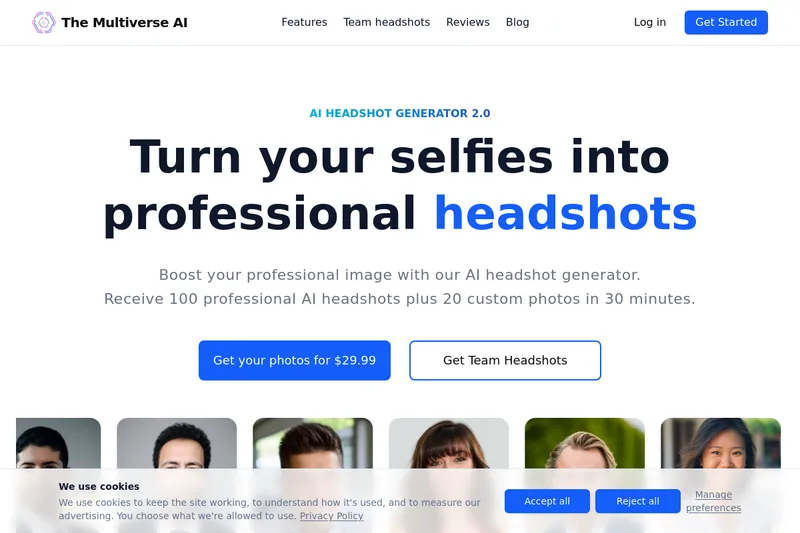
The Multiverse AI is a commercial AI headshot generator that turns user selfies into professional-quality headshots and team portraits, offering a 30-minute turnaround and an editable set of generated images for individual professionals and corporate teams.