Pictura
Pictura is an AI-powered photo enhancer app for iPhone and iPad that unblurs, restores, colorizes, upscales (up to 4x), removes backgrounds, and creates professional AI headshots in one tap.
Pictura is image & design software teams evaluate for image & design. Use this page to review pricing, integration signals, and the best alternatives before you commit.
Profile facts come from the vendor source. AiMatch labels unknown pricing or API details instead of estimating them.
Review official source →Used in These Packs
Quick Overview
Best for: Image & Design
What it does
Image & Design software for decision-makers comparing workflow fit and alternatives.
Best fit
Image & Design
Pricing snapshot
Freemium from Free to download and free to try
Next step
Compare Pictura with similar tools before you shortlist it.
Compare this tool before you shortlist it
Review alternatives, pricing posture, and workflow fit side by side.
Pictura is an AI photo enhancement app for iPhone and iPad that fixes blurry selfies, restores old family photos, colorizes black-and-white images, and upscales low-resolution photos up to 4x. The app provides one-tap tools—Enhance, Restore, Colorize, Upscale, Remove Background, Denoise, AI Headshot, and Cartoon styles—so users can pick a photo, apply an AI tool, and save or share results. Pictura is free to download and free to try, with a Pro subscription unlocking unlimited enhancements, additional filters, and priority processing; a separate Pictura app is also available for Mac.
AI photo enhancer for Mac that transforms low-res images into high-res visuals.
Own this listing?
Claim this page for a one-time $29 to add pricing, features, screenshots, verified owner details, and a clearly labeled 30-day category position after the profile is live.
Claim this listing for $29Key Features
One-tap Enhance
Automatic one-tap fixes that sharpen, improve lighting, reduce noise, and boost resolution in a single pass.
Unblur & Sharpen
Tap to sharpen blurry photos and boost clarity to correct camera shake, missed focus, and soft selfies.
Old Photo Restoration
Repair scratches, creases, fading, and rebuild facial detail in vintage prints using Restore.
Colorize Black & White Photos
Automatically add realistic color to skin, clothing, and backgrounds from black-and-white images.
4x Image Upscaler
Upscale images up to 4x with AI detail generation so photos stay sharp when printed or zoomed.
Background Remover
AI-powered cutouts that remove backgrounds cleanly, including hair and fine edges, for profile pictures and product shots.
Denoise / Noise Reduction
Remove grain from low-light and night shots while preserving real detail.
Professional AI Headshots
Generate studio-quality headshots from a selfie suitable for LinkedIn and résumés.
Cartoon & Caricature Styles
Transform portraits into cartoon or caricature avatars with a variety of AI styles.
Viral AI Filters & Styles
A growing library of trending AI filters and 100+ AI filters & styles for creative looks.
Edit History & Compare
Keep every edit in history, compare before/after results, and save or share the enhanced image.
Pricing
Free to download and free to try; first photos can be enhanced without creating an account.
Free
Free to download and free to try- Enhance first photos without an account
- Access to core AI tools for trial
Pictura Pro
Weekly, monthly, or yearly subscription (specific prices not listed on page)- Unlimited enhancements
- All AI filters
- Priority processing
Use Cases
Restore family photos
Repair scratches, fading, and damage on vintage prints directly from an iPhone without a scanner using the Restore tool.
Create professional headshots
Turn selfies into studio-quality headshots for LinkedIn, résumés, and professional profiles with the AI Headshot tool.
Upscale images for print and wallpaper
Enlarge low-resolution photos, anime art, or wallpapers up to 4x while preserving or adding detail for printing and high-res displays.
Prepare product or profile images
Remove backgrounds and produce clean cutouts suitable for listings, profile pictures, and collages.
Rescue low-light or noisy photos
Apply Denoise to reduce grain in night or low-light shots while retaining real detail.
Make creative avatars
Generate cartoon, caricature, or stylized portraits for social media and avatars using AI styles.
Integrations
iOS (iPhone & iPad)
Runs on iPhone and iPad (iOS 26+); available on the App Store.
macOS
A separate Pictura app is available for Mac for AI photo enhancement on macOS.
App Store
Distribution and downloads are via the Apple App Store.
Benefits
Limitations
Frequently Asked Questions
How do I unblur a photo on my iPhone?
Can AI restore old or damaged photos?
How do I colorize a black and white photo?
How do I increase the resolution of a photo?
How can I improve photo quality on iPhone?
How do I make a professional headshot from a selfie?
How do I turn a photo into a cartoon?
How do I remove the background from a photo on iPhone?
How do I fix grainy or noisy photos?
Can I upscale anime art without losing quality?
Is Pictura free to download?
Which devices does Pictura support?
Getting Started
- 1 Download Pictura from the App Store on iPhone or iPad (iOS 26+).
- 2 Open the app and choose a photo from your library or capture one with the camera.
- 3 Tap the desired AI tool (Enhance, Restore, Colorize, Upscale 4x, Remove Background, Denoise, AI Headshot, or Cartoon).
- 4 Wait for the AI to process the image, then compare before/after and save or share the result.
- 5 Upgrade to Pictura Pro if you need unlimited enhancements, all AI filters, or priority processing.
Support
docs
Guides and step-by-step photo fix articles are available on the site (e.g., Sharpen, Restore, Colorize, Upscale).
support
Contact support link is provided on the site (listed as 'Contact support').
app store
App Store listing for downloads and ratings (App Store rating 4.7★ referenced).
API
Compare Pictura with similar tools
See how it stacks up against alternatives
Related Tools
View all 378 →

Pixian
Pixian.AI is a web and API service that removes image backgrounds using a custom AI model, offering a free tier for small images and paid processing for high-resolution images. It targets both casual users and developers with drag-and-drop web tools, an API, and features like face stickers and multiple output options.
AI Picasso
AI Picasso is a mobile-first image-generation app and service for creating AI illustrations, personalized AI avatars, LINE stamps, pet transformations, profile images, and beauty-makeup filters; the site also offers business solutions using image-generation AI. Note: the service is scheduled to end on 2025-08-04.

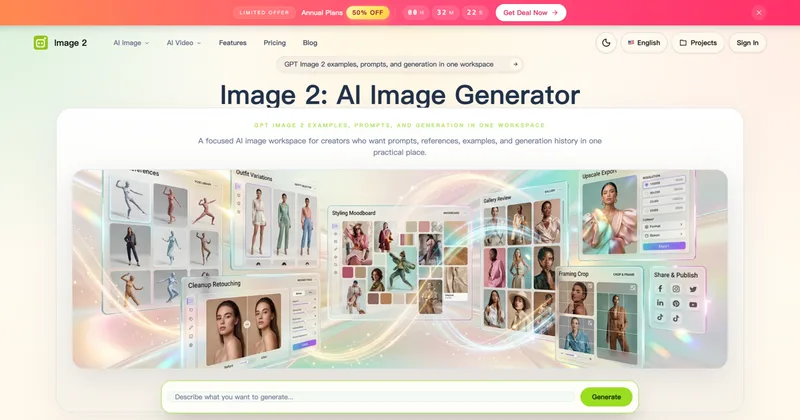
Image 2
Image 2 (Image2.to) is an AI-powered image and video generation workspace—branded as GPT Image 2—designed to create production-ready images, photorealistic renders, and text-rich visuals with editable, project-based workflows for creators, designers, and marketing teams.
Prophotos
ProPhotos is a commercial AI-powered headshot generator that creates photorealistic, industry-specific professional headshots from user-uploaded photos, aimed at individuals and enterprises wanting quick, production-ready portraits for LinkedIn, resumes, and corporate use.

ImagePipeline
ImagePipeline is a developer-first image AI API for product and fashion commerce that generates studio-quality product shots, model swaps, and virtual try-on at scale, backed by SDKs, webhooks, and production-grade controls.
Premium Alternatives

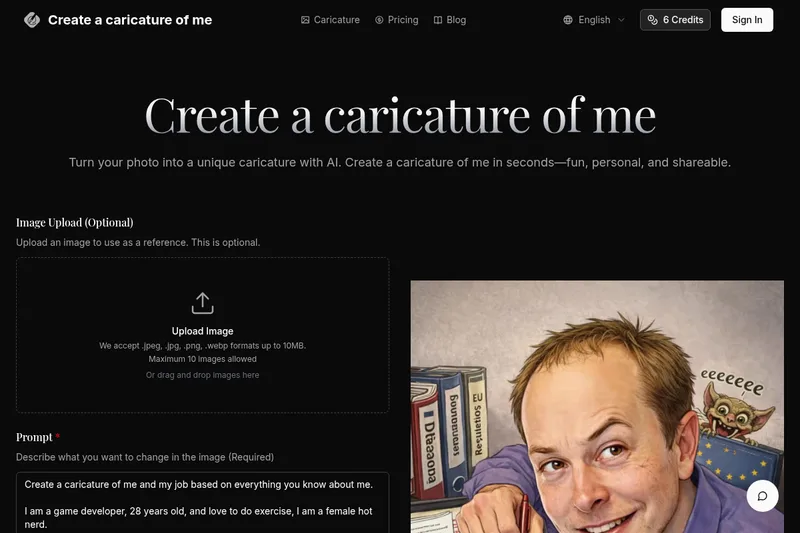
Createacaricatureofme
Create a Caricature of Me is a web-based AI image tool that turns user photos into personalized caricatures in seconds. Users can upload images, provide a prompt, choose AI models and output formats, then generate and download stylized caricatures for social, personal, or light professional use.

Prompt Hunt
Prompt Hunt is a web platform for creating, browsing, and sharing AI-generated art using curated prompt templates and its in-house Chroma model, aimed at creatives, teams, and prompt engineers.


imaginebuddy
Imagine Buddy is a web-based library of professionally crafted AI product photoshoot prompts that helps creators and brands generate campaign-ready product imagery using AI image generators like Gemini, ChatGPT/DALL·E, Midjourney, and Stable Diffusion.

drawingpics
DrawingPics is a native macOS app for Apple Silicon that converts sketches into photorealistic or stylized images in real time using Core ML and the Apple Neural Engine. It runs fully offline, is available as a one-time purchase, and targets creators and small studios.