
Magicstudio
Magic Studio is a web and mobile image-editing studio that uses AI to generate and edit photos — from removing objects and changing backgrounds to creating images from text — aimed at consumers and professionals looking to produce headshots, product photos, ads, and social content quickly.
Magicstudio is image & design software teams evaluate for image & design. Use this page to review pricing, integration signals, and the best alternatives before you commit.
Profile facts come from the vendor source. AiMatch labels unknown pricing or API details instead of estimating them.
Review official source →Used in These Packs
Quick Overview
Best for: Image & Design
What it does
Image & Design software for decision-makers comparing workflow fit and alternatives.
Best fit
Image & Design
Pricing snapshot
Free
Next step
Compare Magicstudio with similar tools before you shortlist it.
Compare this tool before you shortlist it
Review alternatives, pricing posture, and workflow fit side by side.
Magic Studio is an AI-powered image studio accessible via web and a downloadable mobile app that helps users create and edit images quickly without design skills. The product highlights include generating images from text, cleaning up and transforming photos, changing backgrounds, and producing professional headshots and product photos. The site positions the product for a broad audience — individuals and professionals — emphasizing speed ("Stunning headshots in 15 minutes"), ease of use ("Professional image studio for everybody"), and large-scale usage ("20 Million users, 150 Million Images").
Magic Studio is a web and mobile image-editing studio that uses AI to generate and edit photos — from removing objects and changing backgrounds to creating images from text — aimed at consumers and professionals looking to produce headshots, product photos, ads, and social content quickly.
Own this listing?
Claim this page for a one-time $29 to add pricing, features, screenshots, verified owner details, and a clearly labeled 30-day category position after the profile is live.
Claim this listing for $29Key Features
AI Image Generator
Create pictures from text prompts using AI (listed as "AI Image Generator" / "Create images from text, with AI").
Magic Eraser / Object Removal
Instant clean up: remove objects, people, or text from any image with a simple brush stroke (presented as "Magic Eraser").
Background Remover / Replacement
Instantly change or remove image backgrounds and add coloured backgrounds (listed as "Background Remover").
Image Upscaler
Increase image size up to 4K without losing quality (listed as "Image Upscaler").
Background Blur
Apply professional-looking background blur effects to photos (listed as "Background Blur").
AI Art Generator
Create art and graphics with AI (listed as "AI Art Generator").
File Converters
Simple format converters such as HEIC to JPG and WEBP to PNG (listed on the site).
Headshots & Product Photo Tools
Specialized flows to generate professional headshots and to create product photos with AI ("Turn selfies into professional headshots", "Create stunning product-photos, in minutes with AI").
Cross-device Editing
Web-based studio with a downloadable mobile app and recommendation to use desktop for finer control ("Download the Magic Studio app", "we recommend editing on a desktop or laptop").
Pricing
A free offering is promoted on the site ("Start Now for Free", "Create your headshots for free"). Specific paid plan pricing is not provided on the page; the site references a PRO plan in FAQs but gives no price details.
Use Cases
Professional headshots
Generate professional-looking headshots quickly for profiles and portfolios ("Stunning headshots in 15 minutes", "Turn selfies into professional headshots").
E-commerce & product photos
Create product photos for pages and ads with AI to save production time and cost ("Create stunning product-photos, in minutes with AI", "Create winning product pages, ads...").
Social media and advertising creative
Produce images for social posts, ads, and marketing materials without design skills ("Create winning product pages, ads, social media posts and more").
Photo cleanup and retouching
Remove unwanted objects, change backgrounds, and apply blur to improve photos ("Instant clean up for the perfect picture", "Remove objects, people, text...").
Creative image generation
Generate new imagery and artwork from text prompts for design, illustrations, or concept art ("Make images with just words", "Paint with your imagination").
Integrations
No verified integration details are available.
Benefits
Limitations
No verified limitations are available.
Frequently Asked Questions
No verified FAQs are available.
Getting Started
- 1 Visit the Magic Studio website and click "Start Now for Free" or "Create Headshots for Free".
- 2 Upload a photo or enter a text prompt to use the AI image generator or one of the editing tools.
- 3 Download the Magic Studio mobile app or switch to desktop for finer control if needed.
Support
docs/helpdesk
The site references a Helpdesk for more information ("Learn more at our Helpdesk").
app/download
Downloadable mobile app with QR code for mobile install ("Download the Magic Studio app", "Scan this QR on your mobile to download the app").
social
Social channels linked on the site (Twitter, LinkedIn, Facebook).
API
Compare Magicstudio with similar tools
See how it stacks up against alternatives
Related Tools
View all 386 →
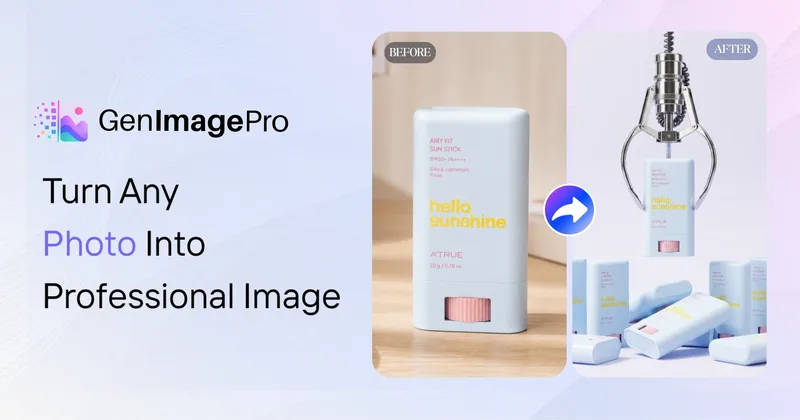
GenImagePro
GenImagePro is an image-to-image AI platform that transforms a single uploaded photo into studio-quality images, campaign assets, and short AI videos using ready-made workflows and style templates—designed for creators, ecommerce teams, and agencies.

Aiconvert
Promptigen (on AI Convert) converts any uploaded image into ready-to-use AI image prompts with three modes—Concise, Professional, and Nano Banana Pro—providing OCR, physics-aware descriptions, and prompts optimized for modern editing/generation models. The tool is free and requires no registration.

Productshots
ProductShots.ai is an AI-powered catalog automation platform for eCommerce that generates on-brand product and lifestyle images, enriches and validates metadata, and auto-writes SEO-optimized product copy at scale for marketplaces and brands.


FaceRate.ai
FaceRate.ai is an AI-powered online tool that analyzes facial attractiveness and symmetry, providing detailed per-feature scores, golden-ratio symmetry analysis, and generated artistic portraits with interpretive insights.
Premium Alternatives

Prompt Hunt
Prompt Hunt is a web platform for creating, browsing, and sharing AI-generated art using curated prompt templates and its in-house Chroma model, aimed at creatives, teams, and prompt engineers.
phopet
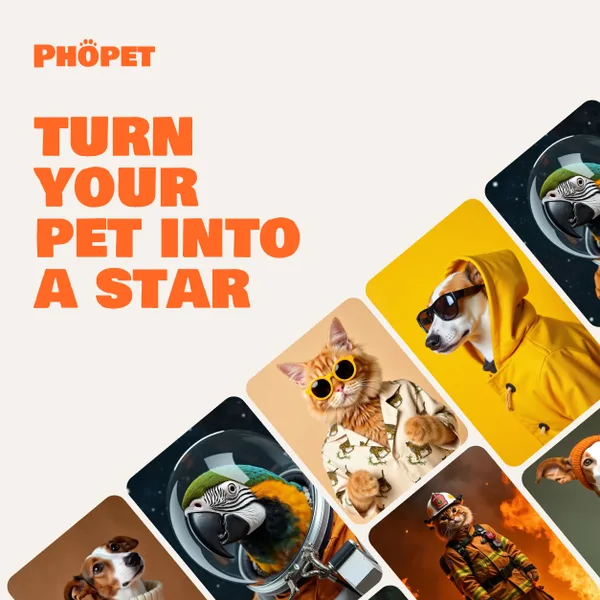
Phopet is a pet-focused image-generation service that trains a custom AI model from user-uploaded pet photos to produce themed, studio-quality images, upscaled prints, and merchandise-ready assets. It targets pet owners who want personalized photo packs and creative stories featuring their pets.


PreCheck
PreCheck is an AI-powered facial recognition and face-search platform that lets users upload a single photo to find where that face appears across the web, and also provides reverse phone and email lookups for identity, reputation management, and fraud prevention.
Hairstyleai
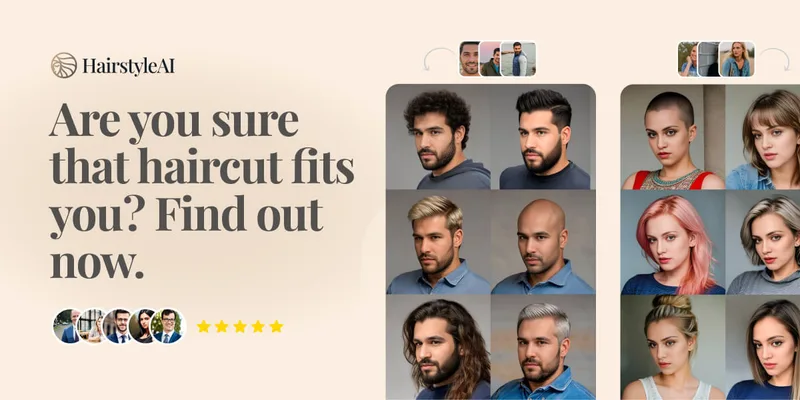
HairstyleAI is a virtual AI hairstyle try-on service (powered by HeadshotPro.com) that lets users preview new haircuts on their photos before committing to a real cut, offering dozens of generated looks and downloadable HD images.
Photostudio
Blockode AI Photo Studio is an AI-powered photoshoot generator that trains a custom model from your uploaded selfies to produce stylized, high-resolution AI photoshoots. It targets users who want custom-generated portraits with options for commercial use.