PUMPG (Powerusers MidJourney Prompt Generator)
PUMPG (Powerusers MidJourney Prompt Generator) is a free, web-based interactive prompt builder that helps users construct detailed Midjourney prompts using modular controls for model version, aspect ratio, stylize, chaos, seeds, image references (Sref/Cref), quality, speed, and other advanced parameters.
PUMPG (Powerusers MidJourney Prompt Generator) is image & design software teams evaluate for creative & design. Use this page to review pricing, integration signals, and the best alternatives before you commit.
Profile facts come from the vendor source. AiMatch labels unknown pricing or API details instead of estimating them.
Review official source →Used in These Packs
Quick Overview
Best for: Creative & Design
What it does
Image & Design software for decision-makers comparing workflow fit and alternatives.
Best fit
Creative & Design
Pricing snapshot
Free from Free (requires login to prevent bots and spam)
Next step
Compare PUMPG (Powerusers MidJourney Prompt Generator) with similar tools before you shortlist it.
Compare this tool before you shortlist it
Review alternatives, pricing posture, and workflow fit side by side.
PUMPG (Powerusers MidJourney Prompt Generator) is a browser-based interactive builder that helps users assemble Midjourney prompts using modular fields and tooltips. It exposes common Midjourney parameters such as model version, aspect ratio, stylize (--s), style (--style), chaos, seed, speed (Fast/Relax/Turbo), quality, stop, repeat, video, and tile, plus advanced reference image fields (Sref for style, Cref for character) and corresponding weight controls. The tool is aimed at anyone using Midjourney—artists, creators, and users who want to save time, get inspiration, and optimize GPU usage. It includes guidance on building prompts (order, weights, separation, permutation syntax), instructions for uploading image references, and tips to iterate prompts efficiently. The page also links to supplemental resources (a spreadsheet of artists/styles and a free digital book) and provides a chatbot for suggestions and feedback.
Interactive Midjourney prompt generator for creating AI art prompts easily.
Own this listing?
Claim this page for a one-time $29 to add pricing, features, screenshots, verified owner details, and a clearly labeled 30-day category position after the profile is live.
Claim this listing for $29Key Features
Interactive Prompt Builder
Build prompts using modular fields (main idea, negative text, order drag-and-drop) and copy the generated prompt to use in Midjourney.
Model Version Selection
Choose Midjourney model versions (v6.1, v6, v5.2, v5, Niji variants, down to v1) to match desired output compatibility.
Advanced Parameter Controls
Adjust aspect ratio, stylize, chaos, weird, seed, speed (Fast/Relax/Turbo), quality, stop, repeat, video, and tile options directly within the builder.
Image Reference Fields (Sref/Cref)
Provide image URLs as style references (Sref) or character references (Cref) and set Style Weight/Char. Weight to influence outputs.
Tooltips & Guidance
Hover tooltips explain field usage and provide examples for prompt construction and parameter effects.
Preset Categories & Selectors
Architecture, artists, mediums, colors, lighting, perspectives and many other selectable elements to add detail to prompts.
Prompt Optimization Tips
Guidance on ordering, using weights (::), permutations, blending images, and conserving GPU minutes via speed/quality/stop settings.
Pricing
Free to use (site requests login to continue using the site for free)
Free
Free (requires login to prevent bots and spam)- Access to the PUMPG prompt builder
- Tooltips, advanced settings, and copy-ready prompts
Use Cases
Midjourney Users & Artists
Create and iterate detailed prompts to produce images in Midjourney with fine control over style, composition, and reference images.
Creative Practice & Skill Building
Generate consistent daily/weekly prompts to explore new styles, themes, and challenges to develop artistic skills.
Optimization of GPU Usage
Adjust speed, quality, and stop parameters to save GPU credits and test ideas quickly before committing higher resources.
Character & Style Consistency
Use Cref and Sref references to maintain character likeness or replicate specific aesthetic styles across outputs.
Prompt Experimentation
Use permutations and repeat settings to generate variations and discover unexpected compositions using chaos/weird controls.
Integrations
Midjourney
PUMPG is designed to build prompts specifically for Midjourney and directs users to paste generated prompts into Midjourney (Discord).
Discord
Suggested workflow includes uploading images to Discord (Midjourney bot) and copying the image link to use in Sref/Cref fields.
Other AI Generators (mentioned)
The page references other generators (Stable Diffusion, Leonardo AI, DALL·E 3) and notes PUMPG was created mainly for Midjourney; compatibility with others may vary.
Benefits
Limitations
Frequently Asked Questions
How do I upload an image to the AI prompt generator?
Can ChatGPT generate Midjourney prompts?
Where can I find Midjourney prompts?
Is Midjourney Free To Use?
How do style parameters differ (--stylize vs --style)?
Getting Started
- 1 Step 1: Enter a main idea or subject into the Describe your main idea field to start building your prompt.
- 2 Step 2: Use tooltips (hover) to learn field purposes, then add details like mood, lighting, and objects using the provided selectors.
- 3 Step 3: (Optional) Add Sref or Cref image URLs to influence style or character, adjust weights, set version/aspect/quality, then copy the generated prompt and paste it into Midjourney on Discord to run.
Support
Chatbot
A chatbot on the site is available for suggestions or feedback.
Contact page
Contact via the site's contact page for missing filters or other inquiries.
Documentation / Blog
The site includes explanatory content, tooltips, and a blog with how-to articles and links to additional resources.
API
Compare PUMPG (Powerusers MidJourney Prompt Generator) with similar tools
See how it stacks up against alternatives
Related Tools
View all 386 →

Aigardenplanner
AIGardenPlanner is a browser-based, AI-powered garden design tool that turns photos, sketches or 3D models of an outdoor space into photorealistic garden designs, animated videos and explorable 3D walkthroughs. It targets home gardeners and landscaping professionals with an instant visualizer, a free drag-and-drop 3D editor, plant recommendation and identification tools, and subscription plans with commercial licensing.
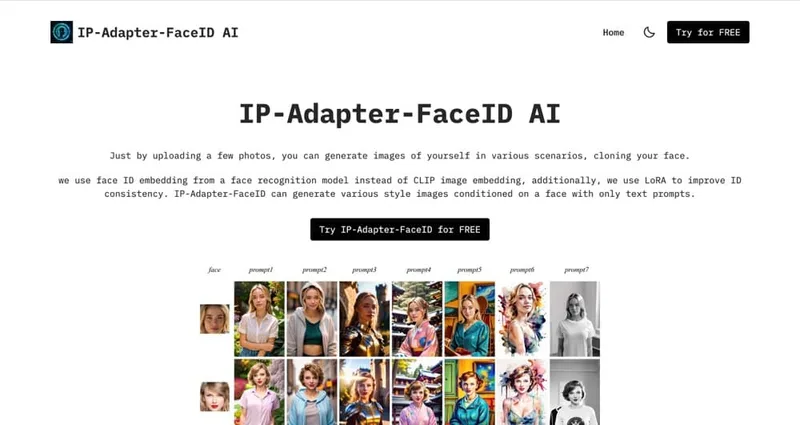
Ipadapterfaceid
IP Adapter Face ID is an image-generation offering based on the IP-Adapter-FaceID model that generates various-style images conditioned on a provided face using only text prompts; users upload a few photos and enter prompts to produce images that clone their face.


Vectorizer
Vectorizer.AI is a browser-based, AI-powered raster-to-vector conversion service that turns PNG/JPG/GIF/BMP/WebP images into editable vector formats (SVG, EPS, DXF, PDF) for logos, illustrations, print, web, CAD, CNC, and other design workflows.

Pixarmory
PixArmory is a web-based AI photo editor and image-generation toolkit that lets users edit, stylize, and generate images from plain-English prompts using models like Nano Banana (Google) and GPT Image 2 (OpenAI). It targets creators, designers, and professionals seeking fast, multi-model image editing workflows without advanced design skills.

AI Poster Generator
AI Poster Generator is a web-based AI-powered poster creation platform that uses DALL·E 3 to generate high-quality posters from text prompts, offering free and paid credit-based plans for individuals and small projects.
Premium Alternatives
Prophotos
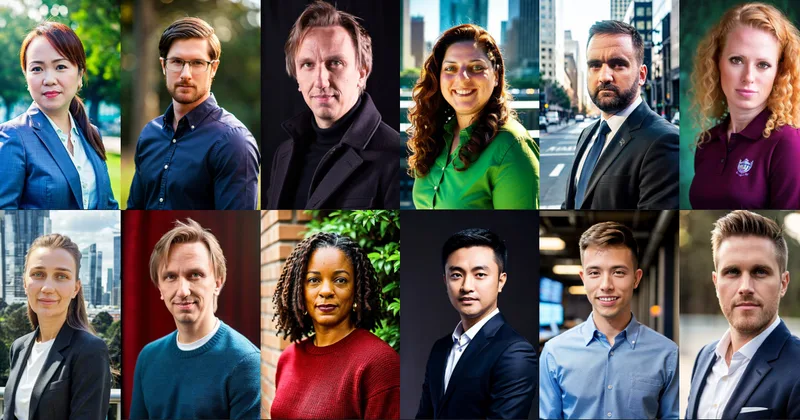
ProPhotos is a commercial AI-powered headshot generator that creates photorealistic, industry-specific professional headshots from user-uploaded photos, aimed at individuals and enterprises wanting quick, production-ready portraits for LinkedIn, resumes, and corporate use.

Aux Machina
Aux Machina is an AI-powered image creation platform that generates custom, royalty-free visuals and offers upcoming AI-assisted image-editing tools, aimed at creators, marketers, and teams who need quick, high-quality images.
Photostudio
Blockode AI Photo Studio is an AI-powered photoshoot generator that trains a custom model from your uploaded selfies to produce stylized, high-resolution AI photoshoots. It targets users who want custom-generated portraits with options for commercial use.

drawingpics
DrawingPics is a native macOS app for Apple Silicon that converts sketches into photorealistic or stylized images in real time using Core ML and the Apple Neural Engine. It runs fully offline, is available as a one-time purchase, and targets creators and small studios.