

Scripsy.ai
Scripsy is a Chrome extension that provides AI-powered YouTube transcription, timestamped transcripts, concise AI summaries, and an in-video chat to ask questions about video content — all delivered inside YouTube on desktop.
Scripsy.ai is transcription software teams evaluate for transcription. Use this page to review pricing, integration signals, and the best alternatives before you commit.
Profile facts come from the vendor source. AiMatch labels unknown pricing or API details instead of estimating them.
Review official source →Used in These Packs
Quick Overview
Best for: Transcription
What it does
Transcription software for decision-makers comparing workflow fit and alternatives.
Best fit
Transcription
Pricing snapshot
Free from Free
Next step
Compare Scripsy.ai with similar tools before you shortlist it.
Compare this tool before you shortlist it
Review alternatives, pricing posture, and workflow fit side by side.
Scripsy is a Chrome extension that runs inside YouTube on desktop to provide instant, AI-powered transcripts, timestamped transcripts, and concise summaries of videos. Users can get summaries and key ideas directly in the YouTube interface, request transcripts in multiple languages, and interact with the content via an AI-driven chat summary feature.
The product targets people who consume long-form video content for work or study (students, researchers, content creators, and hearing-impaired users) and emphasizes speed (transcriptions "in under 1 second"), multi-language support ("Transcripts and Summaries in 50+ Languages"), and an easy install via the Chrome extension.
Chrome extension that transcribes and summarizes YouTube videos, including timestamped transcripts and AI chat inside YouTube. Scripsy.ai is a AI Tool featured on Dang.ai. Learn more about Scripsy.ai's AI tool.
Own this listing?
Claim this page for a one-time $29 to add pricing, features, screenshots, verified owner details, and a clearly labeled 30-day category position after the profile is live.
Claim this listing for $29Key Features
Instant Transcription
Transcribe any YouTube video with precise timestamps; the site advertises "super-fast transcriptions with precise timestamps — under 1 sec."
AI Summaries
Generate concise AI summaries and key ideas for videos directly inside YouTube ("AI YouTube Summarizer").
In-Video AI Chat
Ask AI anything about the video's content via an integrated chat/summary feature (referenced as "YouTube Summary with ChatGPT").
Multi-language Transcripts & Summaries
Transcripts and summaries available in 50+ subtitle languages (site lists many languages such as English, Spanish, French, Mandarin, etc.).
YouTube UI Enhancements
Options to disable YouTube Shorts and hide YouTube comments as listed among features.
Chrome Extension
Delivered as a Chrome Desktop extension with install prompts ("Install Chrome Extension", "Add to Chrome").
Pricing
Scripsy advertises free transcription and summary functionality ("Transcribe YouTube Videos for FREE").
Free
Free- Transcribe YouTube videos for free
- Generate AI summaries (free plan referenced in FAQs and promotional text)
Use Cases
Study Faster
Quickly extract summaries and key ideas from lectures and educational videos to speed up study sessions (listed under Use Cases: "Study Faster").
Learn Languages
Use timestamped transcripts and multi-language support to assist language learning (page lists "Learn Languages").
Content Creation
Generate summaries and transcriptions to repurpose video content, create show notes, or plan new content (listed as "Content Creation").
Market Research
Summarize long interviews, talks, and webinars to extract insights faster for research and analysis (listed as "Market Research").
Save Time on Podcasts
Get concise summaries and transcripts of long podcast videos to consume the main ideas more quickly (listed as "Save Time On Podcasts").
Accessibility for Hearing-Impaired
Provide accurate, timestamped transcripts to improve accessibility for hearing-impaired viewers (listed as "For Hearing-Impaired").
Integrations
YouTube
Scripsy operates inside the YouTube web interface to provide transcripts, summaries, and chat functionality.
Chrome (Browser Extension)
Delivered as a Chrome extension and requires Chrome Desktop for use (site states "Only on Chrome Desktop").
ChatGPT / AI backend
The site references "YouTube Summary with ChatGPT" and AI-generated summaries, indicating an integration with AI summarization/chat capabilities.
Benefits
Limitations
Frequently Asked Questions
Is Scripsy free to use?
How long does it take to create a transcript?
Can I get transcriptions and summaries in different languages?
Getting Started
- 1 Install the Scripsy Chrome extension (site provides an "Install Chrome Extension" / "Add to Chrome" CTA).
- 2 Open a YouTube video on Chrome Desktop.
- 3 Open the Scripsy extension panel to generate a timestamped transcript and AI summary, or use the chat feature to ask questions about the content.
Support
Website / FAQ
FAQ, Blog, Updates and Testimonials available on the product site (links shown in the footer).
The site includes an "Email Us" contact option (accessible via the product site).
Legal / Policies
Terms of Service and Privacy Policy are listed in the site footer.
API
Compare Scripsy.ai with similar tools
See how it stacks up against alternatives
Related Tools
View all 51 →

StageWhisper Lite
StageWhisper Lite is a free, on-device Mac app that listens to calls and produces local transcripts, summaries, and action items without uploading audio or screen content to external servers.
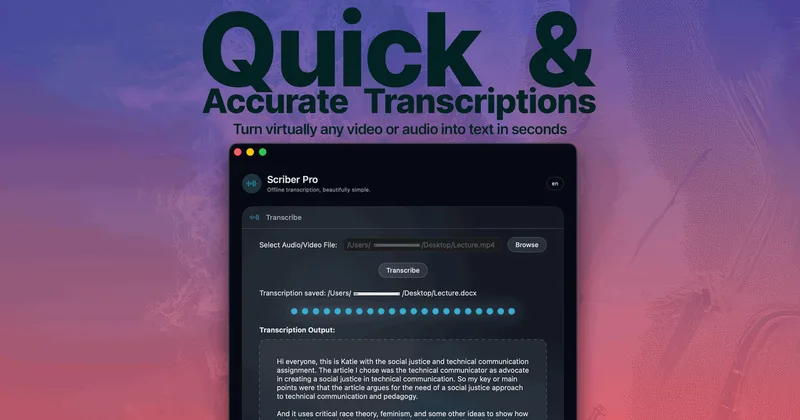
Scriber-Pro 2.0
Scriber Pro 2.0 is a macOS app for transcribing audio and video locally, including files, YouTube links, and M3U8/HLS web streams. It saves transcripts in a searchable library and exports them in several document formats.
TrueScribe
TrueScribe is a Windows and Linux desktop app for transcribing, editing, searching, translating, and researching audio and video recordings. Processing runs locally by default, with optional cloud models for selected features.

Recly
Recly is a free, open-source recorder and transcription app for Galaxy Watch, Apple Watch, iPhone, Mac, and Windows. It stores recordings and transcripts in your Google Drive, with on-device transcription or transcription through a provider you choose using your own API key.
Meetjamie
MeetJamie (Jamie) is a privacy-first AI meeting note taker that automatically produces structured notes, transcripts, speaker-labeled audio summaries, and action items for online, hybrid, or in-person meetings in 100+ languages — designed for individuals and enterprises without joining calls as a bot.
limitless-ai
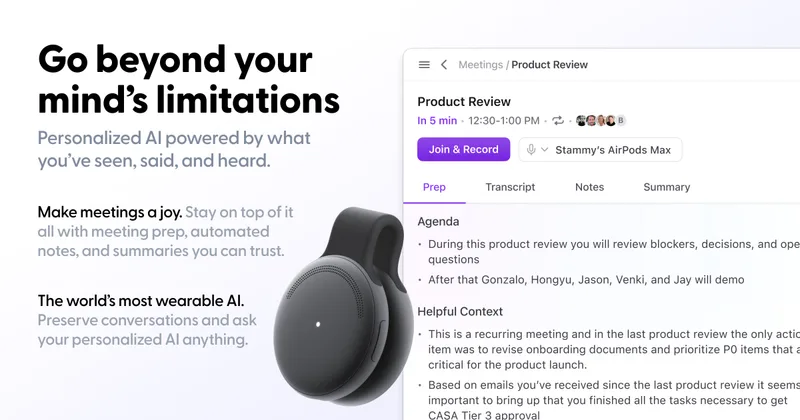
Limitless was an AI-enabled wearable and software company (notably the Pendant and Rewind app) focused on personal AI and meeting recording/transcription; the company has been acquired by Meta and will continue limited support for existing Pendant customers through 2026.
Whispernotes
Whisper Notes is a native iPhone and macOS app that performs fully offline speech-to-text using OpenAI's Whisper family of models (including Whisper Large V3 Turbo). It targets professionals who need private, on-device transcription for meetings, lectures, interviews, and dictation, with a one-time purchase model rather than subscriptions.
Premium Alternatives

transcripci-n
Transcripción+ ofrece servicios de transcripción de audio a texto combinando transcripciones profesionales humanas y transcripción automática potenciada por IA, además de resúmenes, identificación de hablantes, traducción y una API para integraciones.




MeetNote
Meetnote is an AI meeting assistant that captures browser audio without joining calls as a bot, then generates speaker-labeled transcripts, summaries, action items, and searchable meeting records. It works through a Chrome extension and web workspace for Google Meet, Microsoft Teams, Zoom, and other browser audio.