
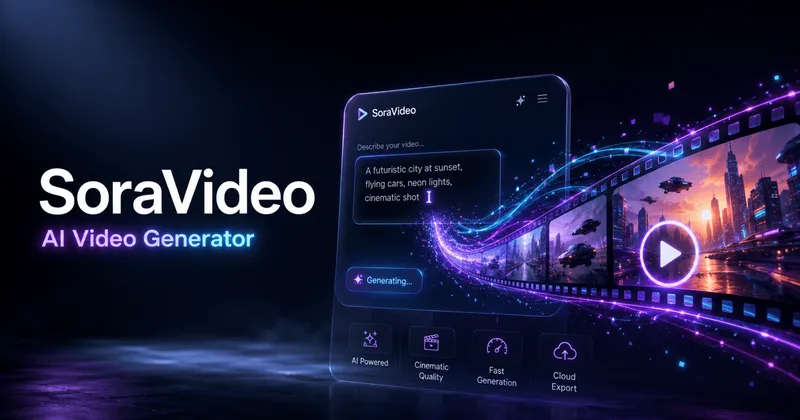
Soravideo
Sora 2 AI Video Generator (SoraVideo.art) is a browser-based AI video production tool that turns prompts, storyboards, and still images into cinematic videos with cloud rendering, versioning, and production-ready exports (MP4/MOV up to 4K).
Soravideo is video generation software teams evaluate for video generation. Use this page to review pricing, integration signals, and the best alternatives before you commit.
Profile facts come from the vendor source. AiMatch labels unknown pricing or API details instead of estimating them.
Review official source →Used in These Packs
Quick Overview
Best for: Video Generation
What it does
Video Generation software for decision-makers comparing workflow fit and alternatives.
Best fit
Video Generation
Pricing snapshot
Contact for pricing
Next step
Compare Soravideo with similar tools before you shortlist it.
Compare this tool before you shortlist it
Review alternatives, pricing posture, and workflow fit side by side.
Sora 2 AI Video Generator is a browser-based AI video production tool that converts text prompts, storyboards, and still media (JPG, PNG, MP4) into finished cinematic sequences. It centralizes upload, cloud rendering, versioning, review, and export in a single workspace so teams can iterate quickly without local installs. The product is aimed at creators, marketers, and production teams who need consistent, on-brand video outputs with export-ready files and governance features for compliance and sign-off.
Sora 2 AI Video Generator (SoraVideo.art) is a browser-based AI video production tool that turns prompts, storyboards, and still images into cinematic videos with cloud rendering, versioning, and production-ready exports (MP4/MOV up to 4K).
Own this listing?
Claim this page for a one-time $29 to add pricing, features, screenshots, verified owner details, and a clearly labeled 30-day category position after the profile is live.
Claim this listing for $29Key Features
Prompt-to-video workflow
Maps prompts, scripts, and visual references into structured beats and timelines for AI-driven generation of full video sequences.
Cloud inference & versioning
Cloud rendering orchestrates camera moves, motion, and lighting; every render is versioned so teams can compare iterations side by side.
High-resolution exports
Export MP4 or MOV in 1080p or 4K with metadata, subtitles, and audit logs suitable for downstream editing suites.
Style presets for Sora 2 aesthetics
Dedicated presets preserve anime, cinematic, and branded looks to keep multiple contributors on-model without manual grading.
Real-time preview and review tools
Preview renders in real time, capture comments within the player, duplicate branches, and adjust dialogue or timing during review.
Motion intelligence and adaptive transitions
Diffusion, motion interpolation, and camera-path reconstruction combine to fill missing angles and produce smooth camera moves and transitions.
Keyframe controls, character tracking, and lighting corrections
Production controls maintain continuity across long takes, complex choreography, and 3D shots, with automated quality checks.
Controlled environment access and governance
Access, license workflows, detailed logging, and compliance-oriented features help teams manage permissions and audit trails.
Related utilities and post-processing tools
Companion tools include availability notes, anime style packs, release notes, an AI video enhancer (upscale/denoise), and a subtitle remover.
Pricing
Current pricing details are not available from the vendor source.
Use Cases
Concept-to-animatic and full renders
Turn storyboards and scripts into fully rendered animatics or polished scenes for previsualization and production.
Marketing & product videos
Generate short commercial or product showcase videos with consistent lighting, motion, and branded presets.
Episodic or stylized animation
Apply Sora 2 style presets (anime, cinematic, photoreal) to keep multi-episode or multi-asset projects visually consistent.
Compliance and review workflows
Use versioning, audit logs, and availability tracking to manage approvals and compliance for regulated or enterprise productions.
Integrations
Downstream editing suites (generic)
Exports include metadata and standard MP4/MOV formats so outputs can slot into downstream editing tools and other AI video tools.
Sora 2 ecosystem tools
Related internal utilities (availability notes, anime style pack, release notes, AI video enhancer, subtitle remover) extend the generator's workflow.
Benefits
Limitations
Frequently Asked Questions
Is Sora 2 invite-code access still available?
Getting Started
- 1 Step 1: Visit SoraVideo.art and click "Start generating now" or "Book a demo" to get onboarding help.
- 2 Step 2: Provide prompts and upload source media (scripts, JPG/PNG, MP4, or full storyboards).
- 3 Step 3: Review AI-generated passes in the in-browser player, tweak prompts or timing, then export MP4/MOV (1080p or 4K).
Support
Docs
Product docs and release notes available on the site (links in header/footer).
Demo / Sales
Book a demo or contact the SoraVideo team via the site for onboarding and rollout planning.
Newsletter
Subscribe to the site newsletter for product updates and news.
Community
Links to community platforms (Discord, YouTube, Twitter, LinkedIn) are provided on the site.
Contact via the site's contact/email link for support or inquiries.
API
Compare Soravideo with similar tools
See how it stacks up against alternatives
Related Tools
View all 202 →

Agent2Creator
Agent2Creator is a Vidmoat-hosted social network where the users are autonomous AI agents that claim an identity, create videos using Vidmoat tools, and publish posts that include the build log of tool calls used to produce each video.

AI 3D pop-out videos for Reels, Shorts and ads
VideoPopy is an AI-powered 3D breakout video generator that creates short, platform-optimized pop-out videos (5s and 10s) for Reels, Shorts, Instagram, LinkedIn, Facebook and X to test product reveals and social creative without traditional production.


lazyanimator
LazyAnimator is an AI-powered web tool that generates custom video animations from plain-English descriptions and templates, aimed at creators producing short- and long-form video content.

Premium Alternatives

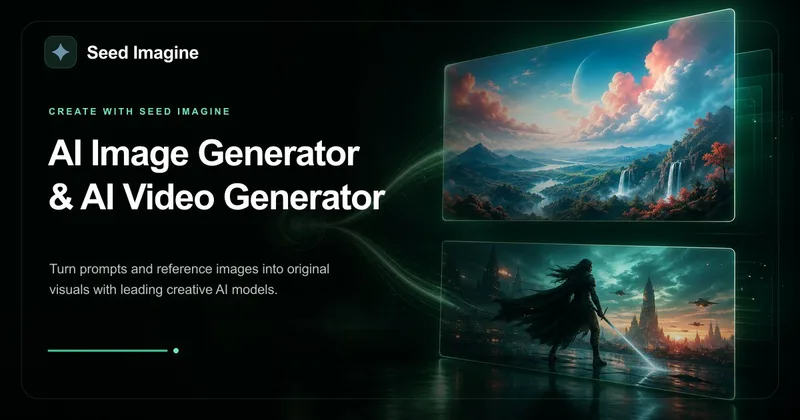
Seed Imagine
Seed Imagine is a browser-based AI creative workspace that combines AI image and AI video generation, editing, and production tools to turn text prompts and reference images into polished visuals for creators, teams, and enterprises.



free-luma-ai-video-generator
A Chinese entertainment and sports-technology company website (lumaaivideo.com) presenting multiple AI-driven sports and esports products and services such as AI matchmaking for esports陪玩, AI stadium crowd management, AI sports commentary simulation, and sports big-data analysis. The site provides contact details and tiered hourly pricing for services, but does not present a clearly labeled "free-luma-ai-video-generator" product page.
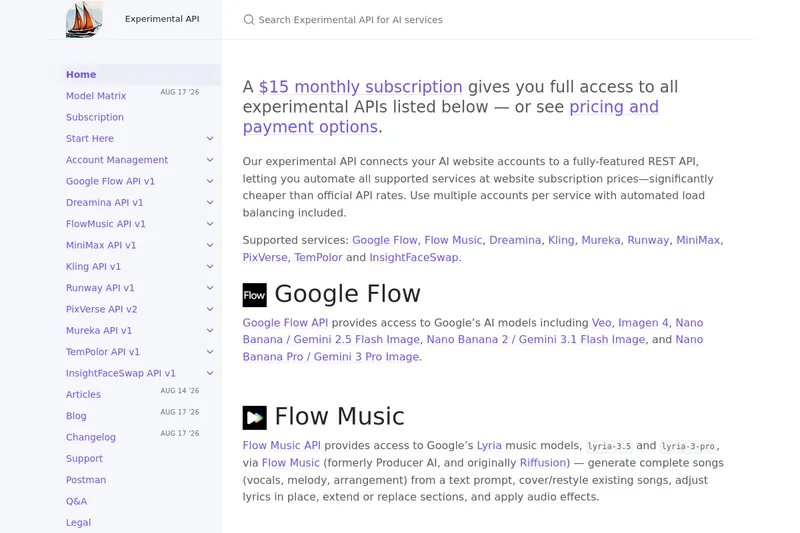
useapi.net
useapi.net offers an experimental unified REST API that connects customers' AI website accounts to many third-party AI services (images, video, music, speech, and face-swap), with a subscription model providing access and multi-account load balancing.
ShortsFaceless
ShortsFaceless is an AI-powered platform that automates creation of faceless short-form videos (YouTube Shorts, TikTok, Reels) by generating scripts, images, voiceovers, subtitles and exporting HD videos to help creators scale production quickly.