
Eddie AI
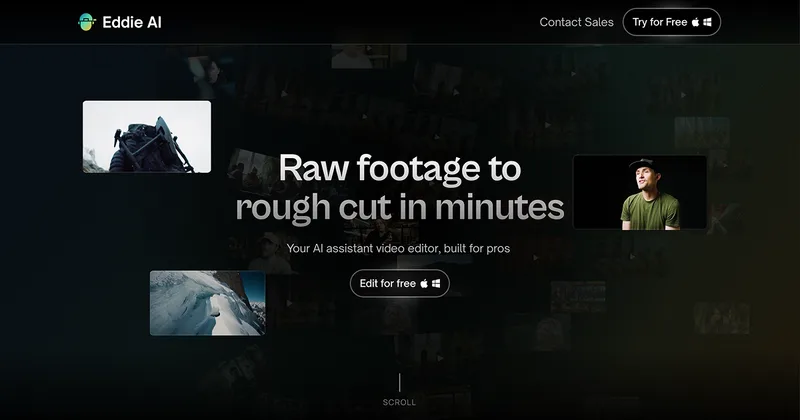
Eddie AI turns raw footage into structured rough cuts and performs other editing tasks from plain-language instructions. Professional video editors and production teams can review the result and export it to their NLE.
One of 23 tools in Video Editing
Who it's for
- Documentary editors assembling interview footage who want transcription, soundbite selection, and a story-led first cut.
- Corporate and branded-content teams that need to turn raw interviews into editable assemblies for Premiere Pro, Resolve, or Final Cut Pro.
- Podcast editors working with multiple cameras who want Eddie to sync angles and cut between them.
Not the right fit if…
- Teams that need Avid Media Composer support as a generally available feature: the page says Avid support is in beta and access is through a waitlist.
- People who want to use the ChatGPT connector without a paid plan and Developer Mode: the page states both are required for ChatGPT.
How it fits your workflow
Import raw footage into Eddie through the web app or desktop app, then describe the story or edits you want. Eddie transcribes footage, identifies soundbites, removes filler words, tags B-roll, and assembles a rough cut.
Review and refine the cut, then export it to Premiere Pro, DaVinci Resolve, or Final Cut Pro. Projects can also be accessed through the iPhone app, Claude or ChatGPT, API, and CLI.
Pricing
Free: New accounts start with 1,000 free credits. Credits are used for importing footage, prompted edits, and generated extras; packs are available for one-time purchase.
1,000 credits
$10 one time
- · About an hour of footage, imported and edited
- · Credit packs never expire
- · No subscription required
5,000 credits
$45 one time
- · About two 3-hour projects
- · Credit packs never expire
- · No subscription required
15,000 credits
$120 one time
- · Described as a steady month of editing
- · Credit packs never expire
- · No subscription required
50,000 credits
$350 one time
- · Described as suitable for heavy months and enough for a whole team
- · Credit packs never expire
- · No subscription required
Enterprise
Custom pricing; contact sales
- · Centralized admin
- · Team workspaces
- · SAML/SSO
- · On-prem in your own cloud
Prices checked on Oct 6, 2026 from the vendor's site. They can change; confirm before you buy.
Key features
- AI rough cuts
- Describe the story and edits in chat; Eddie transcribes footage, finds soundbites, removes filler words, and assembles a structured rough cut.
- A-roll and B-roll logging
- Transcribes A-roll, surfaces soundbites, and tags B-roll with visual descriptions to organize footage for editing.
- Multicam editing
- Syncs multiple camera angles using audio and visual cues and cuts between angles for interview and podcast edits.
- Additional editing tasks
- The page lists color grading, music with audio ducking, voiceover, subtitles, captions, lower thirds, and motion graphics.
- NLE round-tripping
- Exports cuts to Premiere Pro, Final Cut Pro, and DaVinci Resolve, with clips relinked; Avid Media Composer support is in beta.
- Multiple ways to use projects
- Eddie is available as a web app, desktop app, iPhone app, Claude or ChatGPT connector, API, and CLI.
Works with
- Adobe Premiere Pro
- DaVinci Resolve
- Final Cut Pro
- Avid Media Composer
- Claude and ChatGPT
Limitations to know
- Avid Media Composer support is in beta and access is through a waitlist.
- Using Eddie through ChatGPT requires a paid plan with Developer Mode.
- HIPAA is listed for enterprise plans with health data; the page does not state that this is included in standard plans.
Alternatives to consider
-
Narrative
Choose it if you want an AI-first editor that creates finished timeline edits with transcripts, captions, and version history from uploaded footage.
-
reap
Choose it if your main workflow is turning long videos, webinars, or interviews into short clips with captions, dubbing, or translated subtitles.
Getting started
- Create an account, which starts with 1,000 free credits.
- Open the web app or download the desktop app and import footage.
- Describe the desired edit in chat and review the generated rough cut.
- Export to a supported NLE if you want to continue editing there.
Frequently asked questions
How does Eddie AI create a rough cut?
Eddie transcribes footage, finds soundbites, removes filler words, and builds a rough cut based on the story described in chat. It also logs and tags B-roll, then exports a timeline to an NLE.
Can Eddie AI handle multicam footage?
Yes. Eddie syncs multiple camera angles using audio and visual cues and cuts between them; the page says it works for interview setups and podcast recordings.
Which video editing software does Eddie AI work with?
The page lists Adobe Premiere Pro, Final Cut Pro, and DaVinci Resolve. Avid Media Composer support is in beta, with access from a waitlist.
How much does Eddie AI cost, and is there a free version?
New accounts start with 1,000 free credits. One-time credit packs cost $10 for 1,000 credits, $45 for 5,000, $120 for 15,000, or $350 for 50,000. Packs never expire, and no subscription is required; enterprise pricing is custom.
Do you train on my data?
The page says user footage is not used to train Eddie's models and that the company does not look at user content.
Can I use Eddie AI from ChatGPT or Claude?
Yes. Eddie runs as an MCP server. The page says Claude custom connectors work on every Claude plan, while ChatGPT requires a paid plan with Developer Mode.