
Narrative
Narrative is an AI-first video editor that creates finished timeline edits from uploaded footage using natural-language instructions, while keeping an editable timeline, transcripts, captions and version history for creators and teams.
Narrative is ai tools software teams evaluate for video editing. Use this page to review pricing, integration signals, and the best alternatives before you commit.
Profile facts come from the vendor source. AiMatch labels unknown pricing or API details instead of estimating them.
Review official source →Used in These Packs
Quick Overview
Best for: Video Editing
What it does
AI Tools software for decision-makers comparing workflow fit and alternatives.
Best fit
Video Editing
Pricing snapshot
Paid from $20/month (billed monthly)
Next step
Compare Narrative with similar tools before you shortlist it.
Compare this tool before you shortlist it
Review alternatives, pricing posture, and workflow fit side by side.
Narrative is an AI-first video editor that lets you upload footage, describe the edit you want in natural language, and receive a finished edit on a traditional, editable timeline. The editor combines transcripts, captions, version history and framing tools with AI-driven agents that read footage and make cuts according to your brief. Narrative targets creators and teams producing wedding highlights, podcasts, sports highlights, product demos and social reels — offering plans and credits scaled for occasional editors up to daily team workflows.
The product emphasizes conversational editing ("AskEdit by talking"), multiple model tiers for different edit complexity and retainable versions so every automated turn can be restored or reviewed. Outputs include 4K renders and aspect-ratio/frame control for social formats.
AI-first video editor, just describe edits & refine in chat Discussion | Link
Own this listing?
Claim this page for a one-time $29 to add pricing, features, screenshots, verified owner details, and a clearly labeled 30-day category position after the profile is live.
Claim this listing for $29Key Features
Natural-language AI editing
Describe the edit you want and the agent reads the footage and produces a cut (e.g., "Make a 15 second reel of the best rides").
Editable timeline and traditional editor UI
Narrative delivers a finished edit on a timeline you can open, change and restore to prior versions.
Transcripts, captions and searchable media
Transcript and captions are integrated into the editor so edits can be driven by dialogue and searchable transcript content.
Version history and restore
Each automated turn is saved as a version; users can step back to any version or restore the project to how a turn left it.
Model tiers and edit modes
Choose editing behavior (Fast, Balanced, Max) to prioritize quick changes, typical edits, or long footage/hard briefs.
Frame and aspect-ratio control
Set output frame (16:9, 9:16, 1:1, etc.) and keep multiple speakers or reframe as stacked/portrait feeds.
4K renders and export
Plans include 4K renders and no-watermark exports; Studio offers unmetered renders and priority queueing.
Credits-based usage and storage
AI edits consume credits; plans include monthly AI credit allocations, project limits and footage storage quotas.
Pricing
3-day free trial included for all plans; no perpetual free tier listed.
Plus
$20/month (billed monthly)- 3-day trial
- 2,000 AI credits a month
- 10 projects a month
- 100 GB of footage
Pro
$40/month (billed monthly)- 3-day trial
- 4,000 AI credits a month
- 30 projects a month
- 500 GB of footage
Studio
$100/month (billed monthly)- 3-day trial
- 10,000 AI credits a month
- Unlimited projects
- Unmetered renders and priority in the queue
Use Cases
Wedding highlight reels
Turn multi-hour wedding shoots into highlight reels with vows and key moments placed automatically on the timeline.
Podcasts and interview editing
Producers can request the best moments, vertical cutdowns with captions, and quickly iterate using version history.
Sports match highlights
Automatically find goals/highlights across long matches and produce highlight packages while preserving editable versions.
Product demos and marketing clips
Create short social-ready reels and product demo cutdowns from longer shoots with captions and reframing for vertical formats.
Integrations
No verified integration details are available.
Benefits
Limitations
Frequently Asked Questions
No verified FAQs are available.
Getting Started
- 1 Sign up on the Narrative website and start the included 3-day trial
- 2 Upload your footage and media to a project (plans have different storage limits)
- 3 Describe the edit you want in natural language (e.g., length, focus, captions, framing)
- 4 Open the generated timeline to review and refine the AI-created cut
- 5 Export the final render (4K renders available depending on plan)
Support
Docs
Product documentation is available (Docs link in site footer).
Contact
Contact page available via the site footer ("Contact us").
Help
Help and support links available from the site; Studio plan includes priority support.
API
Compare Narrative with similar tools
See how it stacks up against alternatives
Related Tools
View all 23 →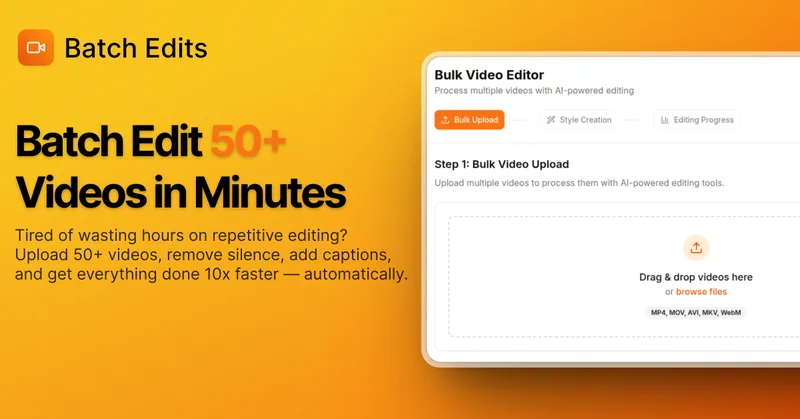
BatchEdits
BatchEdits is a web-based batch AI video editor for content creators that processes up to 50 videos simultaneously to remove silence, add auto-captions in 50+ languages, apply auto-zoom and crop for platform-specific formats, enabling high-volume creators to scale editing work.
Vidmoat
Vidmoat is an agent-first AI video editor that automates cutting, captions, color grading and multi-format export. Users type a prompt (or connect their own agent) and Vidmoat’s built-in AI or a connected MCP agent produces finished videos ready for TikTok, Reels, Shorts and YouTube.

reap: AI Video Editor
reap is an AI-first video editor that automates turning long videos, webinars, and interviews into clips, animated captions, dubbed audio, and translated subtitles across 100+ languages, with REST API, CLI, and MCP for automation and publishing.

Vizard
Vizard is an AI-first video editing and clipping platform that automatically converts long-form videos into social-ready short clips (TikTok, Instagram Reels, YouTube Shorts) and provides an editor, team workspace, and automation to scale content production for creators, marketers, coaches and agencies.



Choppity
Choppity is an AI-powered video editing platform that automatically turns long-form videos and podcasts into 20–50+ short social clips with automated transcription, captioning, framing, tracking, and one-click posting/scheduling for TikTok, Instagram Reels and YouTube Shorts.
Budget-Friendly Alternatives
BatchEdits
BatchEdits is a web-based batch AI video editor for content creators that processes up to 50 videos simultaneously to remove silence, add auto-captions in 50+ languages, apply auto-zoom and crop for platform-specific formats, enabling high-volume creators to scale editing work.
Vidmoat
Vidmoat is an agent-first AI video editor that automates cutting, captions, color grading and multi-format export. Users type a prompt (or connect their own agent) and Vidmoat’s built-in AI or a connected MCP agent produces finished videos ready for TikTok, Reels, Shorts and YouTube.
autoagentx
AutoAgentX is an AI-powered video editor focused on improving short-form clips by creating stronger hooks, cleaner subtitles, and tighter pacing to increase retention for creators and teams.
Vizard
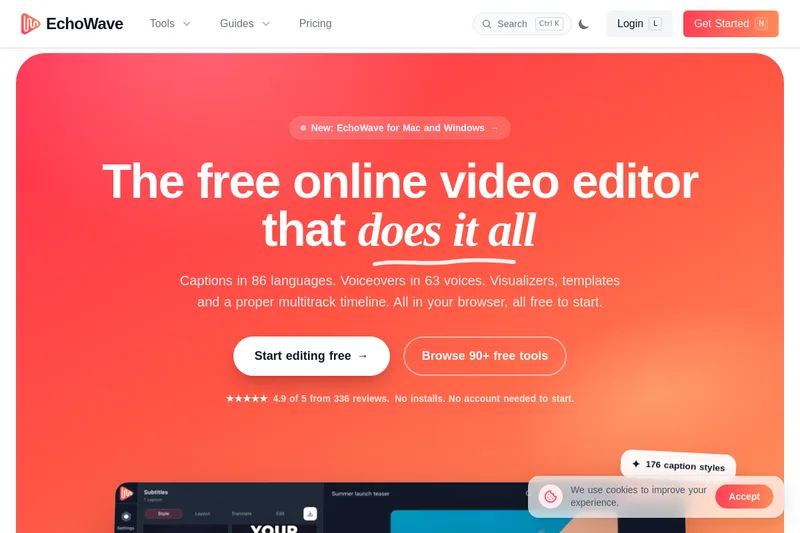
Vizard is an AI-first video editing and clipping platform that automatically converts long-form videos into social-ready short clips (TikTok, Instagram Reels, YouTube Shorts) and provides an editor, team workspace, and automation to scale content production for creators, marketers, coaches and agencies.

Submagic
Submagic is an AI-powered video editing platform that automates short-form video creation — from auto-captions and one-click edits to magic clip extraction, scheduling, and team collaboration — aimed at creators, teams, and businesses that need to publish shorts at scale.
reap: AI Video Editor
reap is an AI-first video editor that automates turning long videos, webinars, and interviews into clips, animated captions, dubbed audio, and translated subtitles across 100+ languages, with REST API, CLI, and MCP for automation and publishing.