
Vividmanga
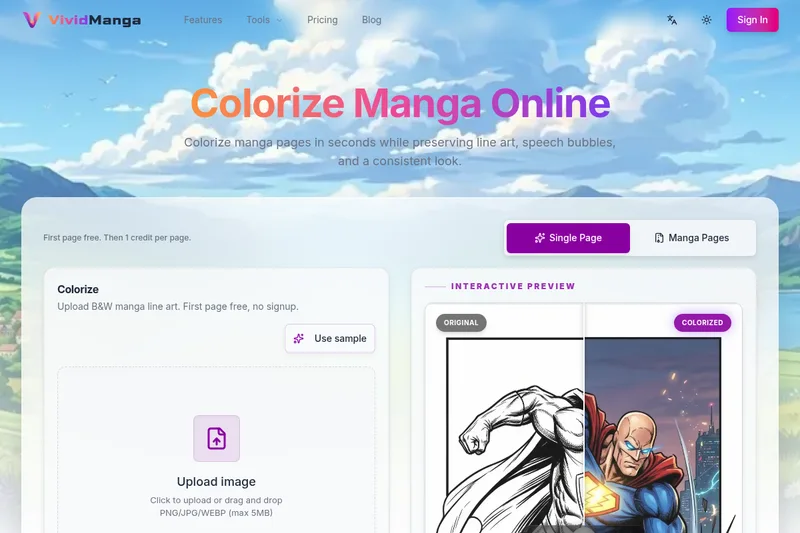
VividManga is a web-based AI manga colorizer that converts black-and-white manga pages, panels, and line art into color while preserving line art, speech bubbles, and character consistency. It supports single-page tests and batch workflows (ZIP/CBZ) for creators, archivists, and content producers.
Vividmanga is image & design software teams evaluate for image & design. Use this page to review pricing, integration signals, and the best alternatives before you commit.
Profile facts come from the vendor source. AiMatch labels unknown pricing or API details instead of estimating them.
Review official source →Used in These Packs
Quick Overview
Best for: Image & Design
What it does
Image & Design software for decision-makers comparing workflow fit and alternatives.
Best fit
Image & Design
Pricing snapshot
Freemium from $4.99
Next step
Compare Vividmanga with similar tools before you shortlist it.
Compare this tool before you shortlist it
Review alternatives, pricing posture, and workflow fit side by side.
VividManga is an online AI-driven tool for colorizing black-and-white manga pages, panels, and line art while preserving line art integrity and readable speech bubbles. It supports single-page experiments and batch workflows (including ZIP/CBZ import) so creators can test a style, review character palettes, and then colorize entire chapters or volumes. The product targets manga creators, archivists, and content producers who need consistent character colors, text isolation, and organized export for editing, publishing, or sharing.
VividManga is a web-based AI manga colorizer that converts black-and-white manga pages, panels, and line art into color while preserving line art, speech bubbles, and character consistency. It supports single-page tests and batch workflows (ZIP/CBZ) for creators, archivists, and content producers.
Own this listing?
Claim this page for a one-time $29 to add pricing, features, screenshots, verified owner details, and a clearly labeled 30-day category position after the profile is live.
Claim this listing for $29Key Features
Single Page & Batch Workflows
Colorize one page for a quick test or upload multiple pages (or ZIP/CBZ archives) for chapter- or volume-scale processing.
Character Consistency (Character Card)
Define each character's palette (hair, eyes, clothes) once and VividManga applies it consistently across pages to reduce character color drift.
Intelligent Text Isolation & Bubble Protection
Detects and isolates speech bubbles, sound effects, and narration boxes so dialogue remains readable after colorization; includes text-aware review.
Bulk Upload & Fast Pipeline
Drag-and-drop multiple images, with background processing and auto-extraction/preflight checks to keep large jobs moving without manual per-page loops.
Batch ZIP/CBZ Import and Export
Import packaged chapters via ZIP/CBZ and export finished pages packaged together (ZIP/CBZ/PDF) for organized delivery.
Style Presets & Interactive Preview
Multiple style directions (Natural, Vibrant, Dramatic, Painterly, etc.) and an interactive preview to review the first page before processing more pages.
4K / High-Resolution Export
High-resolution output options (4K / iPad Retina) available depending on plan; higher-quality source pages improve final results.
Creator Handoff Outputs
Export-ready results intended for review, retouching, video editing, layout checks, or archiving with packaged batch exports.
Pricing
Try 3 pages free (no credit card required); first page free for single uploads (trial credits available).
Starter Pack
$4.99- 100 Credits
- 1 credit per image
- High Resolution Output
- No Watermark
Volume Pass
$9.99- 250 Credits (1+ Full Volume)
- 1 credit per image
- Batch ZIP Upload
- High Res (iPad Retina)
Bundle Pack
$24.99- 800 Credits (3-4 Volumes)
- 1 credit per image
- Batch ZIP Upload
- CBZ / PDF Export
Use Cases
Content Creator
YouTube and TikTok creators can colorize manga panels for edits, thumbnails, and narration videos without hours of manual masking.
Manga Archivist
Convert black-and-white CBZ archives into color editions while preserving resolution and chapter order using ZIP import and batch processing.
Modern Reader
Readers who prefer colored editions can use VividManga to produce consistent, easier-to-follow colorized pages with stable character tones.
Integrations
No verified integration details are available.
Benefits
Limitations
Frequently Asked Questions
No verified FAQs are available.
Getting Started
- 1 Step 1: Upload your manga page(s) by dragging a single image or importing a ZIP/CBZ archive to keep page order.
- 2 Step 2: Choose a color direction and style preset and review the interactive preview on the first page.
- 3 Step 3: Start the AI colorization; single pages finish quickly while batch jobs run in the background.
- 4 Step 4: Download the colored pages (individual images or packaged ZIP/CBZ/PDF) for review, retouching, or publishing.
Support
Contact page
Site includes a 'Contact' link for inquiries and support (refer to the website footer/menu).
Newsletter
Subscribe to the newsletter via the website to receive updates and news.
Documentation / Blog
Product information, comparison guides, and a blog are available on the site for usage guidance.
API
Compare Vividmanga with similar tools
See how it stacks up against alternatives
Related Tools
View all 386 →

Pixian
Pixian.AI is a web and API service that removes image backgrounds using a custom AI model, offering a free tier for small images and paid processing for high-resolution images. It targets both casual users and developers with drag-and-drop web tools, an API, and features like face stickers and multiple output options.

Pixarmory
PixArmory is a web-based AI photo editor and image-generation toolkit that lets users edit, stylize, and generate images from plain-English prompts using models like Nano Banana (Google) and GPT Image 2 (OpenAI). It targets creators, designers, and professionals seeking fast, multi-model image editing workflows without advanced design skills.

imaginebuddy
Imagine Buddy is a web-based library of professionally crafted AI product photoshoot prompts that helps creators and brands generate campaign-ready product imagery using AI image generators like Gemini, ChatGPT/DALL·E, Midjourney, and Stable Diffusion.

Reimaginehome
ReimagineHome is an AI-driven interior design and virtual staging service that turns real photos into photorealistic, decision-ready designs using shoppable, budgeted products while preserving a space's structure unless explicitly changed.

Gptimagen
Gpt Image 2 is a web-based AI image generator and editor that produces high-quality images from text prompts or reference images, emphasizing accurate text rendering, precise prompt control, and consistent character/product visuals for creators, marketers, and professionals.

Aighibliimage
AI Ghibli (Aighibliimage) is an AI-powered web platform that transforms user photos into artwork inspired by Studio Ghibli’s visual style using selectable sub-styles and adjustable parameters.

Stable Diffusion Online (stablediffusionweb.com)
Stable Diffusion Online (stablediffusionweb.com) is a web interface for generating images, videos, photo effects and AI edits using Stable Diffusion XL and related text-to-image/video models. It offers an easy, GPU-accelerated online generator, a large Prompt Database, and claims anonymous usage and free access.
Premium Alternatives

Ghibli Art Generator
Ghibli Art Generator is a web-based AI tool that transforms user photos into Studio Ghibli–inspired artwork using a proprietary deep-learning style generator, offering multiple film-style filters, batch processing, and downloadable high-resolution outputs.


RoomAI
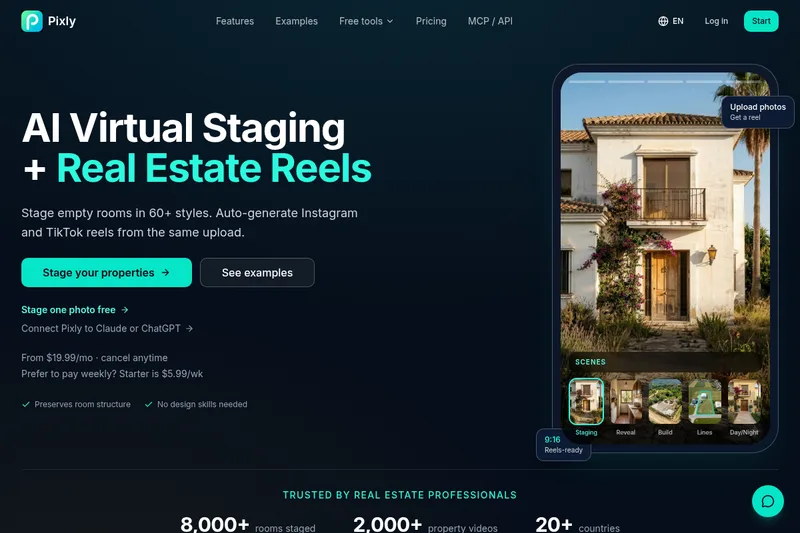
RoomAI is a web-based AI room-design tool that restyles real room photos while preserving the room geometry (walls, windows, openings, ceiling height and camera angle). It offers 300+ styles, 20+ room presets, virtual staging and decluttering with fast, full-resolution results for property listings, designers, photographers and homeowners.


phopet
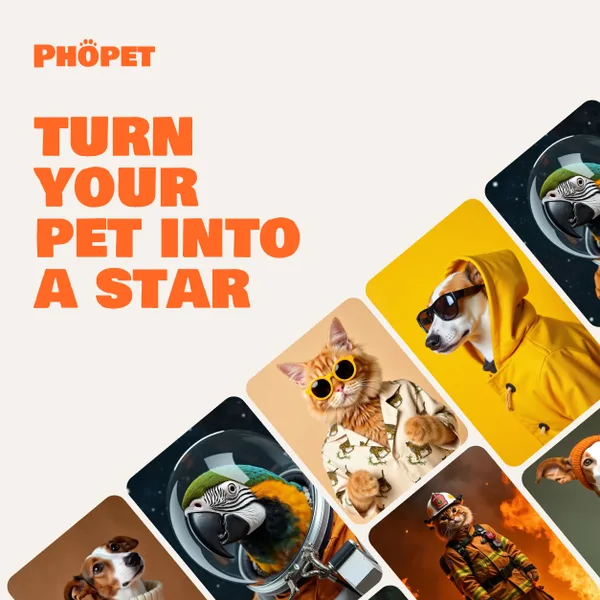
Phopet is a pet-focused image-generation service that trains a custom AI model from user-uploaded pet photos to produce themed, studio-quality images, upscaled prints, and merchandise-ready assets. It targets pet owners who want personalized photo packs and creative stories featuring their pets.