
Habit Pocket
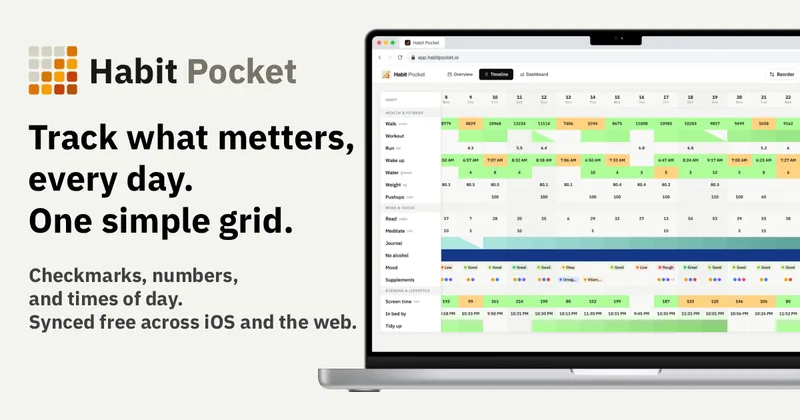
Habit Pocket is a multi-platform habit tracker that logs yes/no checks, numeric values, times, and categorical selections in a single grid, plus charts and AI integrations to reveal correlations between habits, sleep, mood, and energy.
Habit Pocket is productivity software teams evaluate for productivity. Use this page to review pricing, integration signals, and the best alternatives before you commit.
Profile facts come from the vendor source. AiMatch labels unknown pricing or API details instead of estimating them.
Review official source →Used in These Packs
Quick Overview
Best for: Productivity
What it does
Productivity software for decision-makers comparing workflow fit and alternatives.
Best fit
Productivity
Pricing snapshot
Freemium from $0
Next step
Compare Habit Pocket with similar tools before you shortlist it.
Compare this tool before you shortlist it
Review alternatives, pricing posture, and workflow fit side by side.
Habit Pocket is a habit tracker that captures checkmarks, numeric values, times of day, and selectable categories in a single grid so you can spot correlations between items like sleep, mood, energy, workouts, and phone use. It includes charts (candle charts, overlays, heatmaps, summary cards) generated from logged entries, multi-device sync across iOS and web, offline-first mobile behaviour, export capabilities, and optional AI assistant connections via MCP. The product is built and maintained by a solo developer and is positioned for everyday personal tracking with developer-friendly features (API, exports) for deeper integrations.
Habit Pocket logs the numbers and times around your habits, not just checkmarks — so you see what’s affecting your sleep, energy, and mood. Free on iOS & web.
Own this listing?
Claim this page for a one-time $29 to add pricing, features, screenshots, verified owner details, and a clearly labeled 30-day category position after the profile is live.
Claim this listing for $29Key Features
Unified grid logging
Log yes/no checks, numeric values with optional units and targets, real time time-of-day entries, and select lists you define (color-coded, single or multiple choice) all in one grid; click a cell to log and view history with habit headers that stay put.
Skip behavior and streaks
Mark a day as a skip to pause a streak for vacations, illness, or rest days (skips don't break streaks), while a blank day breaks the streak.
Charts and overlays
Auto-generated charts (including candle charts that stack bedtime/wake time and sleep score) and the ability to overlay any habit on another to reveal correlations; hover to see exact numbers and pin views to a dashboard.
AI assistant integration (MCP)
Connect AI assistants (Claude, ChatGPT, Claude Code, Cursor) via MCP to query your data in natural language, have the assistant build charts, and log entries on your behalf without the data leaving your account except to the assistant you authorize.
Exports & import
Download your full history and chart configurations as CSV or JSON; import is supported as well.
Offline-first sync and real-time updates
Mobile clients store data locally and sync when online; real-time sync across devices so changes appear instantly on other clients; last-write-wins conflict resolution.
Multi-device sign-in options
Sign in via email/password, Google OAuth, or Apple Sign-In on mobile; tokens are stored in the system keychain.
Privacy controls
Developer states they don't share or sell habits or values, the app shows no ads, users can export and delete their data (deleting wipes data immediately). End-to-end encryption is on the roadmap.
Pricing
Five habits free, forever — includes yes/no and numeric habit types, one auto-generated chart per habit, last 30 days of stats, and multi-device sync. No credit card required.
Free
$0- Up to 5 habits
- Yes/no & numeric habit types
- 1 auto chart per habit
- Last 30 days of stats
Pro · Monthly
$3.99/mo- Unlimited habits
- AI access — connect Claude or ChatGPT (MCP)
- Time-of-day & select habit types
- Numeric and time targets
Pro · Lifetime
$49 once- Everything in Pro unlocked permanently (no subscription)
- AI access — connect Claude or ChatGPT (MCP)
- Candle chart & custom chart builder
- 365-day and year-to-date stats
Use Cases
Understand daytime energy and sleep
Log bedtime, wake time, sleep score and afternoon energy to correlate late nights, caffeine, and screen time with low energy and identify actionable changes.
Track productivity and deep work
Record deep-work hours, phone pickups, and shipment/completion indicators to see which days and activities consume your time and which actions preserve productivity.
Measure mood and interventions
Place a daily mood score next to suspected influencers (workouts, daylight, caffeine) and let charts reveal what actually lifts or lowers mood.
Fitness and weight correlations
Overlay steps, calories, and weight to observe behavioral changes (e.g., increases in steps and reduced calories leading to steady weight loss).
Integrations
MCP (AI assistants)
Works with Claude, ChatGPT, Claude Code, Cursor — connect an assistant to query data, build charts, and log entries.
Public API & hosted MCP server
Live public API and hosted MCP server allow pulling data into custom dashboards and programmatic integrations.
Apple Health & Whoop (in progress)
Planned imports to pull sleep, recovery, steps, and weight into matching habits.
Benefits
Limitations
Frequently Asked Questions
Is there an Android app?
What's in the free plan?
What kinds of habits can I track?
Do you send reminder notifications?
Can I export my data?
Is there a one-time option instead of a subscription?
What happens when I'm offline?
Getting Started
- 1 Sign up (Continue with Google, Apple, or email) — no credit card required and five habits free forever.
- 2 Create the habits you want to track (choose yes/no, numeric, time-of-day, or select types).
- 3 Log your day by tapping a cell to check, enter a number, pick a time, or select a category.
- 4 Pin charts or views to your dashboard and connect an AI assistant via MCP if desired (Pro).
Support
Docs / Setup guide
On-site setup guide and chart guide for learning how to use charts and MCP setup (links available on the site).
Priority email support for Pro users; general contact link present on the site.
API
Compare Habit Pocket with similar tools
See how it stacks up against alternatives
Related Tools
View all 132 →
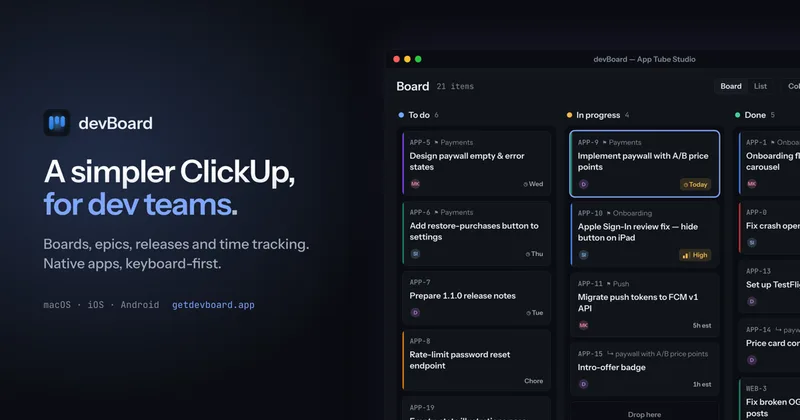
Windrunner
Windrunner is an AI-powered project collaboration and work management platform that combines work items, decisions, blockers, evidence, and progress into a single shared workspace to help teams coordinate work and review AI-proposed updates.


threadfork
threadfork is a macOS native, on-device AI notetaker that records, transcribes, and organizes meetings locally on Apple Silicon — generating summaries, threads (commitments/decisions), entities, and semantic search without sending audio to the cloud.

Afterlid, guarded lid closed work for macOS
Afterlid is a native macOS menu‑bar app that keeps downloads, renders, backups, dev servers, remote access, and local AI agents running after you close the lid by offering guarded modes (Sleepy, Awake, Always On) with built‑in battery, thermal, heartbeat, and time limits.
CardGo
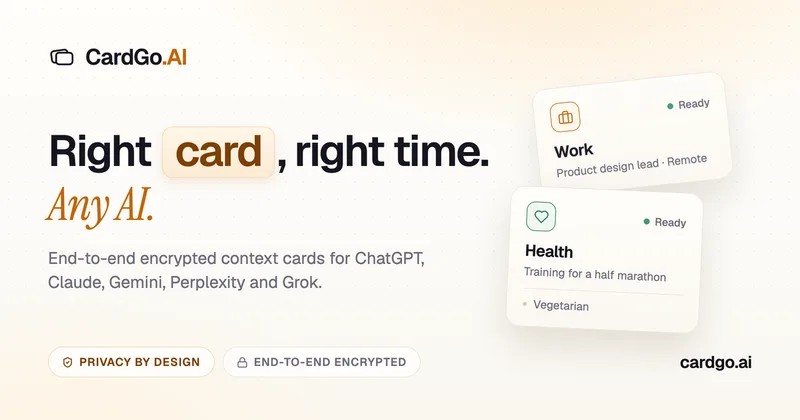
CardGo is a Chrome extension and context-management product that stores small, reusable, end-to-end encrypted AI context “cards” you attach to chats (ChatGPT, Claude, Gemini, Perplexity, Grok) so multiple AI tools can access the right user context without sharing your full profile.

Premium Alternatives
Writingmate
Writingmate is an all-in-one AI workspace that brings chat, files, web search, image and video generation, and 350+ third-party models (GPT, Claude, Gemini, Grok, Sora, Veo, etc.) into a single app designed for productivity, content, and team work.

Inbox Zero
Inbox Zero is an AI email assistant that organizes and labels inbox messages, drafts replies in the user's voice, and helps manage email from web, mobile, Slack, or Telegram. It works alongside Gmail or Outlook rather than replacing the email client.

AI Summarizer (summarizer.org)
AI Summarizer (summarizer.org) is a web-based AI-powered text summarization tool that shortens text while preserving main points, supporting text, DOCX, images and URLs, multiple output styles (paragraphs, bullet points), multiple languages, and optional premium features.
gistreader
GistReader is a web-based read-it-later app that uses AI to summarize articles and remove distractions, supporting individual pages and RSS feeds while syncing content across devices.

HigLabo Mail Agent
HigLabo Mail Agent is part of HigLabo, an AI-powered integrated workspace that organizes inboxes and automatically converts actionable emails into tasks to help teams and individuals reduce context switching and work more efficiently.