humley-studio
Humley provides enterprise conversational AI assistants that combine large language models and generative AI with an organisation's trusted knowledge to deliver accurate, context-aware answers for customer support, HR, councils, and contact centres.
humley-studio is chatbots & assistants software teams evaluate for chatbots & assistants. Use this page to review pricing, integration signals, and the best alternatives before you commit.
Profile facts come from the vendor source. AiMatch labels unknown pricing or API details instead of estimating them.
Review official source →Used in These Packs
Quick Overview
Best for: Chatbots & Assistants
What it does
Chatbots & Assistants software for decision-makers comparing workflow fit and alternatives.
Best fit
Chatbots & Assistants
Pricing snapshot
Contact for pricing
Next step
Compare humley-studio with similar tools before you shortlist it.
Compare this tool before you shortlist it
Review alternatives, pricing posture, and workflow fit side by side.
humley-studio
Humley builds enterprise conversational AI Assistants that combine large language models and generative AI with an organisation's trusted knowledge to provide accurate, context-aware answers. The platform emphasises reducing hallucinations and delivering answers grounded in trusted information, aimed at transforming customer support, internal HR support, council services, and contact centre operations.
Humley offers tailored Assistants (digital and voice) and agent-facing tools that surface the same trusted knowledge to human agents, enabling consistent answers across channels and supporting 24/7 automated and hybrid support workflows.
No-code platform to build, deploy, and manage AI-powered Assistants for exceptional customer experiences.
Own this listing?
Claim this page for a one-time $29 to add pricing, features, screenshots, verified owner details, and a clearly labeled 30-day category position after the profile is live.
Claim this listing for $29Key Features
Council Questions & Answers Assistant
A prebuilt assistant for councils that provides fast, accurate responses to residents and staff, grounded in local trusted knowledge, with a live demo available on the site.
HR Assistant
An assistant designed to support employees and HR teams by delivering reliable answers to workplace questions using the organisation's trusted policies and knowledge.
Humley Agent Assist
Makes conversational assistant knowledge available to human contact centre agents in real time so agents can deliver accurate, consistent answers during live calls.
Humley Telephone Assist
Extends the digital assistant to voice calls using the same knowledge base to resolve routine enquiries automatically and hand complex cases to human teams.
Knowledge-grounded Responses
Assistants are built on enterprise knowledge to reduce hallucinations and provide trusted, context-aware answers.
Pricing
Current pricing details are not available from the vendor source.
Use Cases
Local government / Council Q&A
Provide residents and staff with instant, accurate answers to council-related queries and reduce pressure on service teams via a council-specific Questions & Answers Assistant.
HR support and employee self-service
Help employees get fast answers to HR policy and workplace questions, streamlining internal support and freeing HR teams for strategic work.
Contact centre agent support
Surface trusted conversational knowledge to live agents during calls to improve response consistency and reduce handling time using Humley Agent Assist.
Voice-based automation
Offer 24/7 support via telephone lines with Humley Telephone Assist, resolving routine enquiries and passing complex issues to humans.
Integrations
No verified integration details are available.
Benefits
Limitations
No verified limitations are available.
Frequently Asked Questions
No verified FAQs are available.
Getting Started
- 1 Try a live demo: use the 'Live Council Assistant' or 'Live HR Assistant' links on the site to experience working demos
- 2 Contact Humley (e.g., email [email protected] or use the site's Contact link) to discuss requirements and deployment
- 3 Integrate your enterprise knowledge base so the Assistant is grounded in your organisation's trusted information and customise the Assistant to your needs
Support
Contact Adam Harrold (CEO) at [email protected] (email provided on the site)
demo
Live demo links for Council and HR Assistants are available on the homepage ("Live Council Assistant", "Live HR Assistant")
contact page
Site includes a Contact link for enquiries and further information
API
Compare humley-studio with similar tools
See how it stacks up against alternatives
Related Tools
View all 135 →
wasapi-io
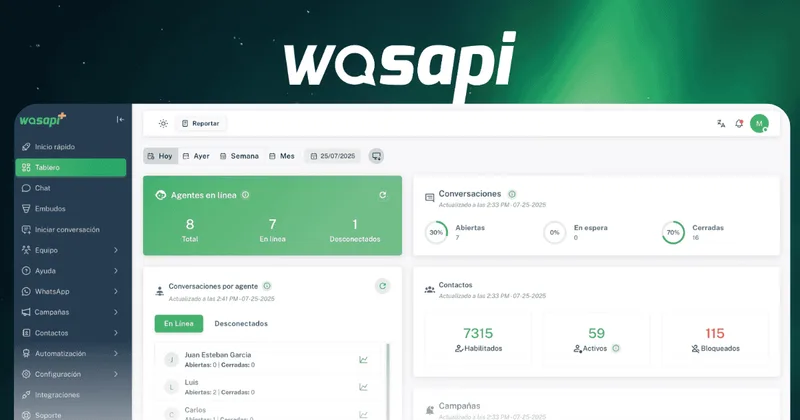
Wasapi is a SaaS platform that centralizes and manages WhatsApp-based customer service for teams, combining multi-agent inboxes, chatbots and trainable AI assistants, campaign/messaging tools, sales pipelines and API integrations to scale support and sales on WhatsApp.
Socialintents
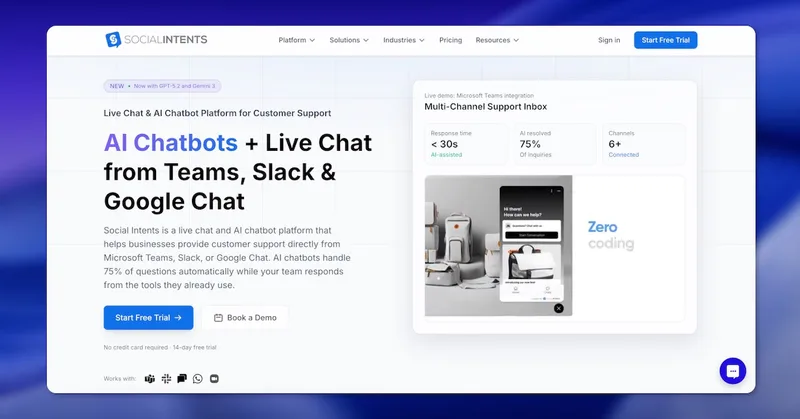
Social Intents is a SaaS live chat and AI chatbot platform that enables teams to respond to website visitors and messages from collaboration tools (Microsoft Teams, Slack, Google Chat, Zoom, Webex) and messaging channels (WhatsApp, SMS, Messenger) while using AI (ChatGPT, Claude, Gemini) to automate common support inquiries.


trainmy-ai
TrainMyAI builds custom, on-premise or cloud-hosted AI chatbots using retrieval-augmented generation (RAG) for private content, with access via WhatsApp, the web, and a private API while keeping all data on your own server.
wiichat-ai-chatbot
WiiChat is an omnichannel customer service and automation platform that provides AI agents to handle WhatsApp, Instagram, Messenger, Telegram, SMS, Webchat and voice — unifying conversations, CRM and campaign sending in a single product for businesses.

Premium Alternatives

human-echo
HumanEcho is a knowledge-grounded AI support workspace that builds bilingual (Arabic and English) website assistants which answer from your attached files and run under domain and credential controls for secure pilot deployments.
trainmy-ai
TrainMyAI builds custom, on-premise or cloud-hosted AI chatbots using retrieval-augmented generation (RAG) for private content, with access via WhatsApp, the web, and a private API while keeping all data on your own server.


skydis-ai-chatbot-builder-for-websites
Skydis is a SaaS platform for building AI-powered chat agents for websites—enabling businesses to create, train, and deploy customizable assistants to engage visitors, capture and qualify leads, and integrate lead data with external tools like Zapier.